User engagement has become one of the most talked-about concepts in mobile product development - and one of the least clearly understood. Teams track mobile app engagement metrics, leadership asks for engagement improvements, and roadmaps are filled with ideas meant to “increase engagement.” Yet in practice, many apps still struggle to retain users beyond the first few days.
The reason is not a lack of tools or intent. It is a lack of clarity.
Engagement is often treated as a single outcome, when in reality it is the result of multiple systems working together - the way users are guided, the way value is explained, the way timing is handled, and the way products respond to real behavior.
This article is part of a broader pillar on mobile app engagement, where we explore why engagement is often misunderstood, mismeasured, and disconnected from real user value. While the pillar connects foundational concepts like metrics, product constraints, and domain-specific patterns, this piece takes a more practical lens.
Here, we break down how engagement actually works in day-to-day product design covering the different surfaces where engagement happens (in-app, push, and out-of-app), the strategies teams use across onboarding, adoption, retention, and re-engagement, the widgets and UI patterns that operationalize these strategies, and the platforms and tools that enable teams to execute and iterate at scale. Together, this article helps translate the theory of engagement into a clear, actionable system.
What Is App Engagement?
Mobile app engagement refers to the way users interact with a mobile app over time. It captures not just whether users open an app, but how often they return, what they do during each session, and how intentional those interactions are.
Rather than a single action or moment, engagement is a pattern that forms across multiple sessions. It reflects how consistently users find value in the app and whether the experience continues to feel relevant as their needs evolve.
Ways of user engagement in mobile apps
User engagement does not happen in one place. It happens across multiple surfaces, each serving a different purpose. Understanding these surfaces is the first step to designing effective engagement.
In-app engagement
In-app engagement refers to everything that happens inside the product experience itself. This includes onboarding flows, feature guidance, contextual messages, and feedback prompts. In-app engagement works because it appears when users already have intent. They are not being pulled back into the app - they are being guided forward.
This is the most powerful form of engagement because it reduces confusion at the moment it occurs. When users hesitate, struggle, or explore, in-app engagement helps them understand what to do next without breaking context.
Push notification engagement
Push notifications are an external engagement channel. They are primarily used to bring users back into the app or to prompt time-sensitive actions. Push works best when it is contextual, sparse, and clearly valuable. When overused, it becomes noise.
Push is not inherently bad, but it is often used to compensate for weak in-app experiences. When push becomes the primary engagement mechanism, it usually signals deeper product clarity issues.
Email and out-of-app engagement
Email and other out-of-app channels are typically used for longer-form communication, lifecycle messaging, and transactional updates. They play an important role in certain categories but are rarely effective at fixing real-time confusion or feature adoption problems.
These channels are most effective when they reinforce value users have already experienced inside the app.
Passive vs active engagement
Some engagement is passive - users browse, explore, or read. Other engagement is active - users complete tasks, create content, or make decisions. Healthy apps support both, but long-term retention depends on users moving from passive interaction to active value creation.
User engagement strategies that teams use
Once the engagement surfaces are clear, the next layer is strategy. Engagement strategies define why and when teams intervene in the user journey.
Onboarding and activation strategy
Activation is the foundation of all engagement. If users do not experience value early, no downstream strategy can compensate for it. Onboarding strategies focus on reducing time-to-value and guiding users toward their first meaningful outcome.
Successful onboarding strategies are progressive. They do not attempt to explain the entire product upfront. Instead, they introduce only what is necessary for the next step, allowing understanding to compound naturally.
Feature discovery and adoption strategy
As products evolve, new features are added regularly. Feature adoption strategies ensure users actually notice and understand these additions. Without deliberate guidance, features remain unused, regardless of how powerful they are.
Feature engagement strategies focus on introducing features in context, explaining their relevance, and prompting first use at the right moment.
Retention and habit-building strategy
Retention strategies aim to make engagement repeatable. This is achieved by aligning the product with user routines, goals, or ongoing needs. Habit-forming apps are not necessarily addictive; they are predictable, useful, and responsive.
Retention strategies often combine in-app cues with timely reminders, reinforcing value without overwhelming users.
Re-engagement and churn prevention strategy
Re-engagement strategies are used when users slow down or disengage. The goal is not to push them back blindly, but to understand what changed. Effective re-engagement often starts with feedback, followed by tailored guidance or value reminders.
Discounts and incentives can work, but only when aligned with real user intent.
Monetization and upgrade engagement
Monetization engagement focuses on helping users understand premium value. The most effective monetization strategies do not block users arbitrarily. They surface upgrades when users encounter meaningful limits or advanced needs.
Engagement widgets and UI components
Strategies are executed through widgets. Widgets are the tactical layer of engagement - the visible components users interact with.
Tooltips and hotspots
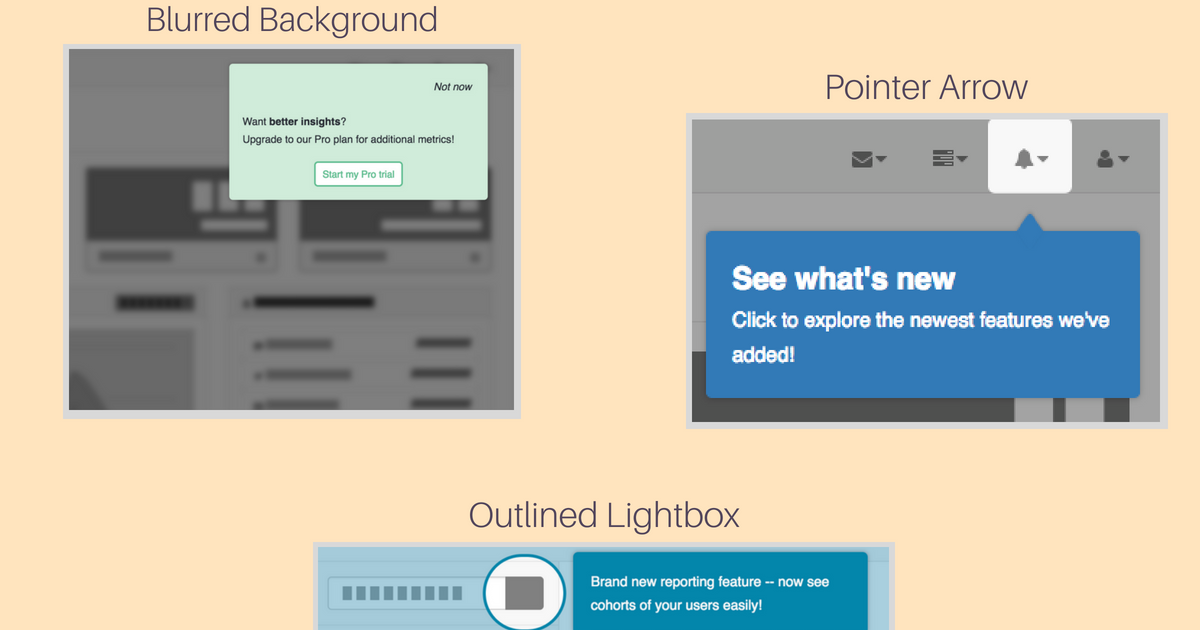
Tooltips highlight specific UI elements and explain their purpose. They are most effective when users are already exploring a feature and need clarity rather than instruction. Because they are low-disruption, tooltips are ideal for feature adoption.
Onboarding checklists
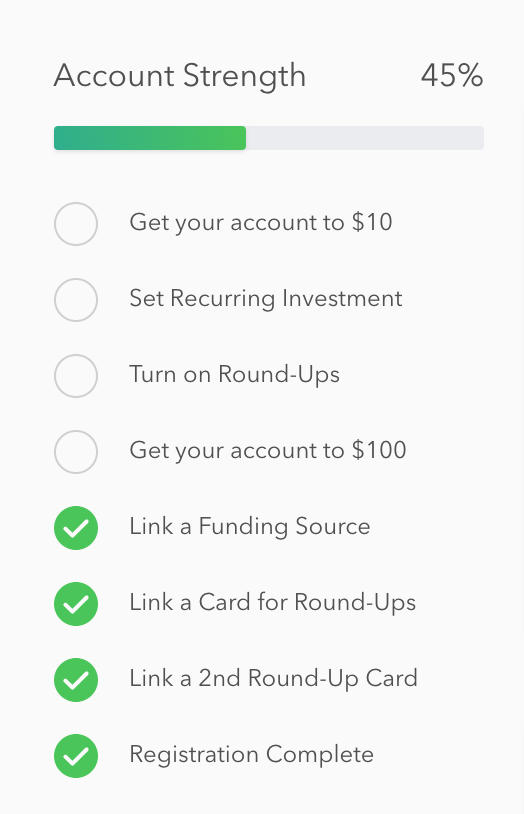
Checklists provide structure and progress visibility. They reduce cognitive load by breaking activation into manageable steps and give users a sense of momentum. Checklists are particularly effective in complex or multi-step products.
Banners and inline messages
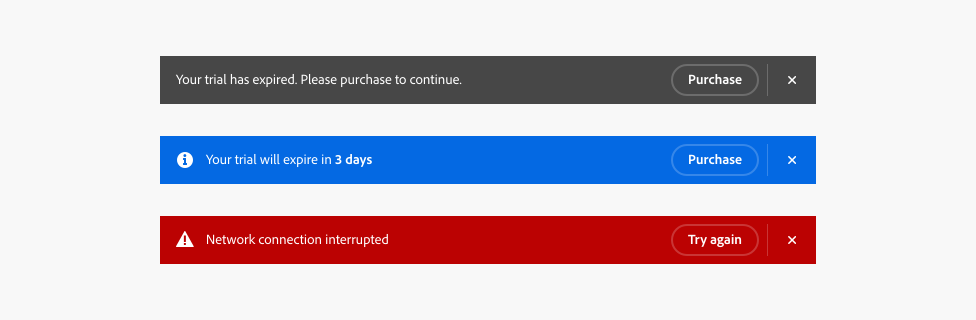
Banners communicate information without stopping the user flow. They work well for announcements, reminders, and contextual nudges. Inline messages feel more like part of the product than an interruption.
Modals and full-screen messages
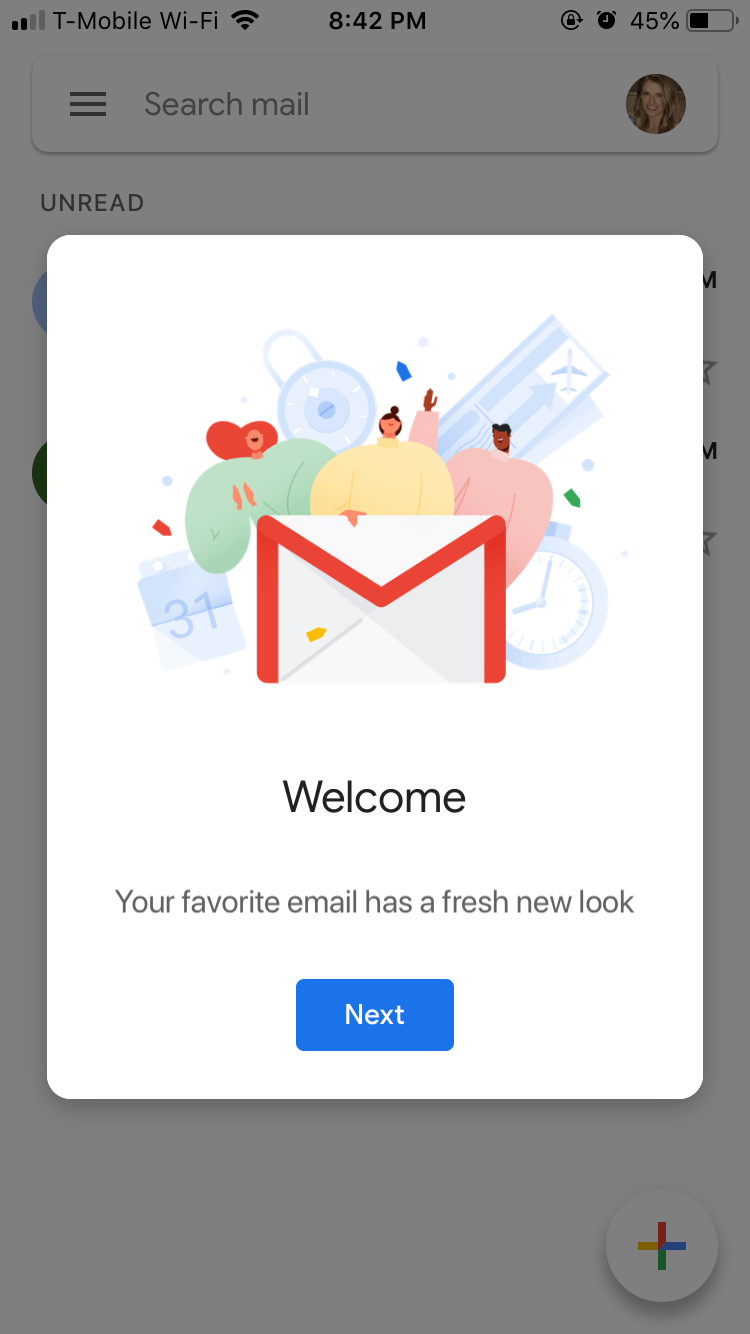
Modals demand attention and should be used sparingly. They are appropriate for critical information, permissions, or high-impact actions. Overuse quickly trains users to dismiss them without reading.
Product tours and walkthroughs
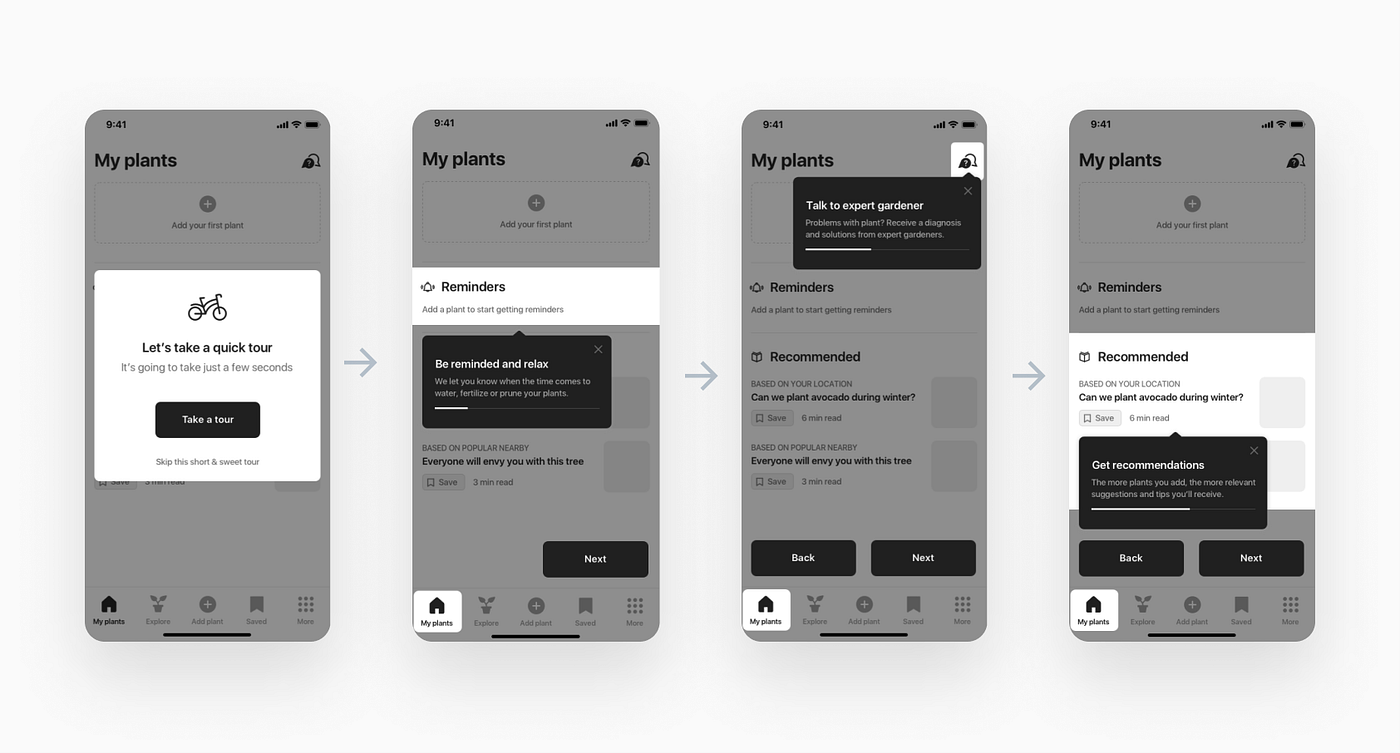
Product tours guide users through multiple steps. They are most effective when tied to a real task rather than abstract exploration. Tours should be optional and skippable to respect user autonomy.
In-app inbox and message center
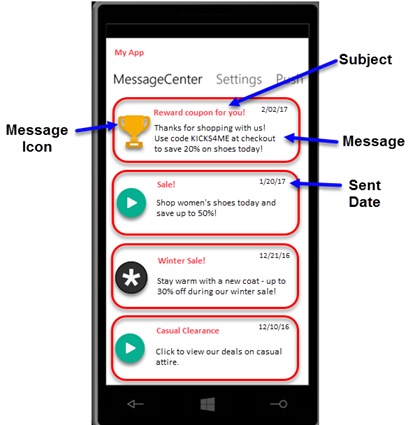
An in-app inbox allows messages to persist without creating pressure. It reduces push fatigue and gives users control over when they engage with information.
Surveys and feedback widgets
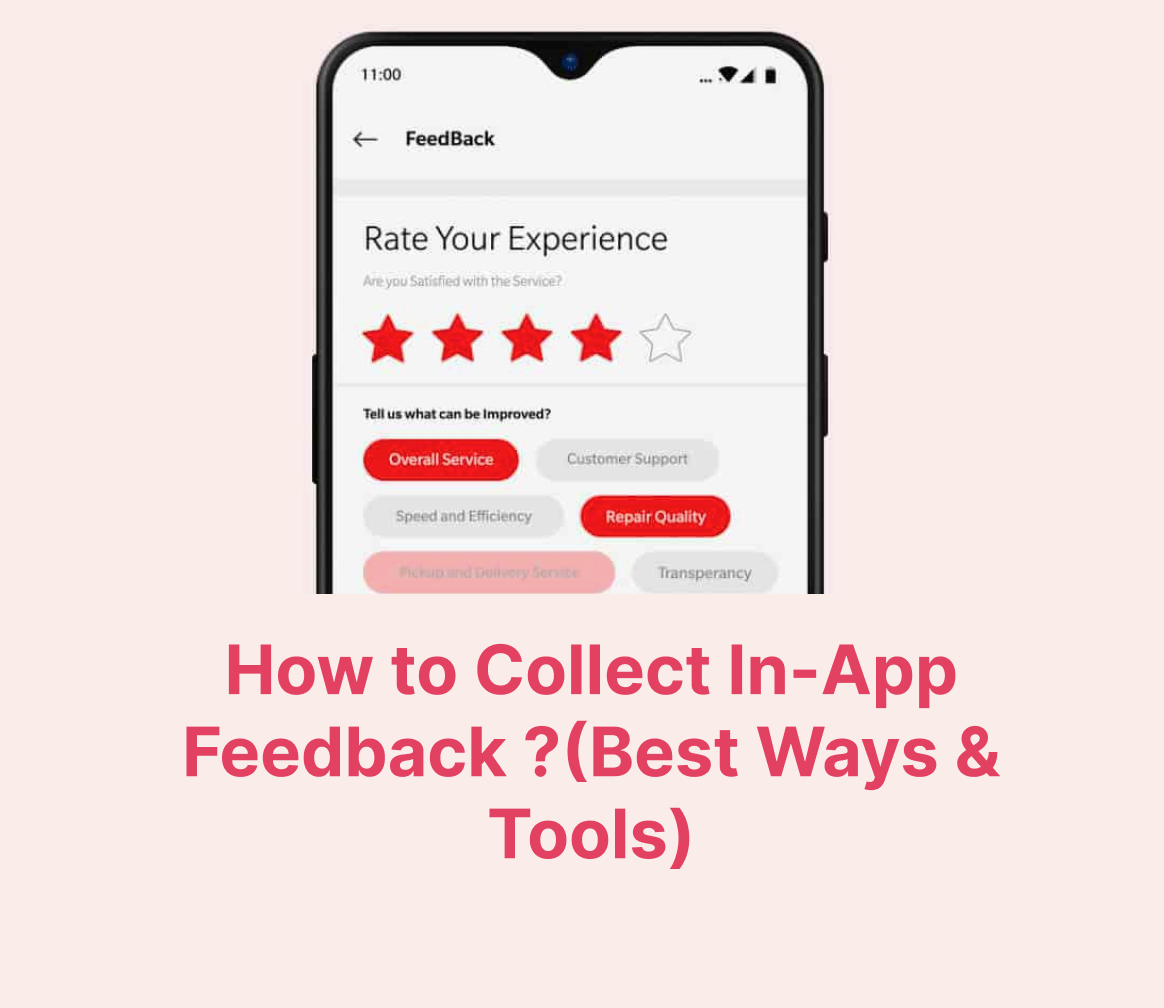
Surveys capture qualitative insight at key moments. When placed thoughtfully, they help teams understand friction points and refine engagement strategies over time.
Platforms that help with user engagement
Widgets and strategies require infrastructure to operate at scale. This is where engagement platforms come in.
In-app engagement platforms
Platforms like Plotline focus on in-app experiences. They allow teams to build onboarding flows, tooltips, banners, and contextual messages without shipping new app app store release cycles. These platforms are especially valuable for product-led teams that want to iterate quickly and respond to behavior in real time.
Omnichannel engagement platforms
Platforms such as Braze and CleverTap provide orchestration across push, email, and in-app channels. They are commonly used by teams that manage complex lifecycle journeys and need advanced segmentation and automation.
Push-focused engagement tools
Tools like OneSignal specialize in push notifications and basic in-app messaging. They are often chosen for their ease of implementation and cost-effectiveness, especially in early-stage products.
Analytics and behavior platforms
Engagement systems rely on understanding user behavior. Tools such as Amplitude, Mixpanel, and UXCam help teams analyze funnels, feature usage, and friction points. These insights inform when and how engagement interventions should occur.
How all of this fits together
Effective engagement emerges when these layers work together. Engagement surfaces define where interaction happens. Strategies define why and when to intervene. Widgets define how users are guided. Platforms provide the infrastructure to execute and iterate.
When one layer is missing, engagement becomes fragile. When all layers are aligned, engagement becomes self-reinforcing.
The core takeaway
User engagement is not a single tactic or tool. It is a system. The teams that succeed in 2026 are the ones that understand engagement as an ongoing conversation between the product and the user - one that happens inside the app, adapts to behavior, and improves continuously.
When engagement is designed this way, users do not need to be chased. They return because the product makes sense.