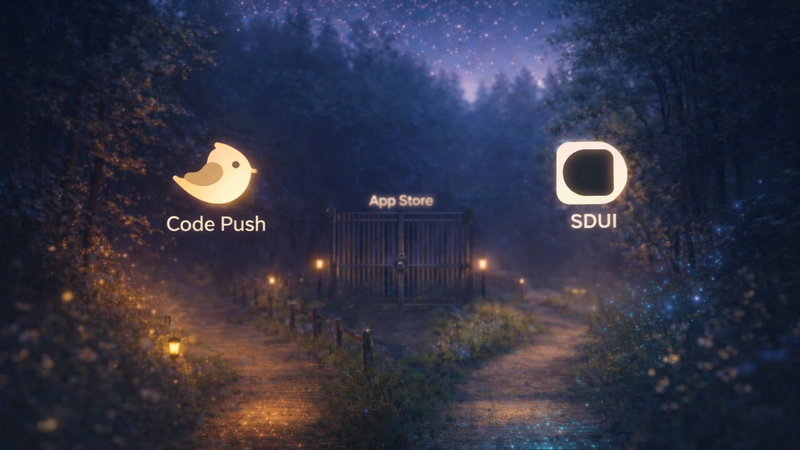
Server-Driven UI (SDUI) changed how mobile teams ship. It finally broke the cycle of endless rebuilds, slow app store reviews, and delayed UI fixes. With SDUI, product teams push updates instantly, without waiting for users to update or for app stores to approve anything. It’s the closest mobile has ever come to the web’s deployment speed.
But SDUI also introduced a new kind of complexity - a quiet one that inexperienced teams underestimate. When the server controls the UI, the margin for error shrinks dramatically. A single malformed payload, a missing field, or a schema mismatch can break the UI for every user at once. No rollout gates. No gradual adoption. Instant impact - good or bad.
This is why SDUI requires a very different testing mindset. You’re no longer testing screens baked into the binary; you’re testing instructions that render UI on the fly. The closer your system moves to “instant updates,” the more unforgiving mistakes become.
The irony of SDUI is simple: The thing that makes it powerful also makes it dangerous.
And that’s where testing becomes mission-critical.
The Hidden Challenge of SDUI: You Don’t Get “Safe” Release Cycles Anymore
With traditional apps, UI bugs travel slowly. Even if you deploy a broken screen, it takes hours or days for users to update. The damage is controlled. With SDUI, deployment is instant - every user sees the new UI within seconds.
That means the old testing habits don’t survive.
You need:
- Stricter schemas
- More modular component tests
- Better fallbacks
- Cross-device consistency checks
- Simulated bad networks
- Stable logging + debugging pipelines
Because once UI lives on the server, it stops behaving like “code” and starts behaving like “data.” Data is flexible and flexible things break in surprising ways.
Teams that treat SDUI like traditional UI testing get burned immediately. Teams that build the right SDUI testing framework ship faster, safer, and more confidently than any native team ever could.
Let’s break down the framework top companies use.
1. Enforce Strict Schemas - Your First Line of Defense
If SDUI has a single non-negotiable rule, it’s this: Bad data = broken UI.
Not sometimes but Always.
This is why schema validation is the backbone of SDUI testing. Every component definition delivered by the server must follow a precise contract: required fields, data types, default states, permissible values, versioning rules.
A button isn't just “a button.” It’s a schema with fields for:
- label
- action
- style
- visibility
- state
If any required field disappears, if a type mismatches, if a version doesn’t align, the client should catch it before the UI renders. Powerful SDUI systems (like Priceline’s) do this religiously. They validate both server-side before delivery and client-side before rendering.
Good schema validation prevents 90% of runtime failures.Great schema validation prevents entire classes of bugs from ever reaching users.
It also makes debugging trivial:If it’s not the server payload, it’s the renderer.If it’s not the renderer, it’s the payload.
Clarity is priceless when UI is dynamic.
2. Test Components as Independent Modules
In SDUI, UI is no longer a monolithic screen. It’s a set of server-delivered components assembled like Lego.
This means your testing must mirror how the architecture behaves: test components, not screens.
- A button shouldn’t require a full login page to test.
- A banner shouldn’t need an entire home screen.
- A form field shouldn’t depend on the API it eventually connects to.
Top SDUI teams maintain isolated test harnesses for every reusable component. Each component is validated with:
- Multiple datasets
- Edge cases
- Missing fields
- Optional fields
- Fallbacks
- Error blocks
- Wild inputs
Mock data becomes your best friend here. You simulate every possible server response so you never test blind against unpredictable backend changes.
This modular approach turns every bug into a cheap fix and every fix into a permanent guarantee.
3. Focus on Critical Flows First - Because SDUI Breaks Fast and Wide
When UI updates are pushed instantly to every user, the impact of a broken journey multiplies. If payments break, they break for the entire user base. If login fails, it fails globally. If onboarding freezes, new users churn immediately. So priority testing becomes ruthless.
Critical flows include:
- Authentication
- Payments
- Checkout
- Profile creation
- Search + results
- Any business-critical conversion step
SDUI makes experimentation fast, but it also makes failures fast.
Top teams test critical flows every time a component or schema changes. Not occasionally, Every time.
The philosophy is simple:
Protect the money.
Protect the login.
Protect the first impression.
Everything else is secondary.
4. Cross-Platform Testing Matters More in SDUI Than Native Apps
Native apps behave differently across devices - SDUI multiplies this difference.
Because UI is rendered dynamically, older devices might struggle with layout computation. Certain OS versions may handle dynamic views differently. Low-end Android phones may choke on complex component trees that run fine on iPhones.
Cross-platform SDUI testing needs to examine:
- Low-end Android devices
- Tablets and odd aspect ratios
- Older iOS versions
- Different browsers (if SDUI is web-enabled)
- High DPI vs low DPI screens
- Accessibility settings
Rendering consistency is not optional, it’s mandatory.
The irony? SDUI fixes some fragmentation, but exposes other fragmentation at the same time. Teams that ignore this reality introduce silent failures across device classes they never tested.
Cloud device farms + Flutter’s consistent rendering give SDUI a huge advantage, but testing is still essential.
5. Simulate Network Chaos - SDUI Lives and Dies by the Internet
Traditional compiled UI does not depend heavily on network conditions. SDUI does.
When your UI is delivered from the server, everything becomes sensitive to:
- 3G
- Congested WiFi
- Packet loss
- Intermittent drops
- Region-specific latency
If the server payload arrives late or partially, your UI might flicker, fail, or render half-complete screens.
Bad networks expose gaps in:
- Fallback states
- Skeleton loaders
- Error surfaces
- Timeout logic
Top SDUI testers run scenarios like:
- “Deliver payload with artificial 200ms latency”
- “Drop connection after header”
- “Return malformed JSON”
- “Delay only images, not JSON”
- “Simulate throttled bandwidth on older devices”
This is where Digia Studio teams usually gain a huge advantage:Instant server updates mean you can fix network-related issues and push patches in minutes, not weeks.
6. Choose Testing Frameworks That Understand Dynamic UI
Static UI testing tools fail in SDUI environments because the UI changes too frequently.
You need frameworks that test behavior, not static element IDs.
The right tools must:
- Accept mock server payloads
- Support headless execution
- Handle dynamic hierarchy changes
- Run API + UI tests together
- Work in CI/CD effortlessly
Appium, Selenium, Detox, and Playwright all work but only when configured for dynamic UI testing.
The trick: stop expecting element IDs to stay stable. In SDUI, they won’t:
Test intent.
Not position.
Not IDs.
Not static structure.
7. Digia Studio Simplifies SDUI Testing With a Production-Ready Workflow
Here’s where Digia fits naturally, not as a marketing pitch but as the architectural answer.
Digia’s pipeline mirrors exactly what a good SDUI testing workflow needs:
- Design → Preview → Release → Live (all instant)
- Preview states that show exactly what the server will deliver
- Built-in schema validation
- Component-level rendering tests
- Real-time debug logs
- Instant rollback
- Performance metrics for payload rendering
- Instant deployment of fixes - zero rebuild, zero submission
Because everything updates instantly, teams test faster and recover faster.
The biggest advantage? You can reproduce any server-driven UI state with one click and test it in real devices immediately. This eliminates the “unreproducible bug” nightmare that native teams deal with.
In SDUI, repeatability = reliability.
8. Debugging SDUI Requires a Different Set of Tools
Debugging SDUI is harder because failures come from two places at once:
- Server payload issues
- Client rendering issues
This means your debugging pipeline needs to capture:
- Server payload snapshots
- Rendering logs
- Component lifecycle events
- Network timing
- Device-specific variances
Screenshots and session replay logs are essential, especially for intermittent failures triggered by network drops or malformed data.
Error boundaries should surface meaningful fallback UI, not a blank screen. The goal isn’t perfection, it’s graceful degradation.
A bad payload should never crash the app. A bad payload should fall back elegantly.
Key Takeaways
Testing SDUI is not harder, it’s different. It demands a new kind of discipline.
- Schemas prevent bad data from breaking your UI.
- Modular tests reveal issues early and cheaply.
- Critical flows must be bulletproof.
- Cross-platform fragmentation becomes more significant.
- Network conditions expose real-world behavior.
- Debugging requires payload-level and render-level observability.
- Digia’s instant-update architecture compresses testing cycles dramatically.
SDUI gives teams the power of web-speed iteration inside mobile apps, but only when paired with rigorous testing. Teams that master SDUI testing achieve a level of velocity and reliability native apps can’t touch. Those who don’t… ship unpredictability at scale.