Server-Driven UI (SDUI) is reshaping how teams build and test mobile apps. Instead of shipping UI updates through traditional app releases, the server decides what the interface looks like and updates go live instantly. No rebuilds. No app store approvals. No waiting.
The first real lesson we learned about testing SDUI didn’t come from a failing build. It came from a schema update.
A single schema update produced a layout combination we had never tested. The rendering engine on certain devices couldn’t reconcile it, and users began seeing incomplete screens and occasional crashes. That was the moment we learned an uncomfortable truth: SDUI does not fail where traditional apps fail, and so it cannot be tested the way traditional apps are tested.
SDUI transforms the UI into a distributed system problem. What once was deterministic becomes dynamic. What once was shipped becomes streamed. And what once was a compile-time artifact becomes a real-time negotiation between backend logic, network conditions, device capability, and rendering engines.
This article explores how to test SDUI applications with the rigor they demand, backed by field experience, academic research, and the real-world challenges that appear only when UI becomes a living system.
What SDUI Actually Is
SDUI moves UI logic from the app to the server. The app becomes a renderer.Whenever the server pushes a new UI definition (JSON, schema, config), the app instantly reshapes itself.
Why this matters
- Updates require zero app store approval
- UI experiments become real-time
- QA cycles become continuous instead of release-based
Essentially: SDUI turns your mobile app into a “live website” with native performance.
Why SDUI Changes Live Testing Completely
In a traditional mobile app, UI is fixed at build time. Engineers compile screens, ship them through app stores, and know that every user runs the same layout. Testing is stable and repeatable.
SDUI upends this certainty. The backend generates UI definitions - usually JSON or a domain-specific schema and the client renders them at runtime. The UI a user sees may depend on conditions, flags, experiments, or context. With no new builds required, UI can change dozens or even hundreds of times a day.
But this flexibility also means you’re testing a system in motion where both the server and device are constantly negotiating the UI in real time.
Quick Comparison of SDUI vs. Traditional UI Testing:
| Aspect | SDUI | Traditional UI |
|---|---|---|
| Update Speed | Instant, no app store approval needed | Slower, requires app store reviews |
| Testing Flexibility | Real-time adjustments possible | Limited to pre-approved builds |
| Backend Dependency | High | Moderate |
| Device Performance | Higher CPU/RAM usage | Lower CPU/RAM usage |
SDUI simplifies live testing but requires robust backend systems and optimized mobile performance. Platforms like Digia Studio help address these challenges, ensuring smoother workflows and efficient testing cycles.
A Layered View of SDUI Testing
It is useful to break SDUI into five layers. Each has its own failure modes, and each requires its own testing strategy.
Schema definition - The structural blueprint of UI components and layout rules.
Schema generation - The backend logic that produces UI based on user attributes, feature flags, personalization, or experiments.
Network fetch - The retrieval of schema over networks that vary widely in speed, latency, and reliability.
Rendering engine - The device-side component responsible for parsing schema and constructing widget trees or native view hierarchies.
State and interaction - The dynamic behaviors triggered by user input or real-time events.
Thinking in layers helps because SDUI failures rarely originate in a single place. More often, they emerge at the seam between layers.
For example, a schema might technically be valid (layer 1) but contain pathological combinations of nesting that overwhelm the renderer on low-end devices (layer 4). Or the schema generator might produce a layout that requires assets the network fails to deliver promptly (layers 2 and 3). Each layer must be validated independently and in combination.
The Metrics That Reveal Real SDUI Behavior
Traditional mobile metrics like frame rate and memory usage still matter, but SDUI adds new dimensions. Because the UI is fetched and constructed dynamically, latency, schema size, and rendering costs become primary indicators of quality.
A few metrics have proven especially predictive in real SDUI systems:
Time to First Render (TTFR) - the time from screen open to the first visible UI element.
Time to Interactive (TTI) - the time until the user can interact with the layout.
Schema generation latency - measurement of backend responsiveness when constructing UI definitions.
JSON parse time - how long it takes the device to parse the schema into in-memory structures.
Render tree depth - a structural indicator of rendering complexity.
Schema drift rate - how frequently incompatible schemas are introduced relative to what existing clients expect.
A useful table for teams starting SDUI testing looks like this:
| Category | Metric | Why It Matters |
|---|---|---|
| Rendering | TTFR / TTI | Reveals bottlenecks in network + schema + device parsing |
| Backend | Schema generation time | High latency blocks entire user flows |
| Device | Parse time / memory use | Older phones disproportionately affected |
| Versioning | Schema drift | Leading cause of runtime breakages |
Research supports the sensitivity of SDUI to these metrics. Krishnamurthy’s SIGCOMM work (2017) shows that user-perceived slowness rises sharply after modest increases in RTT. Mickens’ research (Microsoft Research) demonstrates that low-end devices incur nonlinear penalties for complex JSON parsing. These findings align precisely with SDUI behavior observed in production systems.
Real Failure Modes You Must Test For
Every SDUI team eventually encounters the same set of failures. They arise not from code bugs but from the dynamic nature of schema-driven UI.
Schema Drift
Perhaps the most common issue. A backend deploy removes or renames a field that older clients still depend on. The backend may be fully correct in isolation, but client renderers cannot handle the unexpected shape. The result ranges from subtle layout breaks to fatal crashes.
A typical error log looks like this:
FATAL: Missing field 'ctaAlignment' in component.Button
Device: Samsung A10
Schema version received: 12
Renderer expected: 11
The client did nothing wrong; the schema changed underneath it.
Conditional Logic Combinatorial Explosion
SDUI backends often generate layouts based on multiple conditions—user type, geography, feature flags, experiment buckets, or personalization rules. Each condition multiplies the possible final UI states. It is not unusual for a page to have 100–500 valid schema variants.
Testing only a subset creates blind spots. Failures often occur at the intersection of rare conditions.
Latency-Induced Rendering Issues
On fast networks, schema fetch and asset loading appear instantaneous. On slow or unstable networks, UI may partially render, flicker, or stall altogether. MIT’s Mobile Experience Lab demonstrated that UI responsiveness declines geometrically as RTT approaches 300–400 ms—an area many SDUI workflows unintentionally enter.
Renderer Overload
Large schemas produce deep render trees. On high-end devices the effect is minor; on low-end hardware, parsing and rendering can take seconds. Google’s Dev Summit performance benchmarks showed that JSON-to-view inflation cost is 3–5× higher on low-end Android CPUs.
Stale Cache Conflicts
If a device retains an older schema in local cache while the backend has moved to a new version, layout mismatches occur. This is especially visible during rapid rollout cycles.
These failure modes rarely appear in traditional UI systems, which is why SDUI testing must account for them explicitly.
Testing Strategies That Actually Work
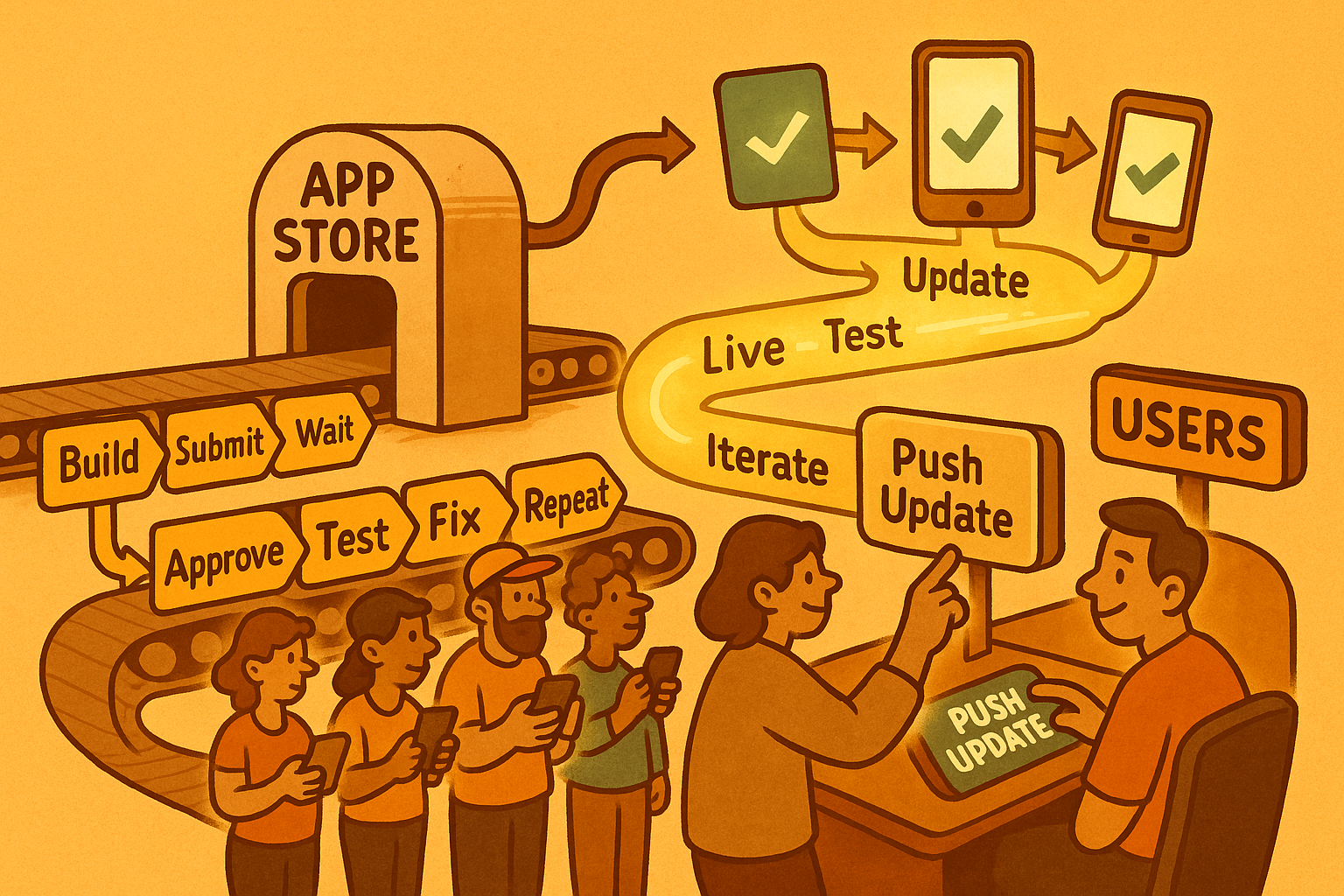
Testing SDUI requires more than identifying where things can go wrong. Teams need practical, repeatable strategies that allow them to validate dynamic UIs as confidently as traditional, build-time UIs. The techniques below move beyond diagnosing SDUI’s challenges and instead offer a concrete path for applying each strategy inside real teams and real pipelines.
Schema-Level Testing
In SDUI, the schema is the single source of truth. If the schema is wrong, everything downstream - network handling, rendering, layout, fails even when the client code is perfect. The first step is to implement static schema validation, which checks that every field required by the renderer exists and follows correct data types and structural rules. This is the equivalent of type-checking in a programming language.
For example, if a container expects a list of children, a schema validator can catch scenario where a backend engineer accidentally sends a single object instead of an array.
However, correctness isn’t enough. Schemas evolve over time, and older clients must continue to render new schema versions safely. This is where schema evolution testing becomes essential. Every time a new version of a schema is introduced, your pipeline should automatically replay older schema versions on your latest renderer and also replay the newest schemas against historical client renderers.
To apply this in practice, teams typically maintain a “schema corpus”: a curated set of schemas representing real screens across multiple versions. Every schema change triggers a validation suite that runs through the corpus and flags regressions.
Rendering Testing
Rendering tests shift the focus from verifying screens to verifying the transformation process: given a schema, what does the client produce? Instead of launching an app manually, rendering harnesses execute schemas directly through the rendering engine in isolation. This greatly accelerates testing, because individual components and full screens can be validated without compiling an app or navigating through flows.
A rendering harness typically validates three concerns.
Layout correctness.
The harness checks whether components appear where they are supposed to be, whether constraints resolve properly, and whether nested components behave predictably across platforms.
Structural stability of the render tree
Rendering engines often expose an internal representation of the UI tree; comparing expected and actual trees helps catch regressions caused by schema changes or renderer updates.
Accessibility validation
This ensures that elements include valid roles, labels, and navigation semantics even when generated dynamically.
To use these tests effectively, teams store expected layouts or render-tree snapshots and compare them whenever schemas or rendering logic change. Snapshot drift is often a sign that a backend condition changed or that the renderer interpreted a field differently. Rendering tests become a safety net that catches both accidental design shifts and structural mistakes introduced by rapid schema iteration.
Network Testing
SDUI’s runtime nature means that every screen is constructed in partnership with the network. A schema that loads instantly on WiFi may crawl on 3G, and assets that download in milliseconds in a lab may time out in rural regions. Relying solely on high-bandwidth testing environments gives a dangerously false sense of stability. SIGCOMM studies repeatedly show that even modest increases in RTT degrade interactive experiences disproportionately, and SDUI is especially sensitive to these conditions.
Applying network testing involves simulating a range of network profiles, from healthy LTE down to unstable 3G and high-loss conditions. These simulations should include latency injection, bandwidth throttling, and controlled packet loss. Tools like tc (Linux Traffic Control), Charles Proxy throttling, or built-in network emulators in device farms allow testers to reproduce real-world conditions consistently.
Backend Logic Testing
In SDUI systems, the backend behaves like a UI compiler, generating structures that determine what the user will see. That means backend correctness is just as important as client correctness, yet it is often overlooked. Logical conditions, feature flags, personalization rules, and content combinations must all evaluate consistently, otherwise the schema becomes unpredictable across users.
Backend logic testing begins by validating individual rules: flags, predicates, and data transformations. But the real power comes from combinatorial testing, where multiple conditions are executed together to uncover unexpected interactions. For example, a promotion banner may require a specific region, an active feature flag, and a minimum version of the app. Testing each rule independently is insufficient; the failures usually appear when three or four rules collide.
A practical way to apply this is through scenario matrices are automated tests that generate schemas for every meaningful combination of flags, segments, locales, and experimental conditions. When a change introduces a conflict, such as - two mutually exclusive components both being inserted - the test suite should surface it long before QA encounters it manually. Many SDUI outages in the industry originate from backend logic mistakes rather than client failures; treating backend schema generation as a compiler pipeline dramatically reduces these incidents.
Device Fragmentation Testing
Even the most elegant schema and renderer can collapse when executed on low-end hardware. Devices with limited CPU power or reduced memory capacity struggle with large JSON payloads, deep render trees, or resource-heavy components. These issues rarely emerge on premium devices, yet they are precisely the devices used by the majority of users in many global markets.
To apply device fragmentation testing effectively, teams maintain a curated fleet of representative devices across tiers.
Tests should measure:
- Parse time
- Render time
- Memory footprint
- Frame stability
When a schema triggers a noticeable delay or freeze on low-end devices, the solution often lies in schema optimization (reducing depth, splitting sections), client optimization (caching, pre-parsing, pooling widgets), or gradual loading strategies (lazy loading, pagination).
Digia Studio: SDUI Testing Without the Pain
Digia Studio solves the rough edges of SDUI through infrastructure, tooling, and workflow design.
Why Digia accelerates testing
- Instant deployment (0 rebuilds, 0 approvals)
- Drag-and-drop UI for rapid iteration
- Stable native rendering engine
- Enterprise backend built for scale
- Role-based access control (RBAC)
- Git version control for schema history
Teams can:
- Test UI changes in real time
- Roll out updates globally
- Validate UX before development begins
- Maintain consistent performance across iOS + Android
For enterprise apps, this is a massive upgrade over traditional builds.
Conclusion: SDUI Delivers Faster Testing If Your Backend Can Keep Up
Testing SDUI applications requires a shift in perspective. UI is no longer a static layer baked into the client; it is a distributed, evolving, real-time system shaped by backend logic, network conditions, and device capabilities. Errors emerge from combinations of factors, not isolated modules. As Leslie Lamport famously wrote, “A distributed system is one in which the failure of a computer you didn’t know existed can render your own unusable.” Replace “computer” with “schema,” and you have SDUI.
Teams that thrive in SDUI environments adopt disciplined testing strategies inspired by distributed systems engineering. They measure latency, validate schema evolution, test rendering under real-world conditions, and prioritize low-end device behavior. Most importantly, they recognize that correctness in SDUI is probabilistic rather than deterministic, achieved through coverage, monitoring, and continuous validation rather than static guarantees.
Frequently Asked Questions
What is Server-Driven UI (SDUI)?
SDUI is an architecture where the server controls the app’s UI by sending schemas or configurations, and the client renders them in real time.
Is SDUI allowed on both Android and iOS?
Yes but with constraints. Both platforms allow UI and content updates, but you cannot change core app logic or bypass store policies.
How is SDUI different from traditional UI?
Traditional UI is compiled and shipped with the app, while SDUI is generated dynamically by the backend and rendered at runtime.
What are the biggest risks in SDUI systems?
Schema drift, combinatorial UI states, network latency issues, and rendering failures on low-end devices.
Do you still need QA if using SDUI?
Yes arguably more. Testing shifts from static UI validation to continuous validation across schemas, devices, and network conditions.