


TL;DR:
- Mobile onboarding has two halves. The first-run flow is the welcome screens, questions, permission prompts and often a paywall. In-product guidance is the tooltips, spotlights, checklists and nudges that teach the app after signup.
- Almost no tool builds both well. Superwall, Adapty, Purchasely and Qonversion build first-run flows and grew out of paywalls. Appcues, Userpilot, Plotline and Digia Engage build in-product guidance.
- Adapty's 2026 onboarding data puts the median first-run flow at 5 screens, and only 1 in 5 apps saves what users answer. That second number is the bigger opportunity.
- Pick by the half that is leaking. If users quit before the first core action, you need a first-run builder. If they finish onboarding and never find the feature that keeps them, you need in-product guidance.
Editorial disclosure: Digia Engage is one of the tools reviewed here. It integrates with CleverTap, MoEngage and WebEngage. In November 2026 we reviewed each vendor's public documentation and pricing pages. We did not build a production flow in every tool, and we name the source for every vendor claim.
The two halves of mobile onboarding
A no-code onboarding flow builder lets a product or growth team design and test onboarding screens from a dashboard, then ship them to a live app without a new release.
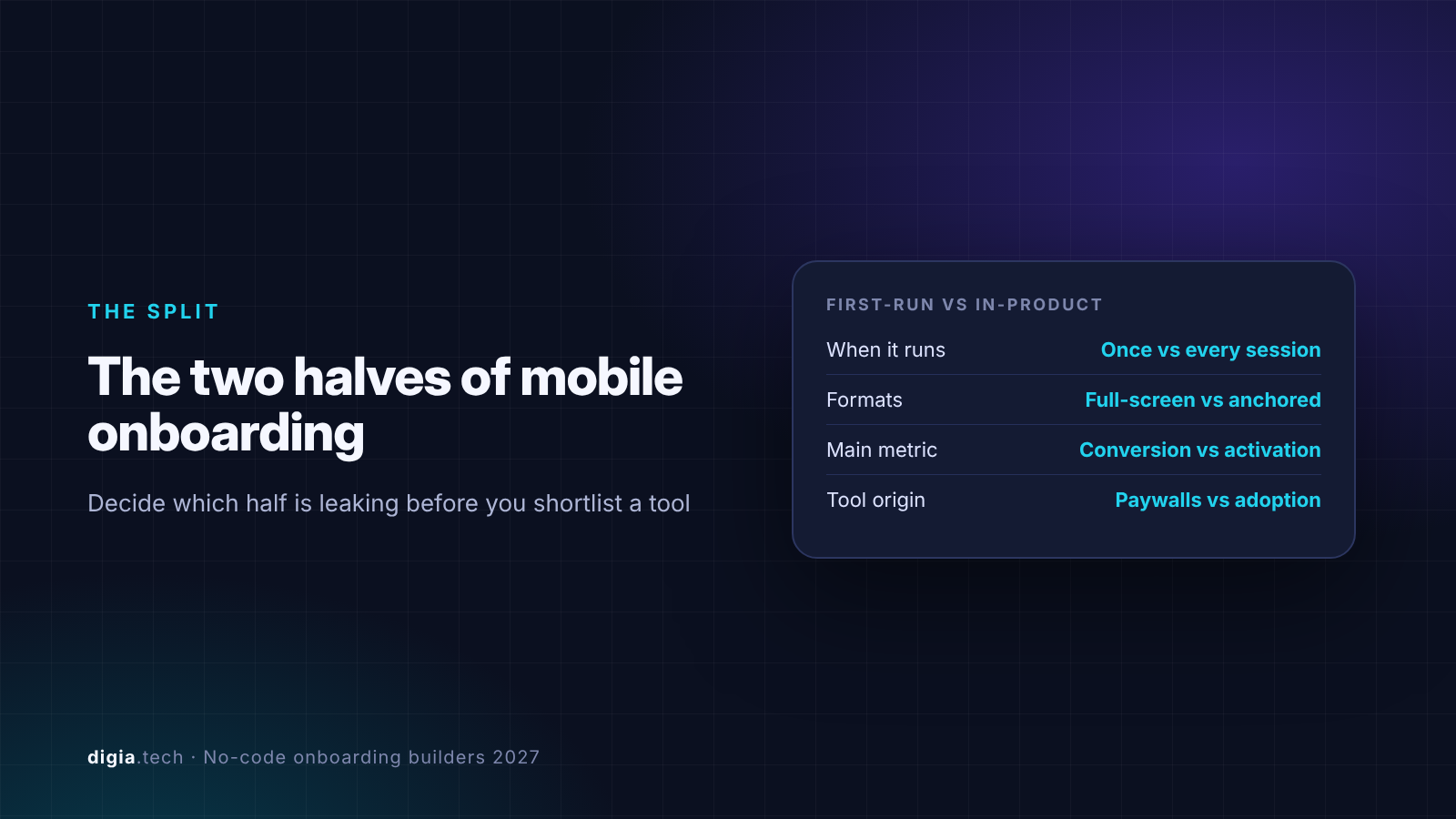
The word "onboarding" hides two different jobs, and the tools split cleanly along that line.
Half 1: the first-run flow
This is everything between first open and the moment the user lands in the app: welcome screens, a goal or preference questionnaire, permission priming, account creation and, in subscription apps, the paywall. It runs once, it is full-screen, and its job is conversion.
Half 2: in-product guidance
This is everything after the user lands: a tooltip on the button that matters, a spotlight on a new tab, a checklist that walks through setup, a nudge on the screen where people stall. It runs inside real screens, it is anchored to UI elements, and its job is activation.
Digia's guide to in-app onboarding versus user onboarding covers the difference in depth. For this comparison, the practical point is simple: before you shortlist a tool, decide which half you are fixing.
| First-run flow | In-product guidance | |
|---|---|---|
| When it runs | Once, before the user lands in the app | Repeatedly, inside real screens |
| Typical formats | Full-screen pages, questionnaires, permission prompts, paywall | Tooltips, spotlights, checklists, bottom sheets |
| Main metric | Completion and trial or purchase conversion | First core action and feature adoption |
| Tool origin | Paywall and subscription platforms | Digital adoption and in-app engagement platforms |
What the 2026 onboarding data says
The first-run flow is short, mostly finished, and rarely used to learn anything about the user.
Adapty's State of Onboarding 2026 report, built from flows run on its platform, and related Adapty research, give four numbers worth knowing before you buy:
- The median onboarding has 5 screens.
- Only 1 in 5 apps saves what users tell them during onboarding.
- US users complete 70.0% of onboarding opens, 11 to 15 points below every other region in the report.
- 44.5% of purchases happen on day 0, and onboarding paywalls with trials convert at 1.35% on average, the highest of any paywall placement.
Adapty's own guidance on onboarding testing is blunt: if fewer than 90% to 95% of users complete onboarding, something is wrong, and the fix is often cutting screens.
Superwall's data points the same way on paywall structure. Across more than 40 million paywall opens from February to May 2026, it reports that multi-page onboarding paywalls converted at 12.41% against 9.07% for single-page ones.
Both are vendor datasets drawn from their own customers, so treat them as direction. The useful conclusion holds anyway: the first session carries a large share of monetization, which is why the paywall vendors moved into onboarding.
The data on in-product guidance points the other way. Published benchmarks show in-product tours losing most users once they pass five steps, so the two halves need different designs.
How we evaluated the tools
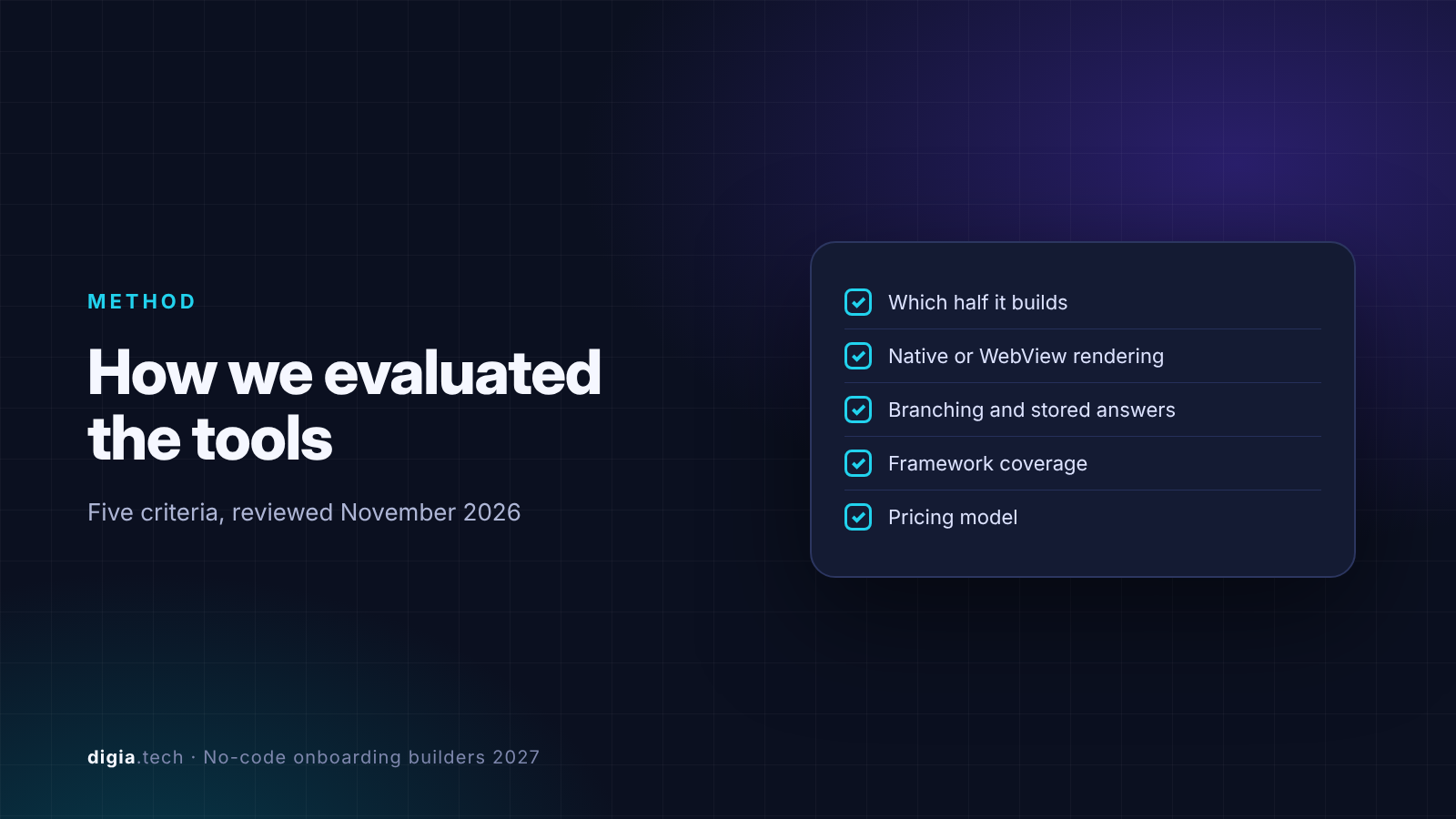
In November 2026 we scored each tool on five criteria:
- Which half it builds. First-run flows, in-product guidance, or both.
- Rendering. Native components or WebView and HTML.
- Logic. Branching on answers, storing answers as user attributes, triggering on behaviour.
- Framework coverage. Native iOS and Android, React Native, Flutter.
- Pricing model. Revenue share, MAU-based, flat monthly, or quote-only.
We left out web-only onboarding tools. Several popular product tour tools have no native mobile SDK, so they cannot render inside an iOS or Android app.
Comparison table
| Tool | Half it builds | Rendering | Logic | Frameworks | Public entry price |
|---|---|---|---|---|---|
| Superwall | First-run flows and paywalls | Remote paywall editor | Branching routes, stored attributes, permission prompts | iOS, Android, React Native, Flutter | Free up to $10k monthly attributed revenue, then 1% |
| Adapty | First-run flows and paywalls | Native, no WebView | Questions with stored answers, A/B tests | Flows in beta, coverage varies by doc | Free up to $5k monthly tracked revenue, then 1% |
| Purchasely | First-run flows and in-app screens | Native | Conditional routing, bring your own native screens | Native and cross-platform SDKs | Not published |
| Qonversion | First-run flows and paywalls | Native iOS and Android UI | Single and multi-page templates | iOS, Android, React Native, Flutter | Free up to $10k monthly tracked revenue |
| Appcues | In-product guidance | Native SDK | Session, screen and event targeting | iOS, Android, React Native, Flutter, Ionic | Quote-only, Spark plan $3,600/year |
| Userpilot | In-product guidance | Native SDK | Event and screen autocapture | iOS, Android, React Native, Flutter and more | Mobile is a paid add-on below Enterprise |
| Plotline | In-product guidance | Native | Event triggers | Native and cross-platform SDKs | From $999/month |
| Digia Engage | In-product guidance | Native, no WebView | CEP triggers or its own SDK triggers | iOS, Android, React Native, Flutter | From $499/month |
First-run flow builders
1. Superwall: the most complete first-run builder
Best for subscription apps that want onboarding and paywall in one editor, with journey analytics.
Superwall Flows build first-run onboarding inside its paywall editor and change it without an app update. Branching is set on routes in a canvas, so one Continue button can lead to beginner, advanced, permission or paywall screens depending on the answer. A Set Attribute action stores answers as user attributes for later pages and future campaigns. Flows can also request system permissions from a screen and route users differently if they grant or deny.
Where it wins. The Flow Journey view shows drop-off by step and how users spread across branches, which answers the question most teams cannot: where in onboarding people stall. Superwall documents the same placement call across iOS, Android, Flutter and React Native, and Web Flows cover journeys that start before install.
Where it falls short. Superwall is built around monetization. Everything after the user lands in the app, such as tooltips on real screens or a setup checklist, is outside its scope. Its pricing is free up to $10k a month in paywall-attributed revenue, then 1% of that revenue, with Startup and Scale tiers adding $49 or $199 a month. That works well for subscription apps and makes little sense for apps that do not sell subscriptions.
2. Adapty: native flows, mid-migration
Best for subscription apps that want native rendering and are happy to work with a beta.
Adapty's Flow & Paywall Builder puts every screen between first open and payment into one no-code editor. Adapty states that the SDK renders flows natively without web views, that flows can ask multiple-choice, text, email or number questions and store each answer for later screens, and that updates reach users without an app release. Developers can also register a custom native view once and let the builder place it, so a chart or animation built in code can sit inside a no-code flow.
Where it wins. Native rendering plus custom views is the strongest answer in this group to the complaint that no-code onboarding looks generic.
Where it falls short. It is in the middle of a product change. Adapty says that from 1 October 2026 teams can no longer create new onboardings in its legacy Onboarding Builder, and must use Flows. Flows are labelled beta, and Adapty's sources disagree on coverage. One docs page says Flows run on iOS SDK v4 and up, with other platforms coming soon. A product blog post updated in July 2026 lists iOS, Android, React Native, Flutter and Capacitor. Confirm support for your framework in writing before you commit. Pricing is free under $5,000 in monthly tracked revenue, then 1% of revenue.
3. Purchasely: first-run flows that mix in your own screens
Best for teams that want no-code flows but need some screens to stay in their own native code.
Purchasely builds native Screens in a no-code composer and chains them into Flows with conditional routing, so a team can ask questions, personalize later screens and A/B test whole sequences. Its distinctive feature is what it calls bring your own screen: a team can insert one of its own native screens inside a Purchasely Flow. Flows arrived in Purchasely SDK 5.3.
Where it wins. The mix of no-code screens and real app screens suits apps where account creation or KYC must stay in code, but the welcome and question screens should not.
Where it falls short. Purchasely's docs say the Flows module has to be part of your plan, and we found no public price. Like the others in this group, it covers the first-run flow and placed screens, and leaves anchored tooltips on real screens to other tools.
4. Qonversion: templates first, lower entry cost
Best for smaller subscription apps that want onboarding templates without a big contract.
Qonversion's No-Code Builder 2.0 creates onboarding flows and promotional screens alongside paywalls, and publishes them without a new app version. Teams pick a Mobile Onboarding type for multi-page flows and start from a template gallery. Third-party reviews describe the builder as rendering native iOS and Android UI.
Where it wins. Qonversion's pricing page lists a free plan up to $10k in monthly tracked revenue, which covers most early apps.
Where it falls short. Its docs describe templates and pages, with less on branching logic or journey analytics than Superwall documents. If your onboarding forks heavily on user goals, test that in a trial.
In-product onboarding builders
5. Appcues: the most approachable builder for in-product tours
Best for product teams, especially B2B or SaaS, that want the easiest builder for non-engineers.
Appcues builds mobile flows from a screen capture of the live app, with anchored and floating tooltips, modals and slideouts. Its SDKs cover native iOS and Android, React Native, Flutter and Ionic. Flows can target screen views or in-app events.
Where it wins. The builder is the gentlest in this group, and teams already using Appcues on web get one tool for both.
Where it falls short. Appcues no longer publishes prices. The last published Spark plan cost $3,600 a year for up to 1,000 monthly active users, and plans cap the number of published experiences at 10, 25 or 100. Triggering a flow the instant an event happens is an Enterprise feature or a paid add-on. For a consumer app with hundreds of thousands of users, that pricing model gets expensive fast.
6. Userpilot: event-aware, light on anchored guidance
Best for teams already using Userpilot on web whose mobile needs are carousels and slideouts.
Userpilot's mobile SDK covers iOS, Android, Flutter, React Native, Capacitor, Cordova and .NET, with event and screen autocapture. Its mobile formats are carousels, slideouts, push notifications and surveys.
Where it falls short. Amplitude's comparison of mobile guide tools lists no anchored tooltips or spotlights for Userpilot mobile, and notes that mobile is a paid add-on below Enterprise. If your in-product onboarding depends on pointing at specific buttons, confirm anchored support in a demo.
7. Plotline: rich formats for consumer apps
Best for funded consumer apps that want stories, spotlights, tooltips and surveys in one mobile-first tool.
Plotline offers tooltips, stories, spotlights, surveys and videos without code, with a format library aimed at consumer apps. Spotlights are a first-class format, which suits feature launches and post-signup tours.
Where it falls short. Pricing starts at $999 a month, which rules out many early-stage teams. It is a separate system from your CEP, so audiences and events may need to be set up twice.
8. Digia Engage: in-product onboarding on the CEP you already run
Best for consumer apps on CleverTap, MoEngage or WebEngage that want native onboarding guides without rebuilding audiences.
In Digia Engage, a Guide is a tooltip or spotlight anchored to a UI element, used for onboarding tours and feature discovery. Engineers register anchor keys once. After that, a product manager builds each step in the Guide builder and previews the draft on a connected debug device before going live. In CEP mode, guides fire on the segments and events the team already defined in its CEP. In standalone mode, Digia's own SDK handles triggers. Everything renders as native components, with no WebView.
Where it wins. Teams keep one source of truth for audiences, and the entry price of $499 a month sits well below Plotline's.
Where it falls short. Digia Engage does not build pre-signup paywall flows, so a subscription app would pair it with a first-run builder. It is a newer vendor with a smaller integration list than Appcues, and in CEP mode its trigger timing depends on how quickly the CEP's SDK reports the event.
Which tool fits which team
| Your situation | Strongest fit | Why |
|---|---|---|
| Subscription app, onboarding ends in a paywall | Superwall or Adapty | One editor for questions, permissions, paywall and analytics |
| Some onboarding screens must stay in your own code | Purchasely | Native no-code screens mixed with your own screens in one flow |
| Early subscription app, tight budget | Qonversion | Templates and a free plan up to $10k monthly tracked revenue |
| B2B or SaaS app with web onboarding already in place | Appcues | Easiest builder, shared tool across web and mobile |
| Consumer app on CleverTap, MoEngage or WebEngage | Digia Engage | Native guides on existing CEP triggers, from $499 a month |
| Funded consumer app wanting rich post-signup formats | Plotline | Stories, spotlights, tooltips and surveys in one tool |
Many consumer subscription apps end up running two tools: one for the first-run flow and one for in-product guidance. That is a reasonable outcome when each half has a clear owner. For an example of how first-run friction plays out in practice, see how Spinny handles onboarding friction, and for post-signup patterns, Digia's guide to activation in Indian fintech apps.
Buyer checklist
Ask every vendor these questions, then check the answers in a trial on a mid-range Android phone:
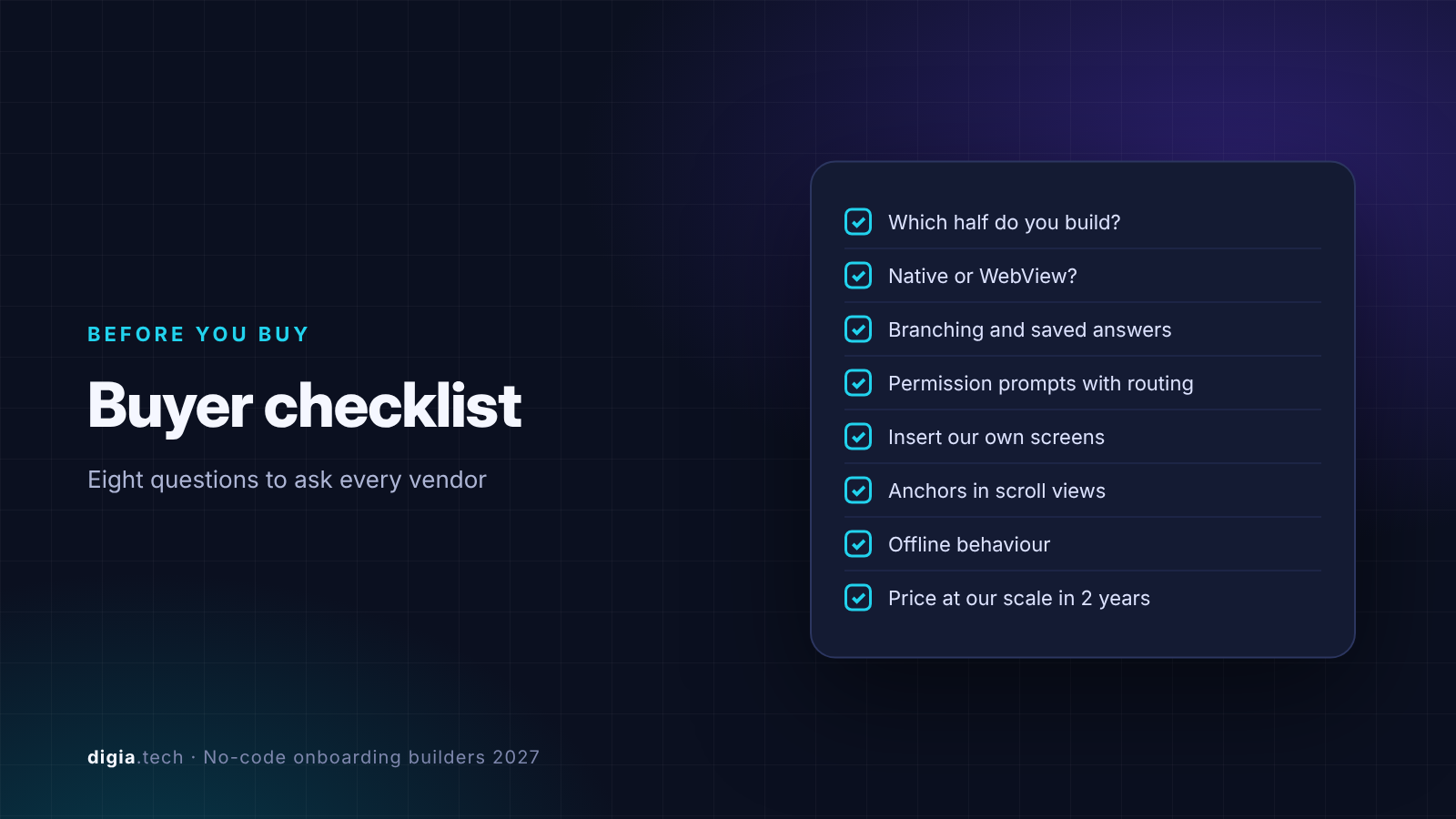
- Which half of onboarding does your product build: first-run flow, in-product guidance, or both?
- Do screens render as native components or in a WebView, on every framework we ship?
- Can a flow branch on answers, and are those answers saved as user attributes we can use later?
- Can a step request system permissions and route users differently if they decline?
- Can we insert our own native screens, such as account creation or KYC, inside a no-code flow?
- Can in-product guides anchor to specific elements, including inside scroll views and tab bars?
- What happens offline or on a slow network when the flow has not loaded?
- How is pricing calculated (revenue share, MAU or flat fee), and what does it cost at our scale in two years?
Key Takeaways
- Mobile onboarding has two halves, and almost every tool builds one of them. Paywall platforms build the first-run flow. Engagement and adoption platforms build in-product guidance.
- Adapty's 2026 data puts the median first-run flow at 5 screens and shows only 1 in 5 apps saving onboarding answers. Storing and using those answers is the cheapest improvement most teams can make.
- Check platform support in writing. Adapty's newer Flows builder is in beta, and Adapty's own sources disagree on which frameworks it covers.
- Pricing models differ more than features. Revenue-share tools suit subscription apps, MAU-priced tools get expensive at consumer scale, and flat monthly pricing is easiest to forecast.
Further Reading
From Digia
- In-App Onboarding vs User Onboarding: What Changed in 2026
- Best No-Code Tooltip and Coach Mark Tools for Mobile Apps (2027)
- How Indian Fintech Apps Drive User Activation: 8 In-App Patterns
- How to Change In-App UI Without an App Release (2027)
External Sources: All Claims Attributed
Vendor and third-party materials (available on each publisher's own site):
- Superwall, Using Flows for Onboarding (documentation), accessed November 2026
- Superwall, Onboarding flow optimization (solution page), data from February to May 2026
- Superwall, Pricing, accessed November 2026
- Adapty, State of Onboarding 2026 report
- Adapty, Flow & Paywall Builder: onboarding and paywalls, no code (blog), updated July 2026
- Adapty, Flows (Beta) documentation, accessed November 2026
- Adapty, Onboardings documentation, legacy builder deprecation notice
- Adapty, Mobile app onboarding testing (blog)
- Adapty, Why users delete your app in 24 hours (blog), updated March 2026
- Adapty, New pricing announcement, February 2026
- Purchasely, Flows and Product capabilities documentation, accessed November 2026
- Purchasely, SDK 5.3 changelog
- Qonversion, No-Code Builder 2.0 documentation and Pricing page, accessed November 2026
- Appcues, mobile documentation, and Produktly, Appcues Pricing in 2026, checked October 2026
- Userpilot, Mobile product page
- Amplitude, Best In-App Guide Tools for Mobile Apps (comparison page)
- Plotline, product and pricing pages, accessed November 2026
- Digia Engage core concepts and Pricing, Digia, accessed November 2026
Sources: vendor documentation, product pages, pricing pages and published reports. All vendor figures are drawn from each vendor's own published materials as of November 2026.
Want native onboarding guides that fire on the triggers you already built in CleverTap, MoEngage or WebEngage? See how Digia Engage works, or book a demo.