


You rarely notice a mobile app onboarding flow when it works. The app opens. Something makes sense quickly. You take a small step forward almost without thinking and then you keep going.
But when the onboarding flow fails, the pattern is unmistakable: confusing screens, too many explanations, a quiet hesitation that turns into abandonment.
According to Localytics, 21% of users abandon an app after a single use. Within three days, that figure reaches 77%. What separates apps that keep users from apps that lose them is almost always the quality of the onboarding flow, specifically, how fast it delivers the user's first moment of value.
Most product teams respond to poor retention by polishing the surface: cleaner UI, smoother animations, tighter copy. What often goes unexamined is the deeper structural question: is the onboarding flow designed to educate users, or to move them?
The teams that scale efficiently treat onboarding not as a UX checklist but as behavioral infrastructure. This guide breaks down exactly what that means, how to measure it, and how to build an onboarding flow that compounds over time.
Onboarding Is the Only Moment You Have Full Attention
What Is a Mobile App Onboarding Flow?
A mobile app onboarding flow is the structured sequence of screens, prompts, and interactions that guides a new user from first install to their first meaningful action inside the app.
It is not a tutorial. It is not a feature tour. Those are education tools. An onboarding flow is an activation mechanism — its job is to get the user to experience value as fast as possible.
Key Components of an Effective Onboarding Flow
- Welcome screen : sets context, not just branding
- Permission requests : timed to when they're contextually relevant, not front-loaded
- Account creation or progressive profiling : collect only what's needed to personalize the first session
- Activation step : the single most important action the user can take
- First success confirmation : a moment that signals the product is working for them
The distinction between a high-performing and a mediocre onboarding flow almost always comes down to whether teams have explicitly defined what the activation step is , and whether every other step in the flow exists to serve it.
The Activation Path: Design Backward From Value
Strong onboarding flows are not designed forward from a welcome screen. They are designed backward from a single question: what is the first action that proves the product is working for this user?
This concept sometimes called the 'aha moment' is the anchor of the entire flow. Examples:
App
Activation Moment (Aha Moment)
Duolingo
Completing a first lesson (not signing up)
Notion
Creating a first page or block
Zomato
Placing a first order
Slack
Sending a first message to a teammate
Digia
Publishing a first in-app nudge or widget
Once the activation moment is defined, every screen before it should be evaluated against one question: does this step help the user reach that moment faster, or does it slow them down?
Steps that don't directly support early momentum should be deferred. Most apps front-load the flow with account setup, permissions, and feature education — all of which delay the moment users experience value. High-performing flows flip this: they get the user to their first success, then layer in account completion and education afterward.
Time-to-Value: The Metric That Actually Predicts Retention
Time-to-value (TTV) is the elapsed time between a user's first app open and their first meaningful success inside the product. It is one of the strongest early predictors of long-term retention.
Research from Appcues and Mixpanel consistently shows that users who reach activation in the first session have significantly higher day-7 and day-30 retention rates than those who do not. The relationship is not linear — there appears to be a threshold effect: users who don't activate in session one are disproportionately likely to never return.
Why Completion Rates Are a Misleading Metric
Most teams track onboarding completion rate. This is a trap. A user can complete every screen in the onboarding flow and still never reach their first success. Completion rate measures whether users survived the flow, not whether the flow delivered value.
Teams that optimize for TTV instead of completion rate consistently see better outcomes. The practical implication: if reducing the number of onboarding steps by 40% gets users to activation 2 minutes faster, that trade is almost always worth it, even if raw completion rate drops.
Completion Rate
% of users who finish all onboarding screens
Activation Rate
% of users who reach the defined aha moment
Time-to-Value (TTV)
Median time from first open to first success
D1 Retention
% of users who return the day after install
D7 Retention
Strongest leading indicator of long-term LTV
Where Onboarding Flows Break
Onboarding rarely fails because teams don't care. It fails in quiet, structural ways that compound over time.
The Ownership Problem
Ask most organizations who owns onboarding. The answer is rarely precise. Design owns clarity. Engineering owns implementation. Marketing owns messaging. Product owns timelines. Each optimizes locally. No one owns the behavioral outcome: did the user activate?
When no single function owns TTV, the flow gets optimized for appearance rather than progression. Screens look better; user momentum doesn't improve.
The Instrumentation Gap
Many flows are heavily polished visually but lightly instrumented behaviorally. Teams can see screen completion but not where users hesitate, which steps trigger re-reads, or where the drop-off actually occurs within a step. Without
behavioural data, improvements are guesswork.
The Static Flow Problem
Products evolve. Onboarding flows often don't. The original flow ships during launch. It gets redesigned after a major drop-off report. Then it goes quiet while the product around it changes significantly. Over time, this creates a growing misalignment between what the product has become and what new users are prepared for when they arrive.
The Release Bottleneck
In a traditional mobile setup, even small onboarding changes require an engineering build, app store submission, review, and approval. What looks like a minor copy change on paper can take 2–3 weeks to reach users. This forces teams to batch changes and de
Progressive Disclosure vs. Front-Loaded Setup
There are two dominant onboarding flow philosophies in mobile product design:
Front-loaded setup: Collect everything upfront — permissions, profile, preferences — before the user reaches core functionality. The logic is that more context enables a better first experience.
Progressive disclosure: Reveal complexity gradually as user confidence grows. Get the user to their first success with minimal friction, then layer in depth as they build familiarity.
The evidence strongly favors progressive disclosure for consumer mobile apps. Front-loaded flows increase drop-off at the exact point when users have the least context for why a permission or profile field matters. Progressive flows defer that friction until users have a reason to provide the information.
The practical rule: every data point collected before activation should be justified by whether it meaningfully improves the activation experience. If it doesn't, move it post-activation.
Case Study Pattern: Zomato's Onboarding Evolution
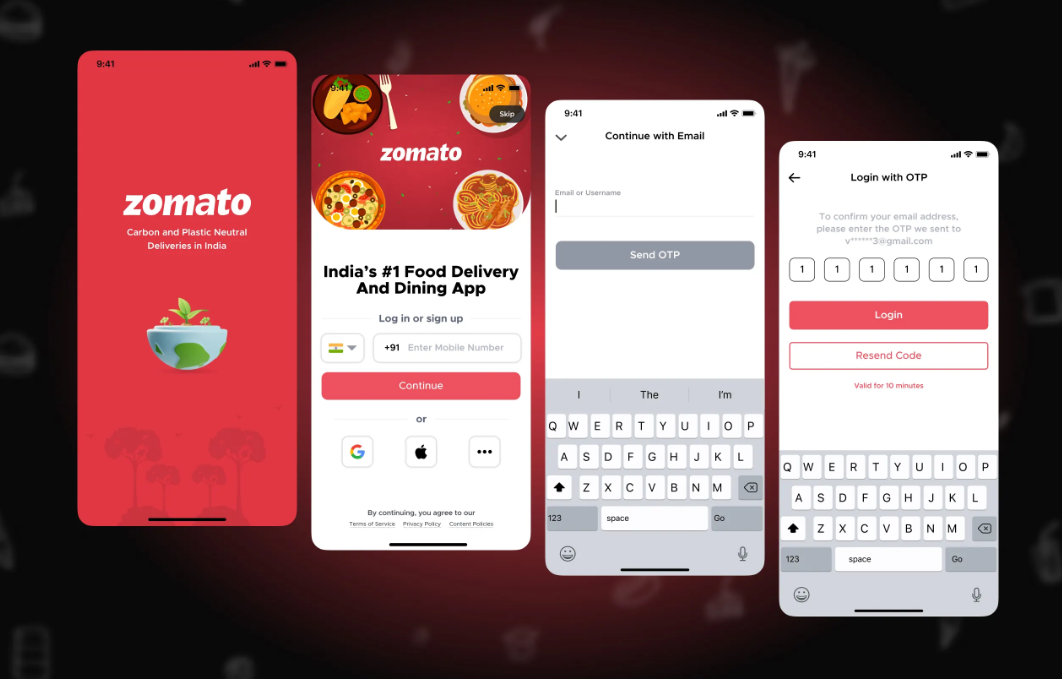
A few years ago, Zomato's onboarding flow was straightforward. Install. Location permission. Address input. Login. Nearby restaurants. The path was short because the product was focused — one job, one activation moment.
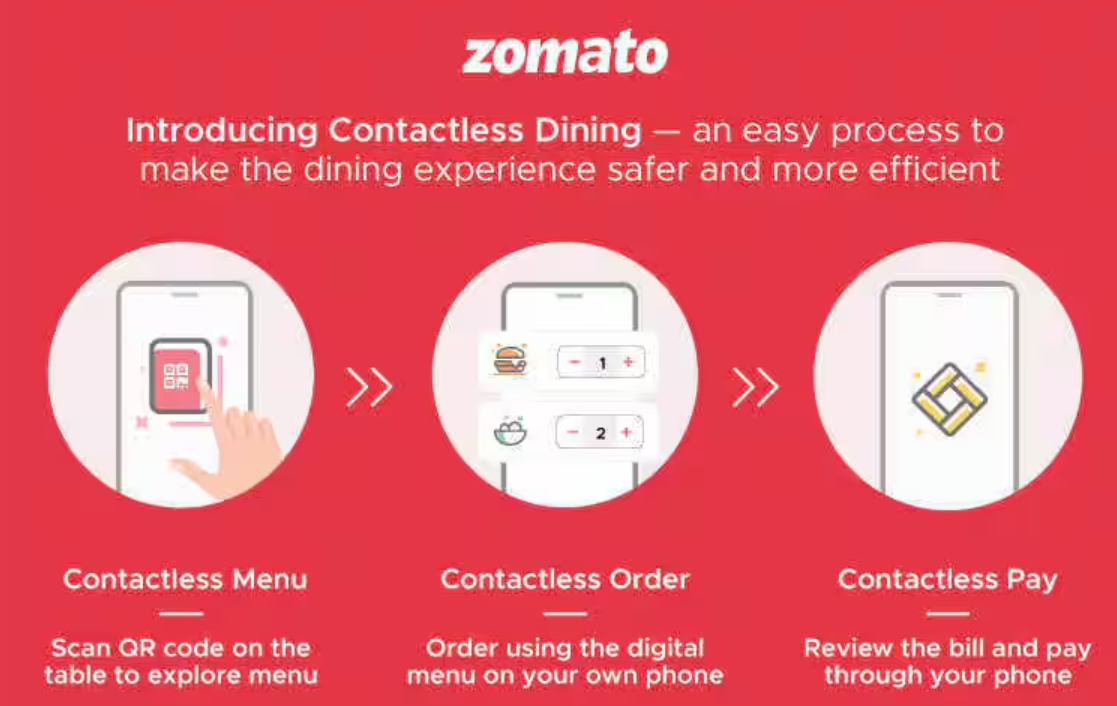
As Zomato expanded (dining, intercity delivery, new discovery surfaces), a new problem emerged: returning users felt disoriented in a product they thought they understood. New users arrived to a more complex surface with an onboarding flow designed for the simpler version.
Zomato's response was instructive. Rather than redesigning the entire entry flow, they layered in lightweight contextual guidance: 'What's new' prompts post-update, highlight badges on new navigation tabs, contextual nudges surfaced in the feed. The onboarding flow evolved from a one-time entry mechanism into an ongoing orientation system.
The strategic lesson: as product surface area grows, the onboarding flow cannot remain a static artifact from launch. It must evolve alongside the product — or the gap between product reality and user preparation will grow until it shows up in retention metrics.
A Quick Reality Check From High-Scale Products
In high-scale mobile products, onboarding rarely stays static for long.
Teams at companies like Duolingo and Notion routinely revisit their first-time user experience as their products evolve. Small sequencing changes, reduced friction before the first meaningful action, and tighter early feedback loops are continuously tested.
The pattern is consistent: teams that grow efficiently treat onboarding as a living surface and not a one-time design milestone.
What High-Growth Teams Do Differently
The gap between average and high-growth onboarding teams rarely shows up in the UI. It shows up in how the work is operationalized.
- They define a single activation metric and own it across functions — not completion rate, but a behavioral event that signals value delivered.
- They instrument the first session from day one — tracking drop-off at the step level, time spent per screen, and re-attempt patterns.
- They maintain an experiment backlog specifically for the onboarding flow — small, focused tests that run continuously.
- They treat onboarding as a growth surface that gets reviewed every product cycle, not after a retention drop.
- They tie onboarding investment directly to business outcomes: activation rate, D7 retention, and LTV cohorts not NPS or onboarding satisfaction scores.
The operational difference is this: average teams react to onboarding problems. High-growth teams systematically remove friction from the activation path before the data forces them to.
8erver-Driven Onboarding: Removing the Release Bottleneck
Server-driven onboarding means key parts of the flow screens, messaging, nudges, sequencing are controlled from the backend rather than hardcoded into the app binary.
What This Enables
- Update onboarding copy, layout, and sequencing without an app store submission
- A/B test activation paths across user segments in near real-time
- Personalize the first-time experience by cohort, channel, or behavioral signal
- Roll back a failing onboarding change without waiting for a hotfix release
Why This Matters for Growth
In a traditional mobile setup, the release cycle is the ceiling on how fast onboarding can improve. Server-driven architecture removes that ceiling. Teams that can ship an onboarding change in hours instead of weeks run more experiments, accumulate more behavioral signal, and compound improvements faster.
Platforms like Digia Engage are built on this model. When a mobile app integrates Digia's SDK, onboarding screens and flows become configurable from a backend dashboard. Product and growth teams can update the flow, test variants, and push changes live without engineering involvement for each iteration — and without an app store release cycle.
Why Server-Driven Onboarding Changes the Equation
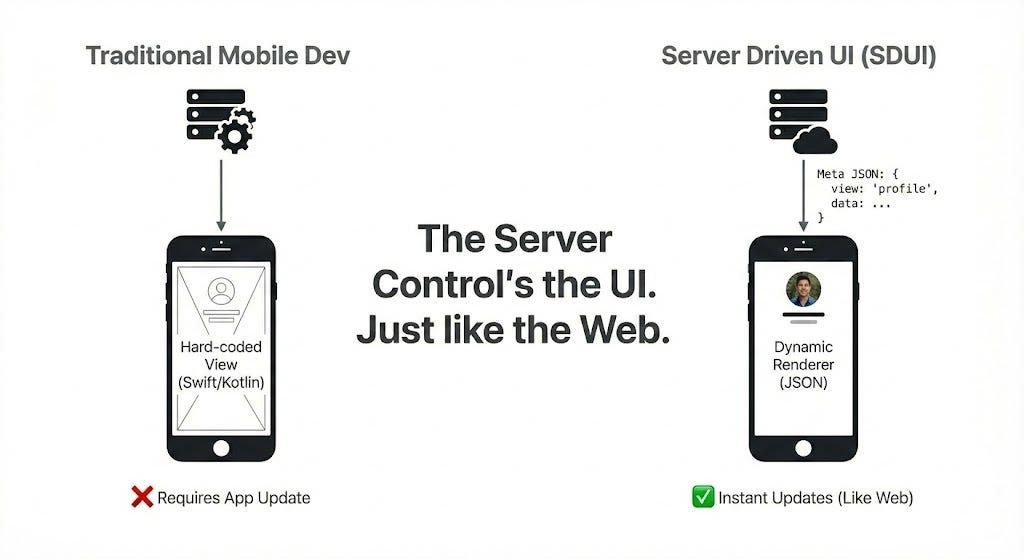
Server-driven onboarding means that key parts of your onboarding flow such as screens, messaging, nudges, and sequencing are controlled from the backend instead of being permanently hardcoded into the app.
Why does this matter?
Because it dramatically reduces the cost of change.
Instead of waiting for a full app release, teams can update parts of the onboarding experience remotely and push those changes live much faster. Practically, this allows teams to adjust onboarding steps without rebuilding the app, test different activation paths quickly, personalize experiences for different user segments, and roll out improvements in near real time.
What used to be a slow release cycle becomes a much tighter learning loop. And tighter loops are what drive compounding growth. Over time, even small, frequent improvements begin to stack up, creating a noticeably smoother first-time user experience and stronger early retention.
How Platforms Like Digia Enable This Shift
This is where platforms like Digia come into the picture.
Digia Studio is built around a server-driven, low-code approach that allows teams to manage and update app experiences dynamically through a centralized backend dashboard.
Here’s how it works:
When your app integrates with Digia’s SDK, the app becomes capable of rendering screens and flows based on instructions it fetches from the server at runtime. Product and growth teams can then use the Digia dashboard to:
- Configure onboarding screens and sequences
- Update copy, layouts, and nudges
- Control feature visibility
- Create segment-based experiences
Once changes are published in the dashboard, the live app pulls the updated configuration and reflects the new experience without requiring a fresh app store release (as long as no native code changes are needed).
Instead of locking onboarding into the mobile app build, teams using Digia can continuously refine the experience from the backend environment. This means they can update onboarding flows faster, push changes without waiting for app store approvals, reduce the need for constant engineering support, and keep the first-time user experience in sync as the product evolves.
For growth-focused teams, this removes one of the biggest hidden bottlenecks: release friction. In simple terms, teams no longer have to wait weeks to improve onboarding, they can respond quickly to real user behavior and keep the activation journey continuously optimized.
The Bigger Strategic Advantage
The real benefit of server-driven onboarding is not just technical speed. It is the behavioral momentum it creates inside the organization. When updating onboarding becomes easier, teams experiment more frequently, small improvements ship faster, insights accumulate continuously, and activation paths improve over time.
In other words, onboarding stops being a one-time project that gets revisited occasionally. It becomes a living growth surface - one that evolves at the same pace as the product itself. And in modern mobile products, that shift often makes the difference between teams that periodically fix onboarding and teams that systematically compound user growth. Over time, this continuous motion turns onboarding into a reliable engine for activation rather than a one-off design exercise.
Closing Thought
It is easy to treat onboarding as a design task that eventually gets checked off.
But the teams that build durable product growth see it differently.
They treat onboarding as behavioral infrastructure.
As a system that deserves continuous iteration.
As a lever that quietly compounds over time.
Because in mobile products, the first meaningful movement a user makes is rarely just the beginning of the journey.
More often, it determines whether the journey continues at all.