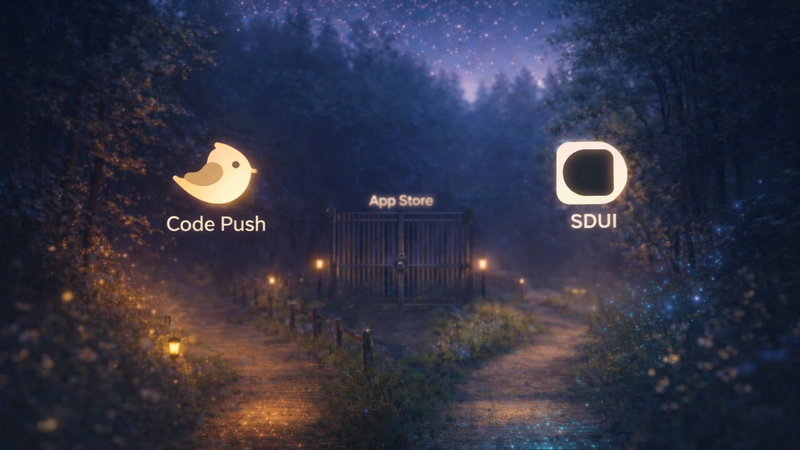
Server-Driven UI (SDUI) allows apps to update interfaces dynamically from the server, avoiding app store delays. However, this flexibility demands a strong logging system to monitor server-client interactions and quickly troubleshoot issues.
Key points:
- SDUI Basics: The server sends real-time layout and logic updates to apps, enabling instant changes without app store approvals.
- Why Logging Matters: Logs track server responses, client rendering, and user actions to identify and resolve errors efficiently.
- Challenges: Issues like version mismatches, network complexities, and high data volumes require careful planning.
- Best Practices:
Tools like Digia Studio simplify SDUI logging by offering drag-and-drop tools, real-time schema updates, and scalable infrastructure for secure, efficient monitoring.
Takeaway: Effective SDUI logging ensures reliable updates, faster debugging, and better user experiences.
DIY Server Driven UI: A 4-Year Journey in Mobile App Innovation by HARRIET TAYLOR & JIMMY RAY
SDUI Logging Basics
Logging in server-driven UI (SDUI) systems takes a different approach compared to traditional app logging. In static interfaces, you can predict which components will render. But SDUI systems are dynamic, with layouts that shift based on server responses. This makes capturing and analyzing both server and client activities more complex. Below, we’ll dive into the key principles, challenges, and essential elements of effective SDUI logging.
Core Principles of SDUI Logging
Structured logging is a must. Logs should be in a format like JSON that’s easy for machines to parse and analyze. Plain text logs won’t cut it when you need precision and consistency.
Log the complete UI state for context. While traditional logs might record a button click with minimal details, SDUI systems need to go deeper. You’ll want to capture the active server-generated layout, the data populating the interface, and how the client interpreted server instructions. This level of detail helps uncover not just what happened but why it happened in a dynamic UI environment.
Track correlations across client-server interactions. When a user clicks a dynamically created button, your logs should connect the dots - from the client-side action to the server’s processing and back to the UI update. Persistent unique identifiers are key for tracking this journey.
Enrich logs with metadata. Include details like UI schema versions, feature flags, A/B test variants, and device characteristics. This extra data is critical for pinpointing issues that might only affect specific configurations or user groups.
Common SDUI Logging Challenges
SDUI systems come with their own set of challenges that require careful planning to address:
- Version fragmentation: In SDUI, users might interact with different versions of the same interface at the same time. For instance, one user might see version 2.1 of a checkout flow while another sees version 2.3. This makes it tricky to identify patterns or troubleshoot issues across versions.
- Network boundary complexity: When a UI breaks, the root cause could be anywhere - server-side schema generation, network transmission, client-side rendering, or data synchronization. Traditional logging often focuses on one part of this chain, leaving gaps in your monitoring.
- Dynamic component tracking: Unlike static apps, SDUI components don’t have fixed identifiers. For example, a "Buy Now" button might be dynamically generated with unique properties for each user. Your logging system needs to handle these ever-changing identifiers while maintaining meaningful analytics.
- Performance trade-offs: Logging can slow down server responses and client rendering if not managed carefully. Too much logging clogs the system; too little leaves you blind to performance issues.
- Data volume management: SDUI systems generate a massive amount of logs - from server responses to client rendering decisions and user interactions. Without a clear strategy, storage costs can skyrocket, and finding useful data becomes a needle-in-a-haystack problem.
What to Log in SDUI Systems
To tackle these challenges, focus on capturing the right data. Here’s what should go into your logs:
- Server-side schema generation: Log the UI schema sent to clients, including its structure, personalization rules, feature flags, and processing time. This data is essential for diagnosing server-side issues.
- Client-side rendering events: Record how devices interpret and display the server-driven interface. Include details like component rendering, layout calculations, image load times, and fallback events. This helps identify whether issues originate from the server or the client.
- User interaction patterns: Track every tap, swipe, or scroll on the dynamic interface. Include the version of the UI they interacted with and how their actions triggered server requests.
- Network communication details: Log request and response times, payload sizes, retry attempts, and any network errors. Add connection quality indicators to identify transmission issues.
- Error conditions and fallbacks: Document when the system falls back to cached UI schemas, when server-side personalization fails, or when components don’t render. Include error codes, stack traces, and any recovery actions taken.
- Performance metrics: Monitor server response times, client-side rendering durations, memory usage, and battery impact. These metrics help you fine-tune the system for better performance across different devices.
SDUI Logging Best Practices
Creating an efficient logging system for server-driven UI (SDUI) requires careful planning to ensure you achieve a balance between visibility, performance, and compliance. By following these best practices, you can build a logging framework that scales with your application and provides meaningful insights.
Use Structured Logging
Consistency is key when it comes to logging. Each log entry should follow a standardized JSON schema, including fields like timestamp, log level, event type, and other relevant context. Incorporating correlation IDs into user sessions is especially useful, as it creates a clear audit trail that connects related log entries across various components. Assigning appropriate logging levels - debug, info, warning, error - allows you to fine-tune the verbosity for different environments, such as development versus production. With this structured approach, centralizing your logs becomes much easier, offering a comprehensive view of your system's performance.
Centralize Logs for Better Insights
Scattered logs can make debugging a nightmare. Centralizing your logs ensures you have a single source of truth to analyze system behavior from end to end. Real-time log aggregation makes it easier to spot issues as they happen, while synchronized timestamps across components help with accurate event correlation. Custom dashboards can further streamline the process, letting you quickly pinpoint and address problems. This centralized approach also supports adherence to strict privacy standards.
Prioritize Privacy Compliance
When designing your logging system, protecting sensitive information should be a top priority. Avoid logging Personally Identifiable Information (PII) by using hashed identifiers or session tokens instead. Implement privacy-compliant data retention policies to manage how long logs are stored. Choose logging platforms that meet enterprise-grade security standards, such as ISO 27001 certification, which provides a solid framework for managing information security. If your SDUI system processes sensitive consumer data, anonymizing user behavior data while retaining its analytical value is critical. Additionally, log sanitization processes can automatically remove sensitive details before storage. Conduct regular audits of your logs to ensure they remain compliant with privacy regulations over time.
Setting Up Logging with Digia Studio
Digia Studio makes implementing SDUI logging easier with its user-friendly visual interface. By combining a low-code, server-driven approach, it removes the technical hurdles often associated with mobile logging. Here's how Digia Studio translates logging best practices into practical, easy-to-use tools.
Drag-and-Drop Logging Widgets
With Digia Studio's intuitive visual interface, developers can set up logging without writing any code. The drag-and-drop widget system lets you design custom logging components to track key user interactions, screen transitions, and system events directly in your app. This approach not only saves time but also simplifies the process of deciding which data points to monitor, such as button clicks, form submissions, or navigation behaviors. Plus, reusable widget templates ensure your logging setup stays consistent across the entire application.
Real-Time Updates for Logging Schemas
Digia Studio goes beyond just visual tools by offering real-time updates for logging schemas. One standout feature is its ability to modify logging configurations instantly - no app store approvals required. This server-driven functionality allows you to tweak what data gets collected or adjust logging levels on the fly through a centralized dashboard. This flexibility is especially useful for quickly addressing issues or fine-tuning your debugging process as new challenges arise.
Scalable, Secure Logging Infrastructure
For high-traffic apps, Digia Studio provides a solid infrastructure to handle the demands of SDUI logging. It’s built to manage performance and scalability challenges seamlessly. The platform adheres to ISO 27001 security standards, ensuring your logging data is protected. Role-based access control lets team members, from developers to security experts, access only the logs they need. Secure Git integration tracks and versions all configuration changes, creating a clear audit trail and enabling smooth collaboration. Even under heavy traffic, the system efficiently handles log aggregation, storage, and retrieval, keeping your logging system fast and reliable.
Monitoring and Improving Your Logs
In server-driven UI (SDUI) systems, logs are more than just records - they're a goldmine for refining performance and speeding up development. Activating your logging system is just the starting point. The real value lies in turning raw data into insights that drive improvements.
Aggregating and Visualizing Logs
Start by grouping related events to uncover patterns that matter. This step helps you make sense of the data and spot trends.
Use time-based dashboards to track user flows across your server-driven components. These dashboards can display key metrics like widget load times, interaction rates, and error frequencies. Real-time charts make it easier to pinpoint performance issues, such as slow-loading components or unexpected drop-offs in usage. Take it a step further by setting up alerts for critical situations - like sudden spikes in load times or a sharp decline in user engagement.
Heat maps can also be a powerful tool, showing which parts of your interface are grabbing the most attention. Custom dashboards tailored to specific roles, like developers or product managers, can provide targeted insights.
But don’t stop at visualization. Managing logs efficiently is essential to keep your system running smoothly and to control costs.
Managing Log Performance and Costs
To keep storage demands in check, use log sampling. This approach ensures you capture all critical errors and performance data without overwhelming your system.
Implement tiered storage policies to manage logs based on their age and relevance. For example, keep recent logs in fast, easily accessible storage for real-time analysis, while archiving older logs in cost-effective storage solutions.
Avoid letting logging operations slow down your system. Asynchronous logging can help - by buffering logs in memory and flushing them in batches during periods of low activity, you can maintain performance.
Lastly, enforce rate limiting and log rotation policies. These measures, based on time or log file size, ensure that storage remains manageable and your system stays efficient.
Conclusion and Key Takeaways
Logging plays a crucial role in making server-driven UI (SDUI) architectures dependable and scalable for mobile apps while ensuring a smooth user experience. The strategies shared in this guide demonstrate how logging can evolve from a simple debugging tool into a proactive system that drives continuous improvement.
By adopting structured and centralized logging, you can keep large volumes of data both machine-readable and easy to query. This approach simplifies analysis and troubleshooting, becoming an integral part of every phase of SDUI management.
Centralized logging also simplifies meeting privacy requirements. It creates a unified, auditable record of system activities, which is vital for complying with strict standards like ISO 27001.
Real-time, structured logs provide instant insights into user behavior, component performance, and system inefficiencies. This visibility speeds up development, helps identify bottlenecks, and supports smarter product decisions.
Digia Studio serves as a prime example of effective SDUI logging. With its enterprise-level infrastructure and live updates, it allows developers to iterate quickly without waiting for app store approvals. These features highlight how robust logging can enhance real-world applications, ensuring secure and seamless updates.