TL;DR
- The biggest in-app engagement change for 2027 is that the phone itself now sits between your app and your user.
- Siri AI and Android's AppFunctions let AI assistants complete tasks inside apps, and Apple says App Store submissions with Siri AI integrations open in spring 2027.
- iOS and Android already rank and group push notifications before anyone reads them, and lock-screen trackers now carry order and payment status that used to need an app open.
- In India, the DPDP Rules' core consent duties apply from 13 May 2027, and the EU's Digital Fairness Act targets dark patterns.
- The result: fewer but higher-stakes sessions, and stricter limits on how you persuade.
- Plan 2027 around four moves.
- Expose your key actions to assistants.
- Make the in-app moment after each tap count.
- Ship UI changes without app releases.
- Measure with holdout groups instead of open rates.
How we built this: In November 2026 we reviewed platform documentation, regulator notices, and vendor research published between March 2025 and November 2026, then mapped each change to what it does to an in-app campaign. Every claim links to its source, and dates are stated because several of these rules and APIs are still moving. Digia builds in-app engagement software, and we flag the one place where our product is relevant.
Why does 2027 planning look different?
Attention on mobile is flat, so every 2027 engagement gain comes from taking share of a fixed pie. Sensor Tower's State of Mobile 2026 report counted 5.3 trillion hours spent in apps in 2025, up only 3.8% year over year, or about 3.6 hours per user per day. India led the world by time spent, rising from 1.13 trillion hours in 2024 to 1.23 trillion hours in 2025.
What changed is who controls access to that attention. Until 2025, a growth team's main levers were push and email, plus whatever happened after the user tapped the icon. By late 2026, four new layers sit in between:
- AI assistants that can finish a task inside your app without the user ever seeing your screen.
- OS-level filters and surfaces that decide which notification gets attention and what can be tracked from the lock screen.
- Regulators in India and the EU who now treat interface design as a consumer protection question.
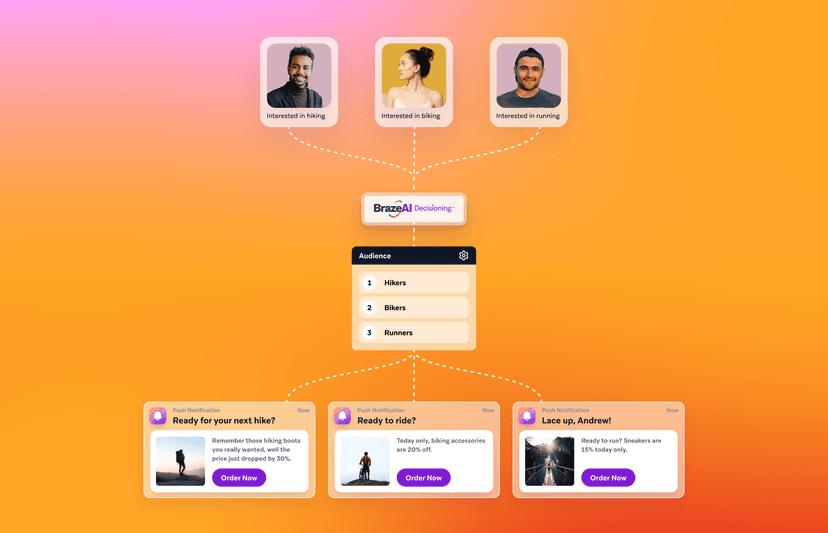
- Decisioning engines inside the big CEPs that pick the message for each user, which changes what your team actually builds.
Braze's 2026 Customer Engagement Review puts a number on the first layer. 19% of surveyed consumers already use AI agents to interact with brands, and Braze expects that to reach 46% by the end of 2026. The survey covered US and UK consumers only, so treat it as a leading indicator for India rather than a forecast.
The nine shifts below are ordered by how directly they change what a growth team ships, starting with the ones that change where a session begins.
The 9 shifts at a glance
| Shift | What changed | First move for 2027 |
|---|---|---|
| 1. AI assistants act in apps | Siri AI and Android AppFunctions can complete tasks inside apps | Decide which top actions an assistant may finish |
| 2. OS filters push | iOS ranks notifications, Android 16 groups and quiets them | Move promotional offers from push into the app |
| 3. Lock-screen trackers | Live Activities and Live Updates carry status outside the app | Design the landing screen behind each tracker |
| 4. AI decisioning | CEP agents pick the message for each user | Build native variant libraries and guardrails |
| 5. On-device AI | Free local models on supported iPhones and Android devices | Pilot one enhancement with a fallback |
| 6. Native design shift | Liquid Glass and Material 3 Expressive | Retire WebView templates in key placements |
| 7. Release-independent UI | Server-driven UI spreads beyond Airbnb | Measure idea-to-live lead time |
| 8. Consent in-app | DPDP core duties apply from 13 May 2027 | Map every personalized campaign to its consent |
| 9. Dark-pattern rules | India's CCPA guidelines, EU Digital Fairness Act proposal | Audit templates against the 13 patterns |
Shift 1: AI assistants start using your app for the user
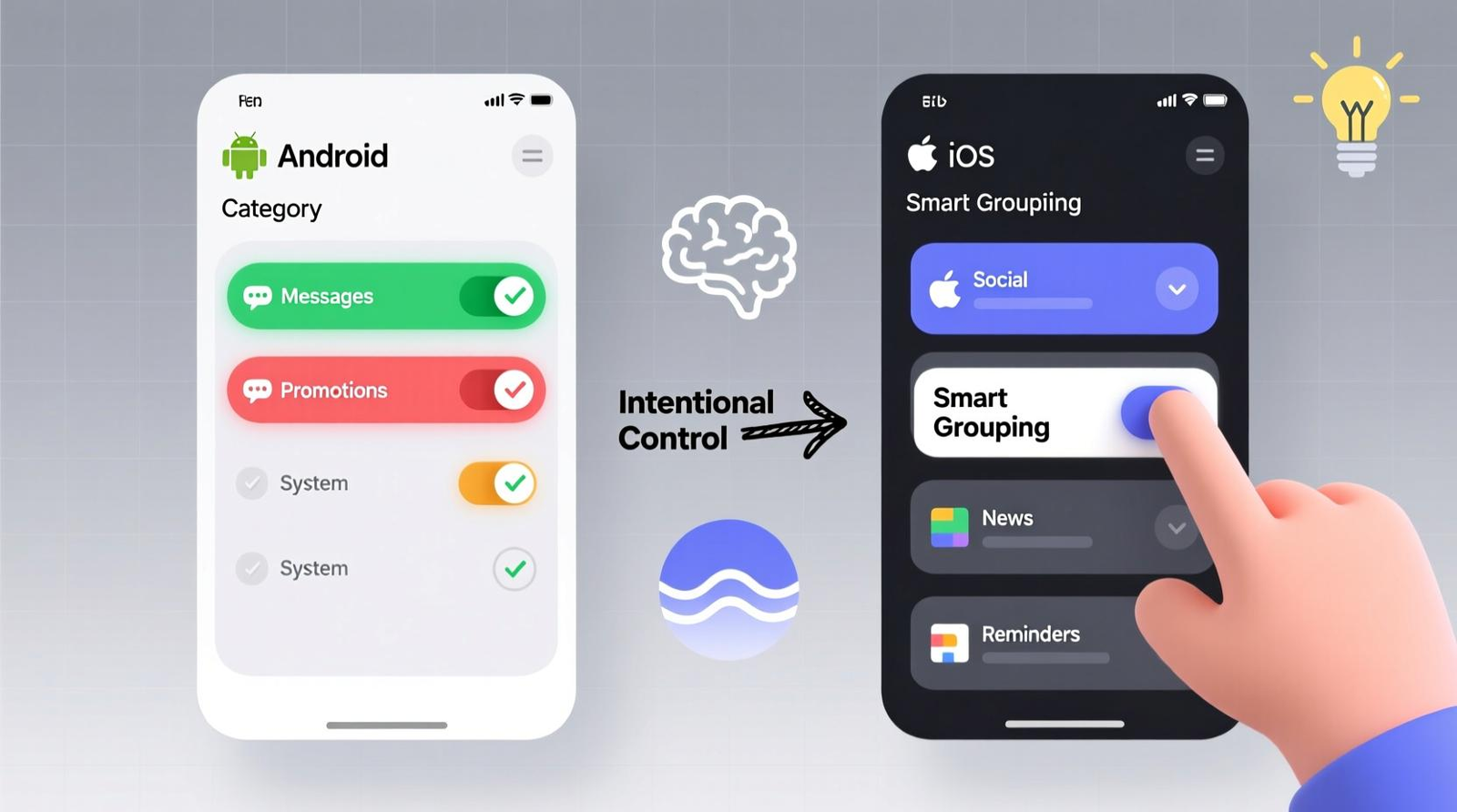
In 2027, a meaningful share of "app usage" will be an assistant calling your app's functions, with no screen rendered at all.
What changed
On Apple platforms, Siri AI was announced at WWDC on 8 June 2026 with personal context and "systemwide app actions" that let users get things done across apps. Third-party apps join through App Intents. On 3 November 2026, Apple opened a Siri AI developer preview with the 27.3 betas. According to PPC Land's report on the preview, App Store users get no Siri AI functionality from third-party apps yet, and submissions open in spring 2027. Apple's own release says Siri AI arrives as an English beta later this year and will not initially be available on iPhone and iPad in the EU.
On Android, Google's AppFunctions lets apps behave like on-device MCP servers, contributing functions that act as tools for agents and assistants like Gemini. It requires Android 16 or later, and as of May 2026 the Gemini integration was in a private preview with trusted testers. Google's announcement notes that Gemini is designed to alert users before completing sensitive tasks, such as making a purchase.
What it means for in-app engagement
Two consequences, and they pull in opposite directions.
First, routine sessions will thin out. If a user can say "pay my electricity bill" or "reorder last week's groceries" and an assistant does it through your exposed function, the home screen banner and the tooltip you placed on that flow never render. Session counts drop while task completion holds.
Second, the sessions that remain carry more weight. The assistant hands off when it hits something it cannot or should not do alone, like a purchase confirmation or a KYC step. Those handoff moments become the highest-intent screens in your app.
Plan for it
- List your 10 most frequent user actions and decide, one by one, which you want an assistant to complete end to end and which should hand the user back into the app.
- Design the handoff screen for each action that comes back into the app. It needs context from the assistant's request, one clear next step, and no promotional clutter.
- Add an event property for "initiated by assistant" so your analytics can separate agent-driven completions from tapped ones before the numbers start moving.
- Treat India as an Android-first rollout. AppFunctions needs Android 16, so check what share of your active base runs it before committing roadmap time.
Shift 2: The OS filters p
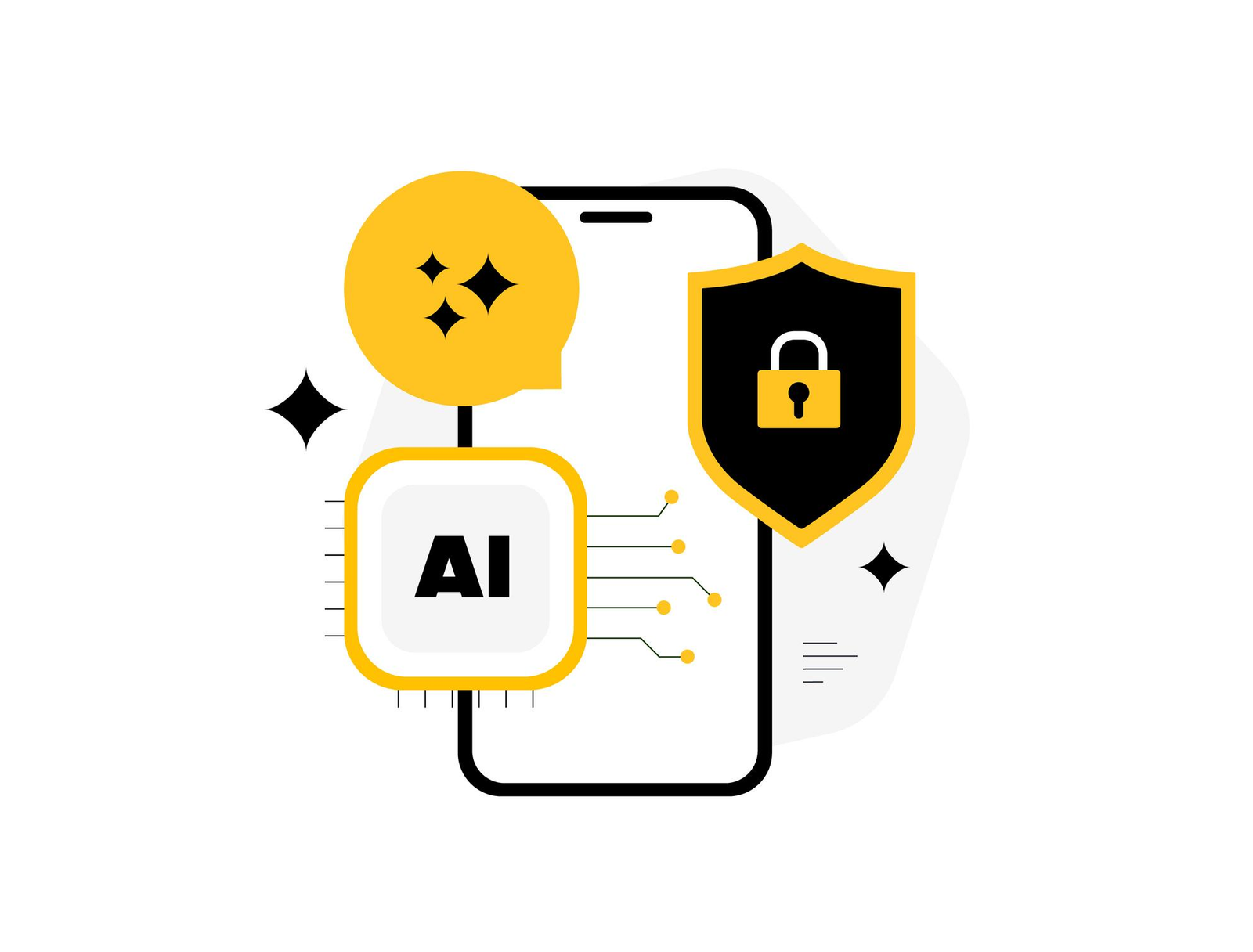
ush before the user reads it
Push is still a delivery channel in 2027, but the OS now decides how loudly each one arrives.
What changed
Apple shipped Priority Notifications with iOS 18.4. The phone uses on-device processing to analyze how important each notification appears to be and surfaces the important ones in a separate section of the Lock Screen. The same report notes that Apple had to disable AI notification summaries for news and entertainment apps after misread headlines. Users manage both features per app, and Apple documents the controls in its iPhone guide to summarizing notifications and reducing interruptions.
Android 16 went further on volume. It automatically groups all notifications from the same app, removing the developer's choice. A notification cooldown setting gradually lowers the volume of successive notifications from the same app for up to two minutes, while calls and alarms are spared.
| Detail | iOS | Android |
|---|---|---|
| What the OS does | Ranks notifications by importance on device and surfaces priority ones first | Groups all notifications from one app and lowers the volume of repeated alerts |
| Available from | iOS 18.4 (Priority Notifications) | Android 16 (forced grouping, notification cooldown) |
| Who controls it | The user, per app | The system. Developers cannot opt out of grouping |
| Effect on promotional push | Sits below the priority section | Collapses into one group and gets quieter |
What it means for in-app engagement
A classifier that sorts "delivery arriving" from "flat 20% off" will push promotional copy down the stack. Bursts of three or four notifications, a common trick for flash sales, now collapse into one group and get quieter as they go.
That moves promotional weight inside the app. The offer that used to ride on a push now needs a home in the session the user starts on their own, in the form of a banner or a bottom sheet. Push still works for information the user wants, and that is exactly the content the OS is built to surface.
Plan for it
- Split your push calendar into informational and promotional sends. Keep push for the first group and move most of the second into in-app placements.
- Cap push to one per burst. Grouping and cooldown make the second and third sends close to worthless on Android 16.
- Build push-to-in-app continuity. When a user opens the app after a push, the first screen should continue the same message, not restart the funnel.
- Report push performance by OS version, because iOS 18.4 and Android 16 users now behave differently from users on older versions.
Digia's guide to suppression logic covers when not to send at all, which matters more once the OS is grading you.
Shift 3: The lock screen becomes part of the journey
Status updates that used to pull users into the app now live on the lock screen, so the in-app moment starts later and with more context.
What changed
On iOS, Live Activities can be started, updated, and ended remotely with ActivityKit push notifications. Remote start needs iOS 17.2 or later.
Android 16 introduced progress-centric notifications through Notification.ProgressStyle for journeys such as rideshare and delivery. Google then promoted these into Live Updates, which arrived in full with Android 16 QPR1. Android Authority's testing found that Live Updates are the only notifications on the lock screen that are not collapsed into the new notification shelf.
| Detail | iOS Live Activities | Android Live Updates |
|---|---|---|
| API | ActivityKit | Notification.ProgressStyle |
| Version needed | iOS 17.2 or later to start remotely from your server | Android 16 QPR1 for the full Live Updates experience |
| Lock screen treatment | Shown on the Lock Screen and updated in place | Not collapsed into the notification shelf |
| Best fit | Delivery, rides, payment and KYC status | Rideshare, delivery and other user-started journeys |
What it means for in-app engagement
For fintech and commerce apps, a large share of sessions exists only to check status, such as "has my loan been disbursed" or "where is my order". When that status sits on the lock screen, those sessions disappear. The user who taps through is now asking a specific question or wants to act.
So the landing screen behind a Live Activity or Live Update deserves the same design attention as a campaign. A user who tapped "KYC under review" wants the review state, the expected time, and what to do if something is missing. A generic home feed wastes that tap.
Plan for it
- List every journey with a clear start and end in your app, such as KYC review, loan disbursal, SIP processing, or delivery, and decide which deserve a lock-screen tracker.
- Design a dedicated deep-link landing state for each tracker, with in-app content that answers the question the tracker raised.
Shift 4: AI decisioning replaces hand-built segments
The CEPs are moving from "marketer picks the segment and the message" to "an agent picks per user", which makes creative supply the bottleneck.
What changed
Braze agreed to acquire OfferFit for $325 million in March 2025 and completed the deal on 2 June 2025. Braze describes the old way of personalization as "a combination of propensity models, segments, manual A/B tests, and rules", and says OfferFit's agents instead make 1:1 decisions on the best way to market to each customer.
The same Braze research shows the gap this has to close. 93% of surveyed marketing leaders believe AI helps them accurately understand customer needs, while only 53% of consumers feel brands are successfully predicting what they want.
What it means for in-app engagement
A decisioning agent can only choose among options that exist. If your in-app layer offers one banner design and two copy variants, the agent has almost nothing to optimize. The teams that get value from decisioning in 2027 will be the ones that can produce many native variants quickly and safely.
Decisioning also raises the stakes on guardrails. An agent tuned for conversions will happily show a cashback offer to a user mid-dispute or right after a failed payment, unless suppression rules forbid it.
Plan for it
- Build an in-app variant library for each core placement, with several layouts, offers, and copy tones, so the agent has real choices.
- Write guardrails before you switch an agent on. Set frequency caps and stress-state suppression, and list the offers that are never allowed for a given segment.
- Keep a permanent holdout group that never receives agent-picked messages, so you can prove the agent beats your old rules (see the metric change).
- Review what the agent chose every month in plain language. A manager should be able to explain why a user saw a message.
Shift 5: On-device AI personalizes without sending data out
Both platforms now ship free, on-device language models, which make private, per-user in-app copy possible without a server round trip.
What changed
Apple's Foundation Models framework lets apps tap the on-device large language model at the core of Apple Intelligence, with features that protect privacy, work offline, and use AI inference that is free of cost. Cult of Mac reports the framework is built around a 3-billion-parameter model. Apple's examples include the journaling app Stoic, which generates context-aware notifications from recent entries entirely on device.
On Android, ML Kit's GenAI APIs run Gemini Nano on device for summarization, proofreading, rewriting, and image description. Google's launch post says input, inference, and output stay on the device, with no additional cost per API call.
What it means for in-app engagement
On-device models can write a one-line summary of a user's spending this week, or rephrase a nudge in a gentler tone, using data that never leaves the phone. That fits neatly with the consent pressure in Shift 8.
The constraint is reach. Apple Intelligence features in the 2027 releases need an iPhone 15 Pro or an iPhone 16 or later, and Gemini Nano runs only on selected MediaTek, Qualcomm, and Google Tensor chipsets. In an Android-heavy, mid-range Indian user base, that covers a minority of users in 2027.
Plan for it
- Use on-device generation for enhancements, such as summaries and tone variants, and never as the only path to a core flow.
- Always ship a fallback version of the same placement for devices without a model, and compare the two in a controlled test before scaling.
Shift 6: Native design systems moved, and templated UI looks foreign
Apple and Google both redesigned their UI systems in 2025, and in-app messages built from HTML templates now look visibly out of place.
What changed
Apple introduced Liquid Glass with iOS 26. Since 28 April 2026, apps uploaded to App Store Connect must be built with Xcode 26 and the iOS 26 SDK. The temporary opt-out is also ending. An Apple engineer confirmed on the developer forums that the UIDesignRequiresCompatibility opt-out is no longer honored once an app is built against iOS 27. iOS 27 also adds a Settings slider that lets users adjust Liquid Glass from ultra-clear to fully tinted. If Apple repeats its usual pattern of an April SDK cutoff, building against the iOS 27 SDK becomes mandatory around April 2027, though Apple had not announced that date as of November 2026.
Google shipped Material 3 Expressive after 46 studies with more than 18,000 participants. Google's research team reports that participants spotted key UI elements up to four times faster in the expressive designs, and that older users matched younger users' speed.
What it means for in-app engagement
When the OS chrome around a message is translucent and the message itself is a flat HTML card with a hard drop shadow, users read it as an ad. The visual gap also breaks theming. A user who tinted Liquid Glass or picked a dynamic color palette on Android sees the app adapt while the campaign does not.
The fix is in-app components that render natively and inherit the app's design tokens, so a bottom sheet or tooltip picks up the same materials and color logic as the rest of the screen.
Plan for it
- Screenshot every live in-app campaign template on iOS 26 and an Android 16 device with Material 3 Expressive, and flag the ones that look like third-party overlays.
- Move campaign UI to native components that read your app's theme tokens, and retire WebView templates for high-visibility placements first.
Shift 7: Release-independent UI becomes the default
Shifts 4 and 6 both demand that in-app UI changes ship weekly, which release-bound UI cannot do.
What changed
Server-driven UI is no longer an Airbnb-only pattern. Airbnb described its Ghost Platform as a way to ship features faster across web and mobile by sending UI and data together from the server. In November 2026, InfoQ reported that Yelp combined native and server-driven UI for its AI assistant, keeping native controls while moving view configuration to the server.
What it means for in-app engagement
Look at the 2027 demands together. A decisioning agent wants more variants every month. Apple and Google change design materials every year. Regulators can force a copy or flow change on short notice. If every one of those changes means a sprint ticket and a build, followed by review and a wait for users to update, the growth team spends 2027 waiting.
This is where Digia sits. Digia Engage renders in-app experiences such as bottom sheets, tooltips, banners, and carousels as native components from a dashboard, and updates them server-side without an app release. Several other tools in the category take a similar approach, and Digia's honest comparison of engagement platforms covers how they differ.
Plan for it
- Measure your current lead time from "approved campaign idea" to "live for 90% of users". If it is longer than a week, it caps how much you can benefit from Shifts 4, 6, and 9.
- Separate what must stay in app code, like core flows and anchor tags, from what should become server-configurable, like copy, layout, offers, and targeting.
Shift 8: Consent becomes an in-app product surface
From May 2027, Indian apps need consent flows that are clear, specific, and as easy to withdraw as to give, and those flows are in-app UI.
What changed
India's DPDP Rules were notified on 13 November 2025 with a staggered rollout. According to AMLEGALS' summary, Consent Manager registration (Rule 4) starts one year after notification, in November 2026. Rules 3, 5 to 16, 22, and 23, which carry the core notice, consent, and security duties, start 18 months after notification, on 13 May 2027. The final Rules require direct links for consent withdrawal, rights exercise, and complaint filing.
Consumer sentiment points the same way. In Braze's 2026 survey, 27% of consumers refuse to share any data with AI agents even when promised a better experience, and 43% would stop engaging with a brand entirely if their data were misused.
What it means for in-app engagement
Personalized in-app campaigns run on personal data, such as transaction history and app behavior. From May 2027, each use needs a lawful basis your team can point to, and many will rest on consent the user gave inside the app. That turns consent notices, preference screens, and withdrawal flows into product surfaces that need design and version control, the same as any other campaign.
There is an upside. A consent prompt that explains a clear benefit at the right moment, such as "use your spending history to flag unusual charges", tends to earn more agreement than a wall of text at signup. In-app timing and copy skills apply directly.
Plan for it
- Inventory every in-app campaign that uses personal data for targeting or personalization, and map each to the notice and consent that covers it.
- Build consent notices and withdrawal entry points as reusable in-app components, so legal changes ship without a release.
- Log the consent state used at the moment each campaign was targeted, so you can show what the user had agreed to.
- Confirm the specific obligations with counsel. This article covers the engagement implications, and it is not legal advice.
Shift 9: Dark-pattern rules turn nudge design into compliance
Fake urgency, pre-selected add-ons, and confirmshaming are now regulated practices in India, and the EU is moving to codify similar bans.
What changed
India's Central Consumer Protection Authority published Guidelines for the Prevention and Regulation of Dark Patterns in 2023, defining 13 dark patterns. On 5 June 2025 it issued an advisory directing all e-commerce platforms to self-audit for dark patterns within three months and encouraging them to submit self-declarations.
In the EU, the Commission's 2026 work programme lists a Digital Fairness Act aimed at dark patterns, influencer marketing, addictive design, and unfair personalisation. The European Parliament's research service reported in October 2026 that the proposal was scheduled for mid-November 2026, and Taylor Wessing put the expected date at 11 November 2026. The Commission's own Fitness Check found that 97% of top websites use dark patterns. The Parliament has also pushed for the Act to address loot boxes and in-app currencies, which matters to any app running gamified rewards.
What it means for in-app engagement
Many standard in-app tactics sit close to these definitions. A countdown timer that resets, a "Only 2 left!" badge not tied to real stock, a pre-ticked insurance add-on in checkout, or a "No thanks, I don't like saving money" dismiss button all read like textbook examples. In 2027, those stop being growth hacks and start being audit findings.
The practical change is process. Someone has to review campaign templates against a published list before they go live, and that review needs a record.
Plan for it
- Audit every live in-app template against CCPA's 13 patterns and remove any urgency or scarcity claim that is not backed by real data.
- Add a dark-pattern check to campaign approval, with a named reviewer and a stored record of what was approved.
- Review gamification mechanics, such as spin wheels and in-app currencies, for EU exposure if you serve EU users.
- Track the DFA text after publication. The proposal still has to pass the Parliament and Council, so obligations will not apply in 2027, but templates built now will still be live when they do.
For the design side, Digia's guide to non-annoying nudges covers frequency and placement rules that keep you well clear of these lines.
The metric change underneath all nine
Open rates, click-through rates, and session counts all get noisier in 2027, so incrementality becomes the only number that holds up.
Each shift above breaks a familiar metric. Assistants cut sessions without cutting value (Shift 1). OS filtering changes push opens independent of your copy (Shift 2). Lock-screen trackers remove status-check sessions (Shift 3). Decisioning agents claim credit for conversions that might have happened anyway (Shift 4).
The answer is a holdout group, meaning a random share of users who never receive campaigns, compared against everyone else. Braze, for example, documents a Global Control Group that withholds messages from a random group of users and reports uplift against a treatment sample, and its guidance allows between 1% and 15% of the user base in that group. Most CEPs offer an equivalent, and the same logic applies to in-app campaigns.
Two practical rules for 2027:
- Hold out at the program level as well as per campaign. Per-campaign tests tell you which banner won. A program-level holdout tells you whether in-app engagement as a whole moved retention or revenue.
- Report completed outcomes. Track completed core actions, such as payments made or SIPs started, per user per month, whatever the entry point.
2027 planning table
Use this to sequence the work. The quarters reflect when each change bites, based on the dates above.
| Shift | Key date | What changes in-app | First move | Suggested quarter |
|---|---|---|---|---|
| AI assistants act in apps | Siri AI App Store submissions open spring 2027, AppFunctions needs Android 16+ | Fewer routine sessions, higher-intent handoffs | Map top 10 actions to agent or in-app | Q1 |
| OS filters push | Live now (iOS 18.4, Android 16) | Promo push loses reach, in-app carries offers | Split informational and promotional sends | Q1 |
| Lock-screen trackers | Live now (iOS 17.2+, Android 16 QPR1) | Status sessions disappear, tap-through has intent | Design tracker landing states | Q2 |
| AI decisioning | Live in major CEPs since 2025 | Variant supply becomes the bottleneck | Build variant libraries and guardrails | Q2 |
| On-device AI | Live on supported devices | Private per-user copy, limited reach | Pilot one enhancement with fallback | Q3 |
| Native design shift | iOS 27 SDK build removes opt-out, likely mandatory around April 2027 | Template UI looks foreign | Audit templates, move to native components | Q1 |
| Release independence | Ongoing | Weekly UI change becomes required | Measure idea-to-live lead time | Q1 |
| DPDP consent | Core duties from 13 May 2027 | Consent and withdrawal become in-app UI | Inventory data use per campaign | Q1 to Q2 |
| Dark-pattern rules | India now, EU proposal Nov 2026 | Template review becomes compliance | Audit against the 13 patterns | Q1 |
What we are not betting on
Trend lists tend to include everything. Here is what we left out on purpose, and why.
Assistants replacing apps in 2027. Siri AI's third-party integrations only reach the App Store in spring 2027, the Gemini integration was still in preview in May 2026, and Apple's feature list is English-first. Plan for assistants to take routine tasks at the margin in 2027, and keep investing in the in-app experience.
On-device AI as a core personalization engine in India. The device requirements in Shift 5 leave most of a typical Indian base without a local model. It suits premium segments as an enhancement. Build on it as a foundation once device coverage catches up.
Readiness checklist
Answer these eight questions in your 2027 planning review. Any "no" or "don't know" is a roadmap item.
- Do we know which of our top 10 user actions we want an AI assistant to complete without opening the app?
- Can our analytics separate assistant-initiated actions from tapped ones?
- Have we split push into informational and promotional streams, with promotional offers moving in-app?
- Does every lock-screen tracker deep-link into a landing state that answers the tracker's question?
- If we turned on a decisioning agent tomorrow, would it have enough native variants and written guardrails?
- Do our in-app campaign templates render natively and inherit Liquid Glass and Material 3 Expressive theming?
- Can we change in-app copy, layout, consent notices, and targeting without an app release?
- Do we run a program-level holdout group, and do we report completed core actions instead of opens and clicks?
Key Takeaways
- The OS now sits between your app and your user. AI assistants can complete tasks inside apps, push gets ranked and grouped before it is read, and lock-screen trackers carry status that used to require a session.
- Sessions will get fewer but more valuable. The handoff screens after an assistant action or a tracker tap become the most valuable in-app placements of 2027.
- Speed of in-app change becomes a hard requirement. Decisioning agents need variants, OS design systems move yearly, and regulators can force copy and flow changes, so release-bound UI holds a growth team back.
- Measure with holdouts and outcomes. Opens, clicks, and session counts all get noisier in 2027, while a program-level holdout and completed core actions per user still tell you whether engagement works.
Further Reading
From Digia
- Fintech App Engagement: The Complete Guide
- Behaviour-Triggered In-App Campaigns: The Complete Guide
- When NOT to Show a Nudge: Building a Suppression Logic
- Designing Non-Annoying Nudges: Frequency, Placement, and Context
- Best Mobile App Engagement Platforms in 2026: An Honest Comparison
- Best In-App Tooltip Tools Triggered by User Behavior (2027)
- Best In-App Gamification Tools for Fintech Apps in India (2026)
External
- Android Developers: Overview of AppFunctions
- Google Design: The research behind Material 3 Expressive
External Sources: All Claims Attributed
- Boosted by Gen-AI Services, Consumers Spent More Money in Apps than Games for First Time - Sensor Tower, 21 Jan 2026
- Report: AI moves mobile into next phase - Advanced Television, 22 Jan 2026
- India's app downloads in 2025, Sensor Tower State of Mobile 2026 - Business Standard, Jan 2026
- The 2026 Braze Customer Engagement Review: AI Innovation Meets the Trust Plateau - Braze, 24 Feb 2026
- Apple introduces Siri AI, a profoundly more capable and personal assistant - Apple Newsroom, 8 Jun 2026
- WWDC26: Apple unveils next generation of Apple Intelligence, Siri AI, and more - Apple Newsroom, 8 Jun 2026
- Liquid Glass personalization slider in iOS 27 (same release, regional edition) - Apple Newsroom, 8 Jun 2026
- Apple opens Siri AI to all developers, but apps can't ship it until spring - PPC Land, 4 Nov 2026
- Overview of AppFunctions - Android Developers
- The Intelligent OS: Making AI agents more helpful for Android apps - Android Developers Blog, 25 Feb 2026
- iOS 18.4 Delivers Priority Notifications: Here's How They Work - iDrop News, 2025
- Summarize notifications and reduce interruptions with Apple Intelligence on iPhone - Apple Support
- Android 16 will force group notifications - Android Authority, 2025
- Android 16's notification cooldown feature - Android Authority, 19 Nov 2024
- Starting and updating Live Activities with ActivityKit push notifications - Apple Developer Documentation
- Progress-centric notifications - Android Developers
- Android 16 QPR1 adds full support for Live Updates - Android Authority, 2 Jul 2025
- Android 16 Live Updates demo - Android Authority, 21 Feb 2025
- Braze Announces Agreement to Acquire OfferFit - Braze, 27 Mar 2025
- Braze Completes Acquisition of OfferFit - Braze, 2 Jun 2025
- Apple's Foundation Models framework unlocks new app experiences - Apple Newsroom, Sep 2025
- Apple's Foundation Models framework brings on-device AI to third-party apps - Cult of Mac, Sep 2025
- ML Kit GenAI APIs - Android Developers
- On-device GenAI APIs as part of ML Kit help you easily build with Gemini Nano - Android Developers Blog, 20 May 2025
- SDK minimum requirements - Apple Developer
- UIDesignRequiresCompatibility and iOS 27 - Apple Developer Forums, 2026
- Google ushers in age of "expressive" interfaces with Material Design update - Dezeen, 28 May 2025
- Better, Easier, Emotional UX: the research behind Material 3 Expressive - Google Design, 2025
- A Deep Dive into Airbnb's Server-Driven UI System - Airbnb Engineering, 2021
- Yelp Combines Native and Server-Driven UI for Its AI Assistant - InfoQ, Nov 2026
- DPDP Rules notified: immediate actions - AMLEGALS, Nov 2025
- Govt notifies final DPDP Rules, sets staggered rollout - Storyboard18, 14 Nov 2025
- India's CCPA Mandates E-Commerce Dark Pattern Self-Audits - AMLEGALS, 2025
- CCPA Mandates E-commerce Self-Audits for Dark Patterns (advisory text) - TaxGuru, Jun 2025
- Digital Fairness Act, Legislative Train - European Parliament
- Towards a digital fairness act - European Parliamentary Research Service, Oct 2026
- EU Digital Fairness Act: Dark patterns and addictive designs - Taylor Wessing, Oct 2026
- Digital Fairness Act timeline - DigitalFairnessAct.com
- Global Control Group - Braze Docs
- Using Global Control Groups to measure the impact of customer engagement - Braze
Want to get your in-app experience ready for 2027 without waiting on app releases? Digia Engage renders bottom sheets, tooltips, banners, and carousels as native components from a dashboard, triggered by the CleverTap, MoEngage, or WebEngage events you already track, so your team can ship new variants or fix a flagged template the same day. Book a demo to see how it works.