




TL;DR
- WebEngage teams are deeply invested in their existing journey builder logic and generally do not want to rewrite workflows that already work.
- The real evaluation question is not which platform is better, but whether the in-app experience gap can be fixed without disrupting the existing setup.
- WebEngage is strong in journey orchestration, segmentation, and established workflows, creating significant operational value for teams already using it.
- The main limitation appears in in-app rendering: standard formats work without engineering, but more custom experiences require engineering involvement.
- Switching to CleverTap, MoEngage, Braze, or Netcore changes the platform, but does not necessarily eliminate the underlying in-app rendering limitations.
- A dedicated in-app layer can work alongside WebEngage, allowing WebEngage to continue handling orchestration while the dedicated layer handles richer native experiences.
- The integration can use existing events, identifiers, and segments, avoiding the need to duplicate instrumentation or build a second event pipeline.
- WebEngage journey steps can trigger native in-app experiences, such as confirmations, upsells, or surveys, while WebEngage continues to manage journey eligibility.
- The article compares the major alternatives and evaluates their in-app fidelity, no-code capabilities, gamification, integration model, pricing, and support.
- The recommended evaluation approach is narrow and practical: start with the single in-app experience causing the most engineering effort, then verify whether another campaign can be launched without a new engineering ticket.
- Sourcing: Claims about WebEngage's rendering architecture come from WebEngage's own developer documentation, while claims about the layering approach come from published integration documentation.
Nobody who has spent eighteen months building journey logic in WebEngage wants to hear "just switch platforms" as the answer to a complaint about how a tooltip looks. The journey builder, the segment definitions, the event taxonomy, all of that represents real, accumulated institutional work, and a team's actual question is rarely "is there a better CEP out there." It is "can we fix the one specific thing that's actually broken without touching everything that isn't." That distinction is the entire premise of this article.
WebEngage's Strengths
WebEngage's core strength is lifecycle journey orchestration and cost efficiency, with a visual journey builder that is more accessible to non-technical marketing teams than a targeting-first interface, typically priced 15 to 20% lower than comparable mid-market platforms. WebEngage's mid-market pricing typically runs $25,000 to $70,000 per year, positioning it as more accessible than enterprise-tier platforms that require $60,000 or more in annual commitment, which is a real reason mid-market Indian consumer apps land on WebEngage in the first place.
WebEngage connects to apps through direct SDK integration across Android, iOS, React Native, Cordova, Unity, and Xamarin, and once connected, automatically begins tracking predefined System Events and System User Attributes, alongside whatever custom events and attributes a team instruments on top. This is the operational muscle memory that accumulates over time and represents the real cost of any full migration: event taxonomy, journey visual maps tied to specific user scenarios, and WebEngage's built-in A/B testing that automatically shows the winning variation to the remaining audience once a test concludes, all of it built inside WebEngage's own dashboard and mental model. A team with strong WebEngage journey design and channel breadth already invested has genuine reasons to keep it, and this article does not argue otherwise.
The In-App Rendering Ceiling
The limitation is specific, documented directly in WebEngage's own developer materials, and worth stating precisely rather than as a general complaint about "basic templates."
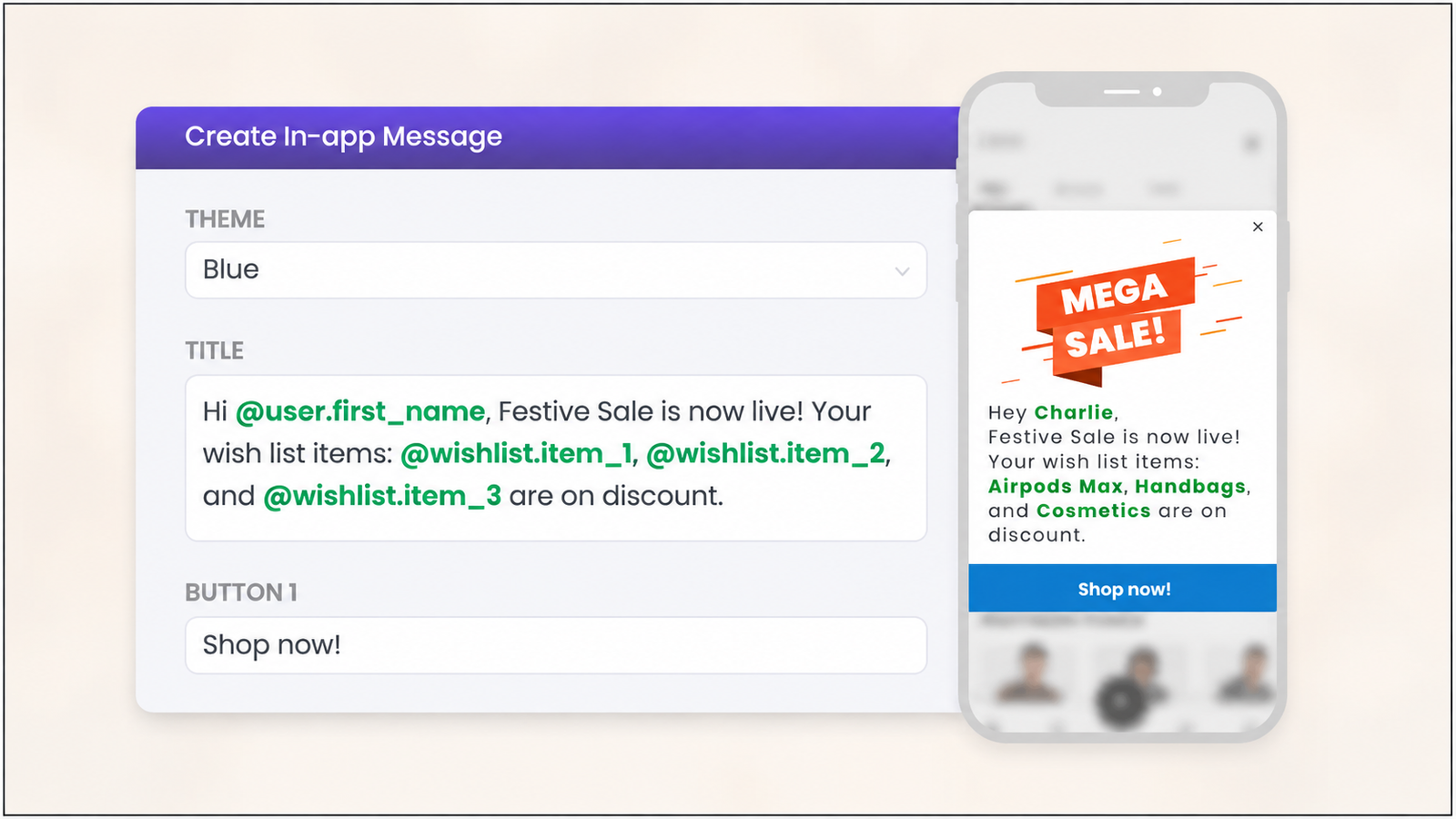
WebEngage's standard in-app notification formats are Text Layout, which supports text and basic styling with buttons, Banner Layout, which adds an image with basic styling and buttons, and Full-screen templates for feature launch announcements. These are functional, no-code formats, and they cover a meaningful share of standard promotional and lifecycle messaging needs.
The point where custom UI requires engineering. For anything beyond these standard layouts, WebEngage offers Custom Views, and its own FAQ documentation states this plainly: "the entire onus of UI, its look and rendering, for such campaigns is managed by your App while WebEngage will be passing you the personalized data". This is the exact mechanism worth understanding in detail, because it is not a limitation WebEngage is hiding. It is architecturally explicit: WebEngage's role in a Custom View campaign is data delivery. Your app's own engineering team is responsible for building, styling, and rendering the actual UI that displays that data. Implementing a Custom View requires installing a dedicated personalization library, registering placeholder callbacks in component lifecycle methods, and manually calling impression and click tracking functions once the view renders, which is genuine, non-trivial application code, not a dashboard configuration.
Where this becomes a growth team's engineering ticket. WebEngage's App In-line Content system does allow campaigns to appear native to the app and run without requiring app updates for standard Text, Banner, or Custom layouts, but running any In-line campaign at all requires Properties to be created first, and Custom Layout specifically requires your engineering team to build and register the rendering component in advance. A growth marketer who wants a campaign format outside the Text or Banner templates cannot ship it alone. They need an engineer to have already built the Custom View component the campaign will populate, which is precisely the moment a growth team's in-app roadmap starts sitting in an engineering backlog instead of a marketing calendar.
Targeting granularity within a screen. WebEngage's SDK allows tagging specific screens with a Screen Name, which then becomes usable for targeting in-app engagements to that specific screen, with associated Screen Data available as targeting context. This screen-level targeting is genuinely capable. It does not, on its own, solve the rendering-fidelity question above. A campaign can be precisely targeted to a specific screen and still be constrained to Text, Banner, or Full-screen layout unless a Custom View has already been engineered for it.
Full Alternatives: How Much a Lateral Move Actually Changes
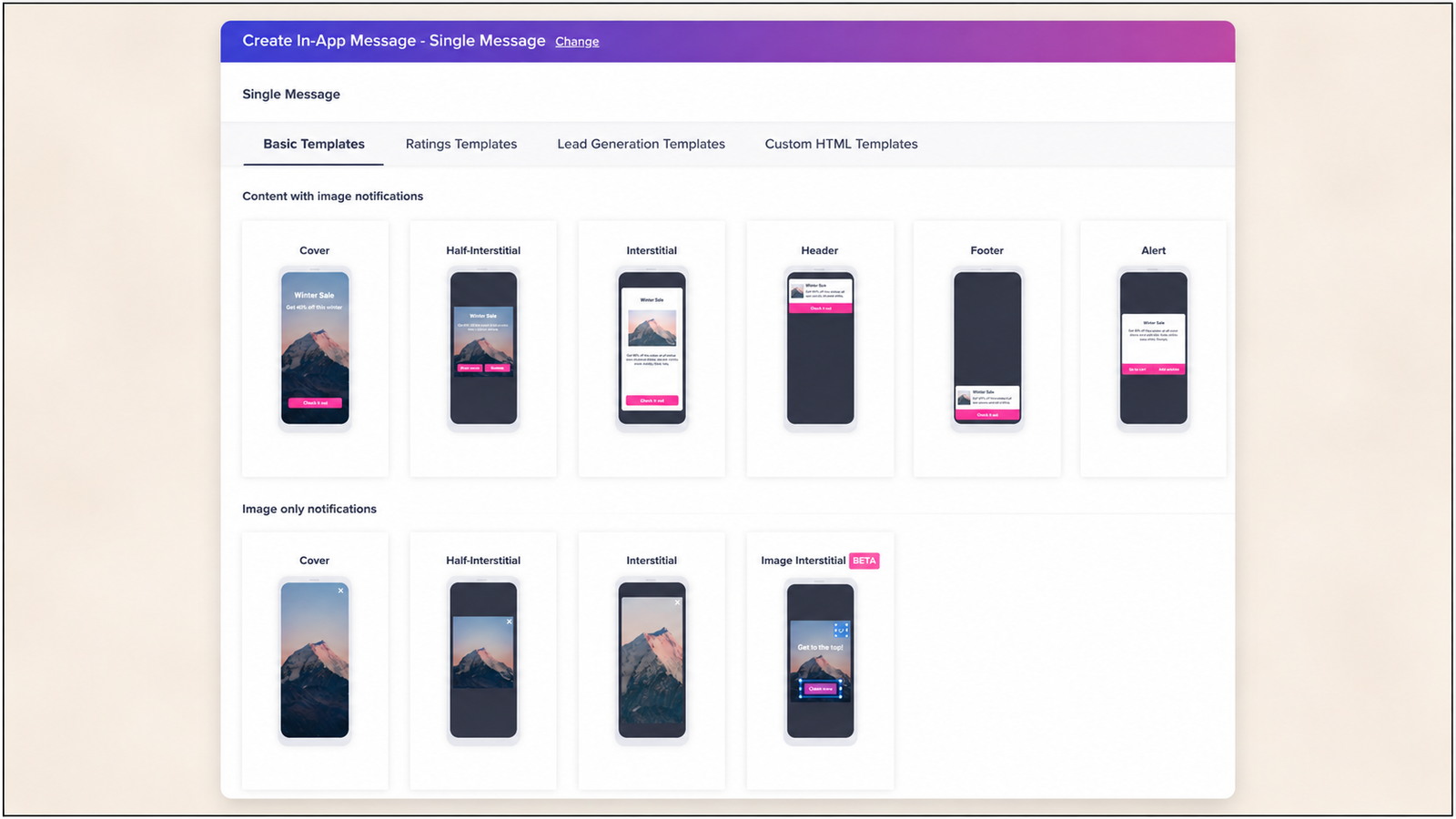
CleverTap. CleverTap's native templates render as native UI rather than through a WebView, a genuine rendering-method improvement over some competitors, but the template set itself remains limited to overlay shapes: cover, interstitial, half-interstitial, header, footer, and banner. Switching from WebEngage to CleverTap trades one overlay-constrained system for a differently-rendered but still overlay-constrained system.
MoEngage. MoEngage's HTML in-app content renders inside a WebView rather than as native UI, according to MoEngage's own developer documentation, and every native and HTML template MoEngage ships, whether modal, banner, full-screen message, or popup, is an overlay, with no built-in way to place a campaign inline inside an app's own scrollable content. In direct testing, MoEngage's Spin the Wheel template, its flagship no-code gamification format, rendered with visibly off-position elements, consistent with the WebView rendering path it runs on, and updating a campaign's frequency cap or audience filter took 15 to 20 minutes to reflect on device rather than applying immediately. A lateral move to MoEngage does not close the inline-rendering gap WebEngage's Custom View system already partially addresses through its own architecture.
Braze. Braze is positioned for enterprise, Fortune 500 scale, with real-time data handling, advanced segmentation, and deep cross-channel orchestration, typically requiring $60,000 or more in annual commitment, alongside enterprise-grade feature flags that WebEngage does not offer at all. For a mid-market Indian consumer app, this is a genuine capability upgrade in specific areas, feature flags being one concrete example, at a meaningfully higher price point and a steeper implementation lift than the problem, a rendering ceiling, typically justifies on its own.
Netcore. Strong Indian retail and BFSI vertical presence with a comparably overlay-first, no-code-positioned in-app messaging channel, functionally similar in scope to WebEngage's own standard templates.
The honest pattern across all four: WebEngage, MoEngage, CleverTap, Insider, and Braze are all strong for omnichannel orchestration, but their in-app capabilities are limited to basic templates, lacking native gamification depth, and requiring more technical resources for advanced in-app features. A lateral move changes the segmentation engine, the pricing, and sometimes the rendering method. It does not resolve the fundamental architecture, in-app as one channel bolted onto a broader outbound platform, because every CEP in this category shares that same underlying design.
The Layering Path: Integration Architecture, Spelled Out
Digia Engage plugs directly into WebEngage, targeting in-app experiences with the same segments and user fields a team already curates there. The specific mechanics: install the Digia Engage WebEngage plugin alongside the core SDK, available as digia_webengage_plugin for Flutter, engage-webengage for Android, and equivalent packages for React Native and iOS. Connect identifiers and profile fields so Digia Engage can resolve the same users WebEngage already tracks. Map WebEngage segments to in-app targeting rules, then ship widgets, stories, and nudges from the Digia Engage dashboard.
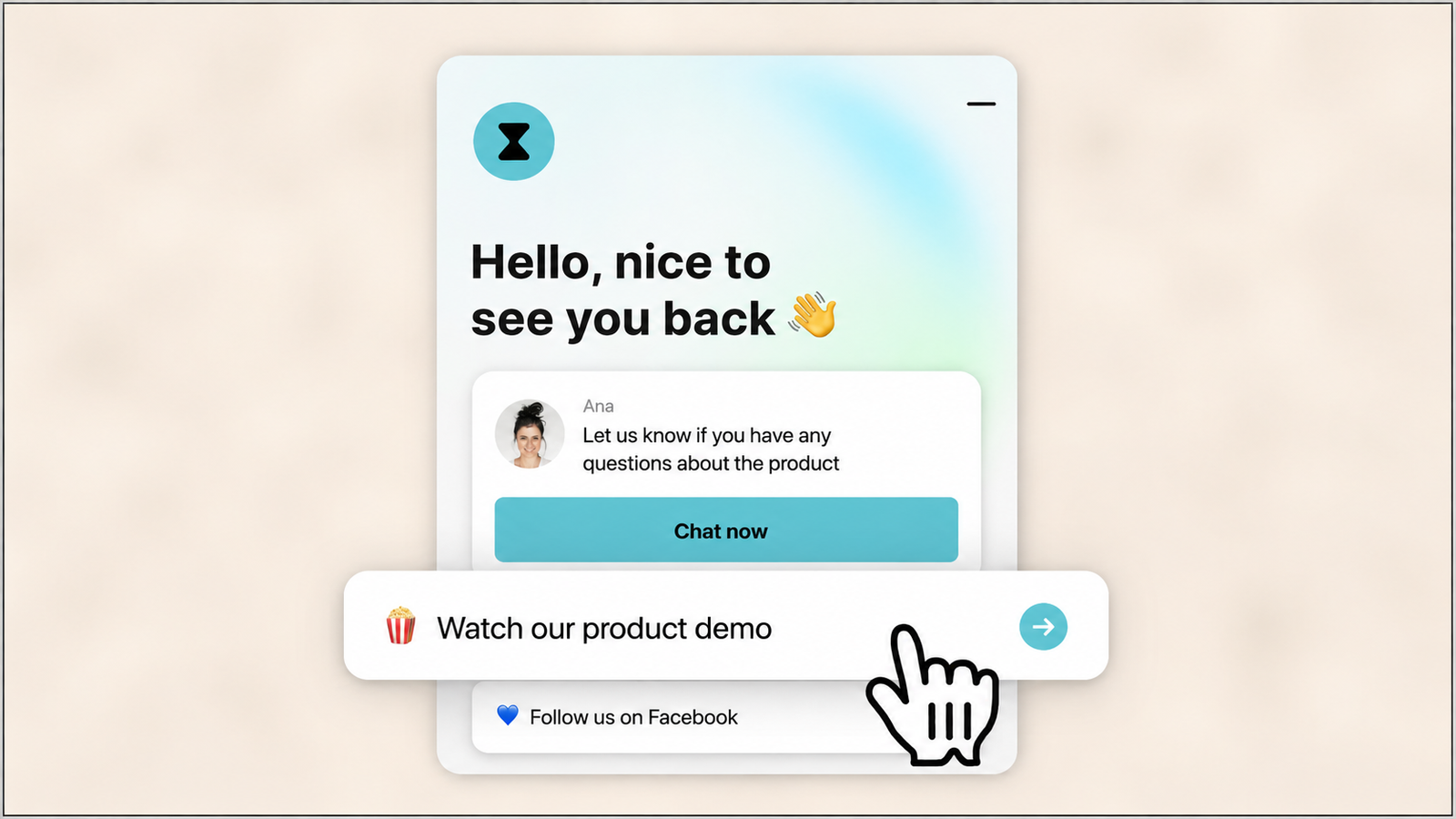
The plugin adds roughly 20 minutes of engineering time on top of the core SDK integration. After that, growth and product teams ship campaigns from the dashboard without opening engineering tickets. This is the direct structural answer to WebEngage's Custom View limitation: rather than an engineer building and registering a new rendering component for every campaign format beyond Text and Banner, the rendering component library already exists in the layered tool, and the growth team configures it without a new engineering request per campaign.
WebEngage continues to own outbound channels, journeys, and analytics. Digia Engage adds the native in-app layer specifically: widgets, nudges, gamification, and video. Nothing about the journey builder, the segment logic, or the event taxonomy a team has already invested in changes.
Avoiding Duplicate Pipelines
This is the objection that stops most of these evaluations before they get past the first meeting, and it deserves a direct architectural answer.
The default failure mode is wiring a new tool's SDK to the same raw event sources WebEngage already reads from, which produces two independent systems computing segmentation from separately ingested copies of the same signal, on different schedules, using different logic, with no mechanism forcing the two to agree. The architecture that avoids this specifically does not forward raw events to the second system at all.
Connect identifiers and profile fields so the in-app layer can resolve the same users WebEngage already tracks, then map WebEngage segments directly to in-app targeting rules. WebEngage computes segmentation once, using its own logic and its own event data. The in-app layer reads that computed output rather than recalculating audiences independently from raw events, which is the specific design choice that prevents instrumentation from happening twice. Nothing about a team's existing WebEngage event taxonomy needs to be duplicated, re-tagged, or re-instrumented for the second tool to target correctly.
Journey-Triggered In-App Content, Concretely
This is the mechanism most worth understanding in detail, because it is the specific answer to "can WebEngage's journey logic actually drive a natively rendered experience."
When WebEngage marks a user as eligible for a journey step, the layered in-app tool can show a matching in-app confirmation, upsell, or survey in the same session. Walk through what this means concretely. A user completes an action that advances them through a WebEngage journey, say, reaching a specific stage in an onboarding sequence. WebEngage's own journey engine, unchanged, evaluates that the user has hit this step and is eligible for the next one. That eligibility signal, not a raw event duplicate, is what the in-app layer reads. The in-app layer then renders a natively built confirmation, upsell prompt, or survey, in the same session, in direct response to the journey step WebEngage already computed.
Track in-app outcomes next to channel metrics so growth and product teams can read one story across touchpoints, rather than reconciling two separate reporting systems after the fact. This closes the loop on the layering architecture: the journey logic stays entirely inside WebEngage, the rendering and in-app delivery happens through the layered tool, and the resulting outcome data is reviewable alongside the rest of a team's existing WebEngage reporting rather than requiring a separate dashboard nobody checks.
The Evaluation Sequence
What to test first. Pick the single in-app moment currently costing the most engineering time or producing the most visible complaint, typically the moment a growth team wanted a Custom View built and it sat in a backlog. Test whether a layered tool can render that specific moment natively, dashboard-configured, without a new engineering request. This is a narrow, fast test that directly answers the question actually motivating the evaluation.
What to defer. Do not start by testing whether a layered tool can replicate every WebEngage journey trigger or every segment definition. That is a much larger surface area than the actual problem requires solving on day one, and testing it first delays the answer to the question that matters, whether the rendering gap specifically can close, behind a much broader integration test.
The checkpoint that tells you layering is working. The specific signal to look for: a growth team member ships a second, unrelated in-app campaign using the same layered tool, for a different journey step or a different segment, without filing a new engineering ticket for the rendering component. The first campaign proves the architecture works. The second campaign, shipped independently by the growth team, proves the engineering dependency that originally motivated this evaluation has actually been removed, not just worked around once.
Topics Not in the Brief That Teams Should Know
WebEngage's Custom View system is a reasonable architecture on its own terms, worth understanding rather than dismissing. The design intent is explicit: WebEngage passes personalized data, the app controls the UI, which gives a team with strong engineering resources full design control over exactly how a campaign renders, matched precisely to their design system, because their own code is doing the rendering. The limitation is not that this architecture is poorly designed. It is that it requires an engineer to have already built the specific component before a growth team can configure a campaign into it, which is a different cost structure than a pre-built native component library a growth team can configure without waiting on that prerequisite build.
Screen-level targeting is a capability worth preserving, and the layered path does not require giving it up. WebEngage's screen-tagging system, which associates contextual Screen Data with targeting rules, is a genuinely useful targeting primitive, and a layered architecture that reads WebEngage's computed segments rather than replacing its targeting engine preserves this capability entirely, since the screen-level logic remains inside WebEngage's own system.
A/B testing built into WebEngage's in-app system is worth keeping distinct from a layered tool's own experimentation capability. WebEngage's built-in A/B testing for in-app messages automatically promotes the winning variation once a test concludes, which is a capability that continues operating unchanged in a layered architecture for any campaign still running through WebEngage's own standard templates. A layered tool's own experimentation features apply specifically to the natively rendered campaigns it delivers, which means a team running both may have two separate A/B testing systems operating on different parts of their in-app surface, worth tracking as a deliberate architectural choice rather than an accidental overlap.
The feature flag gap is specific to WebEngage and worth flagging for teams whose roadmap needs it. WebEngage has no feature flag capability at all, while Braze offers feature flags with technical setup. A team whose actual need extends beyond in-app rendering into feature flagging specifically has a genuine capability gap that neither the layering path nor most lateral CEP moves resolve on their own, and this specific need may justify evaluating a dedicated feature flag tool independently of the in-app rendering question this article otherwise focuses on.
Key Takeaways
WebEngage's genuine strengths are journey orchestration accessibility, mid-market pricing efficiency relative to enterprise alternatives, and the real operational investment teams build in event taxonomy and journey visual maps over time, all legitimate reasons to keep the platform rather than replace it.
The in-app rendering ceiling is specific and documented directly in WebEngage's own materials: standard Text, Banner, and Full-screen templates are genuinely no-code, but any campaign format beyond them requires a Custom View, where WebEngage explicitly hands UI rendering responsibility to the app's own engineering team rather than rendering it as a dashboard-configured component.
A lateral move to CleverTap, MoEngage, Braze, or Netcore changes the segmentation engine, pricing structure, and sometimes the rendering method, but does not resolve the underlying architectural pattern, since every CEP in this category ships in-app messaging as one overlay-constrained channel within a broader outbound-first platform.
The layering path adds a dedicated in-app rendering layer alongside WebEngage, reading WebEngage's computed segments and journey eligibility directly rather than duplicating raw event ingestion, which is the specific architecture that avoids the duplicate pipeline problem this category of evaluation most commonly stalls on.
Journey-triggered in-app content works concretely: WebEngage's own journey engine determines eligibility for a step, and that eligibility signal, not a raw event copy, triggers a natively rendered confirmation, upsell, or survey in the same session, with outcome data reviewable alongside existing WebEngage reporting.
The right evaluation sequence tests the single most costly rendering gap first, defers broader journey and segment replication testing, and confirms success specifically when a growth team ships a second campaign independently, without a new engineering ticket, proving the dependency has been removed rather than worked around once.
Further Reading
From Digia Engage:
- Digia vs MoEngage: In-App Engagement Comparison — the hands-on testing methodology this article's comparative rendering claims draw from
- CleverTap Alternatives: 7 Tools for Teams Who Want Better In-App UI — the comparable diagnosis-first framework applied to CleverTap specifically
- MoEngage Alternatives for In-App Messaging on Consumer Apps — the companion comparison covering MoEngage's in-app module and gamification depth
- Integrating an In-App Layer Without Duplicate Data Pipelines or PII Movement — the full technical architecture behind the segment forwarding pattern referenced in this article
- Best Mobile App Engagement Platforms 2026: Honest Review — the broader comparative landscape including WebEngage's positioning
- Digia Engage WebEngage Integration — the specific plugin architecture, journey-triggering mechanics, and segment-mapping this article's layering section is drawn from
External Sources:
- App In-line FAQ, WebEngage Knowledge Base — WebEngage (Custom View architecture, the explicit "app manages UI rendering" disclosure)
- In-app Messaging, WebEngage Developer Docs — WebEngage (screen-tagging and contextual targeting system)
- React Native In-App Messaging, WebEngage Developer Docs — WebEngage (screen name and screen data targeting mechanics)
- React Native App In-line Content, WebEngage Developer Docs — WebEngage (Custom View implementation requirements: callbacks, impression tracking, component registration)
- Getting Started, WebEngage Developer Hub — WebEngage (SDK integration methods and automatic event tracking)
- In-App Messaging, WebEngage — WebEngage (Full-screen template, built-in A/B testing with automatic winner promotion)
- Plotline vs WebEngage: In-App Engagement Comparison for Mobile Teams — Plotline (WebEngage pricing range, feature flag gap, comparative positioning against Braze)
The WebEngage layering architecture described in this article, journey-triggered native rendering, segment mapping without raw event duplication, and a roughly 20-minute plugin setup, is native to Digia Engage. Book a demo to see the specific journey-to-in-app trigger mechanics against your own WebEngage setup, or read the full WebEngage integration documentation for the complete plugin and segment-mapping specification.