TL;DR: A single app crash can break user trust and drive users away, especially during critical moments.
Crash-free users is a more reliable metric than crash-free sessions because it reflects real user experience.
High-performing teams prioritize stability with observability and monitoring tools to catch and fix issues before they impact users.
Most mobile apps don’t fail because they lack features. They fail because they break at the wrong moment.
Inside product teams, progress is measured by what gets shipped. New features, faster releases, and expanding roadmaps create a sense of momentum. On paper, the app keeps improving. But users don’t experience roadmaps, they experience moments. And in those moments, stability matters more than everything that came before it.
A single crash can undo the value of multiple features. It interrupts intent, breaks trust, and leaves users questioning whether the app is reliable at all. It doesn’t matter how powerful the functionality is if it fails when the user needs it most.
This is why stability is not just a technical concern. It is a core part of the product experience. And understanding how crashes impact users, metrics, and long-term retention is essential for building apps that people actually stay with.
“Users don’t remember how many features your app has. They remember the moment it stopped working.”
The Real Cost of a Crash: What Happens After the App Closes
A crash is not just a technical failure. It is an interruption of intent. The user came to complete something, whether it was booking a ride, making a payment, or simply exploring. When the app crashes, that intent is broken instantly, and the effort the user has already invested feels wasted.
What follows is rarely neutral. Users do not pause and retry with patience. There is friction in starting over, especially if inputs are lost or steps need to be repeated. In high-intent flows like checkout or onboarding, even a small disruption can cause users to drop off completely rather than attempt the process again.
There is also a psychological shift that happens in that moment. The app moves from being helpful to being unreliable. Even if the crash occurs only once, it introduces doubt. Users begin to question whether the issue will happen again, particularly during important actions.
Over time, these moments accumulate. They shape perception more than successful interactions do. The app starts to feel unstable, even if most sessions work as expected. And once that perception is formed, recovery becomes difficult, because trust, once broken, is rarely rebuilt through features alone.
Retention Takes the First Hit: How Crashes Drive Users Away
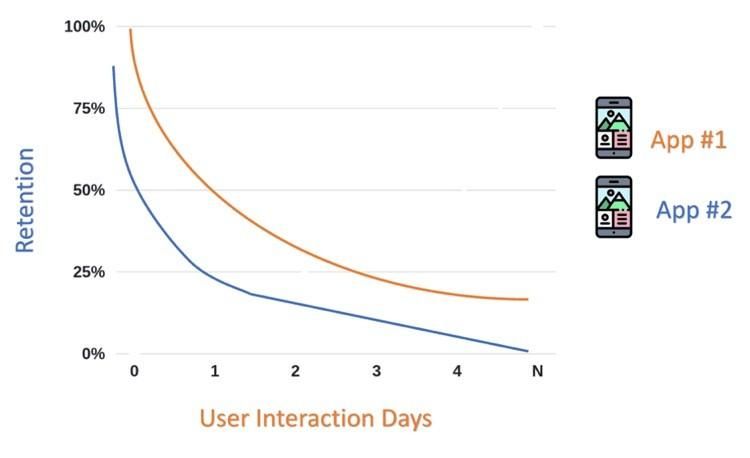
Retention is fragile, especially in the early stages of the user journey. First impressions carry disproportionate weight, and stability plays a central role in shaping them. A crash during the first session does not feel like a minor bug. It feels like a broken product.
Users rarely give second chances in competitive ecosystems. If alternatives exist, switching becomes easier than retrying. Even loyal users begin to disengage when crashes occur repeatedly, particularly during critical actions.
This is where the real damage lies. Crashes do not just affect isolated sessions. They reduce long-term engagement, weaken trust, and quietly erode lifetime value without always being immediately visible in surface-level metrics.
Crash-Free Users: The Metric That Actually Reflects Experience
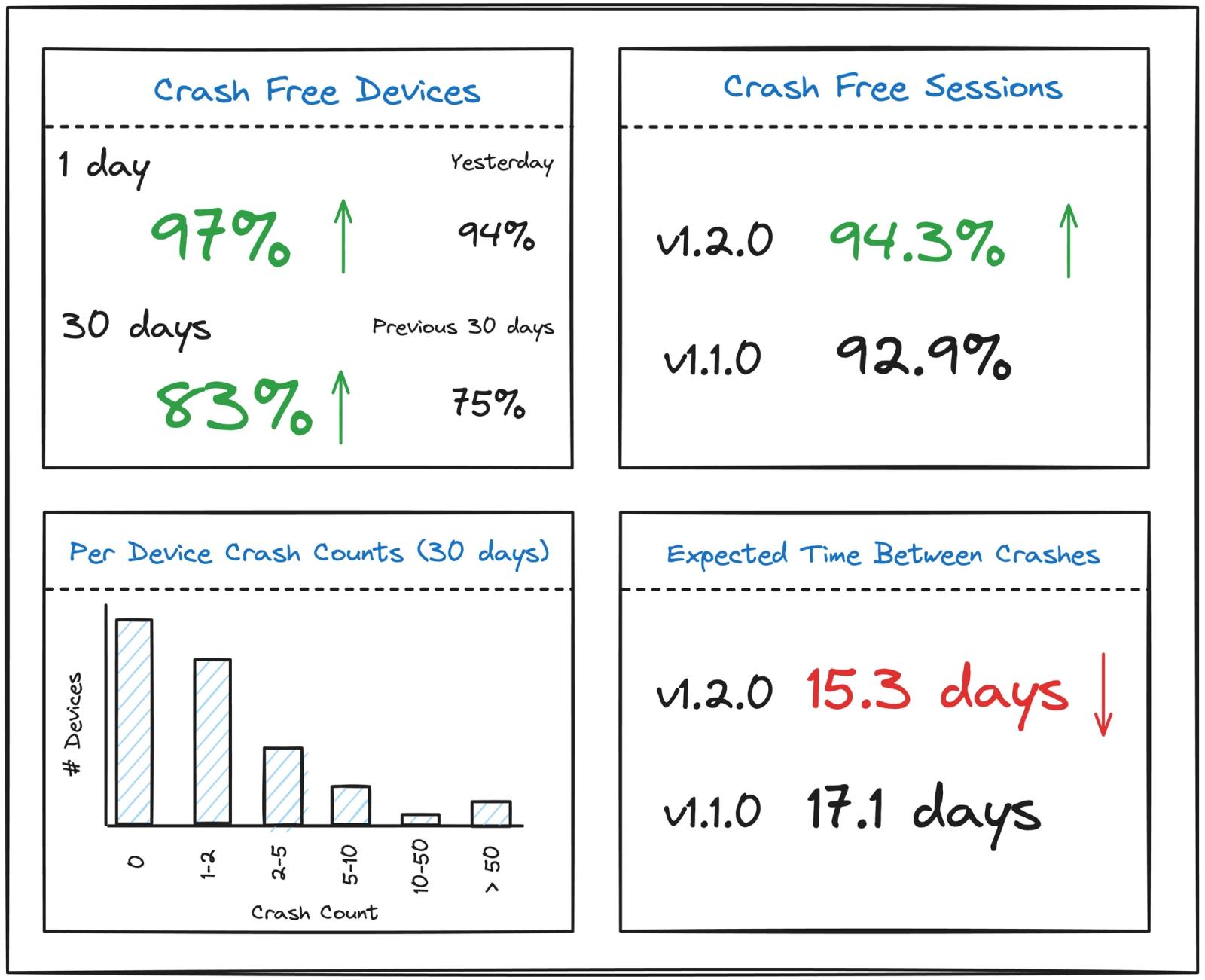
Many teams rely on crash-free sessions because the numbers often look reassuring. When most sessions complete successfully, it creates a sense that stability is under control. But this view can be misleading, because it spreads failures across sessions instead of showing how they affect real users.
Crash-free users shifts the focus from systems to people. A single crash for a user is not just a minor issue, it often defines their entire experience with the app. Even if everything else works, that one failure becomes the moment they remember.
This perspective changes how stability is measured and prioritized. Instead of optimizing for averages, teams begin to focus on how many users had a completely uninterrupted experience, which is what actually drives trust and retention.
| Metric | What It Measures | Problem | Real Impact on Users |
|---|---|---|---|
| Crash-Free Sessions | % of sessions without crashes | Hides repeated failures per user | Can look healthy while users churn |
| Crash-Free Users | % of users who never experienced a crash | More sensitive to individual issues | Directly reflects user experience |
This is why crash-free users is a more honest metric, it shows how many people actually had a smooth experience, not just how many sessions succeeded.
Not All Failures Look Like Crashes: The Danger of Silent Failures
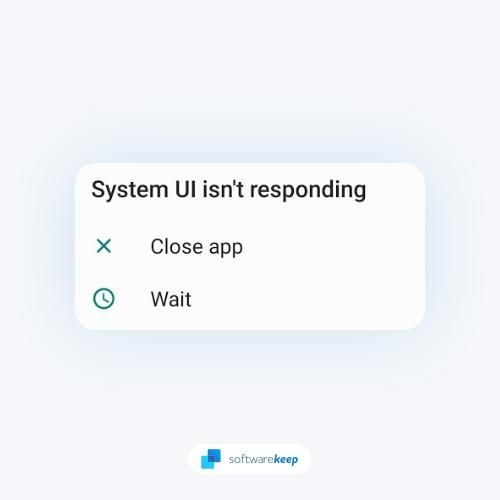
Visible crashes are only part of the problem. In many cases, the app does not crash at all. It simply stops working as expected. Buttons become unresponsive, data fails to load, or screens freeze without explanation.
These silent failures are often harder to detect because they do not generate obvious error signals. From a system perspective, everything may appear stable. From a user perspective, the experience is broken.
In some ways, these issues are more damaging than crashes. They create confusion instead of closure. The user is left guessing whether the problem is temporary, whether to retry, or whether to abandon the app entirely.
| Failure Type | Visibility | Detectability | User Experience Impact |
|---|---|---|---|
| App Crash | High | Easy | Immediate frustration |
| Silent Failure | Low | Hard | Confusion, drop-off |
Why Teams Miss Crashes Until It’s Too Late
Most teams do not ignore stability intentionally. The gap comes from how software is tested versus how it is actually used. Testing environments are controlled, predictable, and limited in scope. Devices are selected, flows are predefined, and outcomes are expected, which creates a sense of confidence that rarely reflects real-world complexity.
In production, that control disappears. Users operate across thousands of device types, OS versions, and unpredictable network conditions. They navigate flows in non-linear ways, combine actions that were never tested together, and interact with the app under constraints like low battery, limited memory, or intermittent connectivity. These variables introduce edge cases that simply do not surface in staging.
Release practices can also amplify the problem. When features are shipped quickly without gradual rollouts or monitoring checkpoints, even small issues can reach a large portion of users before being detected. Without visibility into how new releases behave in real time, teams often learn about crashes only after patterns emerge at scale.
By the time crashes become visible, they have already affected user experience, retention, and trust. Without strong feedback loops from production, teams are left reacting to damage instead of preventing it, which makes stability feel like a constant catch-up rather than a controlled outcome.
Observability Over Assumptions: Seeing What Users Actually Experience
To close this gap, teams need visibility into production behavior. Observability is not just about collecting data. It is about understanding how the system behaves under real conditions and how users actually experience it in real time, across devices, networks, and unpredictable usage patterns.
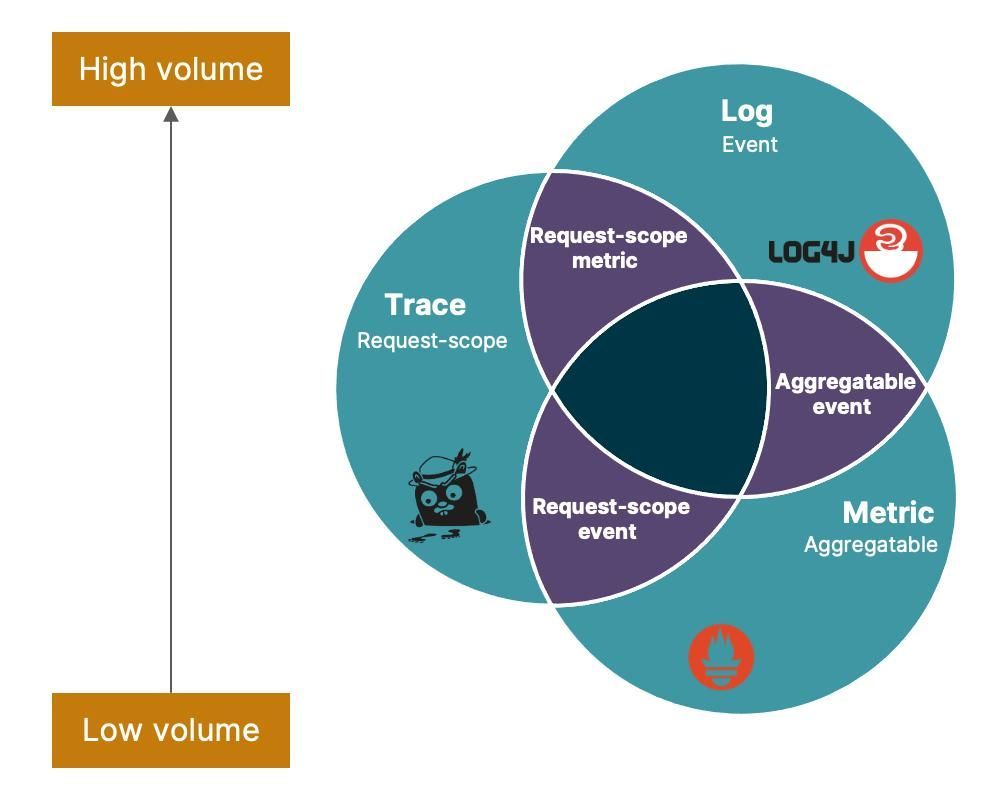
Logs, traces, and real user monitoring together create a complete picture. Logs tell you what happened, traces show how requests move through the system, and real user monitoring reveals how those technical events translate into actual user experiences. This combination helps teams move beyond isolated errors and understand the full journey leading to a failure.
What makes observability powerful is context. It answers questions that basic crash reports cannot. Which devices are affected? Under what network conditions do issues appear? Are failures tied to a specific release or a backend dependency? These insights turn raw data into something actionable, allowing teams to focus on root causes instead of symptoms.
When observability is strong, teams stop relying on assumptions. They can detect patterns early, correlate issues across systems, and prioritize fixes based on real user impact. Instead of reacting after damage is done, they begin to resolve problems while they are still emerging, which is what ultimately protects user experience and retention.
Tools That Help You Catch Crashes Before Users Leave
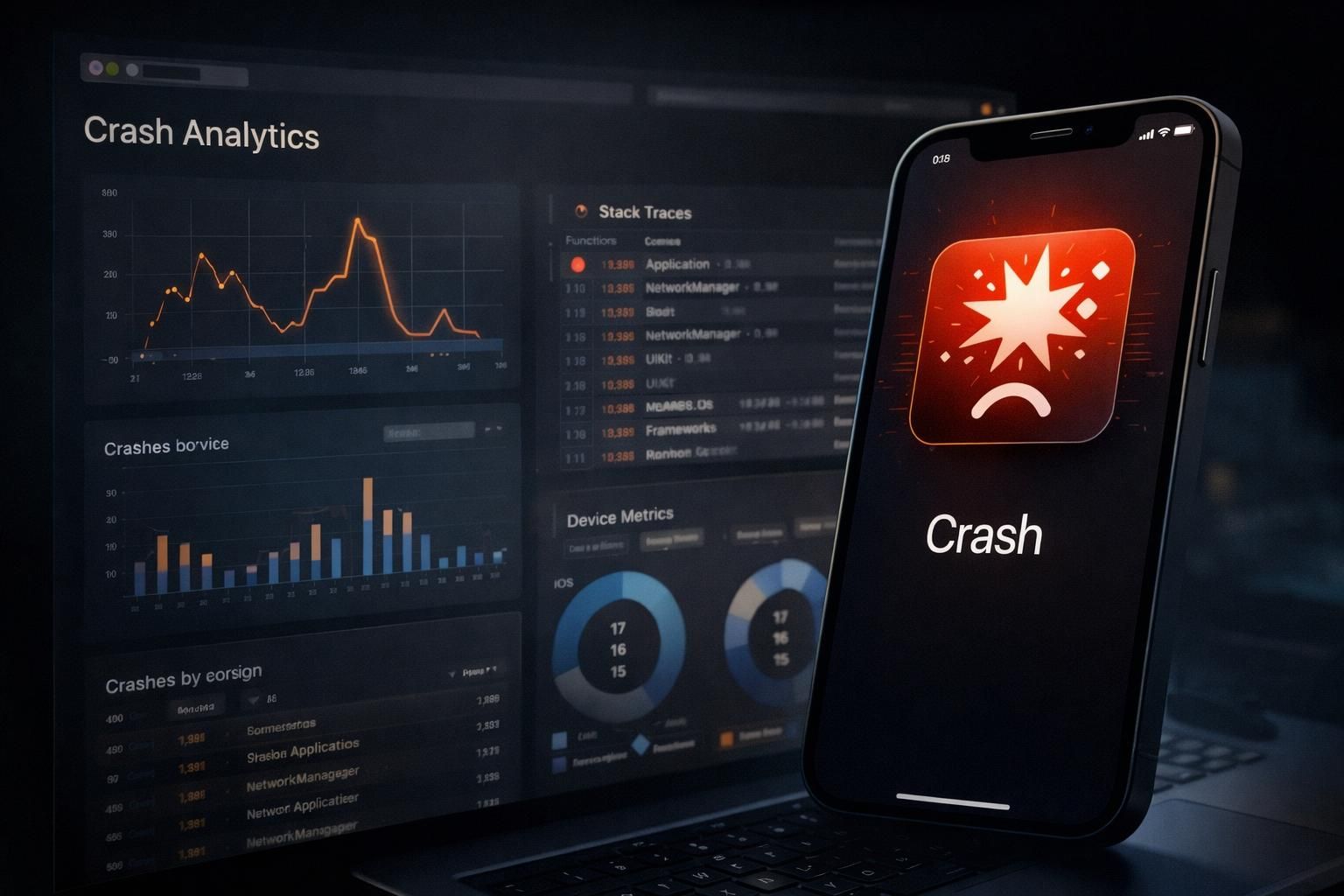
Modern mobile systems are too complex to rely on intuition or manual debugging. Crashes often occur under conditions that are impossible to reproduce consistently in testing, which is why production-grade monitoring tools have become essential. They do not just surface errors, they provide context around who experienced the issue, when it happened, and what sequence of events led to it.
Platforms like Firebase Crashlytics go beyond simple crash logs. They group similar crashes together, highlight the most widespread issues, and show how many users are affected in real time. This allows teams to prioritize effectively instead of reacting to isolated reports. The addition of breadcrumbs, logs, and device-level insights helps recreate the user journey leading up to the failure, which is often the missing piece during debugging.
Similarly, Sentry adds another layer by tying errors directly to releases. Teams can see exactly which deployment introduced a regression and track its impact across environments. This makes rollbacks and fixes more precise, especially in fast-moving release cycles where multiple changes go out frequently.
Tools like New Relic expand the perspective further by connecting crashes with performance and infrastructure signals. A crash might not exist in isolation. It could be linked to a slow API, a memory spike, or degraded network conditions. By correlating these signals, teams can identify root causes instead of just symptoms.
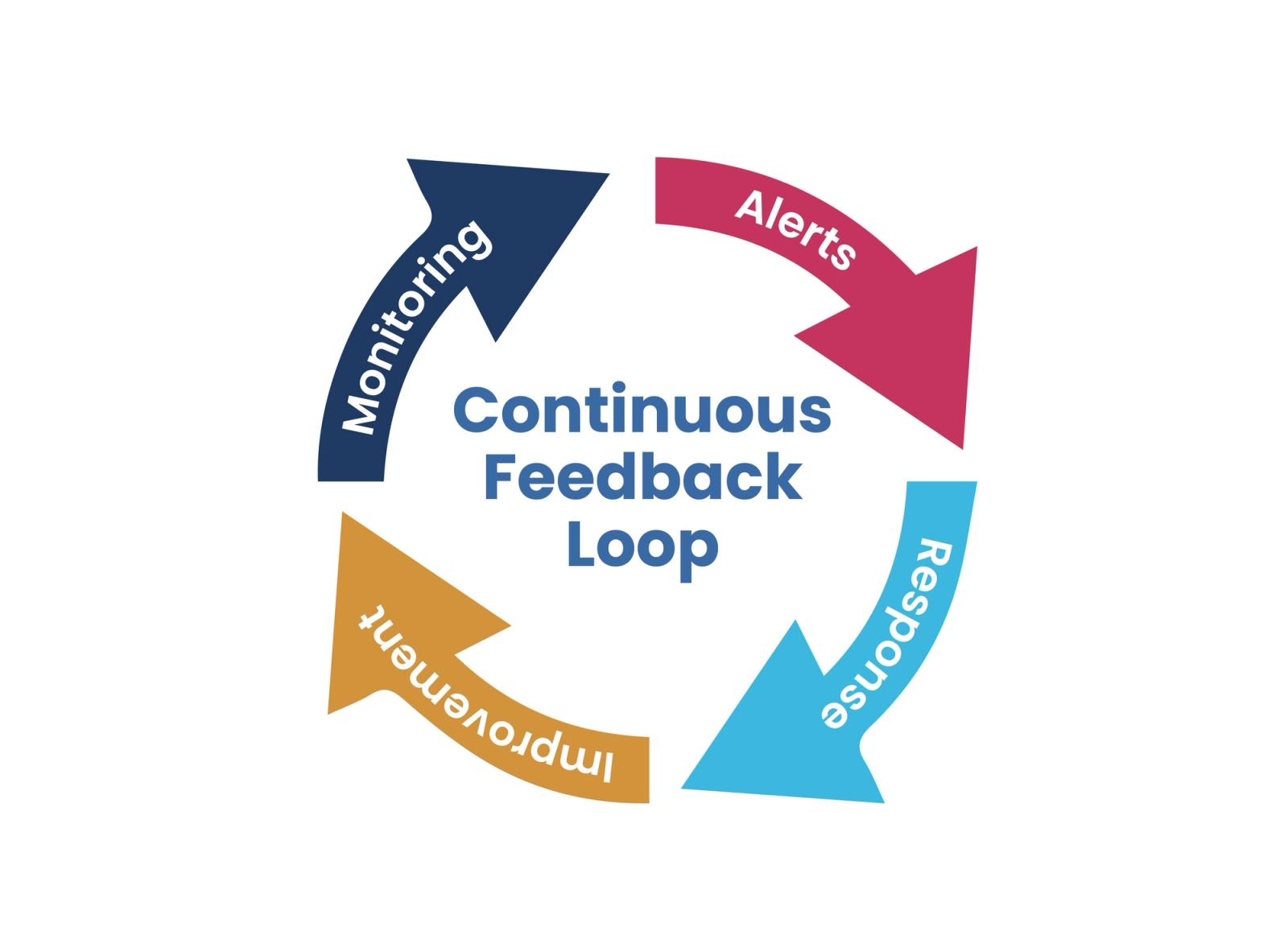
The real value of these tools lies in how they shorten the feedback loop. Instead of discovering issues through user complaints or app store reviews, teams can detect, analyze, and resolve problems almost as they happen. That speed is critical, because in many cases, the difference between retaining a user and losing them comes down to how quickly a bad experience is addressed.
Stability as a Product Strategy, Not Just an Engineering Concern
Stability is often treated as a technical responsibility, something owned by engineering teams and addressed only when issues arise. But its impact goes far beyond code. It shapes how users perceive the entire product and whether they trust it enough to keep using it.
Reliable apps build that trust through consistency. When users know the app will work every time, they engage more, stay longer, and are more likely to return. In contrast, even feature-rich apps struggle if users experience repeated failures.
When stability becomes a product priority, decision-making shifts. Teams begin to balance new features with reliability, focusing on delivering experiences that work consistently, not just frequently.
Building a Crash-Resilient App: What High-Performing Teams Do Differently
High-performing teams treat stability as an ongoing discipline rather than a reactive task. They monitor crashes continuously, prioritize fixes based on real user impact, and feed production insights back into development. This creates a tight loop where issues are not just fixed, but understood and prevented from recurring.
They also focus heavily on prevention. Instead of relying only on pre-release testing, they use practices like staged rollouts, feature flags, and targeted monitoring to catch issues early in production. This reduces the blast radius of failures and allows teams to validate changes in real-world conditions before full release.
Another key difference is prioritization. Not all crashes are treated equally. Teams focus first on issues that affect critical user journeys or a large number of users, ensuring that the most impactful problems are resolved quickly rather than getting lost in a backlog of minor bugs.
Over time, this approach compounds. Stability becomes part of the development culture, not just a checkpoint. As fewer critical issues reach users, trust improves, retention strengthens, and new features have a higher chance of succeeding because they are built on a reliable foundation.
Conclusion: Stability Is What Users Actually Experience
Features are what teams build, but stability is what users experience. Everything else is conditional. A beautifully designed flow, a powerful capability, or a well-thought-out feature only exists for as long as the app continues to function.
This is where most teams get the priority wrong. They treat crashes as isolated bugs instead of signals of broken experience. They optimize for delivery speed while assuming reliability will follow. But stability is not a byproduct of development. It is a deliberate outcome of how systems are designed, monitored, and maintained.
The real shift happens when teams stop asking “How many features did we ship?” and start asking “How many users completed what they came to do without interruption?” That question reframes everything. It connects engineering decisions directly to user outcomes and, ultimately, to business performance.
Because in practice, users do not evaluate apps in parts. They evaluate them in moments. And in those moments, stability is not just one aspect of quality. It is the foundation that determines whether anything else matters at all.
Ready to ship in-app experiences without waiting on releases?