TL;DR: Appium offers cross-platform flexibility but is slower and more prone to flakiness. Espresso and XCUITest are faster and more reliable, but platform-specific. Most teams end up using a hybrid approach. The real decision is not features, but which tradeoffs your system can handle.
On the surface, selecting a mobile testing framework feels like a straightforward technical decision. Teams compare features, skim documentation, and often gravitate toward what seems easiest to adopt. The assumption is that the tool simply enables testing.
In reality, the choice runs much deeper. A framework shapes how tests are written, how fast feedback cycles run, and how confidently teams ship releases. What looks like a tooling decision gradually becomes an operational constraint that influences the entire development lifecycle.
This is especially true when choosing between Appium, Espresso, and XCUITest. Each one defines a different way of thinking about testing, not just a different way of implementing it.
“You are not choosing a testing framework. You are choosing the limitations your team will operate within.”
Frameworks Are Constraints, Not Just Capabilities
Most comparisons focus on what tools can do. A more useful lens is understanding what they restrict. Every framework introduces boundaries around speed, flexibility, and control, and those boundaries shape how your testing strategy evolves over time.
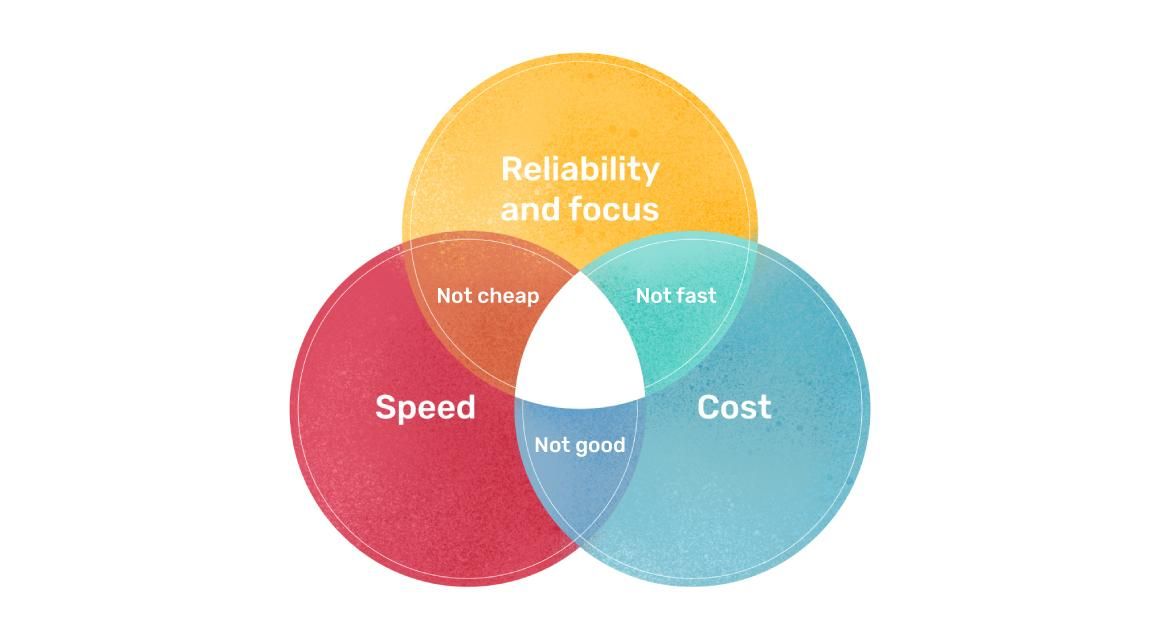
At a structural level, three forces are always in tension. Control determines how closely your tests interact with the application internals. Abstraction determines how portable and reusable your tests are across platforms. Speed reflects how quickly your system can validate changes and provide feedback.
These forces do not align neatly. Increasing abstraction often reduces control. Improving speed often reduces flexibility. The frameworks in this comparison sit at different points within this triangle, and understanding that positioning is more important than memorizing feature lists.
Appium: Flexibility That Introduces Distance
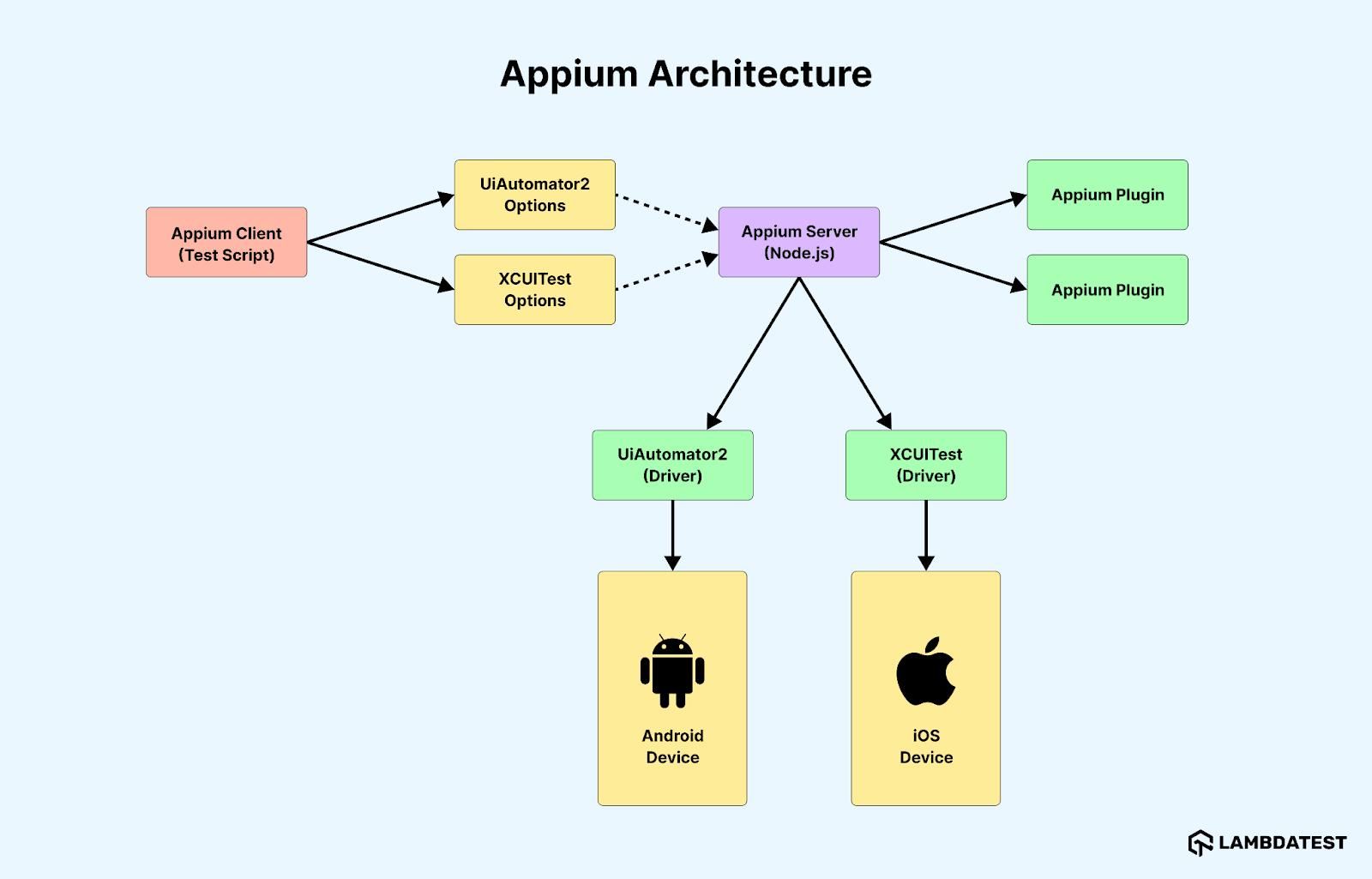
Appium is widely adopted because it promises a unified approach to mobile testing. Teams can write tests once and execute them across Android and iOS, often using familiar WebDriver-based patterns. This lowers the entry barrier, especially for teams transitioning from web automation.
However, this flexibility comes from introducing an additional communication layer between the test and the application. Instead of interacting directly with the app, Appium relies on drivers and protocols that translate commands. This indirection creates latency and increases the chances of synchronization issues.
Over time, these characteristics show up as slower execution and occasional flakiness. While this may be acceptable in early-stage products or smaller teams, it becomes more noticeable as test suites scale and pipelines demand faster feedback.
Espresso: Native Speed Through Tight Integration
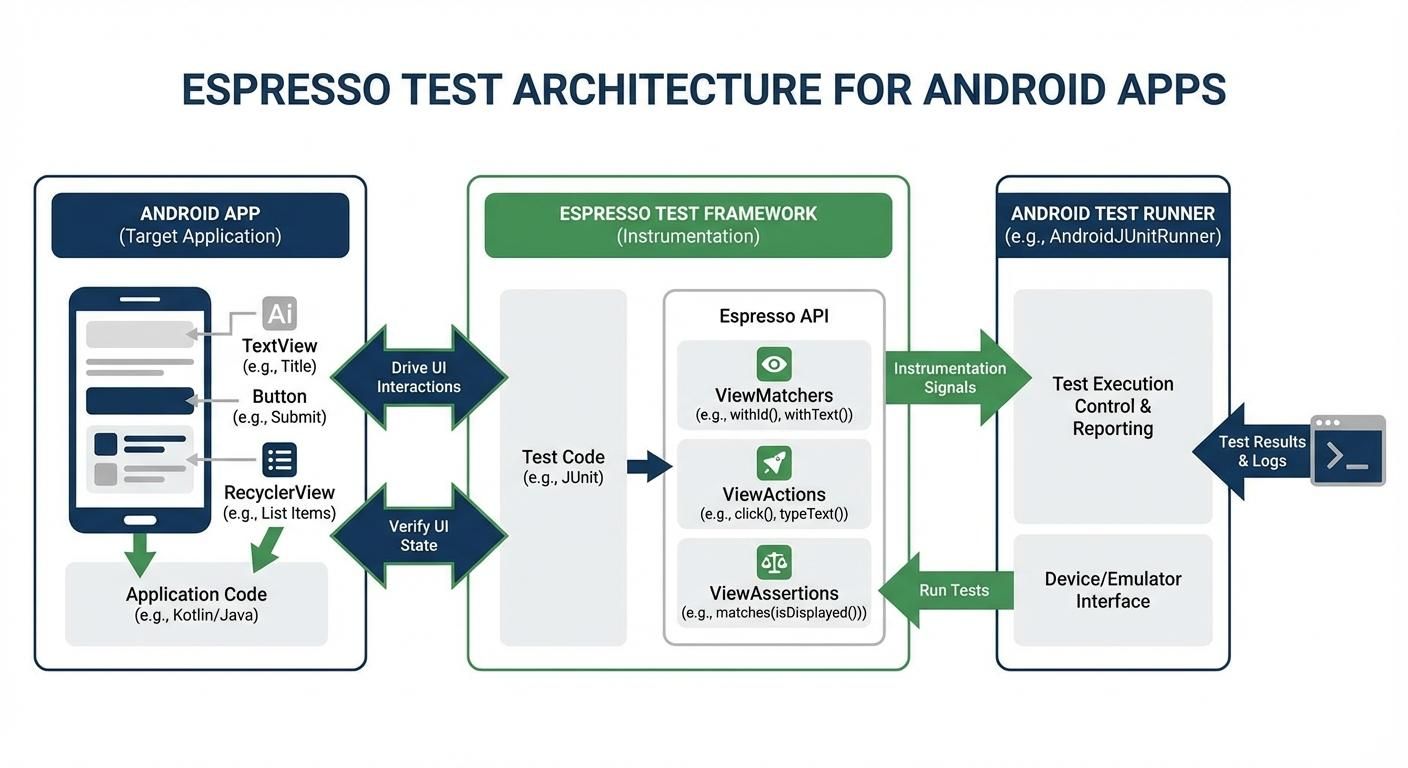
Espresso takes a fundamentally different approach by operating within the Android application process itself. This direct interaction allows it to synchronize automatically with UI operations, resulting in fast and deterministic test execution.
Because Espresso is tightly coupled with Android, it benefits from deep platform awareness. It understands lifecycle events, threading, and UI rendering in ways that external tools cannot replicate. This significantly reduces flakiness and improves reliability in continuous integration environments.
The tradeoff is that this depth comes at the cost of portability. Espresso cannot be reused for iOS, and it often requires collaboration with developers to structure tests effectively. Teams gain performance and stability, but they must invest more in platform-specific expertise.
XCUITest: Stability Within a Controlled Ecosystem
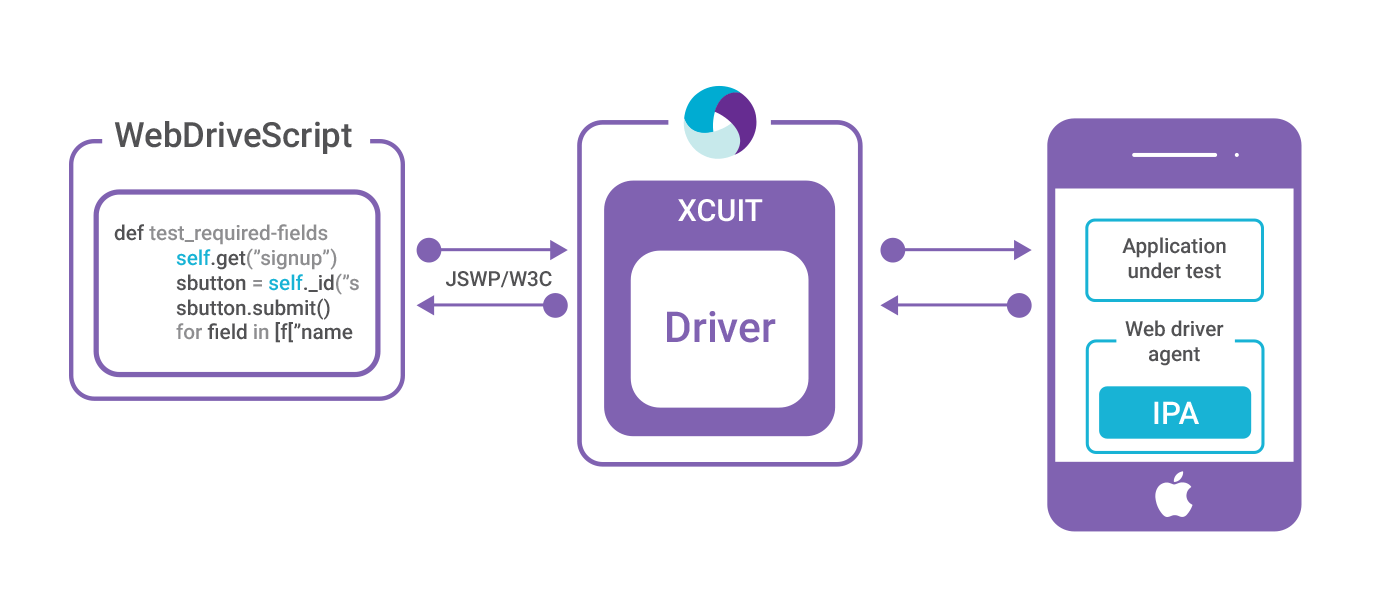
XCUITest represents Apple’s approach to testing within its ecosystem. It provides native testing capabilities that integrate closely with Xcode and iOS application architecture. This alignment ensures consistency and long-term compatibility with platform updates.
The environment, however, is more controlled and less flexible. Debugging workflows can be restrictive, and execution speeds may not match the responsiveness seen in Espresso. The framework enforces a structured approach that prioritizes reliability over customization.
For teams deeply invested in iOS, this structure is often beneficial. It reduces unexpected behavior and aligns testing practices with Apple’s development model, even if it limits experimentation.
Comparing the Frameworks Across Key Dimensions
Architecture and Execution Model
The way a framework is designed fundamentally affects how tests interact with the application.
Appium follows a client-server architecture. Test scripts send commands through the WebDriver protocol to a server, which then communicates with platform-specific drivers. This creates an abstraction layer that enables cross-platform execution, but also introduces latency and additional points of failure.
Espresso and XCUITest take a native approach. Both frameworks run within the application environment, interacting directly with UI components. This tight integration allows them to understand application state more accurately and respond faster to changes during execution.
The difference here is not just technical. It defines how close your tests are to the application and how much overhead is introduced in each interaction.
Performance and Execution Speed
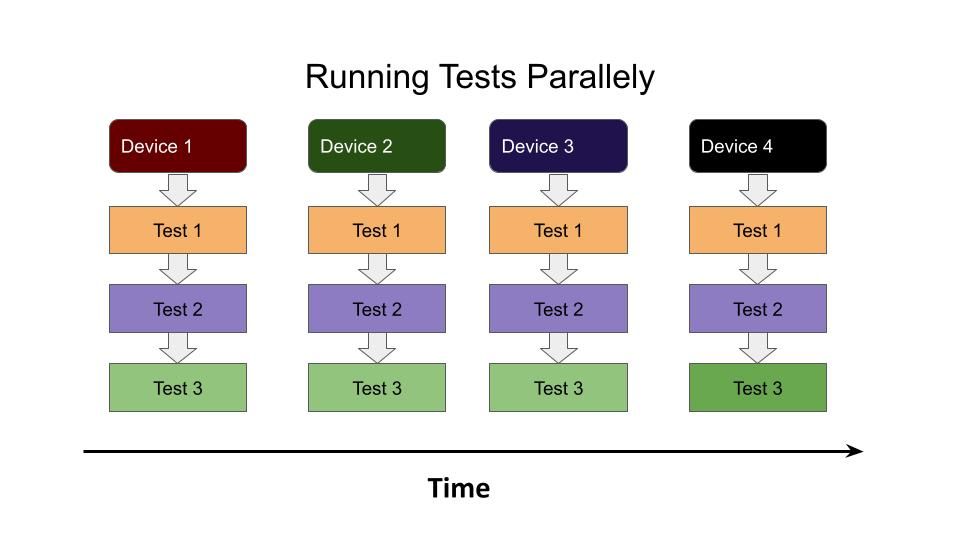
Execution speed becomes critical when tests are part of continuous integration pipelines. Faster tests mean quicker feedback, which directly influences how quickly teams can release updates. In practical setups, this difference becomes visible during parallel execution. Running Appium tests across multiple devices or emulators often introduces coordination overhead, especially when scaling on cloud device farms. Native frameworks like Espresso and XCUITest handle parallel runs more efficiently because they operate closer to the application, reducing communication delays between test layers.
Espresso stands out in this area because it runs inside the Android app process. It synchronizes automatically with UI operations, eliminating unnecessary delays and making execution highly efficient.
XCUITest also performs reliably, although it may not consistently match Espresso’s speed. Its execution is stable, which is often more valuable than raw performance in production scenarios.
Appium, due to its layered communication model, is generally slower. Each test action passes through multiple components, increasing execution time. While this may not be noticeable in small test suites, it becomes significant at scale.
Cross-Platform Support vs Native Focus
One of the most visible differences between these frameworks is platform coverage.
Appium supports both Android and iOS, allowing teams to write a unified set of tests. This reduces duplication and simplifies onboarding, especially for teams transitioning from web automation.
Espresso and XCUITest are platform-specific. Espresso is designed exclusively for Android, while XCUITest is built for iOS. This specialization allows them to leverage platform-specific behaviors more effectively, resulting in better performance and stability.
The tradeoff is clear. Appium offers broader reach with a single codebase, while native frameworks provide deeper integration and better alignment with platform behavior.
Reliability and Flakiness
Reliability is one of the most important and often underestimated aspects of test automation.
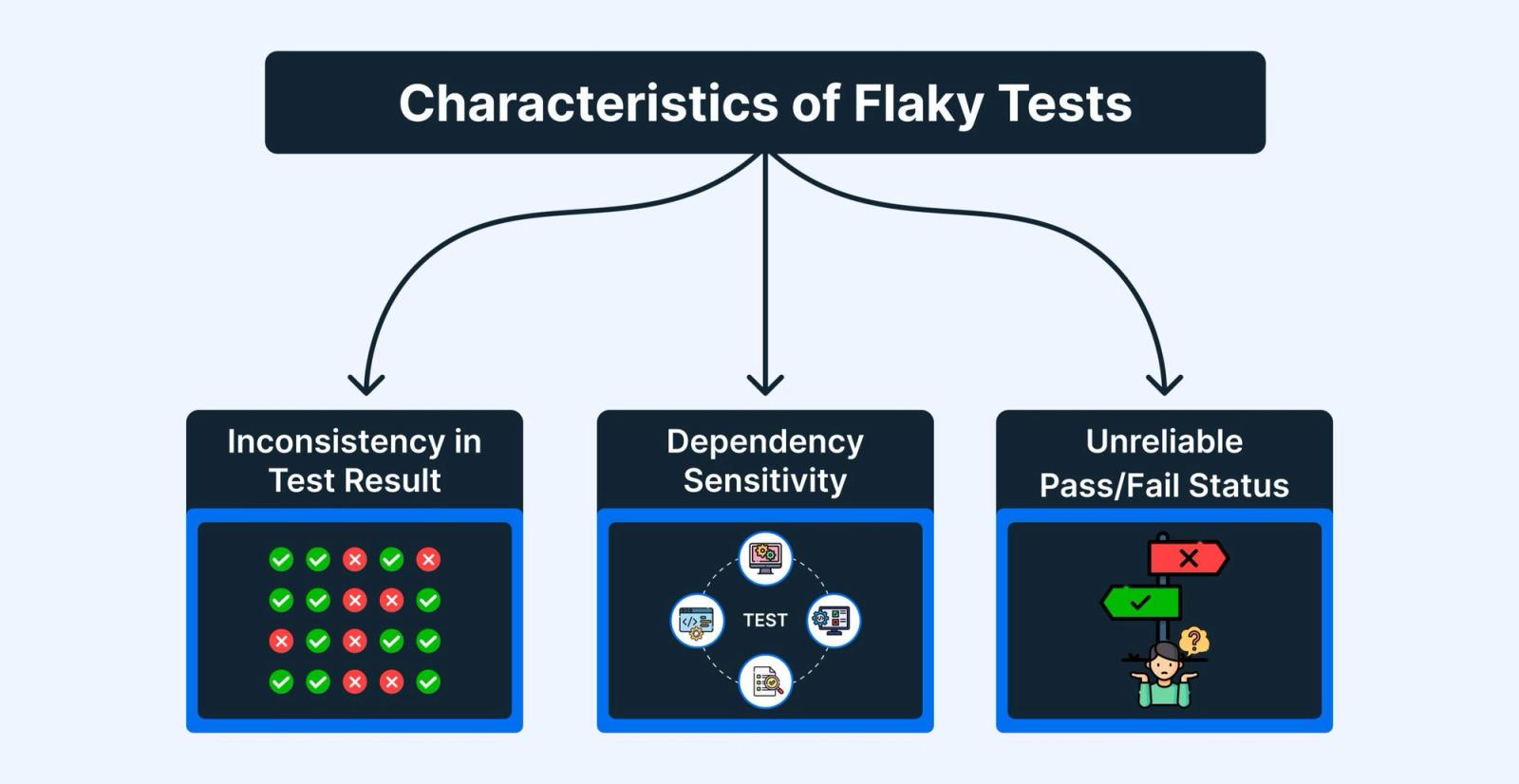
Appium’s abstraction layer introduces potential synchronization issues. Delays in communication, differences in UI rendering, and timing mismatches can lead to flaky tests. These inconsistencies can accumulate over time and reduce confidence in test results. For example, a simple action like waiting for a button to become clickable can behave inconsistently in Appium when network latency or animation timing varies. In contrast, Espresso automatically waits for the UI thread to become idle, reducing the need for manual synchronization and lowering the chances of intermittent failures.
Espresso addresses this problem through built-in synchronization. It automatically waits for UI operations to complete before executing the next action, which significantly reduces flakiness.
XCUITest also provides stable execution within Apple’s ecosystem. Its integration with iOS ensures consistent behavior, although debugging can sometimes be less flexible.
“Flaky tests do not just slow down pipelines. They slowly break trust in the entire testing system.”
Development Experience and Learning Curve
The ease of adopting a framework often influences initial decisions.
Appium is relatively easy to get started with, particularly for teams familiar with Selenium and WebDriver. Its cross-platform nature allows teams to reuse knowledge and reduce initial setup effort.
Espresso and XCUITest require more platform-specific knowledge. Writing effective tests often involves understanding application internals and collaborating closely with developers. This increases the learning curve but also leads to more robust test implementations.
Over time, this difference becomes less about difficulty and more about how closely testing aligns with development practices.
Maintenance and Scalability
As test suites grow, maintenance becomes a critical factor.
Appium’s flexibility can lead to increased complexity over time. Managing synchronization issues, debugging failures, and maintaining performance can require significant effort as the number of tests increases.
Espresso and XCUITest tend to scale more predictably. Their alignment with platform behavior reduces the need for workarounds, making test suites easier to maintain in the long run.
The initial convenience of a framework does not always translate into long-term efficiency. Scalability often depends on how well the framework handles complexity as the system evolves.
CI/CD Integration and Pipeline Efficiency
Modern development relies heavily on automated pipelines. Testing frameworks must integrate seamlessly with CI and CD systems to provide fast and reliable feedback.
Espresso’s speed makes it well-suited for frequent pipeline execution. Its deterministic behavior ensures consistent results, which is essential for automated deployments.
XCUITest integrates effectively within Apple’s ecosystem, particularly when used with Xcode-based pipelines. While execution may be slightly slower, its stability supports reliable automation.
Appium can integrate with CI systems, but slower execution and potential flakiness can impact pipeline efficiency. Teams may need to invest additional effort in optimizing execution and handling failures.
Comparison Table
| Dimension | Appium | Espresso | XCUITest |
|---|---|---|---|
| Architecture | Client-server | In-process | In-process |
| Speed | Moderate to slow | Fast | Moderate |
| Reliability | Medium | High | High |
| Platform Support | Android and iOS | Android only | iOS only |
| Learning Curve | Low | Medium | Medium |
| Scalability | Complex over time | Stable | Stable |
Real-World Usage Patterns
In real-world scenarios, framework selection often evolves over time.
Early-stage teams frequently adopt Appium because it allows them to cover multiple platforms quickly without deep specialization. This supports rapid development and iteration.
As products grow and testing requirements become more demanding, teams often introduce Espresso and XCUITest. These frameworks provide the reliability and speed needed for large-scale applications.
Many mature teams use a combination of tools. Cross-platform frameworks handle broad end-to-end scenarios, while native frameworks focus on critical user flows and performance-sensitive areas.
The Hybrid Reality
Many teams begin with the assumption that one framework will be enough. Over time, that assumption breaks down as products grow and testing needs become more complex. The tradeoffs between speed, flexibility, and reliability become harder to ignore.
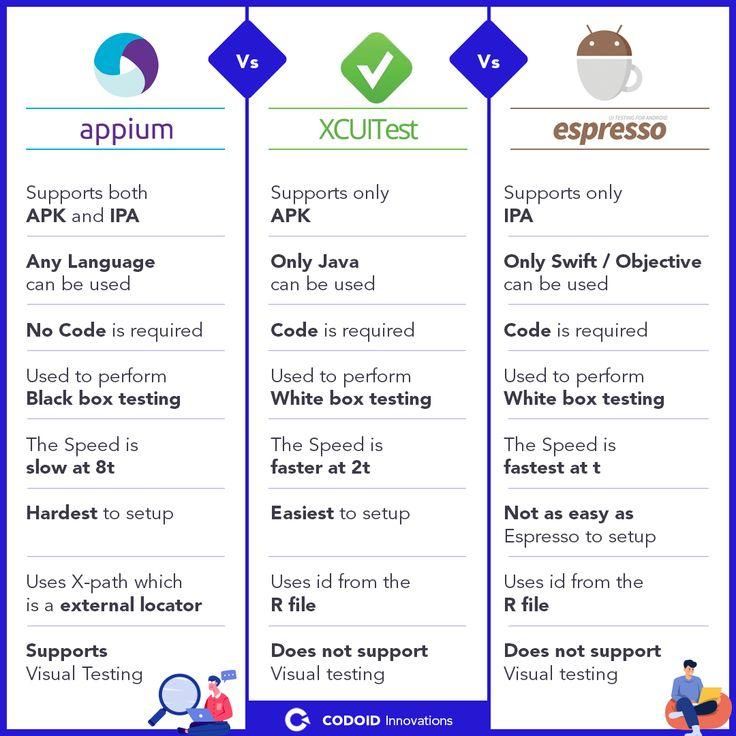
This is where a hybrid approach starts to make sense. Teams often use Appium for cross-platform end-to-end flows, while relying on Espresso and XCUITest for platform-specific scenarios that require better performance and stability. Instead of forcing one tool to do everything, each framework is used where it performs best.
In practice, this creates a layered testing system. Cross-platform tests validate critical user journeys, while native frameworks handle deeper, performance-sensitive interactions. This separation improves both coverage and reliability without overloading a single framework.
“The goal is not to standardize on one tool, but to use each tool where it is strongest.”
The tradeoff is increased complexity. Managing multiple frameworks requires clear ownership and discipline to avoid duplication or confusion. But for most mature teams, this complexity is a reasonable cost for achieving a more balanced and scalable testing strategy.
Decision Framework: Choosing With Clarity
Selecting the right framework requires a clear understanding of team dynamics and product needs. Teams with strong developer involvement may benefit from native frameworks due to their integration depth. Teams led by QA engineers may prefer the accessibility of cross-platform tools.
Release frequency also plays a role. Fast-moving products benefit from quicker feedback cycles, making native frameworks more attractive. Products with broader platform coverage needs may prioritize flexibility despite performance tradeoffs.
The decision becomes clearer when framed as a balance between speed, reliability, and flexibility rather than a simple feature comparison.
Common Mistakes Teams Make
Teams often choose frameworks based on quick setup or familiarity, ignoring how hard they are to maintain at scale. What works early can become difficult to manage as test suites grow.
Flakiness is another underestimated issue. Unstable tests reduce trust, and over time teams start ignoring failures instead of fixing them.
Cross-platform tools like Appium are often overvalued, while native options like Espresso and XCUITest are avoided despite offering better stability.
Perhaps the biggest mistake is assuming frameworks can be replaced later. In reality, switching is expensive, so early decisions matter more than they seem.
Conclusion: You Are Choosing a System
The difference between Appium, Espresso, and XCUITest is not just in features, but in the kind of testing system they force you to build. Each one shapes how quickly your team gets feedback, how stable your test suite remains, and how much effort is required to maintain it over time.
What appears to be a tooling decision is actually a structural one. Choosing flexibility often means accepting slower execution and potential instability. Choosing native performance means investing more upfront in platform-specific expertise. There is no neutral option, only tradeoffs that become more visible as your system scales.
The teams that succeed are not the ones that pick the most popular framework, but the ones that understand these constraints early. They align their choice with how their product is built, how their teams are structured, and how fast they need to move.
In the end, you are not selecting a tool you can easily swap out later. You are defining how testing fits into your engineering system. And once that system grows, changing it becomes significantly harder than choosing it right the first time.
Further Reading and References
- Appium vs Espresso vs XCUITest – Understanding how Appium Compares to Espresso & XCUITest on Applitools
- Top Mobile Testing Frameworks Compared: Appium, Espresso, XCUITest on Testriq
- A Comparison of Appium, Espresso, and XCUITest for Mobile Testing by Marc Berman
- The War of the Test Frameworks: XCTest vs Espresso vs Appium by Adam Creamer
Ready to ship in-app experiences without waiting on releases?