


TL;DR: Deployment and release are not the same event, and treating them as one is why a routine deploy turns into a war room and why a broken feature cannot be pulled without a hotfix. A feature flag is a switch, controlled outside your code, that decides who sees a feature at runtime. It lets you ship code to production continuously and decide separately, later, or never, when users actually get the feature. There are four practical flag types: release, experiment, ops, and permission. Dark launches put finished code into production invisibly. Kill switches turn a broken feature off in seconds. On mobile this matters far more than on web, because the normal fix path runs through an app store review that can take a day or more. The catch is that flags are debt: every flag you forget is a code branch, a config row, and a future bug, and the Knight Capital collapse is the textbook proof. This guide covers all of it, plus the honest limit of feature flags on mobile and what closes the gap. Sourcing note: every external claim is linked inline and listed again at the end. Where no reliable public data exists, this article says so rather than inventing a number.
Deployment and Release Are Not the Same Thing
Most teams ship a feature in a single motion. The branch merges, the build goes out, every user gets it at once, and if something is wrong, the only lever is rolling back the whole release. That single conflation, treating deployment and release as one event, is the root of most release anxiety.
Feature flags break that link. As the pattern documented by Martin Fowler and Pete Hodgson describes, a feature flag lets teams modify system behaviour without changing code, by wrapping a code path in a switch whose value is read at runtime. Once that switch exists, two decisions that used to be welded together come apart: is the code in production? and who can see the feature?
The mental model the industry now runs on is simple. Deploy continuously, release deliberately. Code ships to production whenever it is ready, in an off state if needed, and the feature goes live as a separate, reversible decision. As LaunchDarkly frames its entire platform, the moment you deploy code and the moment you release a feature to users do not have to be the same event.
A feature flag is not a deployment tool. It is a control surface that sits on top of code already in production.
This guide focuses on what that control surface buys you specifically on mobile, where the cost of getting releases wrong is structurally higher than on the web.
Why Feature Flags Matter More on Mobile Than on Web
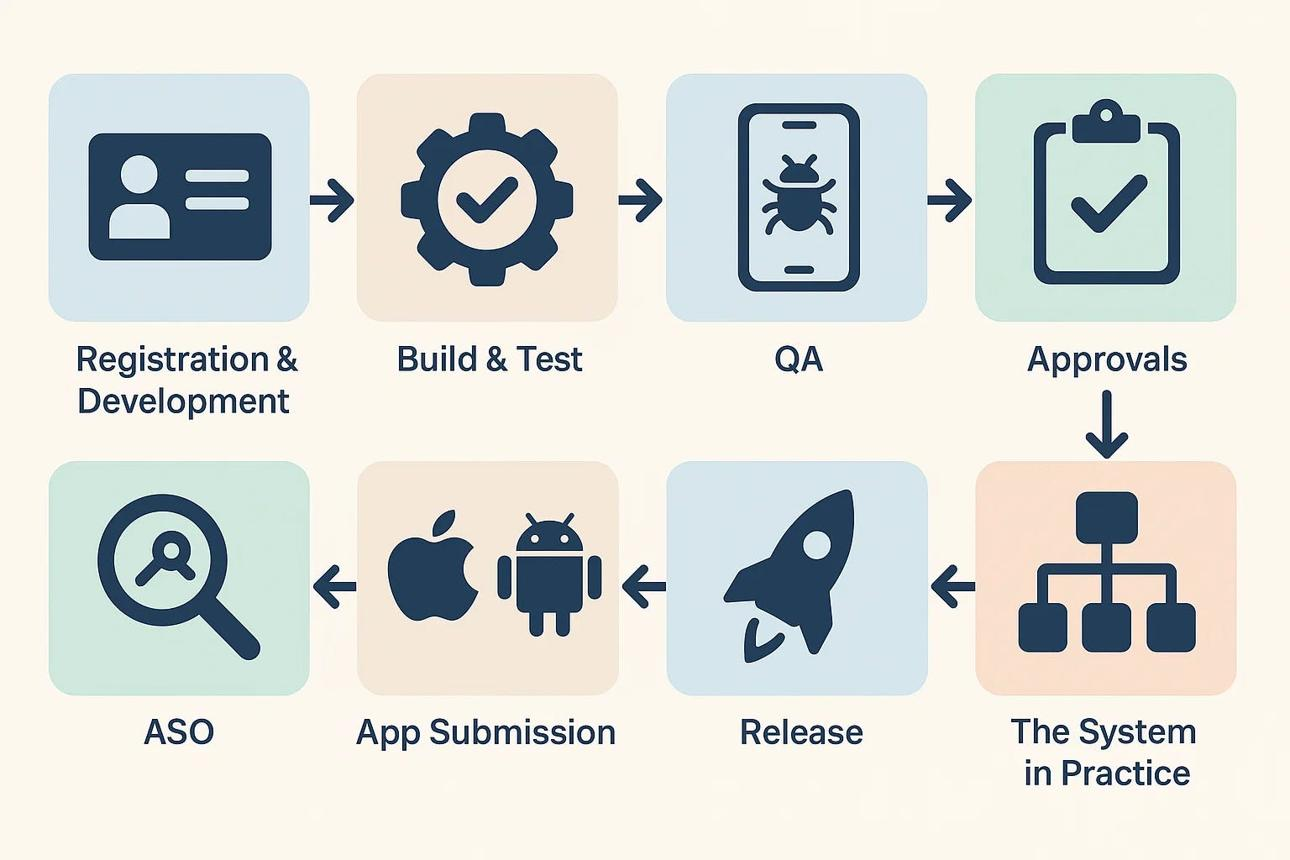
On the web, a bad deploy is recoverable in minutes. You own the pipeline end to end, you push a fix, and it is live for everyone almost immediately.
Mobile does not work that way, and the difference is not a detail. Your code is wrapped in a binary, submitted to Apple or Google, and put through a review queue before any user can update. Apple states that the majority of submissions are reviewed within 24 hours, though some take longer and rejected builds reset the clock. As Optimizely notes, an app update typically has to clear store review that can take 24 to 48 hours, which becomes a serious problem when a bug is discovered in a version that is already live. Even after approval, you do not control when users install the update, so a meaningful share of your audience runs an older build for weeks.
So on mobile, "just push a fix" is a fantasy. By the time a hotfix clears review and propagates, the damage is already done and your support queue is on fire.
A feature flag sidesteps the entire problem, because the code is already inside the app the user installed. You are not shipping anything new. You are flipping a server side value the app reads at runtime, which turns the broken feature off without touching the store at all. That single capability is why mobile teams who adopt flags rarely go back, and it is the same logic that sits underneath Digia's argument that slow mobile releases accumulate risk rather than reduce it.
There is a catch that the rest of this guide keeps returning to: a flag can only toggle code you already shipped. It cannot conjure a feature you never built into the binary. Hold that thought, because on mobile it defines exactly where flags stop being enough.
The Four Types of Feature Flags
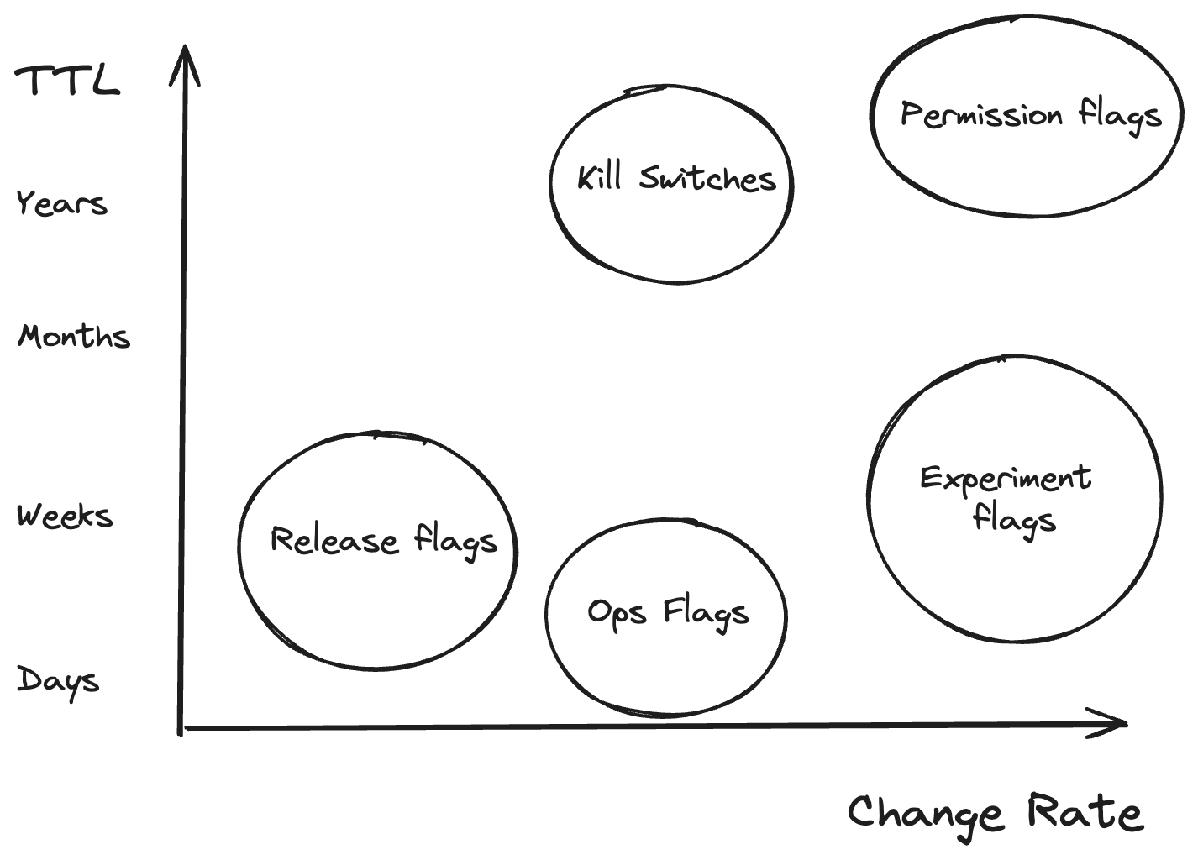
Not all flags are the same, and conflating them is how flag systems rot into spaghetti. Pete Hodgson's taxonomy on martinfowler.com sorts flags along two axes, how long the flag will live and how dynamic the toggling decision must be, and lands on four practical categories. They have different lifespans, different owners, and different cleanup rules, so tagging them by type from day one is not bureaucracy. It is what keeps the system maintainable.
Release flags
Release flags control the rollout of a new feature. As Hodgson describes them, release flags let incomplete and untested code paths ship to production as latent code that may never be turned on, which is what makes trunk based development and continuous delivery workable without long lived branches. In practice you ship the code dark, turn it on for one percent of users, watch crash and performance metrics, then ramp. Release flags are short lived by design. Once a feature is fully out and stable, the flag should be removed, and LaunchDarkly's own guidance is that most release flags should live for only days to weeks.
Experiment flags
Experiment flags power A/B and multivariate tests. Instead of a simple on or off, the flag places each user into a cohort and consistently sends them down one code path or another, so the aggregate behaviour of each cohort reveals the effect of the change. They live as long as the experiment runs, then resolve into a winner and get cleaned up like release flags.
Ops flags
Ops flags are about system health, not features. They are essentially a generalisation of the circuit breaker pattern: a control that lets operators disable or gracefully degrade a feature in production, for example when a new capability has unclear performance implications under load. Unlike release flags, many ops flags are long lived on purpose, because they are permanent operational levers rather than temporary rollout aids.
Permission flags
Permission flags, also called permissioning or entitlement flags, gate features by who the user is. They change the features or product experience that specific subsets of users receive, which is how you run a beta cohort, expose admin tooling to staff only, gate a premium tier, or ship a feature that is only legal in certain markets. These are meant to stay.
The mistake teams make is treating all four as one undifferentiated pile. A permanent permission flag and a throwaway release flag need different naming, different review, and different end of life. When an engineer knows a flag is a permission flag that lives forever, they design it differently than a release flag that should be deleted next sprint.
Dark Launches: Shipping to Production Before Anyone Sees It
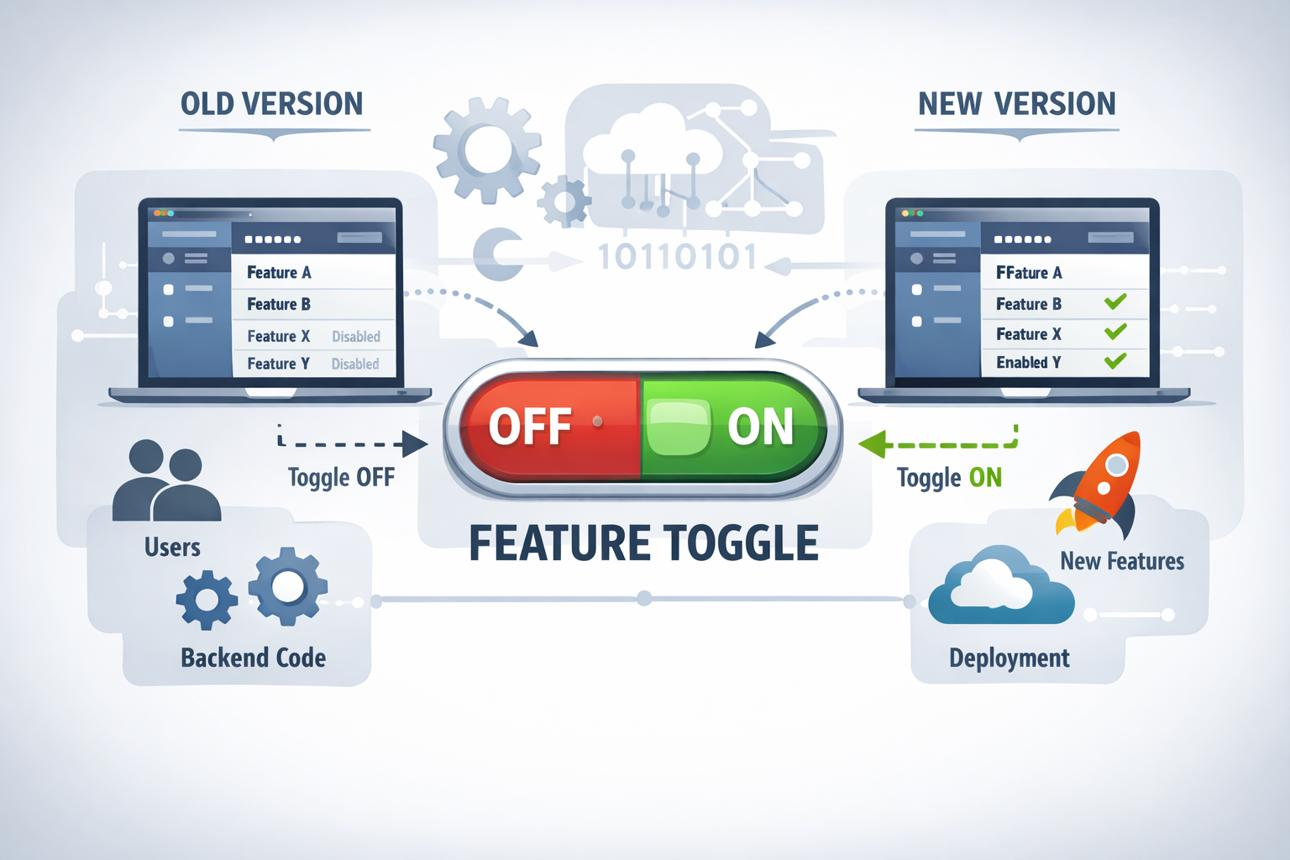
A dark launch is shipping a feature to production fully built but completely invisible to users. The code runs, sometimes processing real traffic in the background, but the interface never surfaces it.
The technique is older than most of the tools that sell it. Flickr publicly described its feature flipper pattern in 2009, Facebook popularised dark launches the same year through its internal Gatekeeper system, Etsy documented feature flags for scaling in 2011, and Dropbox built its own framework named Gandalf. The common thread is using a flag to separate a feature's rollout from its code deployment.
Two reasons to dark launch. First, it decouples the engineering work from the go live decision entirely, so finished code can sit in production for weeks until marketing, legal, or leadership is ready. Second, for anything backend heavy, it lets you exercise the new system at real scale before a single user depends on it, so you find the load problems before launch day instead of during it.
On mobile, dark launching is also how you beat the store clock. You get the code through review now, behind an off flag, so the day you decide to launch there is no review to wait on. You flip the flag and it is live. The release stops being an engineering deployment and becomes a business decision.
Kill Switches: How Flags Become Your Safety Net After Release
If release flags are the careful part, kill switches are the insurance policy, and they are the feature that earns the entire system its keep.
A kill switch is a flag whose only job is to turn something off, fast, when it breaks. Turning things off with a kill switch is one of the canonical uses of feature toggles, alongside canary releases and dark launches. A new checkout flow doubles your crash rate. A third party SDK starts hanging. A pricing experiment quietly tanks conversion. With a kill switch the response is one toggle and seconds of propagation.
Without it, the response on mobile is a hotfix build, another review, a store wait, and a slow trickle of users updating while the problem keeps burning. This is why kill switches are not optional on mobile. Because a full binary rollback requires a new store submission, the flag based kill switch is effectively the primary rollback mechanism for mobile teams and should be treated as a first class engineering requirement. Build kill switches into anything risky by default, which means payments, onboarding, authentication, and anything touching a third party dependency. The first time one saves you a multi day fire drill, it has paid for the whole system.
When the Flag List Becomes a Liability
Here is the part the vendor demos skip. Every flag is debt.
A flag is a branch in your code that has to be maintained, a row in a config that someone has to understand, and a permanent question of what happens when it is on for one user and off for another. Feature flag technical debt is the accumulation of stale, unused, or forgotten flags that were added for legitimate reasons but stayed in the code long after they stopped serving a purpose, and with N flags you can face up to 2^N combinations to reason about. Most of those combinations are never tested together.
Teams adopt flags, love them, and then never remove them. Six months later there is a dashboard with hundreds of flags, half of them fully rolled out and forgotten, nobody sure which are safe to delete, and a new engineer staring at three code paths for the same screen with no idea why. The safety net has become the thing tangling you up. LaunchDarkly builds an entire stale flags view and a flag health metric into its platform specifically because most stale flags represent technical debt that needs to be cleaned up or removed.
This is not a theoretical risk. It is the documented cause of one of the most expensive software failures in history. During a 2012 deployment, Knight Capital's new code reused a flag that had previously activated an old, dormant function called Power Peg, and a technician failed to copy the new code to one of eight servers, so the repurposed flag switched on nine year old dead code on the server that was missed. Knight Capital's own filing reported a realized pre-tax loss of approximately $440 million from the incident, and the firm did not survive as an independent company. A reused flag plus an incomplete deployment is all it took.
The discipline that prevents this is boring and non negotiable:
- Give every flag an owner and a type. An unowned flag is an orphan that nobody will ever clean up.
- Give temporary flags an expiry. Release and experiment flags need a kill by date. When the rollout is done, the flag goes, and so does the dead code path behind it.
- Audit on a schedule. Do not wait for flag debt to hurt. LaunchDarkly recommends treating naming conventions, tagging, and a defined flag lifecycle as explicit team standards.
- Never reuse or nest flags. Reuse is exactly what destroyed Knight Capital, and nesting flags inside flags is where the combinatorial bugs hide.
A flag system without lifecycle management does not reduce risk. It relocates it, and sometimes it concentrates it into a single catastrophic switch.
Feature Flag Tools: Firebase Remote Config, LaunchDarkly, Unleash, or Homegrown
There is no single right answer. The right tool depends on team size, budget, how much control you need, and whether your buyer is engineering or growth. Here is the honest shape of the main options.
| Tool | Best for | Strengths | Watch out for |
|---|---|---|---|
| Firebase Remote Config | Mobile first teams and startups, especially anyone already on Firebase or Google Cloud | Free to start, native mobile SDKs, real time updates, conditional targeting by OS, app version, locale, and percentage, plus A/B testing through Firebase | Targeting logic is simpler than specialist tools, so you can outgrow it, and it ties you to the Google ecosystem |
| LaunchDarkly | Enterprises that need governance, scale, and experimentation | The most mature platform, built around release management, observability, experimentation, and AI configs, with deep SDK coverage and near instant updates | Seat and usage based pricing gets expensive at scale, it adds an external network dependency, and stale flag debt still accumulates |
| Unleash | Teams that want open source and the option to self host | Open source, self hostable to avoid vendor lock in, with granular custom rollout strategies and strong access control | Real time updates are typically poll or refresh based rather than instant, and you carry the operational overhead of running it |
| Homegrown | Teams with very specific needs and spare engineering capacity | Total control, no per seat cost, fits your exact stack | You are now building and maintaining a flag platform instead of your product, and the SDK, targeting, and lifecycle work is larger than it looks |
Other names you will hit while evaluating include Statsig and Split for experimentation heavy use, Flagsmith and ConfigCat as open source friendly alternatives, and Optimizely as the legacy enterprise A/B testing option. The category is crowded, so choose on the basis of who will operate the system and what you actually need, not the longest feature list.
A reasonable default for mobile: start with Firebase Remote Config if you are cost sensitive, then move to a specialist like LaunchDarkly or Unleash when targeting complexity, governance, or experimentation outgrows it.
Where Feature Flags Stop on Mobile, and What Closes the Gap
Now back to the catch. A feature flag can only toggle code that is already in the binary. It is a switch on a light you already wired. That is perfect for engineering owned releases, including rollouts, kill switches, and circuit breakers. It does almost nothing for the work growth and product teams do every week, like changing an onboarding flow, swapping a banner, testing a new nudge, restructuring a screen, or running a promotion.
For every one of those, someone still has to build the variant into the app and ship it through review first. Flagging the new onboarding screen assumes engineering already coded that screen and got it past Apple and Google. The flag controls when it goes live, not whether your growth team can create it at all. So the bottleneck simply moves. Instead of waiting on the release, growth waits on engineering to build the thing the flag will eventually toggle.
This is the real ceiling of feature flags on mobile. They decouple deployment from release for code. They do not decouple your experience iteration from the engineering queue.
That gap is exactly what server driven, no code in-app platforms close. Instead of flagging pre built variants, the experience itself, whether a nudge, a widget, a journey, or a gamified flow, is defined on a dashboard and rendered by an SDK that is already in the app. There is no new variant to build, no flag to wire, and no release at all. Digia itself makes this point in its release argument: the tools that let in-app changes ship without a full release cycle, including server driven UI, feature flagging, and no code campaign tools, are the architecture of teams that have actually solved the release risk problem.
This is the problem Digia Engage is built for. Feature flags give engineering runtime control over how and when code ships. Digia gives product and growth teams the same kind of control over in-app experiences, including nudges, inline widgets, gamification, and in-app video, shipped from a dashboard without an app release or an engineering ticket. The honest summary is this. Use feature flags for what they are good at, which is controlling how code ships and pulling it fast when it breaks. Then close the experience gap separately, because no amount of flagging turns a release bound build process into something your growth team can iterate on every day.
Key Takeaways
Feature flags decouple deployment from release. Code can sit in production while the feature stays invisible until you flip a switch, with no new build and no redeploy.
On mobile this matters more than on the web, because the normal fix path runs through a store review that can take a day or more, while a flag changes behaviour in the app users already have installed.
There are four practical flag types. Release flags control rollout and should be deleted quickly, experiment flags run A/B tests, ops flags act as circuit breakers and often live a long time, and permission flags gate access and are meant to stay.
Dark launches put finished code into production invisibly, which lets you decouple the go live decision from the deploy and clear store review in advance.
Kill switches are the highest return use of flags on mobile, because a flag that turns a broken feature off in seconds replaces a multi day hotfix and store wait.
Flags are debt. Without owners, types, expiry dates, and disciplined cleanup, flag lists grow into hundreds of stale entries, and reuse of an old flag combined with an incomplete deploy is what cost Knight Capital roughly $440 million.
Feature flags decouple deployment from release for code, but not experience iteration from the engineering queue. Closing that second gap on mobile takes a server driven, no code layer on top of the flags.
Further Reading
From Digia
- Why Slow Releases Are The Riskiest Move You Can Make: why batching changes compounds risk on mobile, what the DORA research says about deployment frequency, and why speed and safety are the same lever
- Digia Nudges: event based in-app nudges that trigger within 100ms of qualifying user behaviour, without an engineering ticket or an app release
- Digia Inline Widgets: updating in-app content and layouts from a dashboard without a pull request or a new app submission
- Feature Adoption use case on Digia Engage: how growth teams surface new product capabilities to the right users inside the app, independent of the release cycle
External Sources: All Claims Attributed
- Feature Toggles (aka Feature Flags): Pete Hodgson on martinfowler.com. The definitive long form article on feature toggles, including the release, experiment, ops, and permissioning taxonomy and the longevity and dynamism axes used to categorise flags.
- bliki: Feature Flag: Martin Fowler. Short reference defining feature flags and summarising Hodgson's four categories, including permissioning flags and the accidental exposure risk.
- Feature Toggles Revisited: InfoQ summary of Hodgson's work, describing ops toggles as a generalisation of the circuit breaker pattern and experiment toggles as cohort based A/B testing.
- Feature Toggles practice: Open Practice Library. Lists canonical uses of feature toggles, including canary releases, dark launches, A/B testing, and kill switches.
- Control what ships: LaunchDarkly feature flags: LaunchDarkly. Product framing of the deployment versus release distinction that underpins feature management.
- A Deeper Look at LaunchDarkly Architecture: LaunchDarkly documentation. Describes the platform's pillars of release management, observability, experimentation, and AI configs.
- LaunchDarkly Feature Management Platform reviews: Gartner Peer Insights. User reported tradeoffs, including stale flag accumulation, cost at scale under usage based pricing, and the added external network dependency.
- Reducing technical debt from feature flags: LaunchDarkly documentation. Covers the stale flags list, the flag health metric, the guidance that most release flags should live only days to weeks, and recommended lifecycle standards.
- What is Feature Flag Technical Debt?: FlagShark. Defines flag debt as accumulation of stale and forgotten flags and explains the 2^N combination problem created by N flags.
- Feature flags, dark launches, and canary releases for all: LaunchDarkly. History of the pattern, including Flickr's feature flipper in 2009, Facebook's Gatekeeper and dark launches, Etsy in 2011, and Dropbox's Gandalf framework.
- The $440 Million Software Error at Knight Capital: Henrico Dolfing, drawing on the SEC order. Detailed account of the repurposed Power Peg flag and the incomplete deployment to one of eight servers.
- Knight Capital Group Form 8-K, August 2 2012: U.S. Securities and Exchange Commission filing. Primary source confirming the approximately $440 million realized pre-tax loss from the August 1 2012 trading disruption.
- Remote config glossary entry: Optimizely. Explains that app updates typically clear store review in 24 to 48 hours and that remote config lets teams change a live app without that wait.
- App Review: Apple. Official statement that most submissions are reviewed within 24 hours, with expedited options for urgent fixes.
- Firebase Remote Config documentation: Google. Official docs for Firebase Remote Config, including conditional targeting and real time updates for mobile and web.
- Unleash: Official site for the open source feature management platform, including self hosting and custom rollout strategies.
- Firebase vs Unleash feature flags comparison: Statsig. Comparison covering Firebase's tight mobile and web integration against Unleash's granular control and open source extensibility.
- Alternatives to Unleash for feature flags: Statsig. Overview of the wider tool landscape, including Statsig, Split, Flagsmith, ConfigCat, LaunchDarkly, and Firebase Remote Config, mapped to team needs.
This article is part of Digia Engage's Mobile Engineering and Growth series. If your team is still treating every UI change as a release event, that is the problem worth solving. See how Digia Engage works or book a demo.