


TL;DR: Scroll position is behavioral data. It tells you how far a user went, how fast they moved, and whether they backtracked. Most mobile apps collect none of it and trigger engagement the same way regardless: after a fixed time delay or on a timed schedule. This article makes the case that scroll depth is a higher-signal trigger than time elapsed or session count, explains what each trigger type actually communicates about user intent, covers where scroll-triggered engagement pays off across product categories, and lays out the design and implementation decisions that determine whether a scroll-triggered nudge improves the experience or damages it. Sourcing note: All statistics are attributed to their source. Where published data on a specific claim does not exist, this article says so directly.
The Problem: Triggering Blind
Most mobile apps pick one of two trigger strategies for in-app engagement: fire after a time delay or fire on a fixed schedule. A tooltip appears after the user has been on a screen for eight seconds. A bottom sheet opens after the third session. A banner surfaces on every Monday. These strategies share a common flaw: they treat all users in the same state the same way, regardless of what those users are actually doing at the moment the trigger fires.
A user who opened a reading app, started an article, and reached the 70% mark has revealed something meaningful. A user who opened the same app, stared at the home screen for eight seconds, and did nothing has revealed something different. A time-based trigger fires identically for both. Scroll-position data would have separated them.
This distinction matters more than most product teams realize. Mobile app analytics research consistently finds that the gap between the best-performing and worst-performing apps comes down to one variable: how well the team understands what users are actually doing rather than what the team assumed they would do. Scroll position is a direct behavioral observable. Time elapsed is a proxy that averages across engaged users, passive users, and users who left the phone on the table while they made coffee. Using one as a substitute for the other is not a neutral design decision. It is a choice to trigger engagement based on less information.
Why Scroll Depth Is a High-Signal Behavioral Trigger
Scroll depth measures how far a user progresses through a screen's content. On a product detail page, a 70% scroll means the user has passed the product images, read through the description, and reached the reviews section. On a long-form article, reaching 60% means the user is genuinely reading, not skimming the headline and bouncing. On an e-commerce listing, scroll depth tells you which products actually received attention, not just which product page was opened.
Scroll depth analysis from Usermaven describes deep scrolling as a signal of interest, relevance, and trust, while shallow scrolling points toward unengaging content, mismatched expectations, or design friction. The directionality here is important: scroll depth is not just an engagement metric, it is an intent indicator that maps to different stages of the user journey. Early scroll depth signals awareness. Mid-range scroll depth signals active evaluation. Deep scroll depth signals high engagement that may or may not have converted yet.
The distinction between scroll depth as a proxy and scroll depth as a behavioral signal is where most analytics implementations fail. Research from scroll tracking practitioners notes that a user can scroll deeply without being genuinely engaged, for example by fast-swiping through content, while another user may engage heavily with a specific section without scrolling far at all. This is why scroll velocity, dwell time within scroll zones, and direction changes all matter alongside raw depth percentage. Scroll depth works best when treated as part of a behavioral composite rather than a standalone threshold.
That said, even isolated scroll depth outperforms time elapsed as a trigger signal in most app contexts for a straightforward reason: reaching a scroll position requires a deliberate physical action. Time elapsed requires nothing. A user can accumulate 30 seconds on a screen by leaving it visible while responding to a message. A user who has scrolled to 75% of a product listing has performed dozens of intentional gestures to get there. The behavioral commitment embedded in that scroll position is real and measurable.
Scroll position is user intent data. It is generated by physical action, accumulated over deliberate behavior, and correlated with downstream outcomes in ways that time elapsed simply is not.
BYYD's analysis of scroll depth in mobile advertising found that low scroll depth combined with a high bounce rate reliably signals that content does not meet user expectations, while sustained scroll depth indicates accurate audience targeting and relevant creative. The same logic applies inside apps: where users stop scrolling tells you where the experience breaks down.
Scroll-Triggered vs. Time-Triggered vs. Tap-Triggered: What Each Actually Signals
Understanding when to use each trigger type requires being precise about what each one actually signals rather than assuming they are interchangeable paths to the same outcome.
Time-triggered engagement fires based on elapsed time within a session, a screen, or since installation. What it signals is presence, not activity. A timer cannot distinguish between a user who is reading, a user who is distracted, and a user who navigated away while the screen stayed open. Time triggers have legitimate uses in onboarding contexts, where giving a new user a few seconds to orient before showing a tooltip is reasonable. They are a poor signal of genuine engagement because the clock runs independent of what the user is doing.
Tap-triggered engagement fires in response to an explicit interaction: a button press, a feature activation, a form submission, a link tap. Research on swipe and tap interactions finds that a tap feels more intentional and exploratory compared to passive scrolling, making tap-triggered events among the clearest intent signals available. A user who taps a product image to zoom it, then taps the favorites icon, then taps the size selector has generated a dense chain of intent signals pointing toward high purchase consideration. Tap-triggered engagement is appropriate for follow-on actions after demonstrated decision behavior: "You saved this item, here is a price drop alert option" fires correctly after the save tap, not after eight seconds of viewing.
Scroll-triggered engagement fires based on positional progress through content. What it signals is consumption intent: the user is working through the material. Scroll position gives you a continuous behavioral signal across the session rather than a binary event. A user reaching the 50% scroll mark on a product detail page has consumed more product information than a user who immediately jumped to the buy button. Triggering a social proof nudge at 60% scroll depth on a product page connects with a user who has already invested attention in the product. Triggering the same nudge at load time or after a time delay connects with a user whose engagement level is unknown.
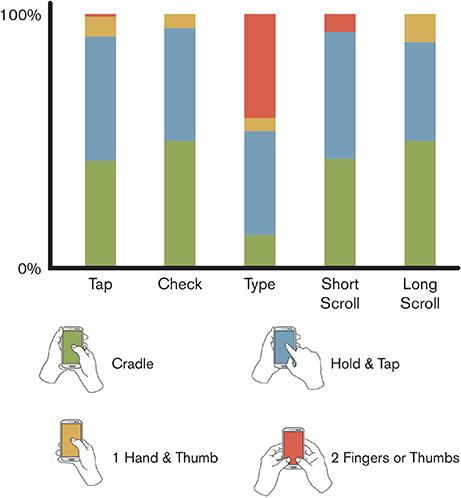
The practical separation looks like this. Use time triggers for orientation moments where you want to give the user space before intervening. Use tap triggers for contextual follow-ons after a clear intent action. Use scroll triggers when you want to reach users at a known level of content engagement and when the intervention is appropriate to that engagement level.
Where most apps go wrong is defaulting to time triggers for everything because scroll position requires instrumentation investment. That investment is worth making. Mobile app data analytics research from Affise describes how advanced mobile analytics platforms now capture scroll interactions at the same granularity as taps and swipes, giving product teams the ability to map complete behavioral paths rather than inferring intent from session duration alone.
Use Cases: Where Scroll-Triggered Engagement Pays Off
Not every app type benefits equally from scroll-triggered engagement. The signal quality of scroll position depends on how much the content layout itself rewards scrolling, and whether scroll position maps meaningfully to intent stages.
Reading Apps and Long-Form Content
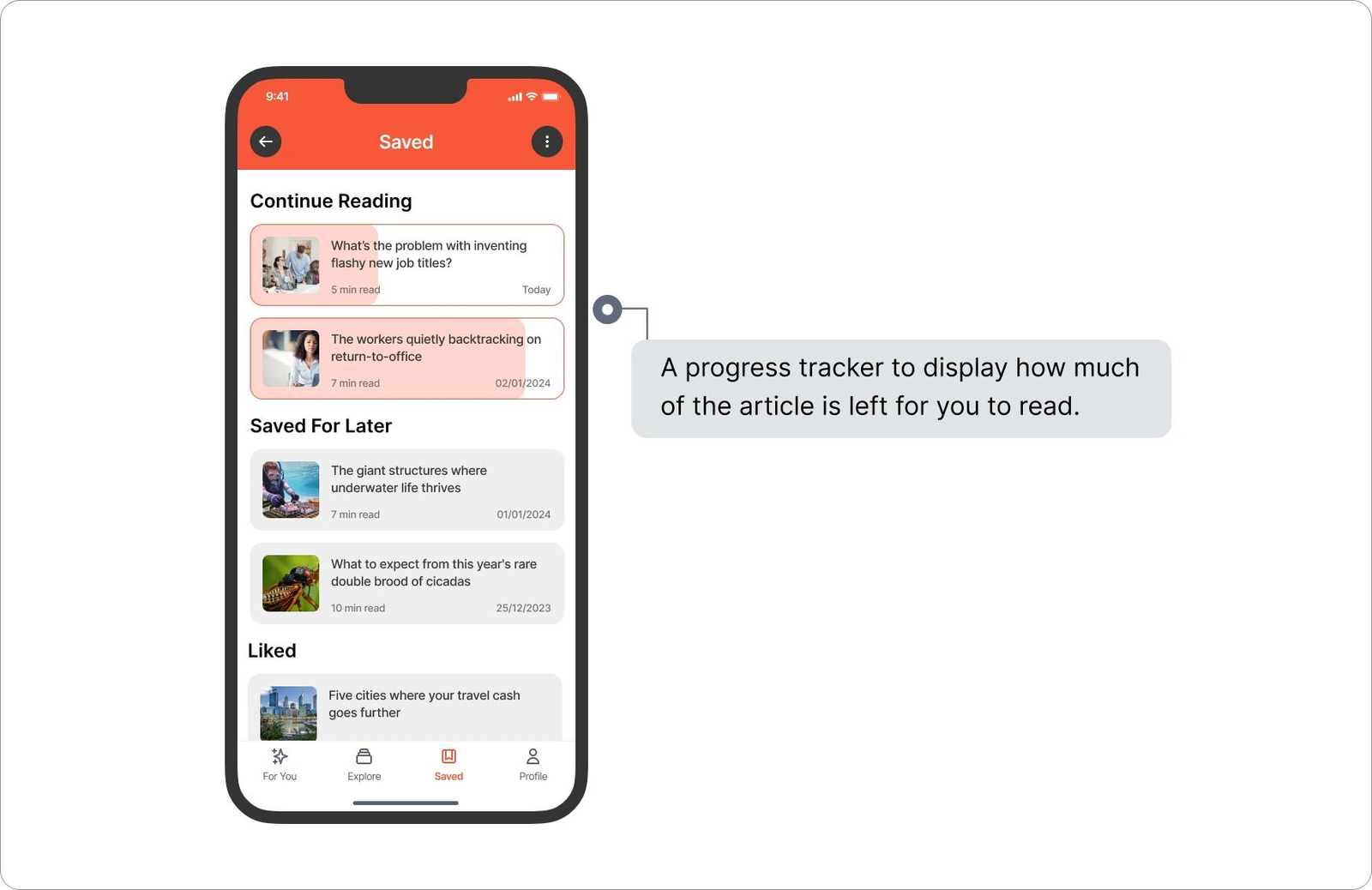
This is the highest-signal context for scroll-triggered engagement. A user who has reached 60% of an article has made a sustained commitment to that content. Triggering a "save for later" or "subscribe to more like this" nudge at that depth reaches a user who has demonstrated genuine interest. Triggering the same nudge at page load reaches a user whose interest level is completely unknown.
Reading apps that surface related content recommendations, series completion prompts, or newsletter subscription offers at meaningful scroll depths consistently outperform those that time their prompts. The reason is simple: scroll depth in a reading context maps almost directly to article completion intent. A user at 70% scroll is almost certainly finishing the article. A user at 15% scroll might be. Separating those two users and reaching them differently is only possible with scroll position data.
Feed Products and Social Apps
Feed-based products present a different scroll challenge. Vertical feeds do not have a fixed "end" that maps to a completion state. However, scroll velocity and pause events within a feed do carry information. A user who slows scroll velocity and dwells on a specific content block is signaling interest in that block, even without an explicit tap. Products that instrument dwell-within-scroll, not just cumulative scroll distance, can trigger contextual engagement at the moment of highest local interest.
Ingest Labs describes this class of signal as "intent-based triggers," giving the example of a user who views product reviews while scrolling but does not add to cart, which creates a retargeting opportunity grounded in explicit behavioral evidence rather than session count. The same logic applies inside a social feed: a user who slows on financial content but never taps can be reached with a relevant in-app recommendation surfaced at the next natural pause point.
E-Commerce Product Listings and Detail Pages
This is where scroll-triggered engagement has the clearest downstream conversion connection. On a product listing, scroll depth tells you which products entered a user's consideration set. A user who scrolled past 40 items in a category listing and stopped on item 41 has given you a position-based signal that item 41 caught their attention. On a product detail page, reaching the reviews section signals an evaluative mindset.
Conversion data from WordStream analysis found that users who scrolled through user-generated content on a product page and then interacted with it were twice as likely to purchase compared to users who viewed the page without scrolling through that content. The implication for in-app design is direct: a well-placed review highlight or social proof element triggered at the reviews scroll depth can reach a user exactly when their evaluation mode is active.
Mobile e-commerce app retention data from Business of Apps shows that day-30 retention for shopping apps sits at roughly 4-5%, meaning the vast majority of acquired users disengage quickly. Scroll-triggered engagement that surfaces the right element at the right depth cannot single-handedly fix retention, but it can meaningfully increase the probability that a browsing session converts, which is the more actionable metric in high-churn categories.
Onboarding Flows
Onboarding is typically treated as a sequential step-through, but scroll depth within onboarding screens carries signal too. A user who scrolls past the first three features in a feature walkthrough and stops has told you something about which features caught their attention. A user who scrolls to the bottom of a permissions explanation screen has read more of it than a user who tapped "Continue" immediately. These depth signals are underused in onboarding design, where the default is to gate progression on tap events and ignore how much of the explanatory content the user actually consumed.
Design Principles: What to Show, How Much, and How Persistently
Getting scroll-triggered engagement right requires discipline on three axes: what content the nudge presents, how much space it occupies, and how long it stays visible.
What to show at each scroll depth should be directly connected to what the content at that depth communicates about the user's state. A user at 30% scroll on a product detail page is still in information-gathering mode. The right nudge at that point is contextual enrichment: a comparison tool, a variant selector, a related items carousel. A user at 80% scroll has moved into decision mode. The right nudge is a conversion accelerator: a limited-time offer, a social proof element, a "return to this later" save option. Showing a conversion push to a user who has only scrolled 20% is friction dressed as helpfulness.
How much space the nudge occupies should be inversely proportional to how deep the user is in the content. At shallow scroll depths, the user is still orienting. A large, screen-occupying overlay at 20% depth is an interruption to orientation. A small, non-blocking banner or inline widget is acceptable. At deep scroll depths where the user has already committed significant attention, a more prominent nudge is appropriate because the user has demonstrated that they are engaged. The rule of thumb: the nudge should feel proportional to the engagement the user has already demonstrated.
How persistently the nudge appears is where most implementations make costly mistakes. A nudge that fires at 60% scroll depth and then reappears every time the user reaches 60% scroll across sessions quickly becomes noise. Persistence rules should account for whether the user has already seen and dismissed the nudge, whether the content being scrolled is the same content or new content, and whether the user has taken the action the nudge was promoting. BJ Fogg's Behavior Model, which underpins most behavioral design frameworks, establishes that a trigger fires effectively when motivation and ability are both present. A nudge shown for the third time to a user who has already dismissed it twice is not firing in a context of high motivation. Frequency capping at the nudge level, not just the campaign level, is a non-negotiable implementation requirement.
One more principle that most teams ignore: scroll-triggered nudges should never interrupt the scroll gesture itself. A nudge that pops in during active scrolling creates a jarring experience because the user's attention is on the content they are moving through, not on the intervention. The correct approach is to trigger on scroll pause rather than scroll position: detect that the user has reached a threshold depth and has stopped scrolling for at least 500 to 800 milliseconds before firing the nudge. That pause is the signal that the user is processing, not moving, which is when their attention is available.
The Scroll-Back Signal: What It Means When Users Reverse Direction
When a user scrolls down and then scrolls back up, most apps record nothing about the event. The position resets or the analytics log treats it as a single session without noting the direction reversal. This is a data loss worth addressing because the scroll-back signal carries specific intent information.
Nielsen Norman Group's research on scroll behavior and position saving identifies a pattern called pogo sticking: the behavior of navigating deeper into content, then reversing course, and then going forward again. In a routing list context like a product listing, pogo sticking between list items and detail pages indicates active comparison behavior. In a long-form content context, scrolling back up indicates that something earlier in the content became relevant again based on something the user encountered further down.
In practical terms, a scroll-back event at a meaningful depth communicates one of three things. First, the user is re-reading a section, which signals interest and possible confusion or reconsideration. Second, the user is comparing content across sections, which signals active evaluation. Third, the user is looking for something they remember seeing earlier but did not act on, which signals deferred intent.
The scroll-back trigger is underused because it requires more implementation sophistication than a straightforward depth threshold. However, for apps where consideration behavior matters, such as finance apps where users evaluate investment options, travel apps where users compare itineraries, or e-commerce apps where users compare product variants, the scroll-back event is among the clearest signals of high-consideration behavior available without requiring an explicit tap.
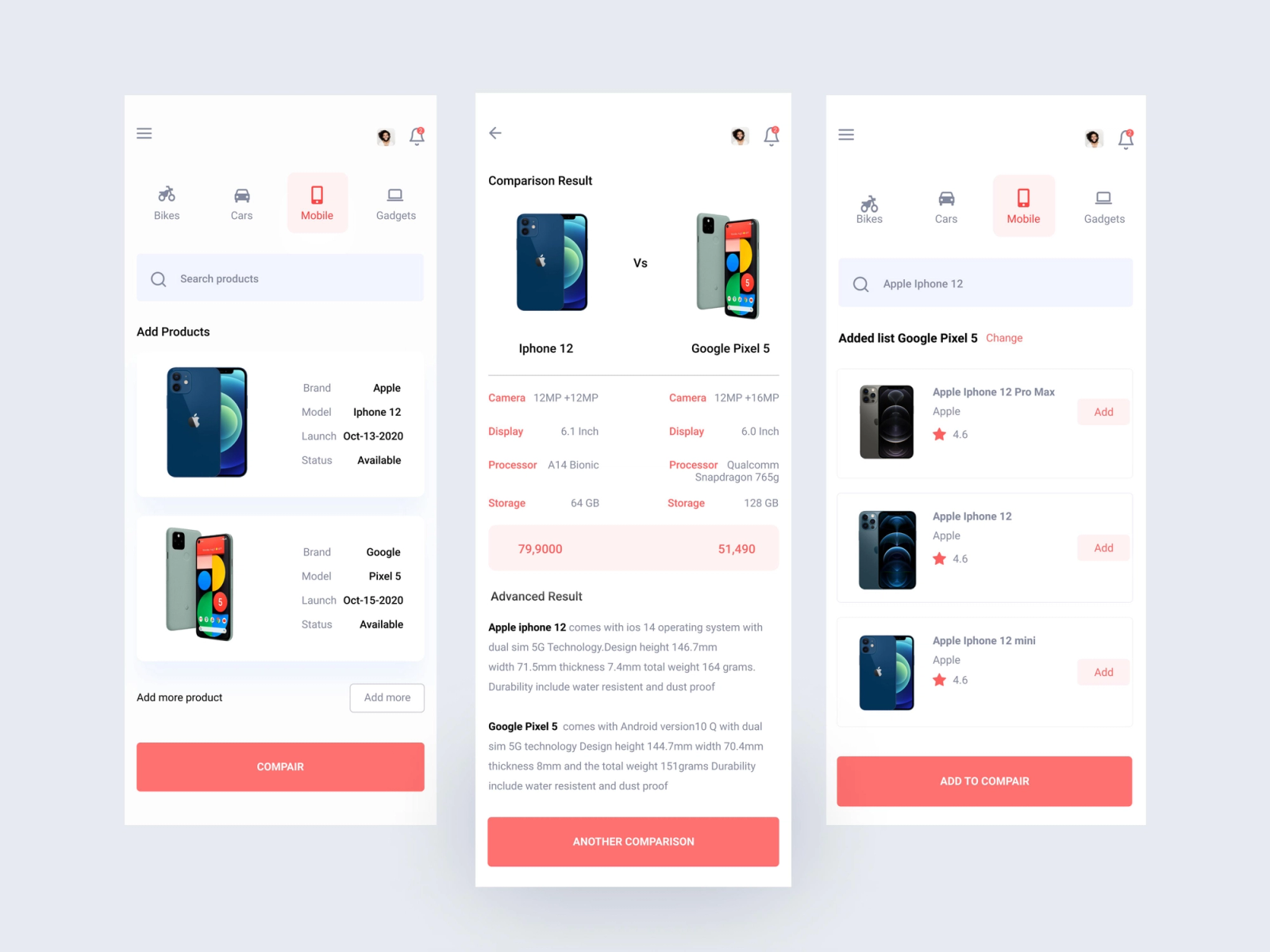
A user who scrolls to the bottom of a product detail page and then scrolls back up to the product images is not confused. They are re-evaluating. That is high-purchase-intent behavior, and it should trigger differently from a user who is reading linearly for the first time.
The design response to a scroll-back event should not be to immediately surface a nudge, which would interrupt the re-evaluation behavior the user is already engaged in. The better pattern is to hold the trigger and fire after the user pauses during or after the scroll-back, when their attention is available and their intent is warm.
Implementation Considerations: Thresholds, Animation, and Position Anchoring
Setting Scroll Thresholds
Threshold selection is the most consequential implementation decision in scroll-triggered engagement design. The wrong threshold fires the nudge at the wrong intent stage and produces either friction, where the nudge appears before the user is ready, or missed opportunity, where the user exits before the threshold is reached.
There is no universal correct threshold. The right threshold depends on the content length, the content type, the placement of key decision-relevant information within the content, and the nature of the engagement you want to trigger. The baseline approach is to instrument scroll behavior first, identify where natural scroll fall-off occurs within your specific content, and set thresholds above the fall-off points that represent genuine engagement rather than just arriving at a page.
Triotec Labs describes 70% scroll completion as a reasonable benchmark for "key pages" and treats under 50% as a warning signal. For most in-app engagement triggers, firing at the 50-70% range captures users who have demonstrated meaningful engagement without waiting for them to reach a point where they are already exiting.
Multiple thresholds with different trigger types make sense for longer content. A light, non-intrusive widget at 40% scroll captures mid-engagement users. A more prominent nudge at 70% captures high-engagement users. A save or return prompt near the bottom captures near-complete users. These are three different interventions serving three different intent states, and they should be designed as a system rather than as independent triggers.
Animation and Presentation
Scroll-triggered nudge animations should enter from the edge of the screen or from a position anchored to the bottom navigation. Animations that enter from the center of the screen during a scroll session interrupt the reading axis and feel intrusive. Slide-in from the bottom or fade-in from a bottom anchor point works with the natural scroll gesture rather than against it.
Web animation best practices from Lovable's scrolling design research confirm that only transform and opacity properties should be animated, because other CSS properties trigger expensive layout recalculations that produce visible stuttering. On mobile, where rendering performance is more constrained than on desktop, this principle applies with even more force. A nudge that stutters onto the screen defeats the purpose of a smooth, non-intrusive intervention.
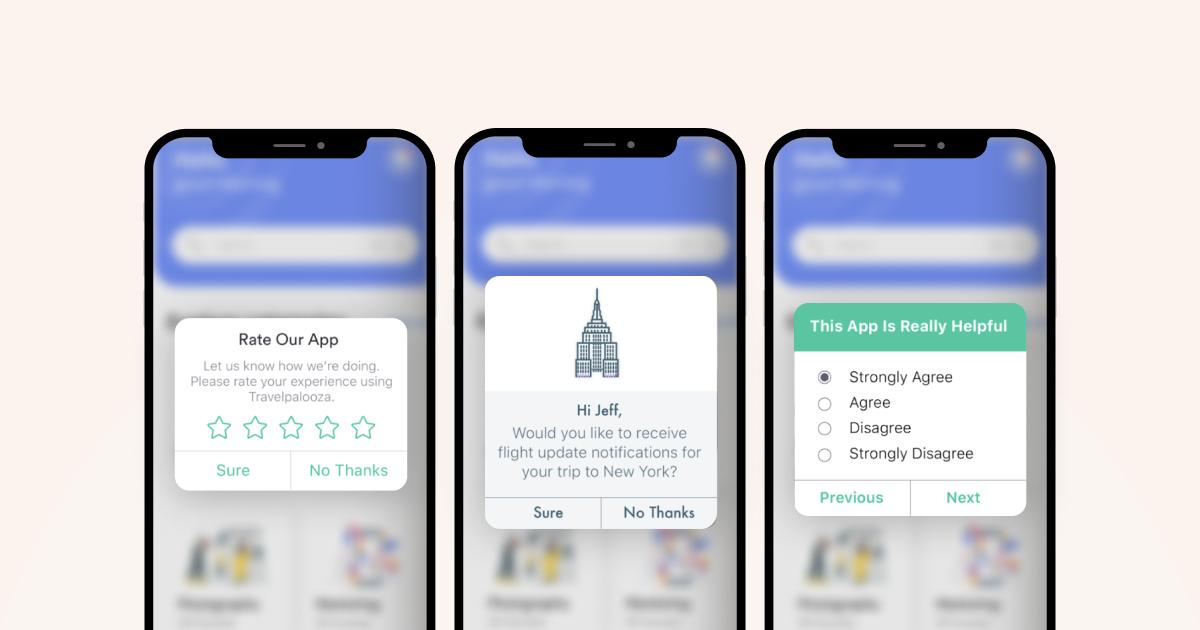
Keep animation duration short: 200 to 300 milliseconds for entry, with no looping animations that persist on screen. A nudge that draws attention through motion after it has already appeared is competing with the content for the user's attention, which is exactly the opposite of what contextual engagement should do.
Position Anchoring
Where the nudge sits on screen during the scroll session matters more than most teams consider. A nudge anchored to the bottom of the viewport stays in a stable, predictable location while the user continues to scroll. A nudge injected into the content stream moves with the page scroll, which creates a disorienting experience as the intervention shifts up relative to the content below it.
For persistent nudges, such as "save for later" or "similar items" surfaces on a product detail page, bottom-anchored positioning with a small height footprint performs better than injected inline placements because it does not disturb the reading flow of the content the user is engaged with. For one-time contextual interventions, like a "you've found our top-rated item" callout at a specific product scroll position, inline injection at the relevant content position can work, provided the nudge design makes it clear it is a supplementary element rather than primary content.
Metrics: Scroll Depth vs. Nudge Interaction vs. Downstream Conversion
Measuring the effectiveness of scroll-triggered engagement requires tracking three distinct layers rather than collapsing them into a single metric.
Layer 1: Scroll depth distribution. Before evaluating nudge performance, you need a baseline understanding of how your users actually scroll. What percentage of users reach the 25%, 50%, 75%, and 90% depth marks on your key screens? Where are the natural fall-off points? Without this distribution, threshold decisions are guesswork and nudge performance data is uninterpretable because you do not know the denominator at each depth.
Layer 2: Nudge interaction rate by scroll depth cohort. This is the most important measurement and the one most teams miss. A nudge interaction rate aggregated across all scroll depths mixes high-engagement users who saw the nudge at 70% depth with low-engagement users who saw it at 20% depth. Those are fundamentally different populations. The nudge interaction rate for users who reached the 70% threshold before the nudge fired should be measured separately from the rate for users who saw it at shallower depths. If the interaction rate is significantly higher for the deeper cohort, you have evidence that scroll depth is doing real segmentation work. If the rates are similar regardless of scroll depth, your nudge content is not contextually connected to what the scroll position signals.
Layer 3: Downstream conversion by nudge interaction. Nudge interaction rate is not the ultimate measure of success. A nudge that gets high interaction but does not move downstream metrics such as purchase completion, feature activation, or return session frequency is optimizing for an intermediate metric that does not translate to business value. Tracking the complete chain from scroll depth reached, to nudge shown, to nudge interacted with, to downstream outcome conversion is the only measurement framework that tells you whether scroll-triggered engagement is actually working.
Ingest Labs describes the value of combining scroll depth data with downstream intent signals in this sequence: a user who scrolled through product reviews without converting represents an addressable segment precisely because their behavioral evidence is documented and specific, and re-engagement built on that evidence performs differently from generic re-engagement. Inside an app, the same logic applies: a nudge triggered by specific scroll behavior has a documented behavioral context that should be reflected in both its content and its subsequent measurement.
One metric to track that most teams overlook: scroll-through rate on the nudge itself. Many nudge formats, such as bottom sheets and banners, include scrollable content within the nudge. Whether the user scrolls through the nudge content or dismisses it after seeing only the first line is a signal about content relevance that is separate from whether they tapped the CTA. A high dismiss rate after shallow nudge scroll depth is a content problem. A high dismiss rate after full nudge scroll depth suggests the content was read but the offer did not convert, which is a different problem with a different solution.
Key Takeaways
Scroll position is behavioral data generated by physical action. It carries more intent signal than time elapsed and complements tap events by providing a continuous position-based view of engagement rather than a binary event record.
Time triggers, tap triggers, and scroll triggers communicate different things about user state. Using time triggers as the default for all contexts is a choice to trigger engagement on less information than is available. The instrumentation investment required to use scroll-position data is justified by the signal quality difference.
Scroll depth thresholds should be set based on observed fall-off distribution in your specific content, not on universal percentages. The threshold that reaches meaningfully engaged users without missing them before they exit varies by content type, content length, and screen purpose.
The scroll-back signal is an underused intent indicator. Users who reverse direction are re-evaluating, comparing, or looking for something they want to return to. These are high-consideration behavioral states that should trigger different engagement patterns than linear forward scrolling.
Nudge design for scroll-triggered contexts should respect the reading axis: enter from the bottom edge or a stable anchor point, animate using only opacity and transform, and fire on scroll pause rather than on the scroll event itself.
Measuring scroll-triggered engagement requires three layers tracked in sequence: scroll depth distribution, nudge interaction rate by depth cohort, and downstream conversion by nudge interaction. Collapsing these into a single engagement metric loses the segmentation signal that makes scroll-triggered triggering valuable in the first place.
From Digia
- In-App Nudges by Digia Engage: event-driven nudges that fire within 100ms of a qualifying behavioral trigger, including scroll-position events, without requiring an app release or an engineering ticket
- Inline Widgets by Digia Engage: embed carousels, grids, and story formats at specific positions within your screen layout, controlled from the dashboard and updated without a pull request
- Feature Adoption use case on Digia Engage: how growth teams surface relevant product capabilities to users based on behavioral signals inside the app, independent of the release cycle
- Monetization use case on Digia Engage: in-app conversion nudges that fire at key decision moments, including scroll-depth-based triggers on product and checkout screens
- Why Slow Releases Are the Riskiest Move You Can Make: why in-app engagement tooling decoupled from the release cycle changes the risk profile of every growth experiment a mobile team runs
External Sources: All Claims Attributed
- Mobile App Event Tracking: A Guide to User Behavior Analytics: Userpilot. Covers event-based behavioral tracking in mobile apps and the distinction between what product teams assume users will do versus what analytics reveals they actually do.
- The Value of Scroll Depth and How to Track It: Usermaven, January 2026. Covers the relationship between scroll depth and engagement quality, including the important distinction that scroll depth is a directional indicator rather than a standalone conversion metric, and that deep scrolling without conversion may signal value proposition friction rather than disinterest.
- Scroll Depth in Mobile Advertising: How to Increase User Engagement: BYYD, April 2025. Analysis of scroll depth as an indicator of audience relevance and creative quality in mobile advertising contexts, including the low-depth plus high-bounce combination as a signal of expectation mismatch.
- Tap or Swipe: How Interactive Touch Gestures Matter in Digital Advertising: Storyly. Research on the differential intent signals carried by swipe, tap, and scroll interactions in mobile campaigns, including findings that interactive experiences generate 52.6% higher engagement than static content equivalents.
- Behavioral Design: The Secret to High-Retention Product UX: Designli, January 2026. Covers BJ Fogg's Behavior Model (B = MAP: Motivation, Ability, Prompt) and its application to in-app engagement design, including the principle that a trigger fires effectively only when motivation and ability are both present.
- Scroll Depth: How to Increase User Engagement and Conversions with Your Funnel: FasterCapital. Covers the mapping of scroll depth to conversion funnel stages, with early depth indicating awareness and deeper depth signaling active intent.
- Scroll Depth Tracking: Measuring Content Engagement Beyond GA4 and GTM: Ceaksan, February 2026. Research on the limitations of threshold-based scroll tracking and the argument that behavioral signals including velocity, dwell time, and direction changes are more reliable engagement indicators than raw depth percentage.
- Why Scroll Depth Is an Underrated Signal in Behavior Analytics: Ingest Labs, December 2025. Covers intent-based trigger patterns derived from scroll behavior, including the "viewed reviews but did not add to cart" use case as an example of intent evidence that can ground downstream re-engagement.
- Tap, Swipe, Convert: What Mobile Data Analytics Really Reveals About User Behavior: Affise, January 2026. Covers advanced mobile analytics capturing scroll interactions at the same granularity as taps and swipes, and the resulting ability to map complete behavioral paths.
This article is part of Digia Engage's Mobile Product and Growth series. Related articles cover why slow releases accumulate risk and in-app experience architecture for consumer mobile teams.
If your team is triggering engagement on time delays while scroll-position data sits uncaptured, that is the gap worth closing. See how Digia Engage works or book a demo.