TL;DR: CleverTap, MoEngage, WebEngage, and Braze are excellent at segmentation, journey logic, and channel delivery. UI rendering is a different discipline entirely, and they were not built for it. When they try to own the rendering layer, teams pay a cost in performance, design flexibility, experimentation speed, and long-term product quality. This article breaks down why those two responsibilities belong in separate systems.
What Engagement Platforms Were Actually Built to Do
Customer engagement platforms (CEPs) like CleverTap, MoEngage, and WebEngage were built to solve a specific and genuinely hard problem: figuring out who to reach, when to reach them, and across which channel.
That means three core capabilities.
Data infrastructure. CEPs ingest user events, build behavioral cohorts, and maintain profiles that span multiple channels. Platforms like CleverTap, MoEngage, and WebEngage solve the problem of consolidating user data, replacing fragmented stacks where email data lives in Mailchimp, push notifications in OneSignal, and SMS in separate providers, by ingesting all user events in real time and allowing journey orchestration across every channel simultaneously.
Segmentation and journey logic. Once data is in, these platforms let growth teams define who qualifies for a campaign based on behavioral rules, lifecycle stage, or predictive models. CleverTap, for instance, is built on a real-time streaming architecture that ensures customer segmentation, event evaluation, and triggered messaging are instantaneous across all use cases.
Channel delivery. CEPs route the right message to the right channel: push notification, email, SMS, WhatsApp, or in-app.
That stack is valuable. Teams that run CleverTap or MoEngage have made a real investment in their segmentation and journey logic, and those capabilities have compounded over time. The problem is not the core stack. The problem is what happened next.
How UI Rendering Got Bolted On
In-app messaging was added to CEPs as a natural extension of the push notification channel. The reasoning made sense at the time: if you are already delivering a message on-device, why not deliver one inside the app too?
The execution created a structural problem. These platforms were never built to be UI rendering engines, they were built to be customer data platforms with engagement orchestration bolted on. The gap is architectural, not a feature oversight, and no amount of product updates will solve it because it is a structural mismatch between what they were designed for and what growth teams actually need at the delivery layer.
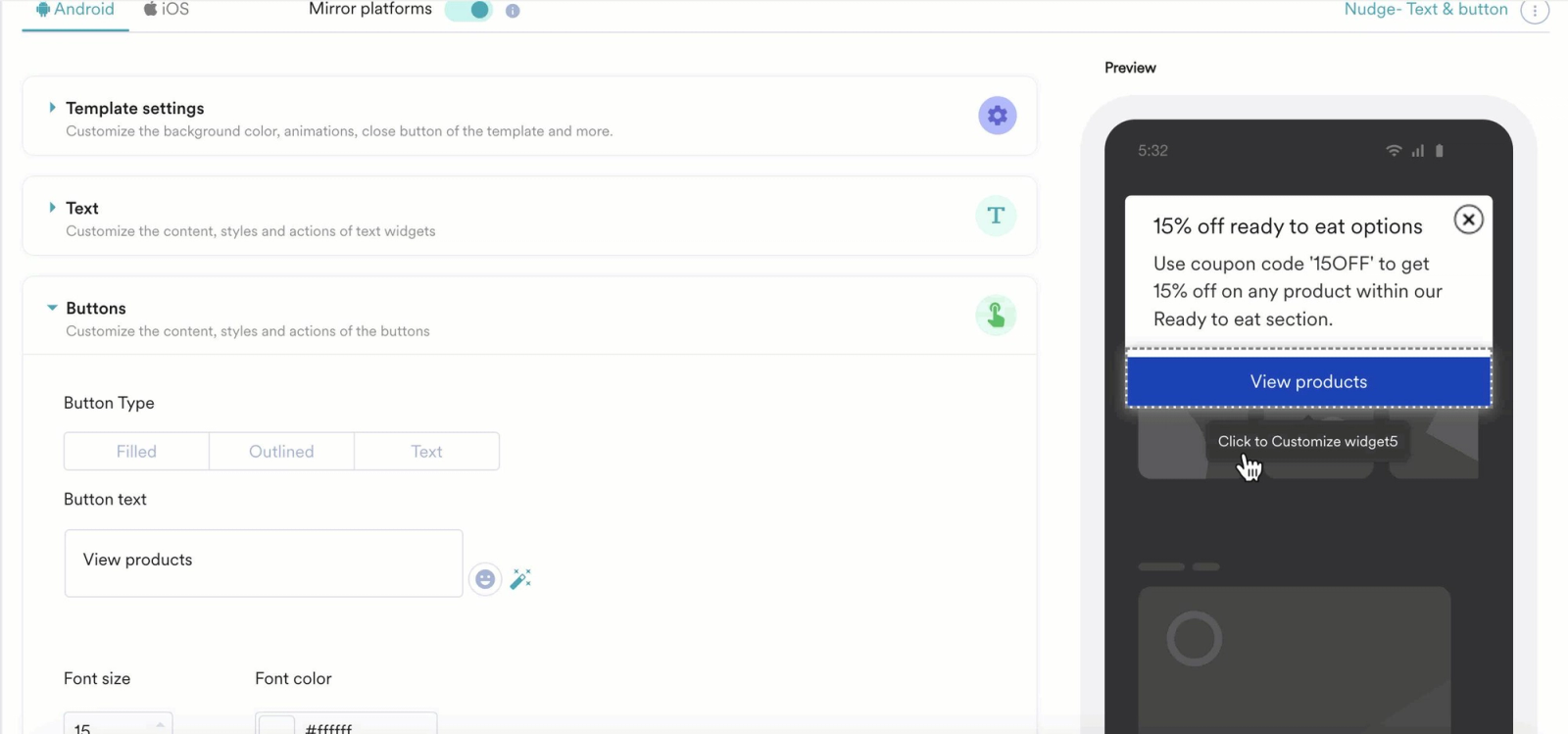
The result is that in-app rendering in most CEPs sits on top of a platform whose underlying investment is in data pipelines, not render performance. The in-app template you are working with is a feature on a data platform, not a product built by a team whose entire focus is what renders on a user's screen.
CleverTap, Braze, MoEngage, Insider, and WebEngage are strong for omnichannel orchestration and retention analytics, but their in-app capabilities are limited to template-constrained messaging, lack native gamification depth, and require more technical resources for advanced in-app features and experimentation.
This is the gap. And for teams who have noticed it, the typical response is to work around it, filing engineering tickets, waiting for releases, or shipping experiences that are technically live but visually generic. All three of those paths are expensive.
The Template Tax
When your growth team builds in-app campaigns inside a CEP's native editor, they are working within the rendering constraints of that platform. Call this the template tax: the accumulated cost of everything you cannot do because the platform decides what can and cannot be rendered.
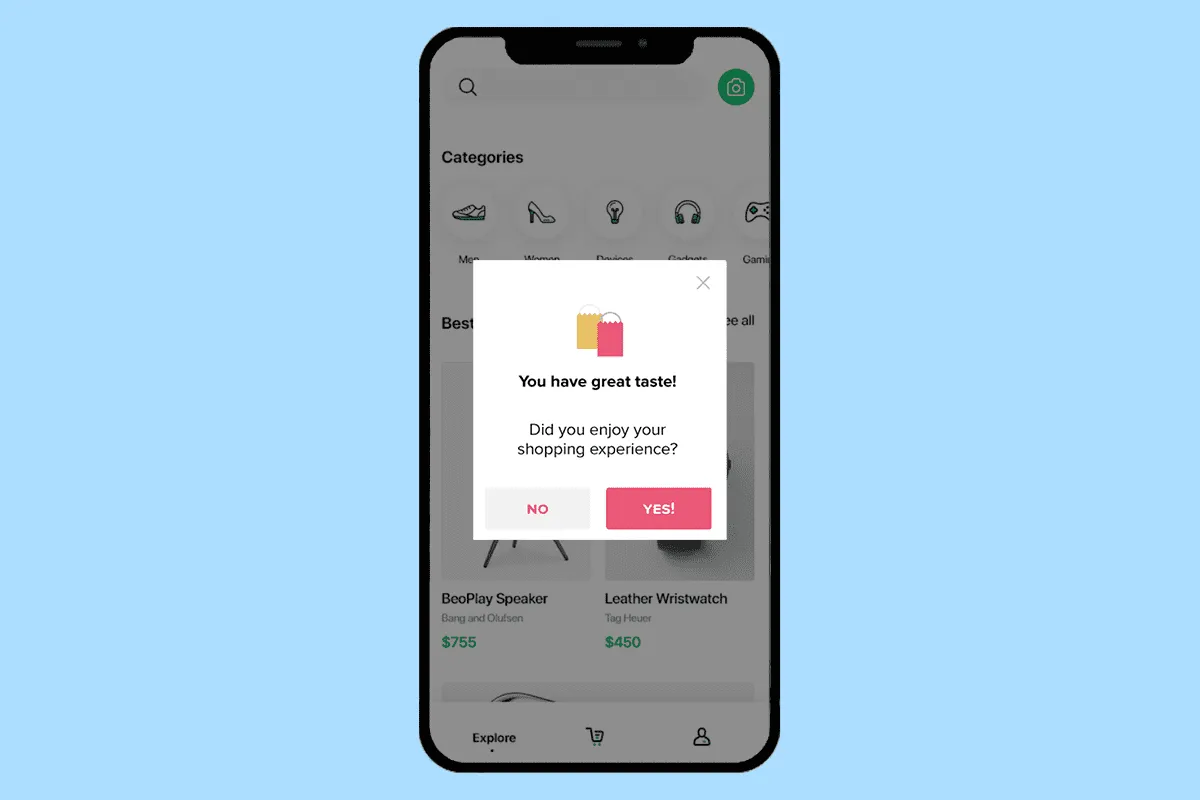
The template tax shows up in four ways.
Design constraints. Platform-rendered in-app messages arrive in pre-defined formats: full-screen modals, banners, bottom sheets, interstitials. The typography is limited, animation support is minimal or absent, and the visual output typically looks like what it is, a third-party overlay sitting on top of your app. Your design system, the one your product team has built and maintained, does not extend into these experiences. Users notice. A campaign that feels visually foreign to the rest of the app erodes the implicit trust that good product design builds.
Creative iteration speed. When design changes require going through the platform's editor, every visual update is constrained by what the editor supports. A new interaction pattern, a richer animation, a component that matches your app's actual design language, these are not features you can just turn on. They either require platform feature releases or custom HTML work inside the platform's template builder, which reintroduces engineering dependency.
Custom interaction patterns. Engagement experiences that drive meaningful results, scratch cards, streak trackers, inline carousels, gamified reward reveals, are not available in any CEP template library. Mobile teams run 3 to 5 experiments per quarter due to release bottlenecks. Server-driven UI removes that dependency and speeds up experimentation, while engagement tools nail targeting but fail at delivery. The template tax is why the delivery fails.
Content ownership. When your campaigns are rendered by an external platform, the visual logic lives outside your codebase. That is not just a philosophical point. It means A/B tests on visual treatments require the platform's A/B tooling, rollbacks depend on the platform's availability, and any change to how something looks involves another system's deployment pipeline.
The Performance Gap
Platform-rendered in-app experiences carry a measurable performance cost compared to natively rendered experiences through a dedicated SDK. Understanding where that cost comes from matters for any team evaluating their in-app stack.
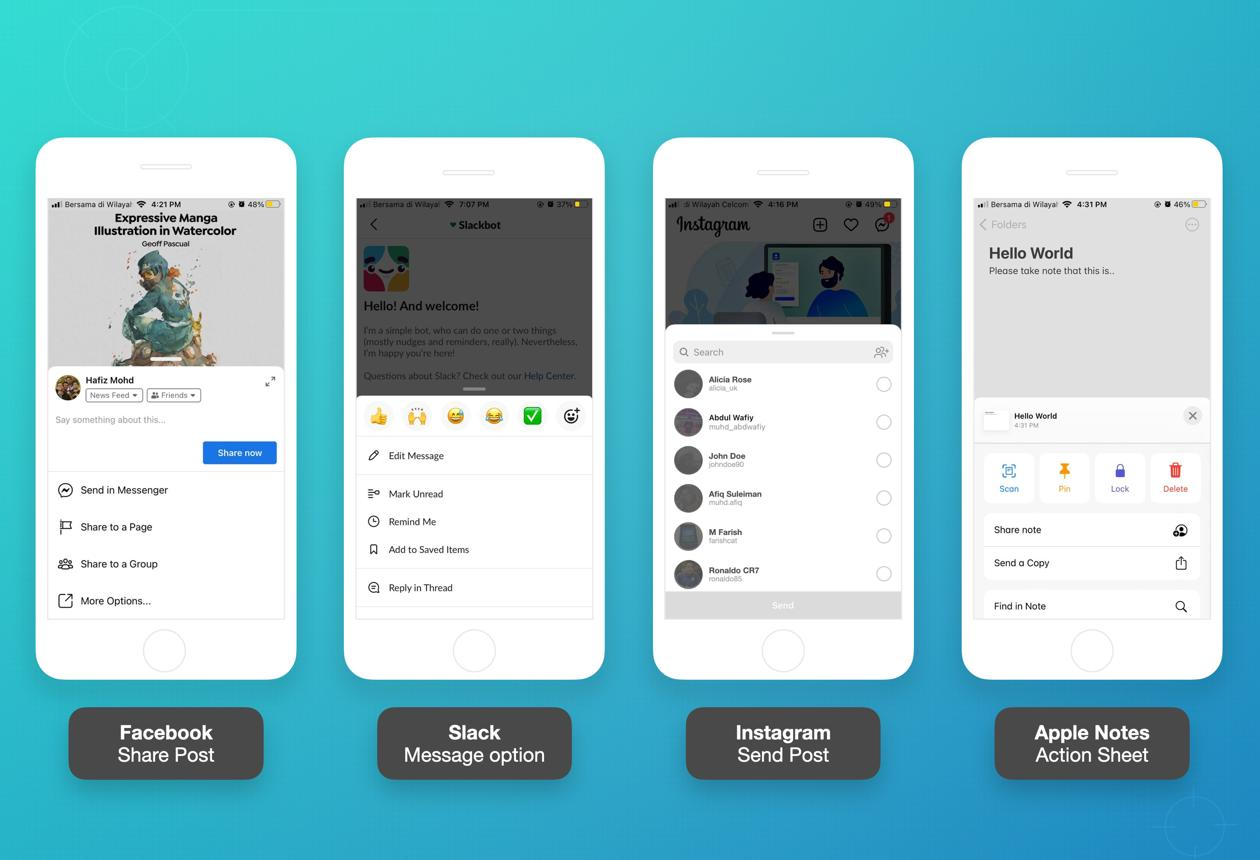
Image prefetch delays. MoEngage downloads images in the background and only shows the in-app message after the image is completely downloaded, which means in-app messages with images can take time to appear. This is a rational architectural choice for a platform built around push delivery, where assets are not expected to render on a sub-100ms timeline. It is the wrong behavior for an in-app experience that should feel like part of the app.
WebView overhead. Many CEP in-app implementations use a WebView layer to render HTML templates. WebView rendering lags behind native components, and JavaScript bridge overhead creates translation overhead as each native call crosses this layer. Complex interfaces suffer most from this gap. For simple text-only modals, the delta is imperceptible. For animated, media-rich, or interactive experiences, the difference is visible.
Trigger evaluation latency. WebEngage has been criticized by teams for trigger delays of 5 to 10 seconds and weak in-app engagement capabilities, even while its journey automation is solid. A 5-second delay between a user action and an in-app response is not a nudge, it is an afterthought. By that point, the user has already moved on.
In contrast, Digia Engage's event-based trigger architecture fires within 100ms of qualifying events, which is roughly 10 times faster than platform-rendered alternatives. That gap exists because Digia Engage was built specifically for in-app rendering, not as an extension of a push notification system.
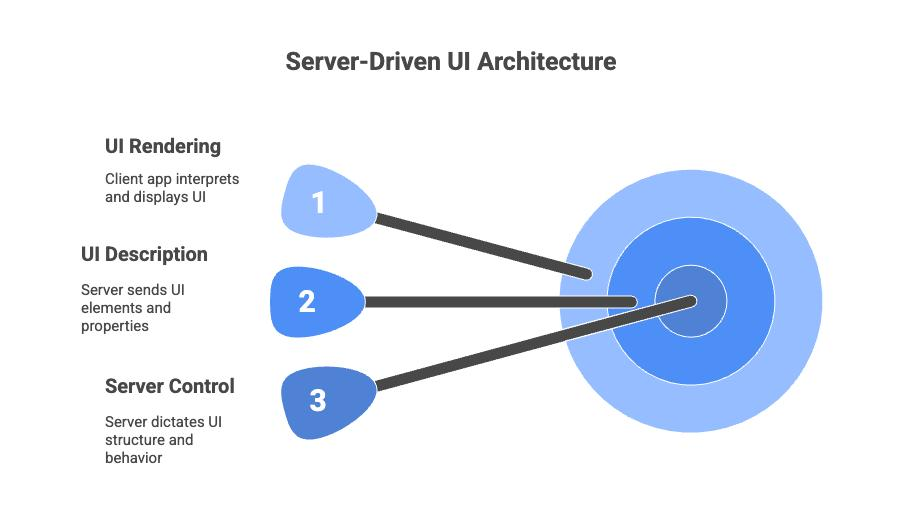
The principle behind high-performance in-app rendering is that the backend stops returning raw domain data and starts returning "what to show," while the client stops deciding what and focuses on how, handling fonts, gestures, animations, accessibility, and native performance. The screen becomes a rendering engine for a structured payload the backend owns.
When a CEP renders UI, it owns both sides of that equation, and it was only ever optimized for one of them.
The Vendor Lock-In Nobody Talks About
There is a vendor lock-in dimension to platform-rendered in-app that most teams underestimate at the point of adoption.
When your in-app experience logic lives inside a CEP, migrating to a different engagement platform means rebuilding every in-app campaign from scratch. The audience logic can potentially be exported. The journey flows can be re-created. But the actual rendered experience, the visual templates, the interaction patterns, the conditional display logic, those live in the platform's proprietary editor and do not export.
Teams that have gone through a CEP migration know what this costs. A migration that should take two weeks turns into three months because of the in-app rebuild.
The better architecture decouples this dependency. Segmentation and journey logic stay in the CEP where they belong. The rendering layer runs separately. When you switch CEPs, you reconfigure the trigger integration. You do not rebuild the experience layer. Digia Engage integrates directly with CleverTap, MoEngage, and WebEngage for exactly this reason: teams keep using the CEP they have invested in, and add a dedicated rendering layer on top without duplicating or replacing the data infrastructure.
Experimentation Velocity: The Hidden Cost of Coupled Rendering
One of the most concrete costs of platform-owned rendering is what it does to experimentation velocity.
Airbnb runs 500 or more concurrent experiments using server-driven UI. An experiment that would take two weeks to build, review, release, and wait for adoption takes two hours with server-driven rendering. Lyft reduced experiment delivery from two weeks to two days on their Canvas system.
Those numbers reflect what happens when you decouple experience decisions from the release cycle entirely. The opposite is also true: when in-app experiences are coupled to a CEP's rendering constraints, the experimentation surface shrinks dramatically. You can A/B test copy. You can test which segment receives a campaign. What you cannot test is the visual treatment itself, because changing the visual treatment means working within the platform's editor and is bounded by what it supports.
Airbnb's Ghost Platform centers on sections and screens as fundamental building blocks, with a single shared GraphQL schema serving web, iOS, and Android identically. Their approach maintains platform-native performance while enabling unified server control. The core insight there is not just engineering elegance. It is that the teams moving fastest on experimentation are the ones who separated the decision of what to show from the decision of how to render it.
For growth teams at consumer apps, this translates to a practical question. Is the experimentation surface your CEP supports, copy variation and audience segmentation, the full scope of what you want to test? If the answer is no, and for most teams it is, the rendering layer needs to move out of the CEP.
The Separation of Concerns Argument
Separation of concerns is a foundational principle in software architecture. The most important principle in app architecture is separation of concerns: separating the app into methods, classes, files, packages, modules, and layers that have clearly defined responsibilities and boundaries. The same principle applies at the system level, to the engagement stack.
A CEP has one responsibility: decide who should receive a message, when, and through which channel. That is a data and orchestration problem. A rendering layer has a different responsibility: determine how the experience looks and feels when it reaches the user. That is a performance and design problem.
When one system tries to own both, it does neither well. A well-designed architecture eliminates duplicate code, enforces separation of concerns, and makes refactoring predictable. Teams that adopt clear separation from the start typically spend 40 to 60 percent less time on bug fixes in the 12 months after launch compared to teams that skip the architecture phase.
The engagement stack equivalent: teams that separate their CEP from their rendering layer can update either side independently. A new segmentation capability in your CEP does not require any change to how experiences are rendered. A new interaction pattern in your rendering layer does not require rebuilding journey logic. The two systems evolve at their own pace, which is the correct cadence for tools that are solving genuinely different problems.
A well-organized mobile app architecture promotes the separation of concerns, making the app more manageable and scalable. It enables modification of one layer without significant impact on others, and allows scaling of layers independently based on load. That independence is what breaks when a CEP owns rendering.
What the Separation Looks Like in Practice
The decoupled architecture is not theoretical. It has a specific implementation that growth teams can adopt without replacing their current CEP stack.
The CEP continues to do what it does well: data ingestion, behavioral segmentation, cohort creation, journey mapping, channel delivery decisions. When the CEP's logic determines that a user should receive an in-app experience, it fires a trigger. That trigger is received by a dedicated rendering SDK, which has pre-built components available in memory, renders them natively without a network round-trip or asset download delay, and returns control to the app immediately.
The core of server-driven rendering is a JSON schema that represents UI components. The client has a library of pre-built components and renders whatever the server tells it to. Change the configuration, and the app changes instantly, with no app store release needed.
In this model, the growth team still configures everything from a single dashboard. The difference is that the dashboard talks to a rendering system that is purpose-built for in-app experiences, not adapted from a push notification engine. The CEP handles the journey logic. The rendering layer handles what actually appears on screen.
This is why Digia Engage's SDK is under 2MB with a zero-crash record and triggers in under 100ms. The SDK's entire purpose is rendering, so that is what it is optimized for. It is not carrying the weight of a full customer data platform trying to also render modals.
What Else Breaks When Rendering Lives in the CEP
Beyond performance and design constraints, there are several failure modes that emerge specifically from coupled rendering that most teams discover only after the fact.
Personalization depth. CEPs are excellent at personalizing who receives a message. They are less capable at personalizing the visual experience itself. A growth team might correctly identify that a user is in a high-intent moment and needs a specific nudge, but the nudge will still render from the same template pool as every other nudge in the system. True personalization at the rendering layer, components that adapt their visual treatment based on user segment, lifecycle stage, or real-time behavioral signals, requires a rendering system that has access to those signals at render time, not just at targeting time.
Cross-platform consistency. When a CEP renders in-app experiences, it maintains separate template libraries for iOS, Android, and web. Keeping those visually consistent requires parallel configuration work across platforms. A purpose-built rendering SDK with a unified component system renders consistent experiences across native iOS, native Android, React Native, and Flutter from a single configuration.
Analytics fidelity. When rendering lives inside a CEP, engagement analytics for in-app experiences also live inside the CEP. That creates two data sources: your product analytics platform and your CEP's engagement analytics. Attribution logic for in-app events becomes complex. A user who completed onboarding after seeing an in-app nudge appears in both systems, often with inconsistent event naming and attribution windows. Separating rendering from the CEP, with the rendering SDK feeding events back into your existing data infrastructure, produces a single source of truth for in-app engagement data.
Release dependency for experience updates. This is where most teams feel the pain most directly. When an in-app experience is delivered through a CEP template, the experience's visual scope is fixed at the moment the template was built. Changing the experience requires either working within the template editor's constraints or shipping a new app version. Neither path is as fast as updating a component configuration from a dashboard, which is what a dedicated rendering layer enables.
How Digia Engage Fits Into This Architecture
Digia Engage is the rendering layer in this architecture. It is not a replacement for CleverTap, MoEngage, or WebEngage. It is the system that handles what those platforms were not built for.
The integration is additive. Growth teams plug Digia Engage into their existing CEP, using existing segments, existing event streams, and existing journey logic as the targeting layer. Digia Engage receives the trigger and handles everything that happens on screen: rendering nudges, widgets, surveys, gamification mechanics, and in-app videos with native performance and within the app's actual design system.
The SDK is available for native iOS, native Android, React Native, and Flutter. Integration takes around 20 minutes. Teams that have integrated Digia Engage report their first live campaign within 24 hours, because the blocking variable is not engineering time, it is the targeting logic and content, which the growth team controls directly.
This is the architecture that Probo, Dezerv, and Lokal use. Their CEPs handle data infrastructure and channel orchestration. Digia Engage handles what the user actually sees inside the app.
Key Takeaways
CEPs were built for data orchestration and channel delivery. UI rendering was added as a feature, not designed as a core capability. That origin determines every constraint that follows.
The template tax is real: design constraints, slow creative iteration, limited interaction patterns, and creative logic that lives outside your codebase.
The performance gap is measurable: asset download delays, WebView rendering overhead, and trigger evaluation latency that can reach 5 to 10 seconds on some platforms, compared to under 100ms for purpose-built rendering systems.
Vendor lock-in from platform-rendered UI is one of the highest-cost, least-discussed risks in the engagement stack. Decoupling rendering from the CEP removes that dependency without replacing the CEP's data infrastructure.
Separation of concerns is not just a software engineering principle. Applied to the engagement stack, it means the CEP owns targeting and the rendering layer owns experience delivery. Both improve when they are not trying to do the other's job.
The decoupled architecture is in production at some of the fastest-moving mobile teams in the world, including Airbnb, Netflix, and Lyft, as well as consumer apps that run Digia Engage alongside their existing CEP.
Further Reading
From Digia Engage:
- What is Server-Driven UI for Engagement? How It Works and Why It Matters - the architectural case for decoupled rendering in the engagement stack
- When NOT to Show a Nudge: Building a Suppression Logic - the complement to this article: once you have a proper rendering layer, this is how to govern when it fires
- The Real Difference Between CDUI and SDUI - client-driven vs server-driven rendering, and what the choice means for growth teams
- Digia Engage Integrations: CleverTap, MoEngage, WebEngage - how the decoupled architecture works with the CEP your team already runs
- Digia Engage Products - the rendering components available without an engineering ticket: nudges, widgets, surveys, gamification, and in-app video
External Sources:
- A Deep Dive into Airbnb's Server-Driven UI System - Airbnb Engineering on the Ghost Platform and how server-driven rendering scales across platforms
- Server-Driven UI: What Airbnb, Netflix, and Lyft Learned - comparison of rendering architectures across three of the highest-velocity mobile teams in the industry
- Guide to App Architecture, Android Developers - Google's canonical documentation on separation of concerns in mobile app architecture
- React Native Performance Overview - on why WebView rendering lags native component rendering and what the performance delta looks like
- Why are In-App Messages Displayed with a Delay? MoEngage Help - MoEngage's own documentation on why image-heavy in-app messages carry a display delay
Digia Engage is the rendering layer for growth teams that want in-app experiences that match the quality of their product. It integrates with CleverTap, MoEngage, and WebEngage in under 20 minutes and ships the first campaign without an engineering ticket. Book a demo to see how it works inside your app.