TL;DR: Every tool in this comparison lets you show an in-app message "when a user does X". The real differences sit underneath. Braze, Airship, OneSignal and Firebase cache messages on the device and evaluate triggers locally, so they react fast but only to events the app's own SDK logs. MoEngage fetches the message template when the trigger fires, so a weak network delays the render. None of the major CEPs let a server-side event fire an in-app message directly. Pick the tool whose delivery model fits the moment you are trying to catch, then compare formats and price.
Editorial disclosure: Digia Engage is one of the tools reviewed here. It integrates with CleverTap, MoEngage and WebEngage, and can run alongside them. In November 2026 we reviewed each vendor's public documentation and pricing pages. We did not run instrumented latency tests on every tool, and we say where a figure is a vendor's own claim.
How behaviour triggering actually works
A behaviour-triggered in-app message is shown inside a live session because the user just did something, such as finishing a transfer, viewing a screen for the third time, or abandoning a cart.
Four things have to happen for that to work:
- The behaviour is detected. Almost always this means your app logs an event through the vendor's SDK.
- The SDK decides the user qualifies. That depends on audience rules, frequency caps and priority against other messages.
- The message content is available. Either it is already on the device, or it has to be downloaded first.
- The message renders, as native UI or as an HTML template.
Most comparison pages stop at step one and list trigger names. Steps two to four decide whether the message appears in the same moment as the behaviour or 40 seconds later, after the user has moved on.
For a broader look at designing the campaigns themselves, see Digia's complete guide to behaviour-triggered in-app campaigns.
The two delivery models
Every tool here uses one of two models, and the model predicts most of its strengths and failure modes.
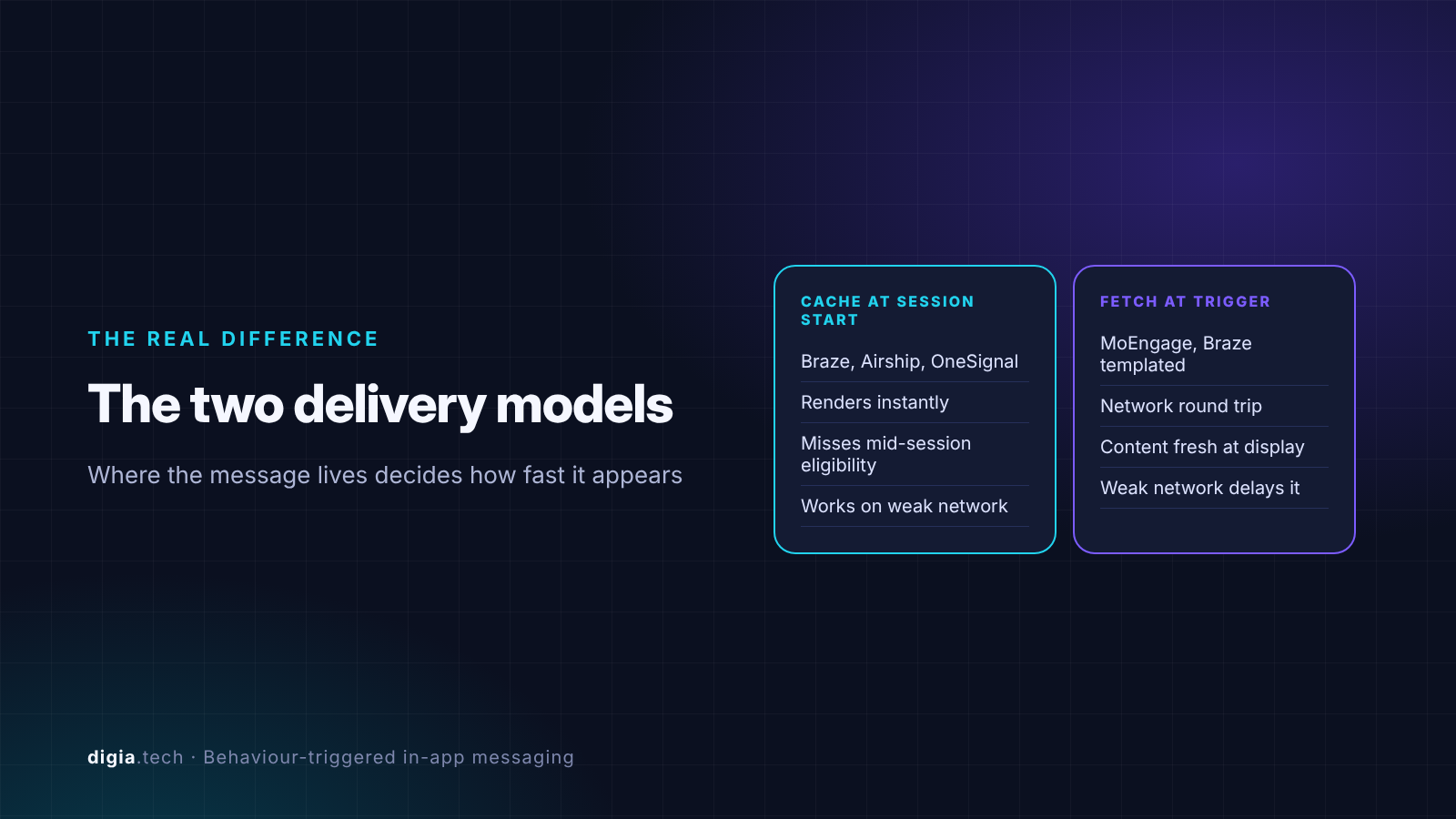
Model 1: cache at session start, trigger on device
The SDK downloads every message the user is eligible for when the session starts. When a trigger event fires, the message is already local and renders immediately.
Braze is the clearest documented example. Its docs say that all eligible in-app messages are delivered to the device at session start, with assets prefetched, and that triggers must happen locally in the SDK, so API calls and API events cannot trigger an in-app message. Airship works the same way. Its In-App Automation messages are cached on users' devices and displayed when users meet certain conditions, and Airship states that server-side events cannot be used to trigger an In-App Automation or Scene.
The cost of this model is eligibility lag. If a user joins a segment mid-session, the cached set does not know about it until the next session. OneSignal's docs say it plainly: the user must be within the audience before a new session starts for the trigger to display the message.
Model 2: fetch the message at trigger time
The SDK knows which campaigns exist and which events fire them, but downloads the actual message content only when the trigger happens.
MoEngage documents this model. When its SDK detects the trigger, the template is fetched in real time, and poor connectivity can delay rendering. The benefit is fresher content and personalisation computed at the moment of display. The cost is a network round trip between behaviour and render, which matters on Indian mobile networks and inside lifts and metros.
Braze also uses this model for one case. Templated in-app messages, which personalise content at display time, are fetched over the network when the trigger fires.
Why this matters more than the trigger list
| Question | Cache at session start | Fetch at trigger time |
|---|---|---|
| Render speed after the event | Near instant, message is local | Depends on the network round trip |
| Can a mid-session segment change take effect? | Usually not until the next session | Depends on the vendor |
| Content freshness | As of session start | As of the trigger |
| Offline or weak network | Still renders cached messages | Can fail or delay |
How we compared the tools
In November 2026 we reviewed public developer docs, help centres and pricing pages for eight tools. We scored each on four criteria:
- Trigger depth. Which in-session triggers are documented: app open, screen view, custom event, event properties, session duration, Nth occurrence.
- Delivery model. Cached at session start or fetched at trigger time, and what the docs say about latency.
- Trigger source. Whether only client-side SDK events can fire a message, or server-side events too.
- Rendering and price. Native components versus templates or WebView, and the published starting price where one exists.
We left out tools whose mobile in-app triggering is primarily web-first. If tooltips specifically are your use case, our tooltip tool comparison covers anchoring and coach marks in more depth.
The comparison table
| Tool | Documented in-app triggers | Delivery model | Server events fire in-app? | Notable limit | Starting price |
|---|---|---|---|---|---|
| Braze | Session start, push click, any purchase, specific purchase, custom event | Cached at session start (templated messages fetched at trigger) | No, SDK events only | One message per trigger occurrence, highest priority wins | Not public |
| CleverTap | App open, custom event, session duration, time since last in-app | Not documented in public detail | Not documented | Event-relative delay options, check timing in trial | Not public |
| MoEngage | Session start, screen load, custom event, push click | Fetched at trigger time | No, same-device SDK events only | Minimum delay 1 minute when a delay is set | Not public |
| Airship | App open, app update, custom event, screen view | Cached on device | No, client-side events only | Event must be tracked by the mobile SDK | Not public |
| OneSignal | App open, session duration, time since last in-app, custom triggers via addTrigger | Cached, evaluated at session start | No, via SDK addTrigger | Audience membership fixed at session start | Free tier available |
| Firebase In-App Messaging | App open (foreground), Analytics events, programmatic trigger | Fetched from server once per day | No | One app-open message per day per device | Free |
| Plotline | Custom events and screen views, synced from CEP or analytics | Vendor claims render within 100ms of event | Via its own SDK | Separate tool next to your CEP | $999/month |
| Digia Engage | CEP triggers (CEP mode) or own SDK triggers (standalone mode) | Native components, rendered by SDK | Follows the CEP in CEP mode | Newer vendor, smaller ecosystem | $499/month |
Pricing is as published on vendor sites in November 2026. "Not public" means the vendor quotes on request.
Tool-by-tool notes
Braze
Best for teams already on Braze who need a single system for push, email and in-app.
Braze in-app messages trigger on Session Start, Push Click, Any Purchase, Specific Purchase or a Custom Event. Because messages are cached at session start, the render is fast once the event fires.
The limits are specific. Only the highest-priority message displays per trigger occurrence, so two campaigns on the same event compete. In-app steps inside a Canvas journey become eligible at the next session start, which delays journey-driven messages. On Android there is a default minimum interval of 5 seconds between triggers. If you need a server event to fire an in-app message, Braze's documented workaround is a silent push that logs an SDK custom event, which adds a push delivery step and its own failure rate.
CleverTap
Best for teams that want analytics and engagement in one platform with event-relative timing.
CleverTap documents in-app triggers including app open, session duration, and time since the last in-app message, plus event-based triggers. Its own guide to triggered messaging describes delivering a message immediately after an event or after a set delay such as 15 minutes.
CleverTap's public docs say less than Braze's or MoEngage's about how the SDK fetches and caches in-app content. Ask your account team directly, and measure the gap between event and render on a mid-range Android device during the trial.
MoEngage
Best for teams that want personalised content computed at display time.
MoEngage offers four triggers: On session start, On screen load, On custom event and On push click. Only custom events tracked by the SDK on the same device can trigger a message.
The fetch-at-trigger model means the template downloads when the event fires. On a good connection that is fine. On a weak one, the render waits. If you add a delay, the minimum is 1 minute and the maximum 24 hours, so sub-minute delays such as "show this 10 seconds after the user lands on checkout" are out. MoEngage also enforces a minimum gap between two messages from the same campaign and a global gap across campaigns, which protects users and also blocks back-to-back sequences.
Airship
Best for teams that need multi-event sequences and fully native screens.
Airship supports App Open, App Update, Custom Event and Screenview triggers across in-app experiences. Its on-device automation framework can respond to a series of events in real time, such as several game level changes or a sequence of screens, which most CEPs do not document.
The constraint is the same as Braze's. Custom Events used for In-App Automation or Scene triggers must be client-side events tracked by the mobile SDK. Airship Scenes render with fully native UI components, which is a real advantage over HTML templates on lower-end devices.
OneSignal
Best for smaller teams that want behaviour triggers without a CEP contract.
OneSignal has four trigger types: On app open, Session duration, Since last message, and Custom triggers controlled through the SDK addTrigger method. Custom triggers are key-value pairs your app sets when something happens, for example addTrigger("level", "1"). Triggers can be combined with AND and OR.
The catch is timing. OneSignal evaluates audience membership when a session begins. Its docs say the most common setup mistake is calling addTrigger after the user is already past the start of their session. So a user who becomes eligible mid-session will not see the message until next time.
Firebase In-App Messaging
Best for prototypes and apps that need a free, basic in-app layer.
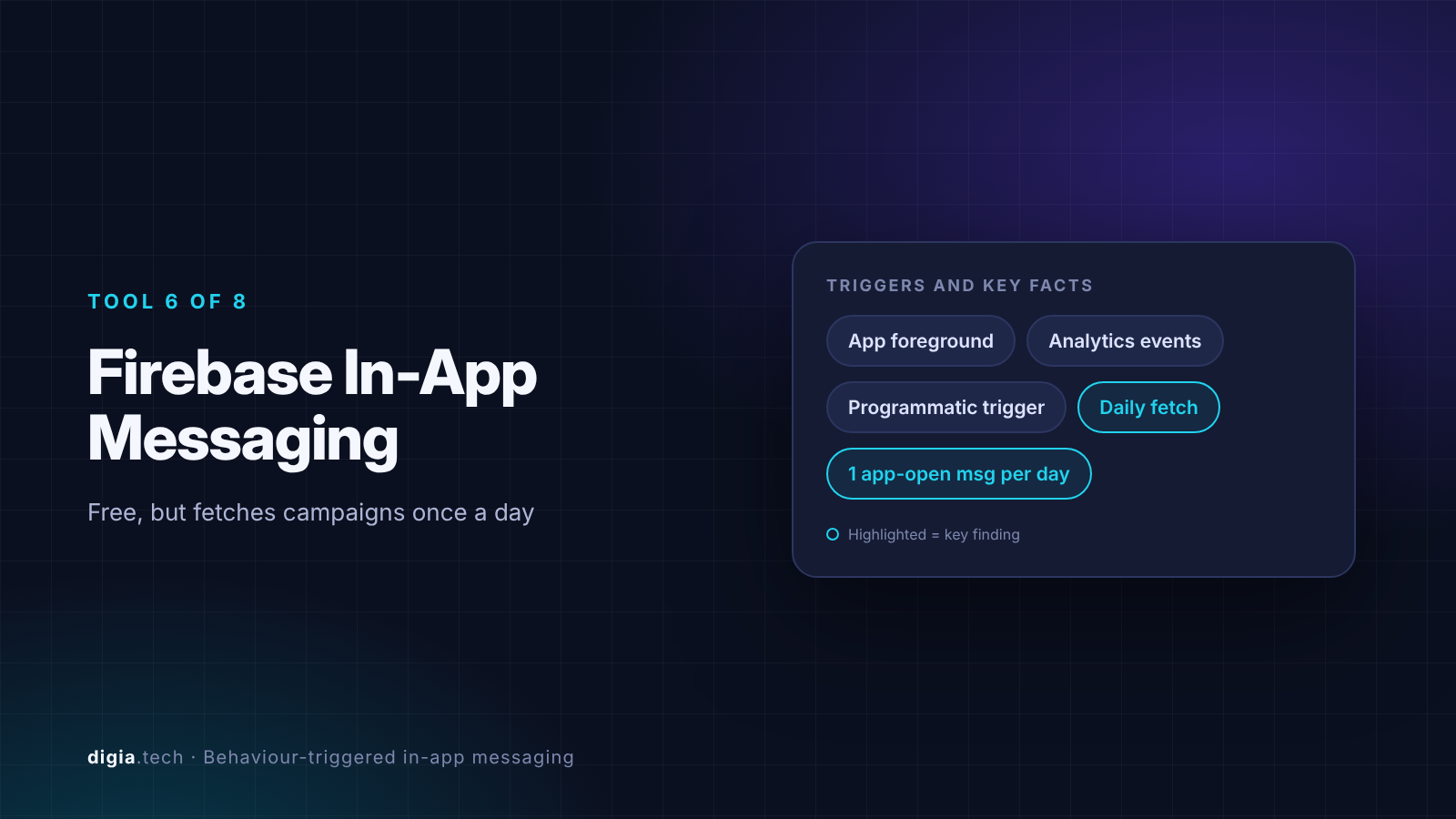
Firebase In-App Messaging can trigger on app foreground, on Google Analytics events, or programmatically from code. It retrieves messages from the server only once per day to conserve power, so a campaign you publish this morning may not reach a device until tomorrow. App-open messages show at most once per day on a device, according to a Firebase engineer. Contextual triggers such as Analytics events or programmatic calls have no daily rate limit.
That daily fetch rules Firebase out for anything time-sensitive, such as flash sales or same-day onboarding experiments. Formats are limited to card, modal, image and banner.
Plotline
Best for product teams that want rich in-app formats on top of an existing CEP and can afford the price.
Plotline positions itself as an in-app layer that sits beside a CEP. It claims its in-app experiences render within 100ms of an event, and says CEP-delivered in-app messages often arrive a minute or more after the event. That is a vendor claim about competitors, so run it as a test on your own devices. Pricing starts at $999 per month.
Digia Engage
Best for teams that want native in-app formats driven by the triggers they already built in CleverTap, MoEngage or WebEngage.
Digia Engage runs in two modes. In CEP mode it reuses the triggers and segments you already defined in your CEP, so the marketing team does not rebuild audiences in a second tool. In standalone mode it uses its own SDK triggers. It renders native components with no WebView, and pricing starts at $499 per month.
Where Digia is weaker: it is a newer vendor with a smaller integration list than Braze or Airship, and in CEP mode its trigger timing depends on how quickly the CEP's SDK reports the event. Test that on your own devices before signing.
Which tool fits which job
| Your situation | Strongest fit | Why |
|---|---|---|
| One platform for every channel, budget for enterprise pricing | Braze or Airship | Cached on device, fast render, mature journeys |
| Personalised content computed at the moment of display | MoEngage | Fetch-at-trigger keeps content fresh, accept network dependence |
| Multi-step in-app sequences driven by several events | Airship | On-device automation handles event series |
| Small team, low budget, simple triggers | OneSignal or Firebase | Free tiers, accept session-start and daily-fetch limits |
| Already on CleverTap, MoEngage or WebEngage and want richer native formats | Digia Engage | Reuses CEP triggers, native rendering, lower entry price than Plotline |
| Rich formats beside a CEP, price is not the constraint | Plotline | Broad format library, vendor-claimed sub-100ms render |
Buyer checklist
Ask every vendor these questions in writing, then verify each answer in the trial:

- Is the message cached at session start or fetched when the trigger fires?
- Can a user who joins a segment mid-session see a message in the same session?
- Can a server-side event, such as a payment confirmation from your backend, fire an in-app message? If not, what is the workaround and its delay?
- What is the measured time from event to render on a mid-range Android phone on 4G?
- How are two campaigns on the same trigger resolved?
- What is the shortest supported delay after an event?
- Does the message render as native UI, HTML template or WebView?
- What does a campaign change cost you: a dashboard edit, or an app release?
Key Takeaways
- The delivery model decides speed. Tools that cache messages at session start render almost instantly but miss mid-session eligibility changes. Tools that fetch at trigger time stay fresh but depend on the network.
- Braze and Airship both document that server-side events cannot fire an in-app message. Plan for every trigger to be an event your app's SDK logs on the device.
- Firebase's once-a-day fetch and OneSignal's session-start audience check are the two limits most likely to surprise a team mid-launch.
- Ask for a measured event-to-render time on your own devices. Vendor latency claims, including competitor comparisons, are positioning until you test them.
Further Reading
From Digia
- Behaviour-Triggered In-App Campaigns: The Complete Guide
- Best In-App Tooltip Tools Triggered by User Behavior (2027)
- What Is an In-App Experience Platform? Definition, Categories and Examples (2027)
External
- Braze: Triggering in-app messages
- Airship: In-App Experience Triggers
- MoEngage: Campaign delivery mechanism for in-app messages
- OneSignal: In-app triggers
External Sources: All Claims Attributed
- Triggering in-app messages, Braze Docs, accessed November 2026
- In-app message delivery (Swift), Braze Docs, accessed November 2026
- Troubleshooting in-app messages, Braze Docs, accessed November 2026
- In-app messages FAQ, Braze Docs, accessed November 2026
- In-app message delivery (Fire OS), Braze Docs, accessed November 2026
- In-app triggers and display options, CleverTap, accessed November 2026
- Triggered messaging based on user activity, CleverTap Blog, accessed November 2026
- Campaign delivery mechanism for in-app messages, MoEngage Docs, accessed November 2026
- In-app message delay settings, MoEngage Help Centre, accessed November 2026
- In-App Experience Triggers, Airship Docs, accessed November 2026
- About In-App Automation, Airship Docs, accessed November 2026
- Custom Events, Airship Docs, accessed November 2026
- Scenes, Airship Docs, accessed November 2026
- In-app messages setup, OneSignal Docs, accessed November 2026
- In-app triggers, OneSignal Docs, accessed November 2026
- Example: target certain Android manufacturers, OneSignal Docs, accessed November 2026
- Firebase In-App Messages, Applicaster Docs, accessed November 2026
- @nativescript/firebase-in-app-messaging README, NativeScript, accessed November 2026
- Answer by Frank van Puffelen on Firebase in-app message frequency, Stack Overflow archive, accessed November 2026
- Interactive demo and Pricing, Plotline, accessed November 2026
- Digia Engage documentation and Pricing, Digia, accessed November 2026
Sources: vendor developer documentation, help centres and pricing pages. All competitor figures are drawn from each vendor's own published materials as of November 2026.
Want native in-app experiences that fire on the triggers you already built in CleverTap, MoEngage or WebEngage? See how Digia Engage works, or book a demo.