TL;DR: An in-app experience platform is software that lets product and growth teams create, target, change, and measure UI inside a live app (banners, tooltips, bottom sheets, stories, surveys, paywalls, gamified elements) from a dashboard, without shipping a new app version. No analyst firm defines it as a category. Gartner's nearest market is the digital adoption platform, which overlays employee- and customer-facing applications with in-application guidance, so the label covers tools that do very different jobs. In practice it spans six categories: the in-app channel of customer engagement platforms, digital adoption platforms, mobile-first in-app engagement layers, paywall builders, remote config, and server-driven UI frameworks you build on yourself. Judge any of them on four layers: how it renders, how it triggers, what you can change without a release, and how it measures outcomes.
Editorial disclosure: Digia Engage is one of the platforms in this category, and it integrates with CleverTap, MoEngage, and WebEngage. In November 2026 we reviewed analyst definitions, vendor documentation, and app store rules to build this guide. Every vendor claim links to the vendor's own page, and we flag where a claim comes from a competitor.
What is an in-app experience platform?
An in-app experience platform is software that renders, targets, and updates user-facing UI inside a live mobile or web app from a dashboard, so non-engineers can ship and test in-app experiences without a new app version.
The "experience" part is wider than messaging. A pop-up that says "20% off" is an in-app message. An in-app experience can also be a tooltip anchored to a button, a stories carousel on the home screen, a progress widget during KYC, a survey after checkout, or the paywall itself.
Two traits separate a platform from a one-off feature your engineers build:
- Release independence. After a one-time SDK integration, the team changes content, layout, targeting, and timing from a dashboard. Plotline, for example, says that after its integration product managers, growth teams, and marketers can create and launch campaigns independently, with no app releases needed.
- Targeting and measurement built in. The same tool decides who sees an experience and at what moment, then reports whether it moved a metric.
Why in-app matters more than it used to
The in-app surface reaches every active user, which push cannot. Airship notes that in-app messages need no explicit permission, while median push opt-in rates sit at approximately 51%. MoEngage's 2026 US benchmark report found that journey-based in-app messages delivered an average 44.17% conversion rate across industries. That is a vendor figure from MoEngage's own customer base, so read it as a direction rather than a target for your app.
Digia's 2027 in-app engagement trends piece covers why the OS is pushing more weight into the in-app session, from push filtering to lock-screen trackers.
Why the term is confusing
"In-app experience platform" is a buyer's phrase. No analyst firm publishes a category by that name, so vendors from four different markets all claim it.
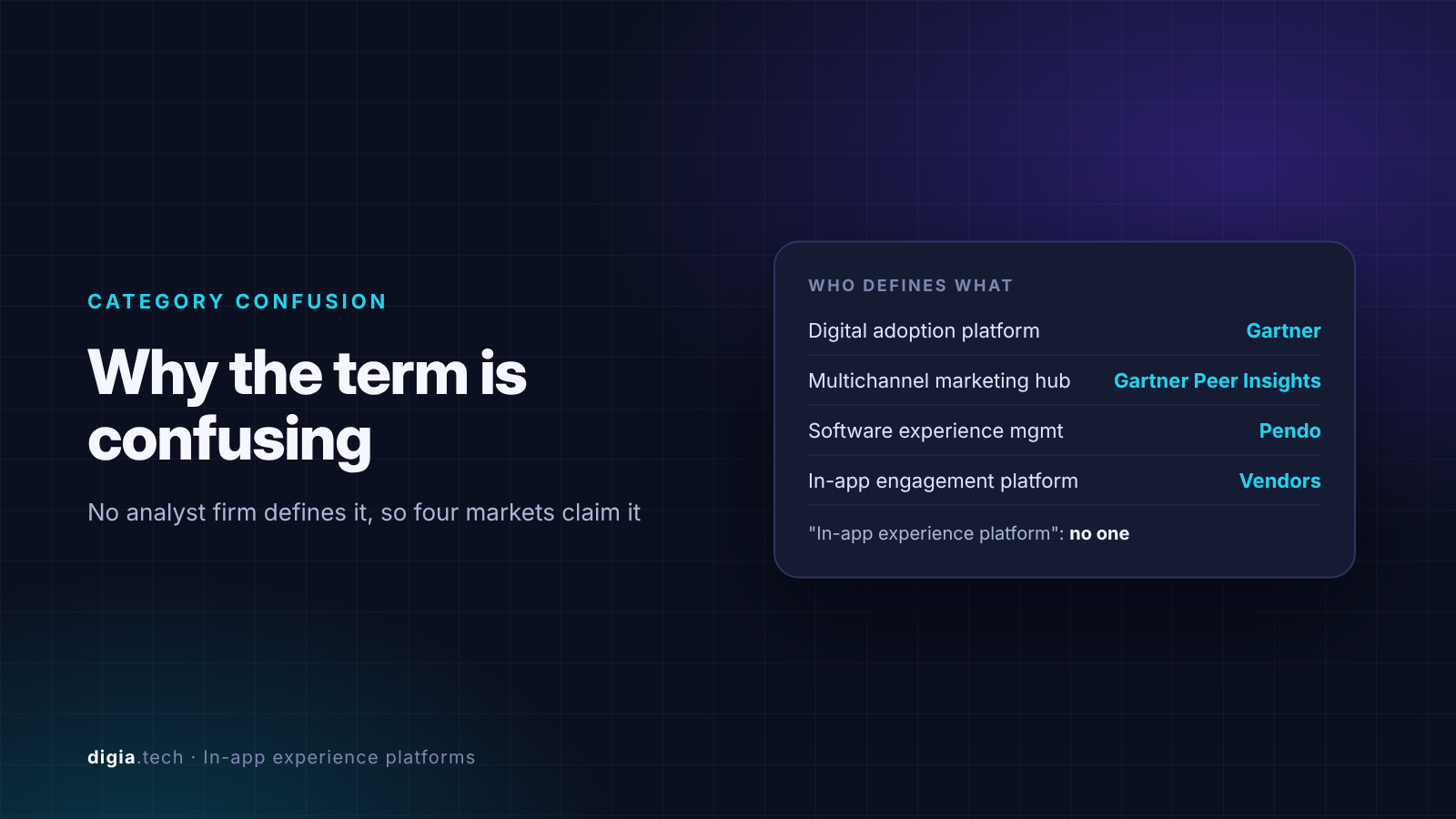
Here is how the closest analyst and vendor categories are defined:
| Term | Who defines it | What it covers |
|---|---|---|
| Digital adoption platform (DAP) | Gartner | Software that overlays employee- and customer-facing applications with in-application guidance to drive adoption, proficiency and engagement |
| Multichannel marketing hub | Gartner Peer Insights market | Where engagement platforms such as MoEngage are reviewed. Gartner lists MoEngage's market presence in Multichannel Marketing Hubs and Email Marketing |
| Software experience management (SXM) | Pendo | A category Pendo coined to group product analytics, digital adoption, voice-of-customer, and in-app guidance |
| In-app engagement platform | Vendors such as Plotline and AppStorys | Software to add stories, banners, tooltips, coach marks, surveys, and gamified experiences directly inside a live app |
The practical consequence: two tools that both call themselves in-app experience platforms can have almost nothing in common. One might be an enterprise overlay for guiding employees through an internal CRM. Another might be an SDK that renders native stories inside a consumer fintech app. Gartner's 2026 market guide for DAPs, published 31 August 2026, says AI is pushing DAP buyers to question whether to build or buy, which shows how fast even the defined categories are moving.
So start from the job you need done, then find the category that does it.
The four layers every platform needs
Whatever a vendor calls itself, an in-app experience platform has to do four jobs. Most tools are strong on two and thin on the other two.
1. Render
How the experience appears on screen. The main split is native UI versus WebView or HTML templates. Native components match the app's look and performance. Airship, for instance, describes its Scenes as experiences displayed with fully native UI components in real time. RevenueCat says its paywalls are built on-device with 100% native code, eliminating loading lag.
2. Target and trigger
Who sees the experience and when. Good platforms can trigger on an event in the current session as well as on audience membership checked at the next app open. Digia's guide to behaviour-triggered in-app campaigns covers the trigger types in depth.
3. Control
What the team can change without an app release, and how safely. That covers copy, layout, targeting, scheduling, frequency caps, suppression rules, approvals, and rollback.
4. Measure
Whether the experience moved an outcome. Impressions and clicks are the floor. Useful platforms tie exposure to downstream events and support holdout groups, so you can prove a campaign caused the change.
The six categories of in-app experience platforms
Four of these are products you buy. The last two are building blocks your engineers assemble.
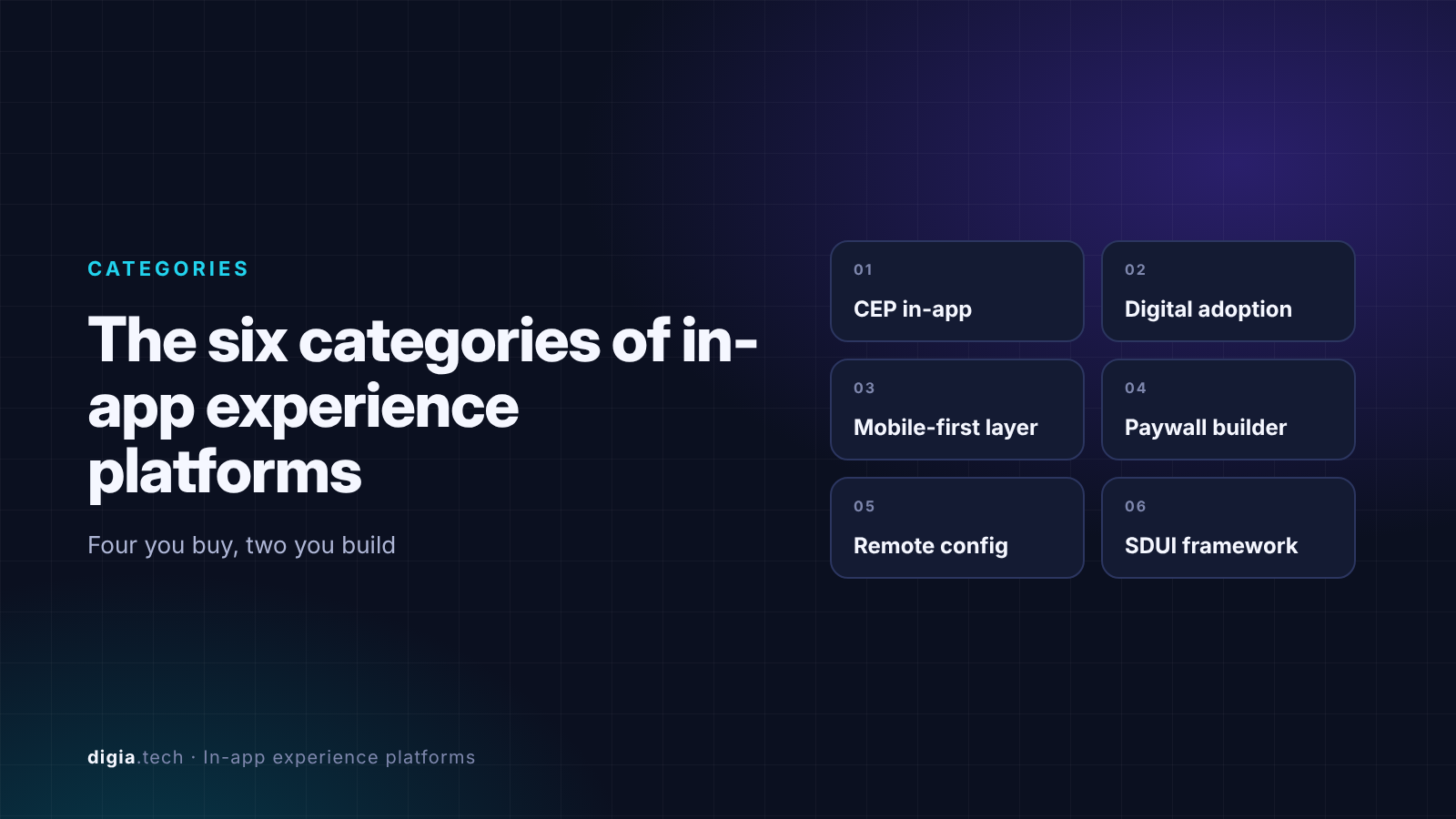
1. Customer engagement platforms with an in-app channel
Examples: Braze, CleverTap, MoEngage, Airship.
These platforms orchestrate journeys across push, email, SMS, WhatsApp, and in-app. Braze describes an in-app messaging platform as one that helps brands send targeted, personalized messages to users while they're active in a mobile app. Their strength is the data underneath: unified profiles, segments, and cross-channel journeys.
The trade-off is depth of in-app UI. Formats vary by vendor, and some lean on templates. Competitors exploit that gap in their positioning. Plotline, for example, argues that CEPs focus on outside-the-app engagement, and their offering inside the app is limited to banners and popups. Treat that as a competitor's claim and check the formats each CEP offers today.
Best fit: teams that need one system for every channel and can live with the CEP's in-app formats.
2. Digital adoption platforms
Examples: WalkMe, Whatfix, Pendo, Appcues, Userpilot.
DAPs grew up guiding users through complex software, often internal tools. Gartner's market listing includes WalkMe, Whatfix, Pendo, Userlane, Stonly, and others. Pendo frames itself as a platform that helps product teams and application owners improve users' experience with their software, whether those users are customers or employees.
Their strengths are walkthroughs, checklists, resource centers, and product analytics. Most started on the web, and mobile support varies widely by framework. Digia's comparison of no-code tooltip and coach mark tools for mobile apps shows where those gaps sit.
Best fit: B2B SaaS and enterprise teams whose main job is onboarding and feature adoption, especially on web.
3. Mobile-first in-app engagement layers
Examples: Plotline, Digia Engage, AppStorys.
These tools exist because consumer apps wanted richer native UI than CEP templates and DAP overlays provided. Plotline describes its product as letting teams build native, real-time in-app experiences such as tooltips, stories, spotlights, games, and surveys without any engineering dependency or app release.
Digia Engage takes the same native approach and sits on top of the CEP a team already runs. It renders tooltips, bottom sheets, banners, stories, surveys, and gamification as native components from a dashboard, while CleverTap, MoEngage, or WebEngage keeps handling segments and outbound channels.
Best fit: consumer apps in fintech, commerce, gaming, and media that need native formats and frequent changes on high-value screens.
4. Paywall and monetization screen builders
Examples: RevenueCat Paywalls, Purchasely.
Subscription apps treat the paywall as an experience that needs constant testing. RevenueCat says its Paywalls let teams remotely configure the entire paywall view without any code changes or app updates. Purchasely goes further into the session with a builder to create and iterate on native Screens in no-code, including surveys and quizzes, and placement rules to show them without an app release.
Best fit: subscription apps where pricing screens and upgrade flows drive revenue.
5. Remote config and feature flags
Examples: Firebase Remote Config, LaunchDarkly, Statsig.
Remote config is the most common "platform" teams already have. Firebase describes it as a service that lets you change the behavior and appearance of your client app or server without requiring users to download an app update, for example to change your app's layout or color theme for a seasonal promotion.
The catch is that remote config switches between options engineers already built. It changes parameters. It does not give a growth team a visual builder for new experiences, so every new format still starts as an engineering ticket.
Best fit: feature rollouts, kill switches, and simple A/B tests on screens that already exist.
6. Server-driven UI frameworks
Examples: DivKit (open source, from Yandex), in-house systems such as Airbnb's Ghost Platform.
Server-driven UI (SDUI) sends layout and data from the server and renders it with native components. DivKit, which Yandex open-sourced, describes itself as an SDUI framework that lets you roll out server-sourced updates to different app versions. Yandex said at launch that it already used DivKit across its main app, the Alice voice assistant, and its Market e-commerce platform, among others, according to its release announcement.
The framework gives you rendering and leaves you to build the targeting, dashboard, approvals, and measurement. That is a product team's worth of work. Digia's explainer on server-driven UI for engagement covers when building on SDUI makes sense.
Best fit: large engineering teams that want full control and can staff an internal platform.
Category comparison table
| Category | Built for | Typical in-app formats | Rendering | Who runs it day to day | Watch out for |
|---|---|---|---|---|---|
| CEP in-app channel | Cross-channel lifecycle marketing | Modals, banners, slide-ups, content cards | Varies, often templates | CRM and lifecycle marketers | In-app depth and native look |
| Digital adoption platform | Software onboarding and training | Walkthroughs, tooltips, checklists, resource centers | Overlay, web-first | Product, CS, IT | Mobile framework coverage |
| Mobile-first engagement layer | Consumer app growth | Tooltips, stories, bottom sheets, widgets, gamification | Native | Growth and product managers | Overlap with the CEP you already pay for |
| Paywall builder | Subscription revenue | Paywalls, upsell screens, exit offers | Native | Growth and monetization teams | Narrow scope beyond monetization |
| Remote config and flags | Feature rollout and testing | Parameter changes on existing screens | Your app's own UI | Engineers | No visual builder, new formats need code |
| SDUI framework | Full UI control | Anything your team builds | Native | Engineers plus an internal platform team | Months of build before a marketer can use it |
Most mature apps end up with two of these. A common pairing is a CEP for outbound channels plus a mobile-first layer for native in-app UI. Digia's honest comparison of mobile app engagement platforms goes vendor by vendor.
Examples: what teams actually build
Common in-app experiences and the category that usually owns them
| Job | Example experience | Category that usually fits |
|---|---|---|
| First-session onboarding | Multi-step tooltip tour on the home screen | Mobile-first layer or DAP |
| KYC or signup drop-off | Resume prompt with a progress widget | Mobile-first layer |
| Feature launch | Spotlight on a new tab, shown once | Mobile-first layer or DAP |
| Festive or seasonal promotion | Home screen banner and stories, paused instantly if needed | Mobile-first layer or CEP |
| Re-engagement after a push | In-app message that continues the push offer | CEP |
| Subscription upgrade | Paywall variant test with an exit offer | Paywall builder |
| Feedback | NPS or post-purchase survey | Any of the first three |
| Gradual feature rollout | Feature flag on an existing screen | Remote config |
For format-level guidance, see In-App Nudges: What They Are, When to Use Them, and 12 Examples, Best In-App Tooltip Tools Triggered by User Behavior, and Best In-App Survey Tools for Mobile Apps.
Named examples
- Dezerv (wealth management, India). Dezerv's team ran a bottom-sheet nudge on the SIP screen offering one-tap auto top-up to users who had set up a SIP without it, which generated over $250K in new digital collections. Dezerv is a Digia customer.
- Hinge (dating). Braze reports that Hinge drove 200% higher app engagement with in-app messages.
- Kredivo (credit, Southeast Asia). Kredivo's SVP of Growth told Plotline that the platform let the team guide users through product features based on their historical behavior in the app.
- Yandex (super-app). Yandex built DivKit to update UI across apps from the server, then open-sourced it so other teams can write a layout once and ship it to every platform.
Can you change app UI without an app update?
Yes, within limits. You can change the content and configuration of UI your app already knows how to render. You cannot download new code that adds features after review.
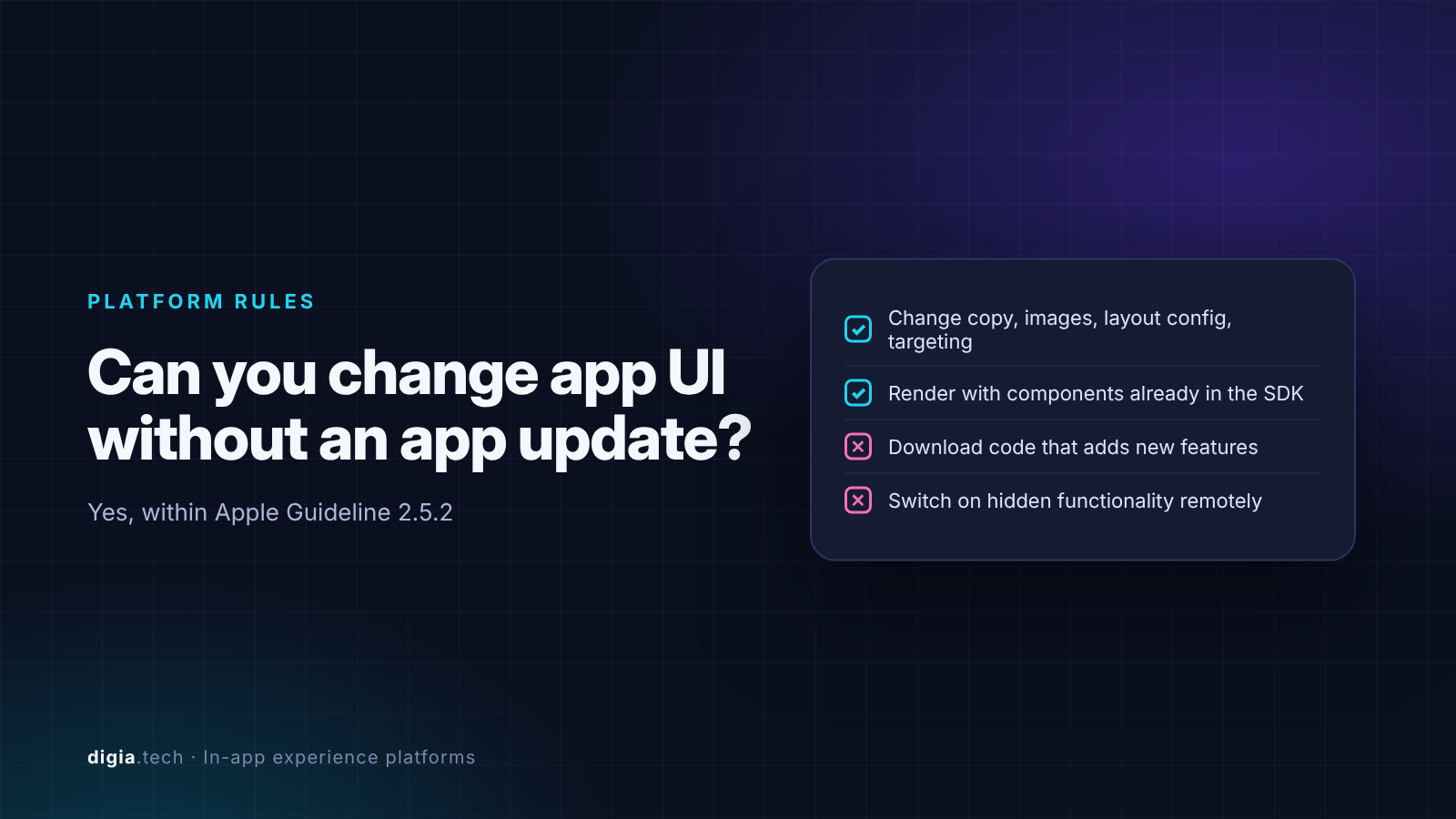
Apple's App Store Review Guideline 2.5.2 says apps may not download, install, or execute code which introduces or changes features or functionality of the app. RevenueCat's reading of that rule for remote paywalls is a useful rule of thumb: you can change the data that populates a screen, but you can't download the screen itself as new code.
That is why reputable in-app experience platforms ship their component library inside the SDK. The dashboard sends configuration (which component, what copy, which image, which audience), and the app renders it with code that went through review. Firebase Remote Config, server-driven UI frameworks, and native in-app SDKs all work on that principle.
Two practical rules follow:
- Keep experiences inside the app's reviewed purpose. A promo banner or onboarding tooltip is fine. Using remote changes to switch on hidden features or change what the app does is where reviews go wrong.
- Prefer native components over downloaded scripts. Platforms that download and execute JavaScript to build new UI carry more review risk than ones that render native components from configuration.
Digia's guide to changing in-app UI without an app release walks through the build options. Check your own implementation with your engineering and legal teams, because review outcomes depend on what your binary actually contains.
How to choose a platform
Start with the job, then check the four layers. Ask every vendor these eight questions:
- Which of our top three in-app jobs (onboarding, conversion, retention, monetization) does your product handle out of the box?
- Do your experiences render as native components on every framework we ship (iOS, Android, React Native, Flutter), or as WebView or HTML templates?
- Can an experience trigger on an event in the current session, and how long does it take from event to screen?
- Can we reuse the segments and events already in our CEP or analytics tool, or do we rebuild them in yours?
- Exactly what can a growth manager change without an app release: copy, layout, new formats, targeting, scheduling?
- What controls exist for frequency caps, suppression during stress states, approvals, and instant rollback?
- How do you measure impact beyond impressions and clicks, and do you support holdout groups?
- What does the SDK add to app size and startup time, and what happens on older app versions?
Question six matters more than demos suggest. An experience that fires at the wrong moment, such as a promo right after a failed payment, does more harm than no experience at all. Digia's guide to suppression logic covers the rules.
When you probably do not need a separate platform
If your in-app needs are a handful of stable banners and your CEP's formats look acceptable in your app, adding a second tool adds cost and an SDK without much gain. The case for a dedicated in-app layer gets strong when growth teams want weekly changes on key screens, native formats your CEP lacks, or experiments your engineering queue cannot absorb. Digia's piece on why engagement fails when it is tied to release cycles covers that cost.
Key Takeaways
- An in-app experience platform lets teams create, target, change, and measure UI inside a live app from a dashboard, without a new app version.
- No analyst firm defines the category. Gartner's nearest market is the digital adoption platform, so tools under the same label range from enterprise overlays to native mobile SDKs.
- Judge every option on four layers: rendering (native or template), triggering, release-free control, and outcome measurement. Most tools are strong on two.
- Remote UI changes are allowed when the app renders configuration with reviewed code. Apple's Guideline 2.5.2 blocks downloading new code that adds features, so prefer platforms that ship native components in the SDK.
Further Reading
From Digia
- In-App Engagement Trends for 2027
- How to Change In-App UI Without an App Release (2027)
- Best Mobile App Engagement Platforms in 2026: An Honest Comparison
- What is Server-Driven UI for Engagement
- Behaviour-Triggered In-App Campaigns: The Complete Guide
- Fintech App Engagement: The Complete Guide
External
External Sources: All Claims Attributed
- Digital Adoption Platforms market definition - Gartner Peer Insights, 2026
- Digital Adoption Platforms Reviews and Ratings - Gartner Peer Insights
- Market Guide for Digital Adoption Platforms (abstract) - Gartner, 31 Aug 2026
- MoEngage Customer Engagement Platform listing - Gartner Peer Insights
- Pendo features breakdown - ZoomInfo Pipeline, 2026
- What is Pendo? - Pendo, Mar 2025
- In-App Engagement Platform: The Complete Guide - AppStorys, 2026
- In-app messaging explained - Airship
- Scenes - Airship Docs
- Resilience Redefined: 2026 Customer Engagement Benchmarks (US Edition) - MoEngage, 2026
- In-app messaging platform - Braze
- In-app messages customer stories - Braze
- About Plotline - Plotline
- Plotline interactive demo and FAQ - Plotline
- Plotline product tour and FAQ - Plotline
- Plotline activation use case - Plotline
- RevenueCat Paywalls documentation - RevenueCat
- RevenueCat launches paywalls shipped without app store approvals - Journal of Cyber Policy, RevenueCat release
- Is remote testing banned on iOS? - RevenueCat Blog
- Purchasely main features - Purchasely Docs
- Firebase Remote Config - Firebase Documentation
- Firebase Remote Config use cases - Firebase Documentation
- DivKit - GitHub
- DivKit package description - Libraries.io
- Yandex Releases DivKit, an Open Framework for Server-Driven UI - Yandex on Medium, 26 Aug 2022
- App Store Review Guidelines, section 2.5.2 - Apple Developer
- A Deep Dive into Airbnb's Server-Driven UI System - Airbnb Engineering, 2021
- Dezerv case study - Digia
Want native in-app experiences without waiting on app releases? Digia Engage renders tooltips, bottom sheets, banners, stories, and surveys as native components from a dashboard, triggered by the CleverTap, MoEngage, or WebEngage events you already track, so your growth team can launch and change experiences the same day. Book a demo to see how it works.