


TL;DR: Most apps have a feature adoption problem, not a feature quality problem. The features exist. Users just never find them, or find them too late, or find them through a text tooltip that tells rather than shows. In-app video, short clips embedded directly into the app flow and triggered by user behaviour, is the format that closes this gap. It is distinct from push-based video campaigns, from Stories carousels, and from long onboarding walkthroughs. It fires when the user is already in the relevant context, runs for 30 to 90 seconds, and demonstrates the feature in motion rather than describing it in words. This guide covers what in-app video actually is (and what it is not), when it works, which moments in the user journey it serves best, how fintech and D2C apps in India are already deploying it, the metrics that tell you if it is working, the production decisions that determine whether the video gets watched or skipped, and how to deploy it without waiting on a release cycle. Sourcing note: Statistics are attributed throughout. Where benchmarks are drawn from specific reports, the source is cited.
Only 12% of a product's features attract the majority of user engagement. The rest exist, they were built, they were shipped, they are visible in the settings menu or the navigation tabs, but users either do not find them or do not understand what they do well enough to try them. That is not a design failure in most cases. Features buried in third-level menus are a design failure. Features that exist on the home screen and still see low adoption are a communication failure: the feature is discoverable, but the app has not communicated its value at the moment when discovery is most likely to lead to use.
The default tools for feature communication in a mobile app are text tooltips, modal overlays with static images, onboarding checklists, and push notifications. Each of these has a role. None of them shows the feature in motion. None of them answers the most important question a user has when they encounter a feature for the first time, which is not "what is this?" but "what will this do for me right now?"
Video answers that question faster and more convincingly than any static format. The problem historically was that embedding video inside the app flow required significant engineering work, created performance overhead, and could not be updated without an app release. That constraint has changed. The platform exists to deploy in-app video the way you deploy a nudge: from a dashboard, triggered by a user event, visible to a targeted segment, updatable without touching the codebase. This article explains when to use it, how to produce it, and how to measure whether it worked.
What In-App Video Actually Is
The term "in-app video" gets used loosely, so it is worth being precise before going further, because the format this article covers is specific and behaves differently from the other things the term might describe.
In-app video is not a push notification carrying a video link. Push video campaigns send users out of the app to a video player, typically YouTube or a hosted page. The user who follows that link has left the product context. The video plays on a generic surface. The connection between watching the video and taking action in the app requires an additional navigation step after the video ends. That friction is what separates push-based video from in-app video. Push video is appropriate for awareness campaigns and re-engagement. It is not the right format for feature discovery at the moment of use.
In-app video is not a Stories carousel. Stories formats (the horizontal swipe surface popularised by Instagram and since adopted by most engagement platforms) are a content delivery format. They work well for promotional content, announcements, and social-proof sequences. They are initiated by the user tapping on a story bubble, not triggered by a user behaviour event. The intent behind engaging with a Stories format is browsing. The intent behind an in-app video triggered by a specific user action is aligned with what the user is already trying to do. The difference in context changes the conversion rate significantly.
In-app video is not an onboarding walkthrough. Walkthrough tours are structured, multi-step, and initiated at session start. They cover multiple features in sequence. In-app video is single-feature, triggered at the moment of contextual relevance, and runs without requiring the user to advance through a sequence. A user who triggers an SIP explainer video by opening the investments tab for the first time is not being walked through the whole product. They are getting a 45-second explanation of the specific feature they are about to encounter.
What in-app video actually is: a short video, typically 30 to 90 seconds, embedded as a native component inside an app screen, triggered by a specific user event or lifecycle condition, that plays within the session rather than redirecting to an external player. It can appear as a bottom sheet that rises over the current screen, as an inline card in a feed, as an expandable component within a feature surface, or as a full-screen interstitial triggered at a specific navigation point. The content is a direct demonstration of a feature in use, not a brand video or an advertising format. The user watches, optionally taps a CTA at the end, and continues in the product. The whole interaction happens without leaving the current context.
This is the format that closes the gap between feature existence and feature adoption.
Why Video Works for Feature Discovery
The communication problem for features is not awareness in the technical sense. Users who open the investments tab saw the investments tab. Awareness is present. The problem is comprehension and motivation: the user does not understand quickly enough what the feature does in their specific context, and they do not have enough motivation in the moment to click through four screens to find out.
Text tooltips solve the awareness problem by providing a label. "Investment Portfolio Tracker" tells the user what the feature is called. It does not answer what it does for them in the next 30 seconds, and it definitely does not make them want to try it. A 45-second video showing a user checking their portfolio allocation, adjusting a SIP amount, and seeing the projected return change in real time answers both questions before the user has decided to close the screen.
Videos under 60 seconds achieve approximately 65% completion rates, and videos under one minute average a 52% engagement rate according to Wistia's State of Video report. For an in-app video that is context-triggered and relevant to what the user is doing, completion rates are higher than those social video benchmarks, because the user is already in the relevant mental context. They opened the investments tab because they wanted to do something investment-related. The video explains investment-related functionality. The alignment between intent and content is exact.
94% of marketers say video helped increase user understanding, and 89% reported a positive ROI on video campaigns. In a product context where understanding a feature is the prerequisite for adopting it, the "increases understanding" finding is the direct mechanism by which video drives feature adoption. Text describes. Video demonstrates. For features with any complexity above a single tap, demonstration converts at a higher rate than description.
The reason is cognitive. A user reading a tooltip about a portfolio rebalancing feature has to build a mental model of what that looks like from scratch. A user watching a 45-second video of the feature in action has the mental model built for them, in motion, in the context of the actual UI they are looking at. The cognitive work required to go from "I saw this" to "I want to try this" is substantially lower after video than after text.
Just 12% of features attract the majority of user engagement in most apps. That number reflects the comprehension and motivation gap, not a quality gap. Most of the other 88% of features are not bad features. They are features that users did not understand quickly enough to try, and once they did not try them in the first few sessions, habit formation did not include them.
When In-App Video Works Best: The Four Moments
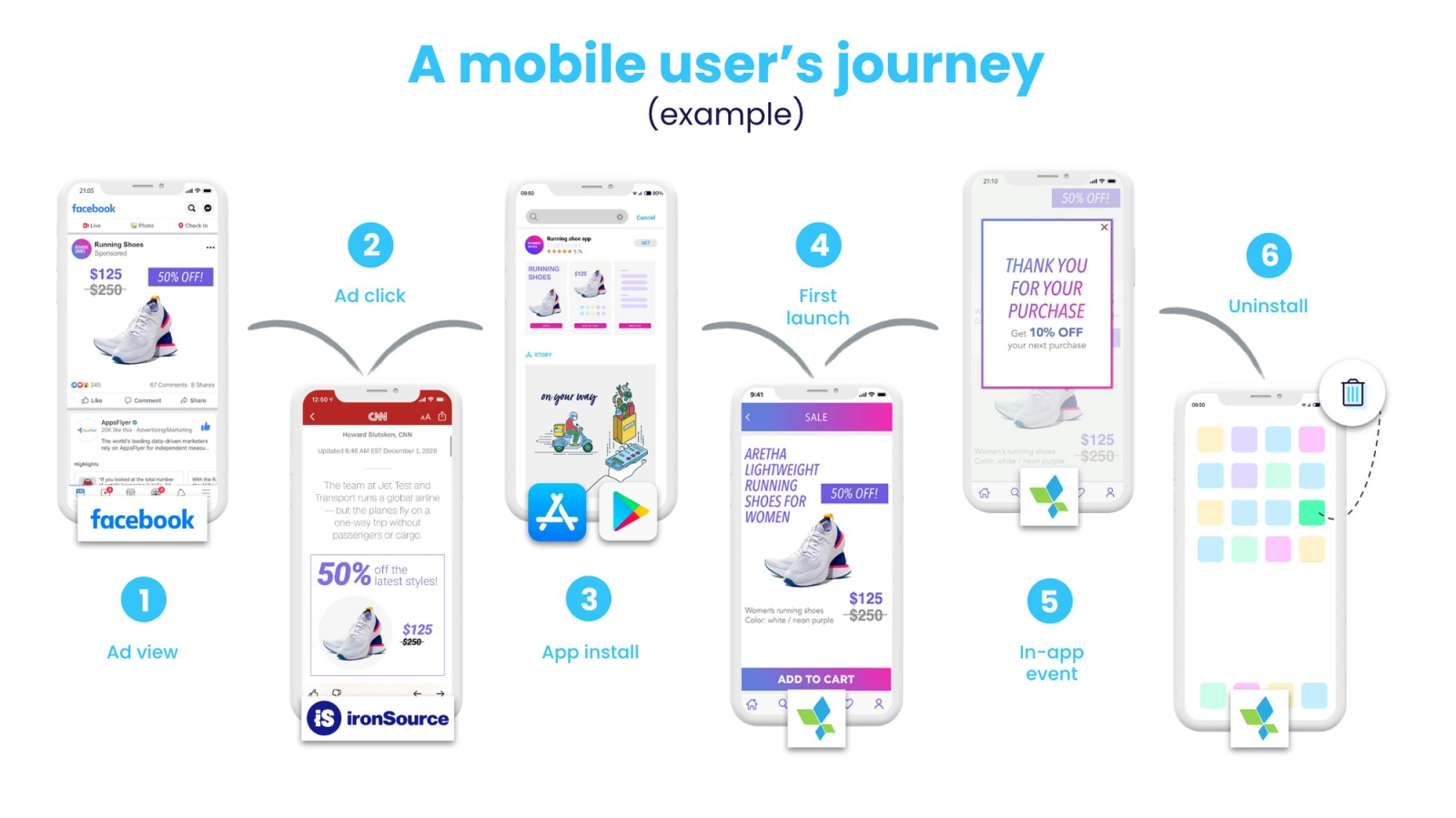
In-app video is not the right format for every engagement moment. It requires user attention for 30 to 90 seconds, which is a significant ask by mobile standards. The moments where that ask is most likely to be accepted, and where the return on the attention is highest, fall into four categories.
Feature onboarding at first encounter. When a user accesses a feature for the first time, their intent signal is already present. They came here. They are willing to spend a moment understanding what this does. This is the highest-value moment for an in-app video trigger. The video is not an interruption, it is an answer to the question the navigation click already asked. For fintech apps, this applies directly to investment features, KYC steps, loan eligibility tools, mutual fund screens, and insurance products: any feature where comprehension is required before action is possible. Platforms adopting video-first nudges across KYC and demat activation are seeing 35 to 50% uplift in first-trade completion, which is the downstream outcome of closing the comprehension gap faster.
Feature launch announcements. When a new feature ships, the team has one narrow window in which the feature is novel and users are most receptive to learning about it. A static modal announcing "New Feature: Portfolio X-Ray" with a "Learn More" link loses most of the audience before they reach the explanation. A 60-second video embedded in the announcement, showing the feature in action before the user decides whether to try it, converts at a higher rate because the decision to try is made during the video, not after navigating to a separate explanation screen. Onboarding video content also drives feature adoption for existing users: when you launch a new feature, a short walkthrough video embedded at the point of discovery helps users try it immediately rather than ignoring it or filing a support ticket asking what it does.
Re-engagement with dormant features. A user who tried a feature once and did not return to it is a different audience than a user who never tried it. They have some familiarity, but not enough momentum to build a habit. A video triggered by returning to a feature screen after 14 or more days of inactivity can show a use case they had not considered, a new capability added since their last visit, or a workflow that demonstrates value they did not extract the first time. For D2C apps, this applies to wishlist features, style matching tools, subscription management, and loyalty programme screens: features that users touched but did not adopt as part of their regular interaction pattern.
Promotional feature introduction for upgrade decisions. When a user is at a natural evaluation point (end of a trial period, at a paywall, at a subscription management screen), an in-app video showing what the premium or unlocked features actually look like is more persuasive than a feature list. The feature list asks the user to imagine the value. The video demonstrates it. For D2C apps with membership tiers, fintech apps with premium account features, or any product with a freemium-to-paid conversion moment, this is the appropriate trigger for a feature demonstration video.
Indian App Examples: Fintech and D2C Deployments
The Indian mobile context makes in-app video particularly valuable for two structural reasons. First, a significant portion of the user base for fintech apps is engaging with investment and financial management features for the first time. These users did not grow up with a demat account. The concepts of SIPs, NAV, portfolio allocation, and fund performance metrics require explanation. Text explanations in English create an additional barrier for users whose primary language is Hindi, Tamil, Telugu, or another regional language. Video with voiceover in regional languages closes both the conceptual gap and the language gap simultaneously. Second, the D2C market in India has an extremely high volume of first-time online shoppers encountering features like EMI calculators, virtual try-on tools, style recommendation systems, and subscription management interfaces for the first time. These users abandon rather than seek help.
Fintech: Investment apps. Groww, Zerodha, and similar platforms have features including SIP setup, portfolio analysis, tax harvesting tools, and mutual fund comparison screens that require comprehension before a first action is possible. A user landing on the SIP setup screen for the first time encounters a form with fields they may not know how to fill. A triggered 45-second video showing how SIP amounts compound over 10 years, played before the form appears, changes the emotional context from confusion to intent. By 2026, top-tier Indian investment platforms are using video-first nudges as the default activation layer for KYC completion and first-trade onboarding, replacing or supplementing text-based guidance with demonstrational video delivered at the friction point.
Fintech: Insurance and lending apps. These verticals have feature discovery problems concentrated around eligibility calculators, document upload flows, and loan tenure selection tools. A 60-second video showing how the eligibility calculator works, what inputs it needs, and what the output means, displayed the first time a user opens the calculator, reduces drop-off at the input stage by removing the uncertainty about what will happen when they submit their information.
D2C: Fashion and beauty apps. Features including AI-powered size recommendation, virtual try-on, style quiz tools, and outfit builder components are technically sophisticated features that most users do not try because the entry point looks complicated. An inline video card in the product detail page, triggered by a first-time viewer, that shows a 30-second demonstration of the try-on feature in action, converts at a measurably higher rate than a static "Try It" button because the user sees the output of the feature before they commit to the effort of using it.
D2C: Subscription and loyalty. Subscription management screens and loyalty programme dashboards are chronically underused features in most D2C apps, despite representing high-value retention levers. A triggered video showing a user unlocking a loyalty reward and redeeming it at checkout, delivered to users who have accumulated rewards but not redeemed them, activates the redemption behaviour that sustains loyalty programme participation.
In-App Video vs Push Notification: A Direct Comparison
Growth teams frequently default to push notifications for feature discovery because push is the established channel and the tooling is familiar. The comparison between push and in-app video for feature discovery is worth being direct about, because the use cases are different and the performance profiles reflect that.
Push notifications for feature discovery work when the user needs to be brought back into the app specifically to try a feature, when the feature is new and the announcement has enough urgency or interest to justify an external interrupt, and when the audience is a segment of lapsed users who would benefit from knowing the feature exists before they decide to return. Push notifications have an average reaction rate of 7.8% across platforms, with iOS sitting at 4.9%. These numbers reflect the baseline performance of competing for attention from a locked screen or notification shade, which is the most competitive attention environment in mobile.
In-app video for feature discovery works when the user is already in the app and has already navigated to the feature's area of the product. The intent signal is present. The competition for attention is the app itself, not the entire notification ecosystem. This structural difference means the comparison between push video CTR and in-app video engagement rate is not a fair comparison. Push video has to win attention from an external surface. In-app video has to be relevant and brief enough to be watched by a user who is already engaged.
The cleaner framing: push is the right tool for re-engagement before the session, and in-app video is the right tool for feature discovery during the session. Using push to explain a feature to a user who is not currently in the app sends the explanation at the wrong moment. The user opens the notification, reads or watches a short explanation of a feature, and then has to navigate to that feature from wherever the push notification lands them. By the time they are at the feature, the explanation is no longer visible. In-app video fires when the user is at the feature, which is the moment the explanation is actually needed.
For more on the structural difference between push and in-app formats, the in-app messaging vs push notifications breakdown covers the channel-level distinctions in detail.
Production Decisions That Determine Whether the Video Gets Watched
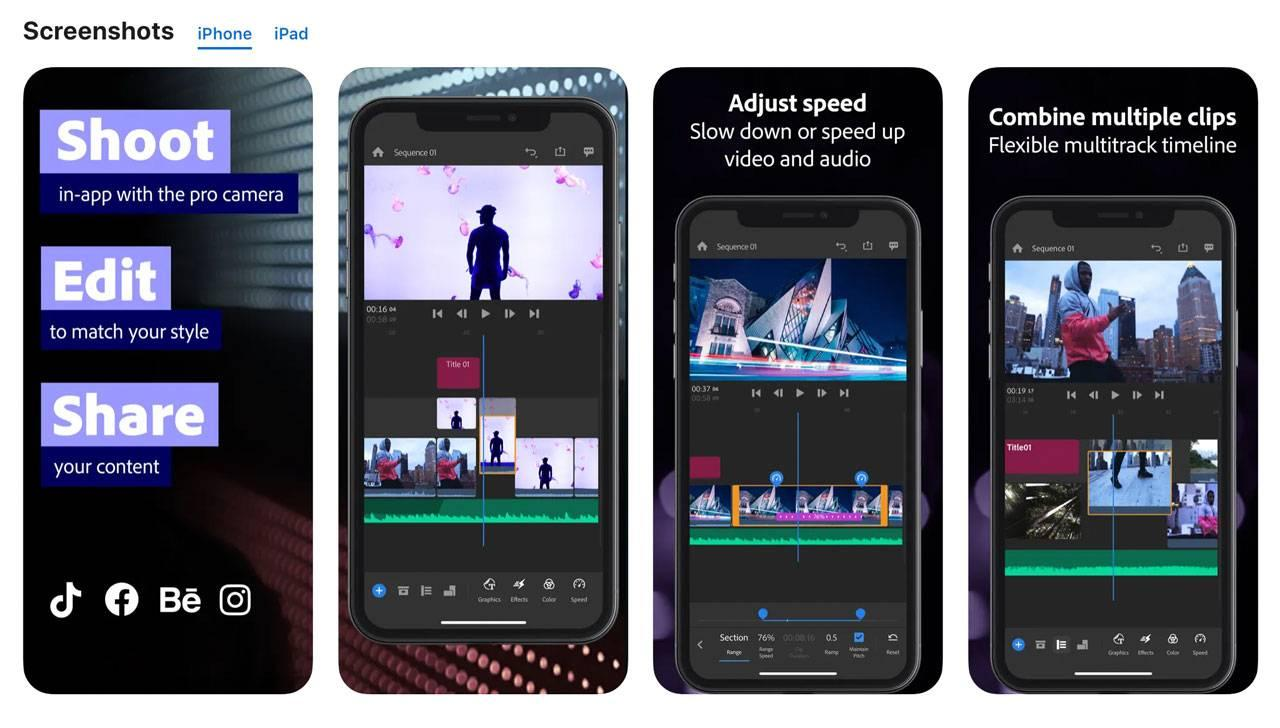
A triggered in-app video that is 3 minutes long, produced in English for a Hindi-speaking audience, with low audio quality, and showing UI elements that look different from the current version of the app, is not a feature discovery asset. It is a churn accelerant. The production decisions for in-app video are as consequential as the targeting decisions.
Length. Keep feature discovery videos between 30 and 90 seconds. Videos under 60 seconds achieve approximately 65% completion rates. Beyond 90 seconds, completion rates drop sharply for non-entertainment content on mobile. A user watching a feature tutorial is doing so because they want to use the feature, not because the tutorial is entertaining. The moment the video extends beyond what they need to make a decision, they will skip it. 30 seconds for simple single-action features. 60 to 90 seconds for multi-step features with a visible payoff at the end.
What to show. Show the feature in use on a real device, with real UI, reflecting the current version of the app. Animated mockups and motion graphics can be used to highlight specific elements, but the base footage should be the actual product. A user watching a tutorial for an SIP calculator should see the same interface they are about to interact with, not a stylised version that looks different. The cognitive work of translating a stylised demo into the actual interface is friction that reduces the conversion from watching to doing.
Audio and language. For Indian apps with regional user bases, voiceover in the user's primary language removes a meaningful barrier. A Marathi-speaking user watching an investment tutorial with Hindi voiceover still has to translate conceptually. Producing 60-second voiceover variants in the primary regional languages for your user base is a lower production cost than it appears, because the visual content is the same across variants, and only the audio changes. Platforms using regional language video for KYC and activation flows are seeing measurably higher completion rates in regional markets relative to English-only versions.
Sound-off viewability. A significant portion of mobile users watch video without sound in public environments. Every in-app feature video should include subtitles or on-screen text that conveys the key information without requiring audio. This is not an accessibility add-on. It is a performance requirement for any video format deployed in a mobile context.
CTA placement. Place the CTA at the end of the video, not in the first 10 seconds. A user who has just watched a demonstration of a feature is in the highest-intent state they will be in relative to that feature. The CTA should route them directly to the feature's entry point, not to a general landing screen. A deep link that opens the SIP setup form, pre-filled with a recommended amount based on the user's savings history, converts at a higher rate than a CTA that takes the user to the investments home screen.
Skippability. Let users skip. A skippable video with 75% completion rate is better than a non-skippable video with 95% completion rate and elevated uninstall behaviour. Users who are forced through content they did not choose to watch respond negatively to the product experience, not just to the video. The exception is a brief 5-second delay before the skip option appears, which allows users to see enough of the video to decide whether to continue. Rewarded video formats with voluntary opt-in achieve completion rates above 95% compared to 60-70% for non-rewarded formats, which demonstrates that user choice is itself an engagement mechanism. The opt-in user is more committed to the content than the forced viewer.
Metrics That Tell You If In-App Video Is Working
The right metrics for in-app video are not the same as the right metrics for social video or push video campaigns. Social video success is measured by reach, shares, and algorithmic engagement. Push video success is measured by notification opens and video starts. In-app video success is measured by what happens inside the product after the video plays.
Video completion rate. The percentage of users who trigger the video and watch it to the end. Target above 60% for videos under 60 seconds. Below 40% on a short video indicates a content problem (the video is not relevant or not clear) or a positioning problem (the video is appearing at the wrong moment in the user journey). Completion rate is the leading indicator. The downstream metrics are the ones that actually matter.
Feature adoption rate in the 48 hours after video exposure. The percentage of users who triggered the video and then completed the core action for the feature they watched within 48 hours, compared to a matched control group who saw the feature entry point without the video. This is the direct measure of whether the video is producing the outcome it was designed for. A video with 80% completion rate but no meaningful lift in feature adoption in the following 48 hours is entertaining but not converting.
Time to first feature action. For users who trigger the video and proceed to try the feature, the average time from video completion to first feature action. A well-designed video with a direct deep-link CTA should produce feature actions within the same session for a majority of converting users. If most users who watch a feature video and then use the feature do so 3 or more days later, the video's influence on that adoption is unclear and potentially unrelated.
Feature adoption lift (holdout comparison). The cleanest measurement: a segment of users who qualify for the video trigger but are assigned to a holdout group, receiving only the standard feature entry point without the video. Compare the feature adoption rate of the holdout group against the video-exposed group over 30 days. The delta is the causal contribution of the video. For context on why holdout comparison is necessary rather than aggregate metrics, the personalization measurement guide covers the selection bias and attribution problems that affect any engagement intervention.
Downstream retention in the feature-adopted cohort. Users who adopt a feature through a video-triggered discovery are more likely to return because they have expanded their product surface area. Tracking 30-day retention for the video-exposed and feature-adopted cohort versus the holdout group's feature adoption and retention gives a full picture of the video's contribution to the retention curve, not just the immediate adoption moment.
Support ticket volume for the featured capability. A secondary, indirect measure: if video tutorials are deployed for features that generate support queries, tracking the support ticket volume for those features after video deployment provides evidence that the video is closing the comprehension gap. A 30% reduction in "how do I use [feature]" support tickets for features where video tutorials were deployed is meaningful evidence that the format is working.
Deploying In-App Video Without an Engineering Ticket
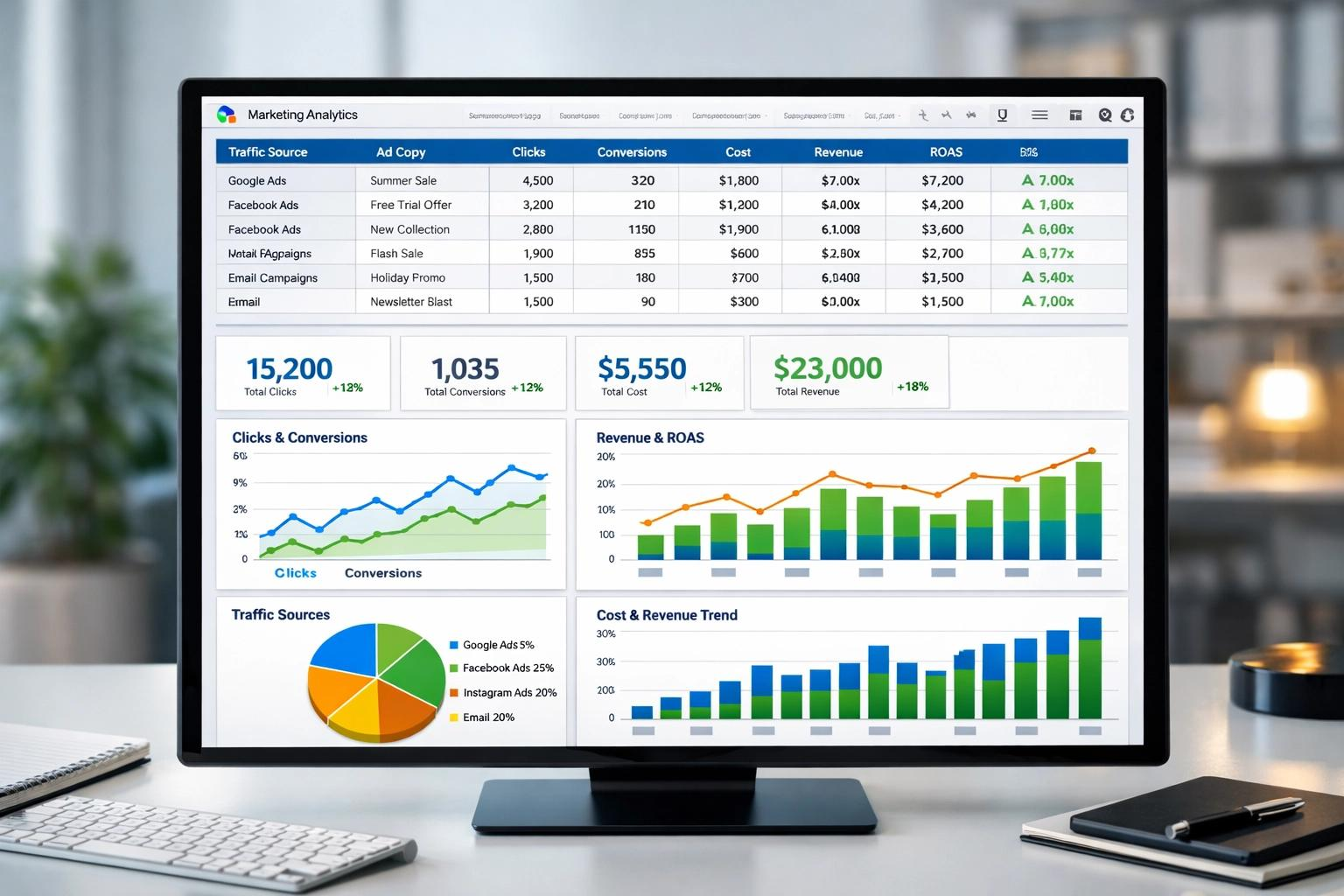
The historical barrier to in-app video was the engineering cost. Building a video player component, integrating it with the trigger system, configuring targeting logic, and updating the video content when it became stale all required engineering involvement. Each update meant a release cycle. A video tutorial showing a deprecated UI version of a feature was worse than no tutorial.
Digia Engage's in-app video format is a native component rendered by the SDK, configurable from the dashboard without touching the app codebase. The video source is hosted and updated from the dashboard. Trigger conditions, target audience, display format (bottom sheet, inline card, full-screen), CTA destination, and skip settings are all configured without opening an engineering ticket. When a feature UI changes, the video can be swapped for an updated version the same day, not in the next release cycle.
The rendering engine that powers Digia Engage's nudges, widgets, and gamification components is the same engine that renders in-app video. The SDK knows how to render a bottom sheet video the same way it knows how to render a gamification widget or an in-app survey. The in-app video product is an extension of the same server-driven UI architecture, not a separate integration. Teams that have already integrated the Digia Engage SDK have the video rendering capability available immediately.
This matters for growth team velocity. An in-app video campaign for a new feature can be built, targeted, tested in a holdout configuration, and live within 24 hours of the feature shipping. The experiment cycle is daily, not sprint-bound. If the initial video does not perform above the completion rate threshold, a new version can be swapped in the next day without touching the release queue.
Topics Not in the Brief That Growth Teams Should Know
Accessibility requirements for in-app video. Video without captions is inaccessible to deaf and hard-of-hearing users. This is a legal requirement in some markets under accessibility legislation, and a practical performance requirement in all markets where users frequently watch video without sound. Building captions into every in-app video from production, not as an afterthought, avoids retrofitting compliance into existing assets and improves completion rates for the majority of users simultaneously.
Video freshness and the stale tutorial problem. A video tutorial that shows a previous version of the UI actively damages user comprehension by creating a discrepancy between what the user saw in the video and what they see in the product. Growth teams that deploy in-app video without a process for updating video content when the feature UI changes will accumulate stale tutorials that are worse than no tutorial. The platform-side fix (being able to swap video content without a release) needs a corresponding process-side fix: a content audit triggered by any feature update that checks which existing video tutorials reference the updated UI.
Multi-language production at scale. For apps with diverse language user bases, producing separate voiceover tracks rather than separate full videos is the efficient approach. The visual content, the screen recordings, the UI highlights are identical across languages. Only the audio differs. This reduces production cost per language variant to the cost of a voiceover session rather than the cost of a full video production. AI voiceover tools have reduced this cost further, with AI-powered production workflows cutting video production costs by 86% and reducing turnaround from 22 days to 1 to 2 days.
The feature video library as a searchable resource. Growth teams that produce in-app video tutorials for individual features accumulate a library of short demonstration videos over time. That library has a secondary use case as a searchable help centre or onboarding resource: users who want to understand a feature they have not yet encountered can browse the library rather than submitting a support ticket or attempting to navigate an FAQ document. This secondary distribution channel costs nothing once the primary video assets exist.
Key Takeaways
In-app video is a 30 to 90 second demonstration of a feature in use, embedded natively in the app flow, triggered by user behaviour events. It is not push video, not a Stories carousel, and not an onboarding walkthrough. Each of those formats serves a different moment and a different intent.
The feature adoption problem in most apps is a comprehension and motivation gap, not a feature quality gap. Only 12% of features attract the majority of user engagement because the other 88% were never understood quickly enough to be tried. Video closes this gap faster than text because it demonstrates rather than describes.
The four moments where in-app video produces the highest return are: first encounter with a complex feature, new feature launch announcements, re-engagement with dormant features, and promotional demonstration at upgrade decision points.
Videos under 60 seconds achieve 65% completion rates. Beyond 90 seconds, completion rates fall sharply for non-entertainment content on mobile. Keep feature videos short, skippable, subtitle-captioned, and ending with a deep-link CTA that routes directly to the feature's entry point.
Measure in-app video against feature adoption rate in the 48 hours after exposure, time to first feature action, and a holdout-group comparison for causal lift. Video completion rate is a leading indicator, not a result.
Digia Engage deploys in-app video as a native component through the same server-driven UI architecture as nudges, widgets, and gamification. No engineering ticket required after initial SDK integration. Trigger logic, audience targeting, video source, display format, and CTA configuration all live in the dashboard.
Further Reading
From Digia Engage:
- In-App Nudges: What They Are and How They Drive Engagement — the trigger-based engagement architecture that in-app video sits within
- In-App Messaging vs Push Notifications: When to Use Each — the structural difference between channel types and why the right format depends on where the user is in the session
- Digia Engage In-App Video — the native video component, configurable from the dashboard
- How to Know If Your Personalization Is Actually Working — the holdout group measurement framework that applies directly to in-app video performance assessment
- Server-Driven UI for Engagement — the architectural foundation that makes in-app video deployable without release cycles
- Bottom Sheets vs Modals: Choosing the Right Interruption Layer — format decisions for how to surface in-app video within the screen layout
External Sources:
- 12 Best App Onboarding Video Examples in 2026 — Vidico (52% engagement rate for videos under one minute; video drives feature adoption for existing users at point of discovery)
- Fintech User Onboarding Video: AI-Powered Growth in India — TrueFan AI (35-50% uplift in first-trade completion from video-first KYC and activation flows; regional language video for Indian fintech activation)
- Best Fintech Video Post Production Strategies — Innovature (94% of marketers say video increased user understanding; 89% report positive ROI on video campaigns)
- Video Marketing Statistics 2026: 160+ Essential Data — Digital Applied (videos under 60 seconds generate 2.5x more engagement per impression; AI production workflows reduced costs 86%)
- 55+ Short Form Video Statistics Every Marketer Needs in 2026 — Content Beta (65% completion rate for videos under 60 seconds)
- Rewarded Video Ads for Mobile Apps: Implementation and ROI — Yango Ads (95%+ completion rates for voluntary opt-in video vs 60-70% for non-voluntary formats)
- 50+ Push Notification Statistics for 2025 — MobiLoud (7.8% average push reaction rate; 4.9% for iOS)
- 22 Proven Strategies to Improve App Engagement in 2026 — VWO (feature adoption guidance; only 26% of users return after day one)
- 15 App Engagement Strategies That Actually Work — StriveCloud (12% of features attract the majority of user engagement; feature discovery gap data)
- Mobile App Engagement: 12 Strategies to Engage Users — Userpilot (26% day-one return rate; 7% 30-day active user rate; feature adoption through contextual triggers)
- Mobile App Engagement Metrics to Track in 2026 — Adapty (feature adoption rate as a key engagement metric; contextual feature introduction guidance)
In-app video is a native component in Digia Engage, deployable from the dashboard without an engineering ticket. Trigger conditions, audience targeting, video source, display format, and CTA deep link are all configurable in the same interface used for nudges and gamification campaigns. SDK integration takes approximately 20 minutes. Book a demo to see a live in-app video campaign configured for a feature discovery use case, or see the in-app video product page for the full specification.