TL;DR: Most nudge campaigns fail because of when they fire, not what they say. A nudge shown at the wrong moment is functionally identical to noise. This article covers the three root failure modes around timing, the difference between behavioral signals and session triggers, the attention window problem, every trigger type and when each one works, a practical audit process for existing nudges, and before/after timing fix examples with expected conversion impact.
The actual problem: timing is not a secondary concern
Most nudge post-mortems blame the copy. The button color. The headline. The offer. Rarely the timing. That is the wrong diagnosis most of the time.
A well-written nudge shown to a user mid-task, one second after they opened the app, or three sessions after they already completed the target action, will underperform a mediocre nudge shown at the exact moment the user is receptive and the action is relevant. The content is not the differentiator. The moment is.
According to eCommerce audit data compiled by Convertcart, most brands don't fail because they use the wrong nudges. They fail because they use the right nudges at the wrong time. That finding is consistent across categories. When timing is misaligned, message quality stops mattering.
The problem compounds because teams almost never audit timing independently. They A/B test copy variants. They test button colors. They rarely run a structured test where only the trigger condition changes. So timing failures accumulate undetected, and campaigns that could convert at 8 to 12% convert at 1 to 2% because they fire at the wrong moment to the right audience.
This article is about fixing that. Systematically.
The three failure modes of nudge timing
Before building a better system, it helps to name exactly what keeps going wrong. Nudge timing failures fall into three categories, and they produce different data signatures.
Failure mode 1: wrong timing
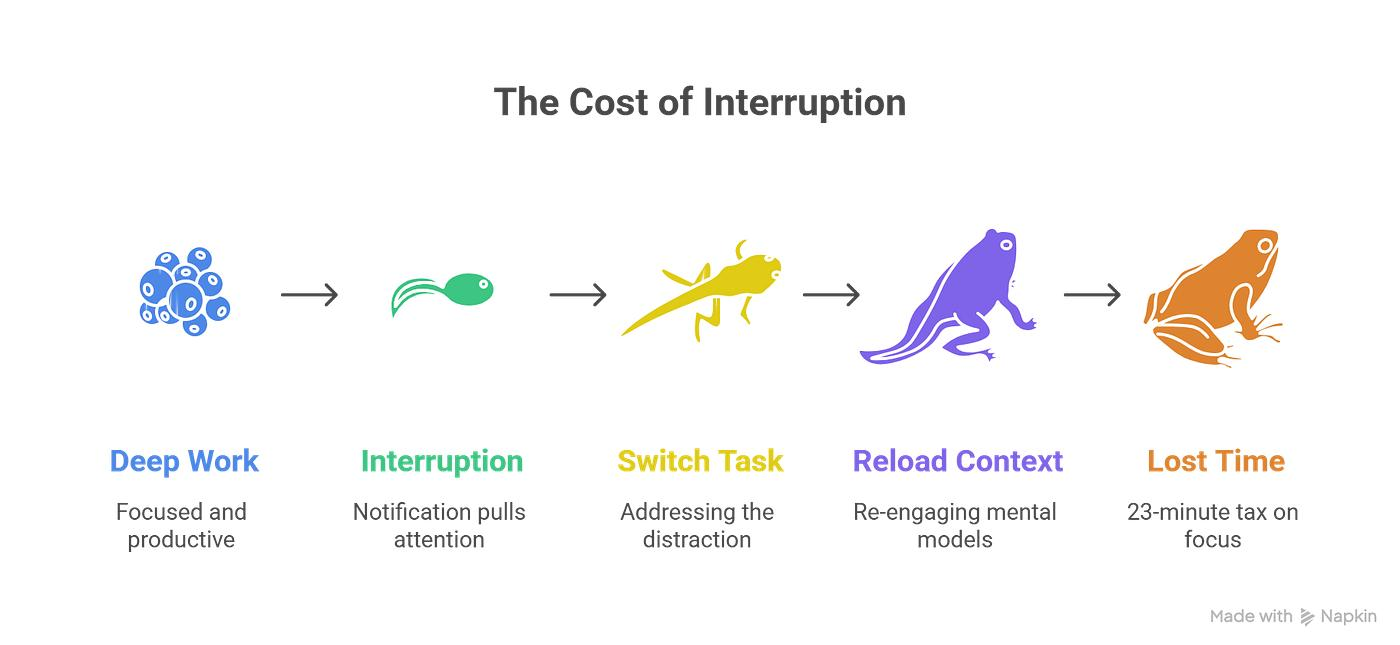
The nudge fires at a moment when the user is cognitively unavailable. They are mid-task. They just opened the app and haven't oriented yet. They are three screens deep into a checkout. They are in a flow state. The message exists on screen but there is no mental bandwidth to evaluate it, so the user closes it reflexively.
The data signal for wrong timing is fast, consistent dismissal. When dismissal time drops to under one second across a cohort, the nudge is not being read. It is being pattern-matched and closed. Research on habituation shows that users consciously or unconsciously ignore UI elements that appear in predictable positions and formats, a mechanism directly related to banner blindness. Once the brain categorizes a UI element as noise, it filters it automatically.
Failure mode 2: wrong context
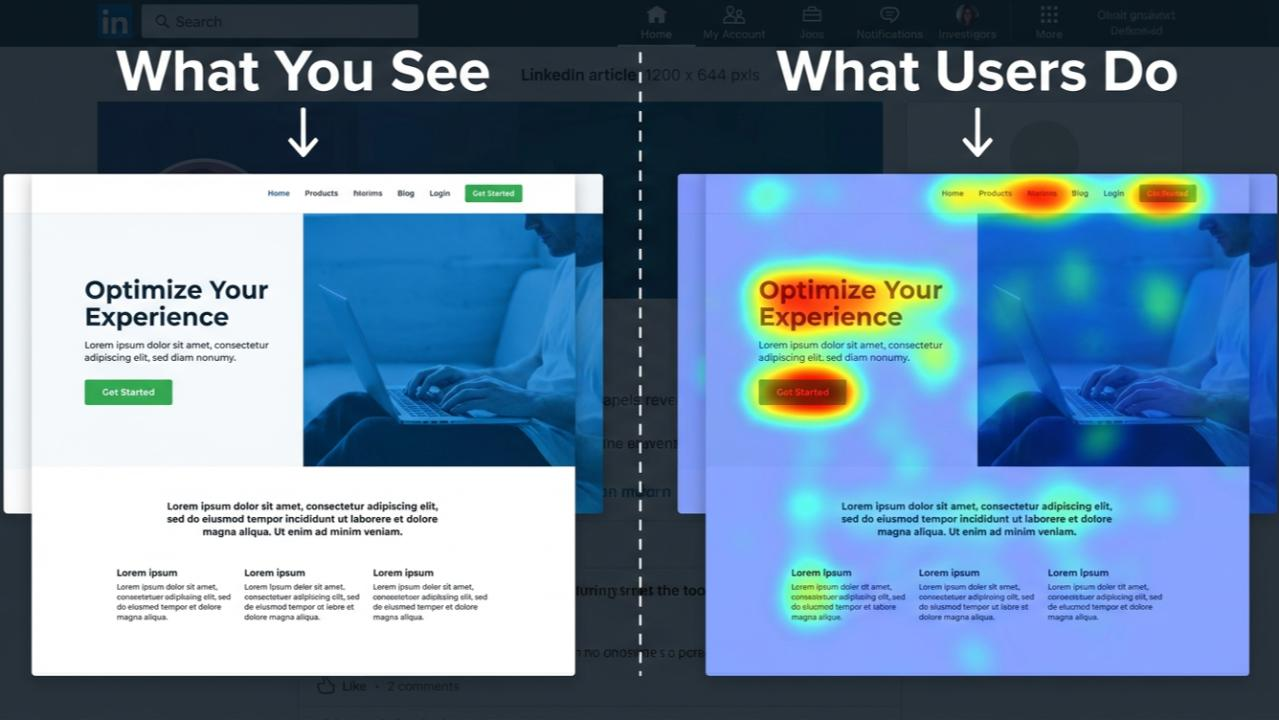
The nudge fires at the right clock time but the wrong point in the user's journey. A feature discovery prompt fires for a user who activated that feature last week. An upgrade nudge fires for a user currently experiencing an error. A re-engagement message fires immediately after the user just completed their highest-value action.
Wrong context is subtler than wrong timing. The user might actually read the nudge. But it creates a negative trust signal because it communicates that the app doesn't know what the user has done. An app that nudges users toward actions they've already taken is broadcasting that it's not paying attention, and users register that signal even if they don't articulate it.
Failure mode 3: wrong frequency
The nudge fires too often relative to the user's tolerance and the action's urgency. This is the most documented failure mode, but it operates through timing: frequency problems are timing problems played out over multiple sessions.
Research by Wohllebe et al. found that increased frequency of non-personalized notifications correlated directly with higher uninstall rates in a retail context. The relationship was not marginal. More volume produced fewer retained users. Teams responding to declining nudge engagement by increasing nudge volume are applying the intervention that worsens the outcome.
The three failure modes often co-occur. A nudge can fire at the wrong moment, in the wrong context, and too frequently all at once. But diagnosing which failure mode is dominant determines what the fix should be.
What "right moment" actually means: behavioral signals vs session triggers
Growth teams often conflate two different timing inputs. Session triggers fire based on where a user is in a session, for example, 10 seconds after app open, or on the third visit this week. Behavioral signals fire based on what a user just did, for example, the user completed step 2 of onboarding but has not touched step 3 in 24 hours.
These are not interchangeable. Session triggers are calendar logic. Behavioral signals are intent logic.
A session trigger says: "It's been 5 minutes since app open, show the nudge." A behavioral signal says: "The user just viewed the pricing screen for the second time in three days without upgrading, show the nudge." The first fires at a moment that is convenient for the system. The second fires at a moment that is meaningful to the user.
Behavioral triggers combine personalization with timing, making them far more effective than traditional scheduled campaigns, because users receive messages in real time that respond to what they are actually doing. The relevance improvement is not marginal. Trigger-based campaigns can boost app retention by 88% compared to generic scheduled messages, with user engagement up by over 50%.
The critical distinction for timing specifically is this: session triggers tell you when a user is in the app. Behavioral signals tell you why a user is in the app and what they need next. A nudge triggered by behavioral signal is already in the right context. A session-triggered nudge has to work harder to be relevant because it carries no contextual information about what the user was trying to accomplish.
The practical implication: any nudge currently running on a pure time trigger, for example "show 30 seconds after session start" or "show on 5th session," should be interrogated. Ask what behavioral signal would make that nudge relevant. Then test the behavioral trigger against the time trigger. In most cases, the behavioral trigger will outperform.
The attention window problem: how fast users dismiss and why
Understanding why timing failures produce the specific data patterns they do requires understanding how fast mobile attention actually moves.
Research from Dr. Gloria Mark at UC Irvine tracking on-screen attention found that the average time a person spends on a single digital screen before switching has dropped to approximately 47 seconds. That is the full attention window for everything competing for a user's focus during an average screen interaction.
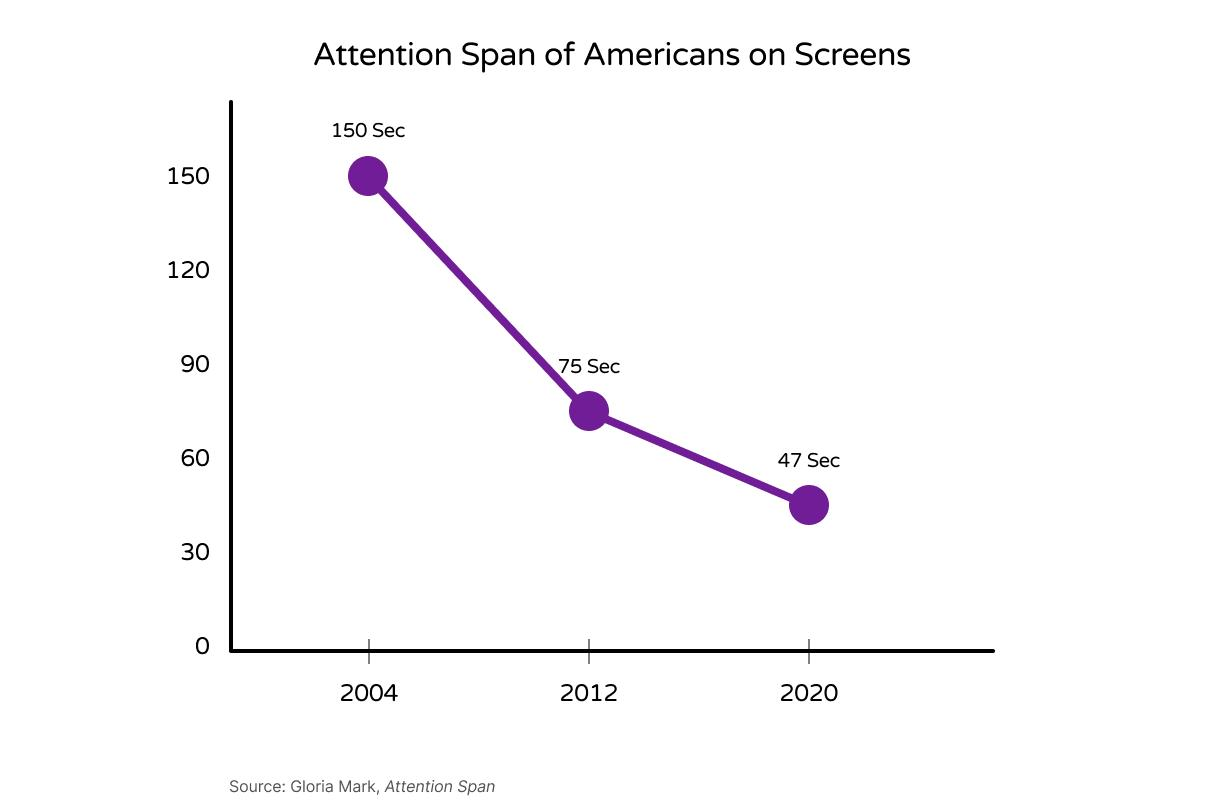
Within that window, a nudge that arrives at the wrong moment faces a compounding problem. A single smartphone notification hijacks user attention for approximately 7 seconds. That interruption cost applies whether the user reads the nudge or closes it. If the nudge fires mid-task, the user loses 7 seconds of task attention, closes the nudge, and is now cognitively reset. The task feels more effortful. The session feels worse. The nudge created friction without delivering value.
The attention window has three implications for nudge timing design:
The first-30-seconds problem. Users opening an app spend the first 15 to 30 seconds reorienting. They are locating where they were, what they need to do, and what has changed. A nudge fired in this window interrupts orientation before the user has established a goal. Popup timing research suggests waiting at minimum 15 to 30 seconds before showing any prompt to first-time or returning users, to allow value absorption before making any request. The same principle applies to in-app nudges, and in most cases the right threshold is a behavioral gate rather than a time gate: let the user complete one action before showing anything.
The mid-task problem. A user executing a sequence of actions (filling a form, going through a checkout, browsing a category) is in a focused state. An overlay nudge in this state doesn't just interrupt the current action. It resets the cognitive thread the user was following. Interruptions to a payment flow create cognitive friction that converts directly to abandonment, and any attention pulled from a transaction at the point of completion increases the probability the user does not complete it. The same physics applies to any multi-step task, not just payments.
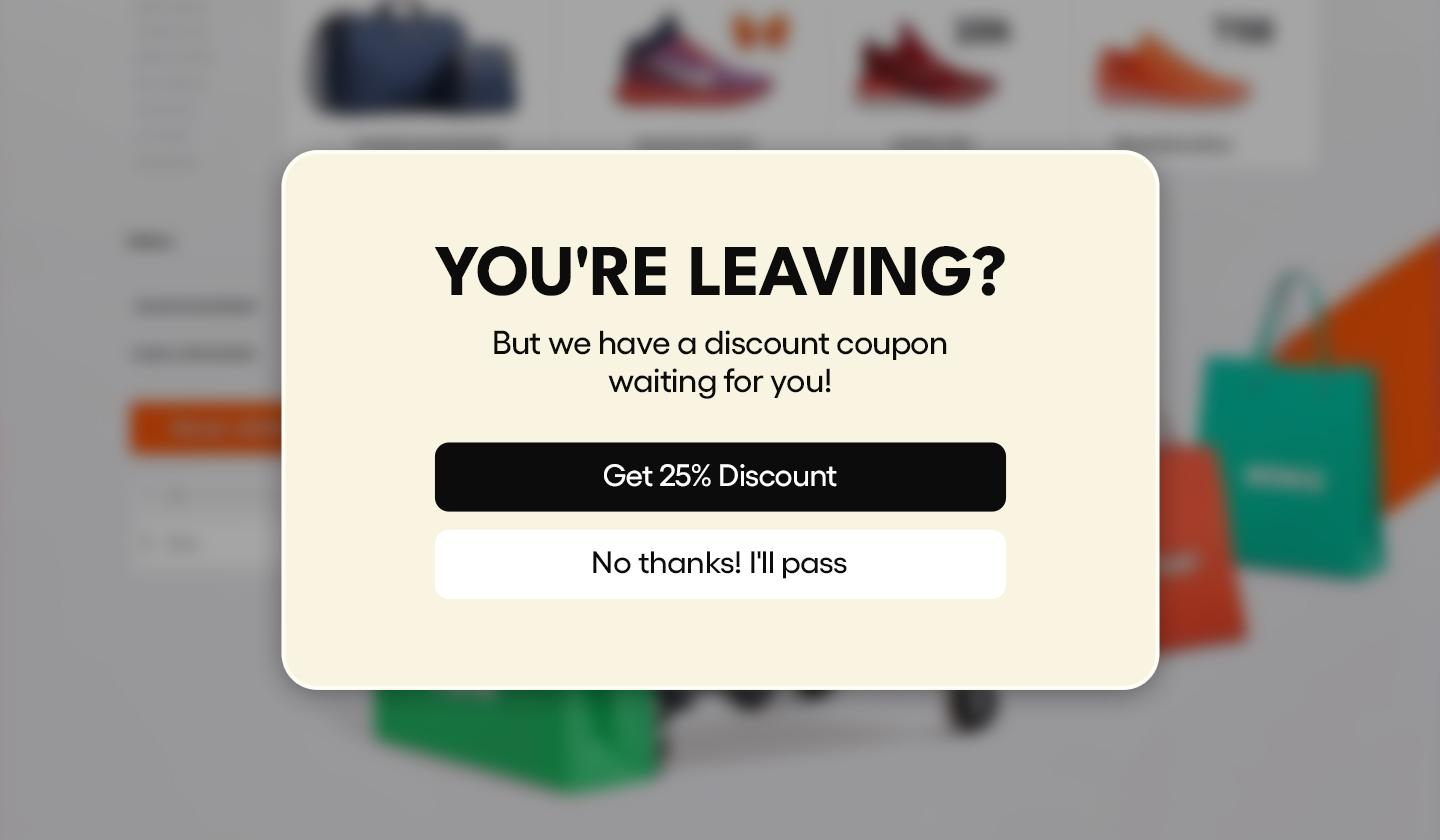
The dismissal velocity signal. Average dismissal time is a direct proxy for attention quality at the moment of nudge delivery. When dismissal time is 3 to 5 seconds, the user is at least reading the first line. When it drops to under 1 second, the nudge is being closed faster than the content can register. Tracking dismissal velocity over time on each campaign is one of the most direct ways to detect whether a nudge's timing is degrading.
Trigger types: event-based, time-based, behavior-based, and which works when
Not all triggers are equal for timing purposes. Each type has a correct use case and a common misuse pattern.
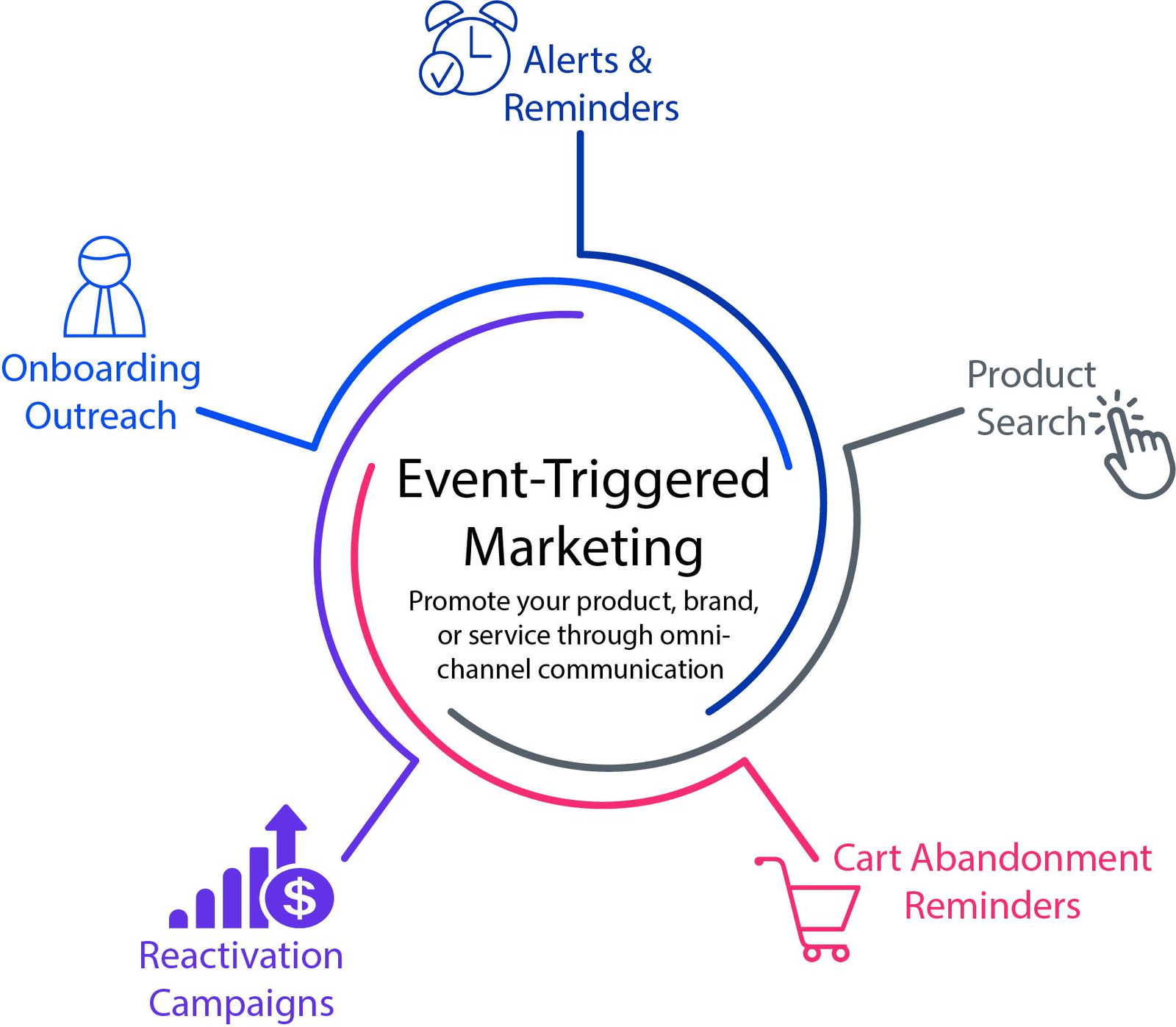
Event-based triggers
An event-based trigger fires when a specific user action occurs, for example, user completes onboarding step 1, user views the payments tab, user makes their first transaction. The nudge fires in response to a discrete action with no delay.
When it works: Feature discovery immediately after a related action. For example, after a user completes their first transfer, show them the recurring payments feature. The preceding action provides the exact context that makes the nudge relevant. Event-triggered messages based on real-time data produce approximately twice the response and engagement rates of latent data-driven communications, because the user's intent is live at the moment the message arrives.
Common misuse: Firing event triggers with zero delay on events that are not intention signals. A user opening the app is an event, but it carries no intent signal beyond "the user opened the app." Firing a nudge on this event means firing into the orientation window, before the user has established a goal.
Best practice: Event triggers should fire on actions that indicate a specific intent state, not just presence. The user viewing a specific screen twice is a stronger signal than the user opening the app. The user starting a multi-step flow and not completing it within 2 minutes is a stronger signal than the user completing step 1.
Time-based triggers
A time-based trigger fires after a defined duration, either relative to an event (5 minutes after the user last used feature X) or on an absolute schedule (show this to all users on Tuesday at 11am).
When it works: Re-engagement campaigns where inactivity itself is the signal. If a user has not opened the app in 7 days, a time-based trigger is appropriate because there is no behavioral event to hook onto. Feature adoption nudges sent 24 to 48 hours after a user tries a feature but doesn't complete the action work well as time-based triggers, because the time gap itself signals friction or abandonment.
Common misuse: Using time-based triggers as a substitute for behavioral analysis. Showing a nudge at "session start + 30 seconds" because the team doesn't have event tracking in place is a convenience decision masquerading as a strategy. The timer has no relationship to what the user is doing or needs at that moment.
Best practice: Time-based triggers should operate as fallbacks after behavioral signals are not available, not as the primary trigger logic. They are appropriate for inactivity scenarios, expiry scenarios (trial ending in 48 hours), and scheduled campaigns with clear time relevance (end-of-month financial summary).
Behavior-based triggers
Behavior-based triggers fire based on a pattern of actions over time rather than a single event. Examples include: user has visited the premium feature screen 3 times in the last 7 days without upgrading, user has completed the core action flow 5 times in the last week (suggesting they are a power user), user has abandoned the same step of onboarding across 2 sessions.
When it works: Anywhere intent confidence needs to be high before the nudge fires. A single visit to the pricing screen might be curiosity. Three visits in a week is probably consideration. Behavior-based triggers wait for the pattern to establish itself before firing, which means the nudge reaches the user at higher intent and higher receptivity.
Common misuse: Over-engineering the pattern to the point that it never fires. A trigger requiring "5 visits to feature X, followed by feature Y engagement, within 10 days" will reach so few users that it never produces statistically meaningful results. Behavior patterns need to be specific enough to indicate intent but broad enough to reach a usable audience.
Best practice: Start with two-condition patterns: the user did X AND has not done Y. "Viewed the investment screen AND has not made their first investment" is a behavior-based trigger that is both specific and scalable. Add conditions only when the base conversion rate shows the audience is too broad.
Lifecycle-stage triggers
A lifecycle trigger fires based on where a user is in their overall journey, not a specific recent action. New user in day 1 to 3. User who just completed their first core action. User who has been active for 30 days. User showing early churn signals (session frequency dropping week over week).
When it works: Nudges where the relevant message is tied to the user's relationship with the product rather than a specific in-session intent. Onboarding guidance belongs to lifecycle-stage logic. Retention interventions belong to lifecycle-stage logic.
Common misuse: Applying lifecycle triggers without accounting for how a user got to that lifecycle stage. A user who is in "day 7 active" because they have been through intensive onboarding has a different context from a user who is in "day 7 active" because they used the app once and then returned after 6 days. Lifecycle stage alone is not sufficient targeting for most behavioral nudges.
How to audit your current nudges for timing failures
Most teams do not have a formal timing audit process. They review nudge performance by engagement rate and either kill underperformers or test new copy. Neither action addresses timing if timing is the root cause.
A timing audit has a different structure. Here is how to run one.
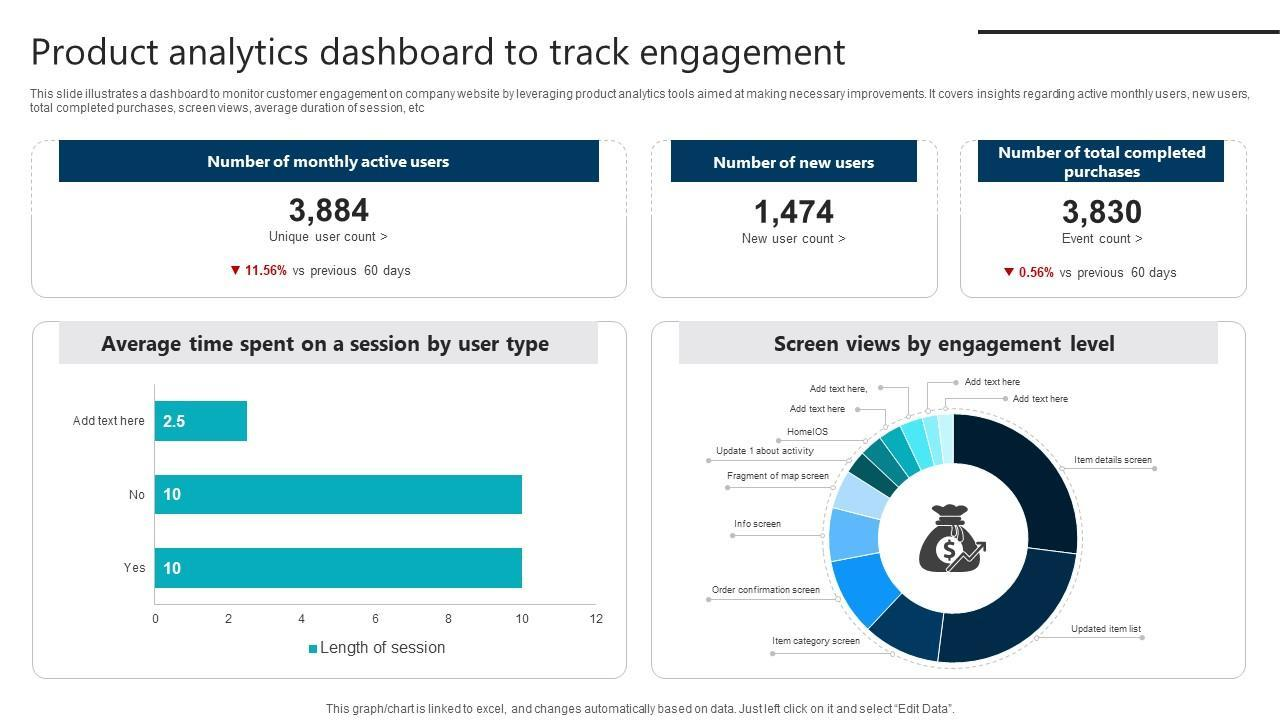
Step 1: Map every live nudge to its trigger type. Export a list of all active campaigns and classify each one: event-based, time-based, behavior-based, or lifecycle. This gives you the distribution. If more than 40% of your nudges are pure time-based triggers with no behavioral component, that is the starting point for intervention.
Step 2: Pull dismissal velocity data for each nudge. Average dismissal time is the fastest indicator of timing quality. Sort nudges by dismissal speed, fastest to slowest. Any nudge with average dismissal under 2 seconds is a candidate for timing review regardless of its click-through rate, because fast dismissal indicates the nudge is not being evaluated.
Step 3: Check for context failures. For each nudge, identify what the conversion event is. Then pull the percentage of nudge impressions delivered to users who have already completed that conversion event. In a well-configured system, this number should be close to zero. If 15% of your "complete your first investment" nudge impressions are going to users who have already invested, that is a direct context failure producing wasted impressions and negative trust signals.
Step 4: Check firing position relative to session depth. For nudges using session-based triggers, pull the average screen depth at which the nudge fires. Nudges firing at screen depth 1 (first screen after open) are almost always catching users in the orientation window. Nudges firing during specific task flows (screen depth 4 to 6 in a checkout) are likely creating mid-task friction.
Step 5: Calculate the ratio of impressions to unique users. A high ratio, for example, the same user receiving the same nudge 6 or 7 times, indicates a frequency and timing problem combined. Users who see the same nudge repeatedly are either not completing the target action (suggesting wrong context) or are completing it and still receiving the nudge (suggesting a completion-event tracking gap).
Step 6: Identify the fix for each failure type. Wrong timing means moving the trigger to fire after a behavioral gate. Wrong context means adding a completion-event suppression rule. Wrong frequency means capping impressions per user per campaign before testing other changes. Each failure mode has a specific fix, and applying the wrong fix wastes time.
Before/after timing fix examples with expected conversion impact
Abstract frameworks are useful. Specific examples are more useful. Here are four real timing failure patterns, their fixes, and the expected conversion impact based on available benchmarks.
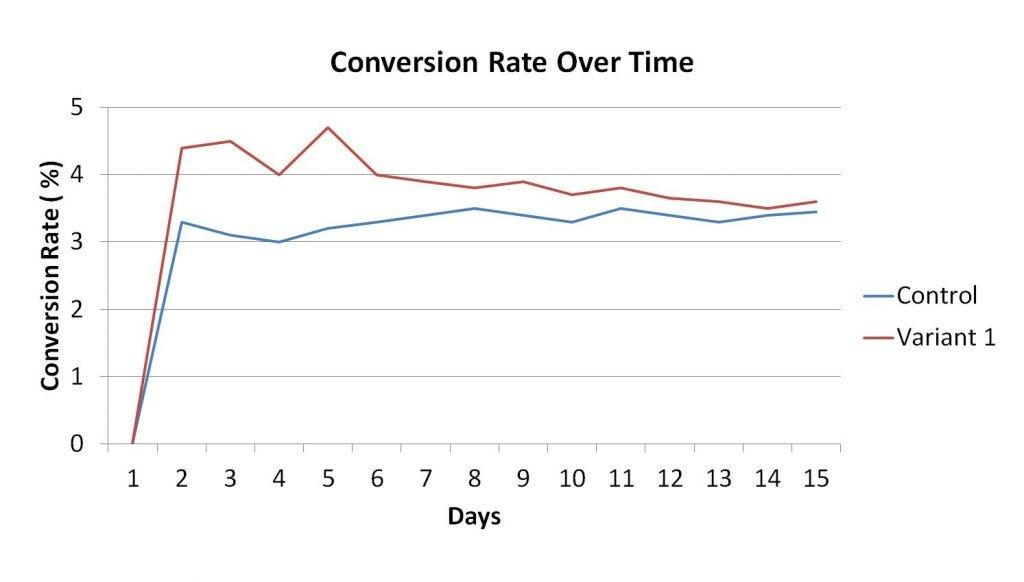
Example 1: Feature discovery nudge on session start
Before: A fintech app shows a "Discover Auto-Invest" tooltip 15 seconds after every session start for users who haven't used the feature. Dismissal rate is 91%. Click-through rate is 0.8%.
The timing failure: The nudge fires in the orientation window before the user has established any goal related to investments. The user opened the app to check their portfolio balance. They have no investment intent at this moment. The nudge is correct in targeting (users who haven't activated Auto-Invest) but wrong in timing (a moment with no investment intent).
The fix: Change the trigger from "session start + 15 seconds" to an event-based trigger: fire when the user opens the portfolio screen and their balance has grown by more than X% since last visit. The user is now looking at returns, which is the intent state most aligned with investment consideration.
Expected impact: Event-triggered messages based on real-time behavioral data produce approximately twice the response rates of latent data-driven communications. At 0.8% baseline, moving to a properly timed event trigger should push click-through to 1.5 to 2.5%, with downstream conversion improving proportionally.
Example 2: Upsell nudge during onboarding
Before: An e-commerce app shows a premium membership upsell modal on the 4th screen of the onboarding flow. Dismissal rate is 87%. The app team notes that "users are engaged during onboarding, so this is a high-attention moment."
The timing failure: Engagement during onboarding is task-focused engagement. The user's cognitive bandwidth is occupied by the onboarding task itself. An upsell modal interrupts a setup task with a financial decision, when the user has no established usage history to justify the upgrade. Users who haven't yet experienced the core value of a product have no basis to evaluate a premium tier. They are being asked to decide before they understand what they are deciding about.
The fix: Remove the upsell from onboarding entirely. Replace it with a behavior-based trigger: fire the premium upsell after the user has completed 3 core actions and returned for a second session. At that point, the user has experienced the product and has an informed basis for the upgrade decision.
Expected impact: Removing a modal from a task flow reduces abandonment at that step by 10 to 20% directly. The upsell shown post-activation to an engaged user will convert at 3 to 5x the rate of the same offer shown to a user mid-onboarding, because the intent state and trust level are fundamentally different.
Example 3: Re-engagement nudge firing after action completion
Before: A fitness app sends an in-app nudge saying "You haven't logged a workout this week" to users who haven't logged in 5 days. The campaign has a 22% click-through rate but conversions to actual workout logging are only 4%.
The timing failure: The context is correct (inactive users) but the trigger is not checking whether the user is already active at the time of delivery. The nudge fires to "users inactive for 5 days" at session start, which means it can fire to users who opened the app and are actively navigating. 34% of nudge impressions are going to users who are already in an active session and plan to log a workout. These users dismiss the nudge because it's inaccurate. That depression on conversion rate is a context failure, not a timing failure in the narrow sense.
The fix: Add a suppression rule: suppress the nudge for any user who has opened the app in the last 2 hours, indicating active intent. Additionally, add a completion-event suppression: if the user logs a workout during the same session, suppress all pending re-engagement nudges.
Expected impact: Cleaning impression quality by suppressing already-active users pushes real conversion rate (completions per targeted impression) from 4% to 8 to 10%, without any copy or offer changes. The nudge becomes more accurate to its intended audience.
Example 4: The correctly timed nudge
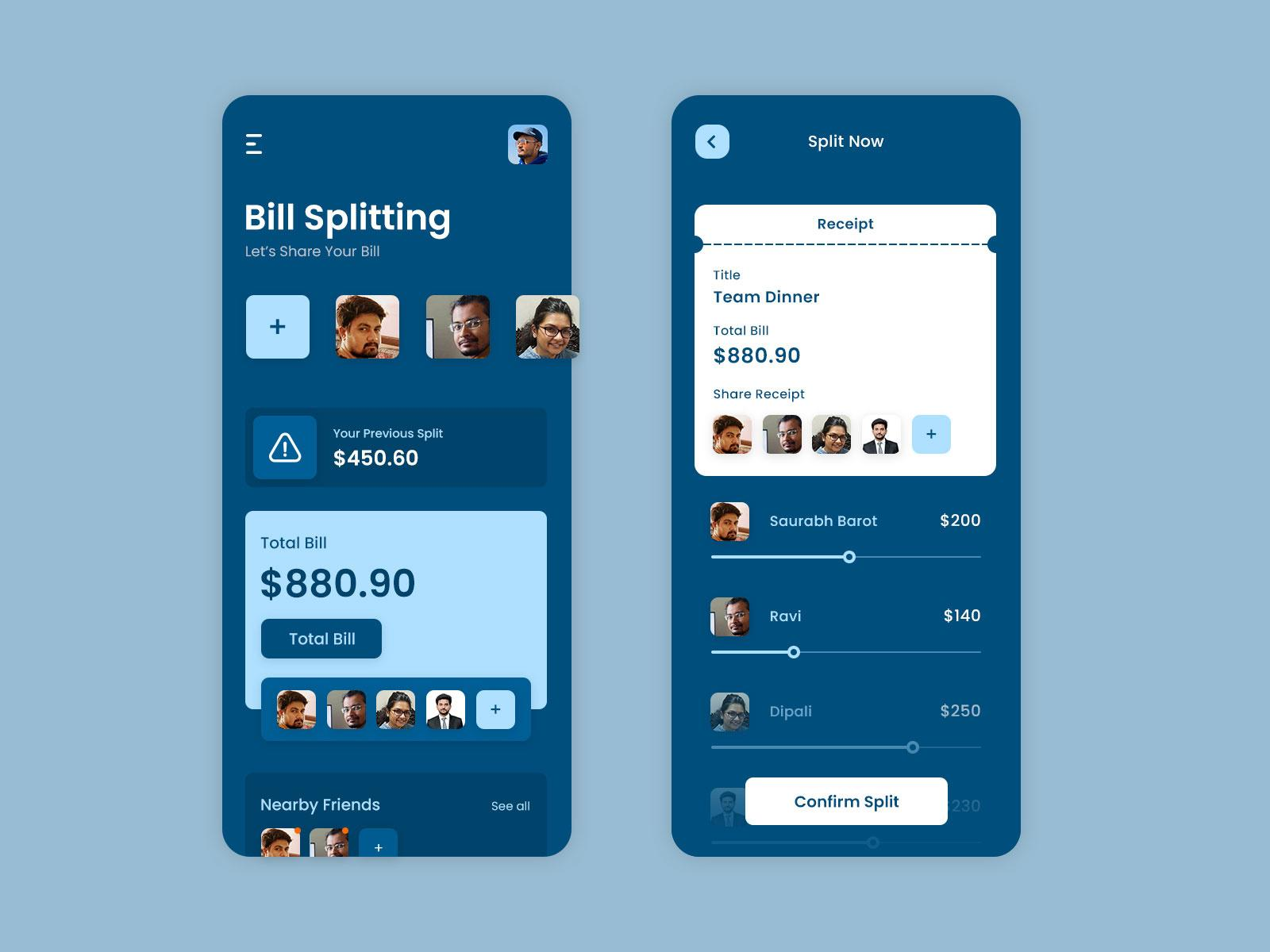
Before: A payment app runs a "Try Bill Split" nudge to all users who have never used the bill-split feature. It fires on session start, 4th session. Click-through is 5.2%, but feature activation is only 2.1%. Most users who tap through do not complete the setup.
The timing failure: Session start is the wrong trigger for a feature discovery nudge. The user has opened the app with a different task in mind. They tap the nudge out of curiosity but have no immediate bill-split context, so they look at the feature briefly and don't activate.
The fix: Change the trigger to fire when the user is on the send-money or request-money screen (the adjacent workflow). The user is already in a money-movement context. Bill split is directly relevant to what they are doing in that moment.
Expected impact: Personalized in-app messages aligned with user intent in the current session see retention rates of 61 to 74% within 28 days, versus 49% for generic campaigns. Feature activation for contextually timed discovery nudges typically runs 2 to 4x higher than the same nudge on a session trigger, because the user's current goal is adjacent to the feature being introduced.
Key takeaways
Most nudge timing failures fall into three categories: wrong timing (the moment of delivery has no relationship to the user's current intent), wrong context (the nudge is irrelevant to what the user has already done or is currently doing), and wrong frequency (repeated delivery of the same nudge at moments the user is not receptive).
The session trigger vs behavioral signal distinction is the most impactful architectural decision in nudge timing. Session triggers fire at convenient moments for the system. Behavioral signals fire at relevant moments for the user. The performance gap between the two is measurable and consistent.
Average dismissal velocity is the fastest proxy for timing quality. Dismissals under 2 seconds indicate the nudge is not being read. Dismissals under 1 second indicate the nudge is being filtered automatically, which means the content of the nudge has stopped mattering entirely.
A timing audit should check: trigger type distribution across all live nudges, dismissal velocity by campaign, the percentage of impressions going to users who have already completed the target action, the screen depth and session state at the moment of delivery, and the impression-to-unique-user ratio per campaign.
Event-based triggers fired on real behavioral signals consistently outperform time-based triggers by significant margins. The fix for most underperforming nudges is not better copy. It is a better trigger condition.
Further reading
From Digia Engage
- When NOT to Show a Nudge: Avoiding Engagement Fatigue
- Designing Non-Annoying Nudges: Frequency, Placement, and Context
- Contextual Nudges vs Global Campaigns: What Actually Works
- Nudges: Triggered In-App Experiences
Sources
- Most brands fail because they use the right nudges at the wrong time - Convertcart, What Actually Works in Nudge Marketing (April 2026)
- Habituation causes users to consciously or unconsciously ignore UI elements in predictable positions - ClickAdu, What is Banner Blindness (December 2024)
- Increased frequency of non-personalized notifications correlated directly with higher uninstall rates - Wohllebe et al., Mobile Apps in Retail: Effect of Push Notification Frequency on App User Behavior
- Trigger-based campaigns can boost app retention by 88%, with engagement up by over 50% - MobiLoud, What Are Behavioral Triggers (December 2025)
- Behavioral triggers combine personalization with timing, making them far more effective than scheduled campaigns - HelloSmpl, How to Use Behavioral Triggers to Boost Engagement and Retention
- Average on-screen attention before switching has dropped to approximately 47 seconds - Swiss German University, The Decline of Attention Span in the Digital Era (February 2026)
- A single smartphone notification hijacks user attention for approximately 7 seconds - Digit, One Smartphone Notification Hijacks Your Attention for 7 Seconds (April 2026)
- Any interruption to a payment flow creates cognitive friction that converts directly to abandonment - Baymard Institute, Checkout Flow UX Optimization
- Pop-up timing research: waiting 15 to 30 seconds before showing prompts allows value absorption - Alia, Popup Timing: 7 Proven Triggers That Convert
Want to move your nudges from session triggers to behavioral signals without an engineering sprint? See how Digia Engage handles event-based triggers or book a demo.