TL;DR: Building an app in 2026 no longer requires a software engineering degree, a six-figure dev hire, or three months of sprint cycles. AI-powered no-code tools have collapsed the distance between having an idea and shipping a working product. This guide walks through the full process, starting from picking the right tool for your output target, to defining what you are actually building, to getting your first screen live. It covers the landscape honestly: what each category of tool is genuinely good at, where each one hits a ceiling, and the specific decisions you need to make before you open any builder. Sourcing note: Tool capabilities described here are based on publicly documented platform features, independent testing reviews from 2025–2026, and Gartner's low-code/no-code market research. No vendor-sponsored data is treated as primary evidence.
Why This Is Now Possible, and Why Most Guides Get It Wrong
In early 2025, Andrej Karpathy coined the phrase "vibe coding" to describe a mode of software development where you describe what you want, the AI writes the code, and you iterate through conversation rather than through syntax. The phrase spread fast, not because it was technically precise, but because it named something a lot of people were already doing and doing successfully.
The numbers behind this shift are not small. Gartner forecasts that 70% of new applications will use low-code or no-code technologies by 2026, up from less than 25% in 2020. The broader low-code/no-code market is expected to surpass $44.5 billion by 2026. In Y Combinator's Winter 2025 batch, 25% of startups had codebases that were 95% or more AI-generated, given that these were companies being backed by the world's most selective accelerator. 63% of vibe coding users today are non-developers. Software creation has structurally stopped being a discipline gated behind years of engineering study.
That is the honest backdrop. Now for what most guides get wrong.
Most "no-code for beginners" articles are written like tutorials for a single tool. They walk you through Bubble's drag-and-drop interface, or they show you a Lovable demo, and they treat the question of "which tool" as already answered. They are not wrong about the tools they cover; they are wrong about the order of operations.
The tool is not the first decision. The output is.
If you choose Lovable before deciding that your app needs to ship on the App Store as a native iOS experience, you have already made a fatal mistake, because Lovable generates web apps only. If you choose Bubble before realizing your primary value is a mobile-first consumer experience with offline capability, you have built on the wrong foundation. The tools are not interchangeable. Each one has a specific output type, a specific ceiling, and a specific user who will get the most out of it.
This guide is structured around decisions, not demos. The question at each step is not "what does this button do" but "what do I need to know before I open this builder." That distinction is what separates people who ship their first app from people who rebuild it three times on the wrong tool.
The Taxonomy Problem: No-Code vs Low-Code vs Vibe Coding
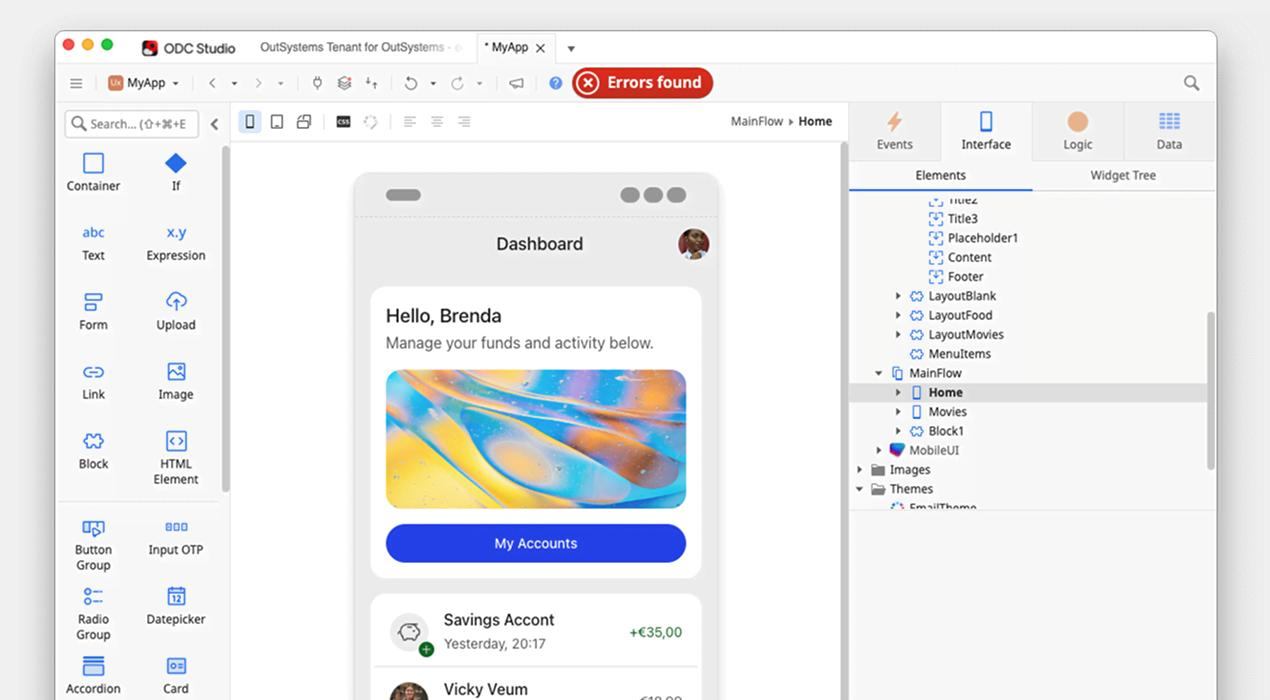
Before anything else, it is worth being precise about what these terms actually mean, because they are used interchangeably in ways that cause real confusion.
No-code platforms are environments where you assemble an application from pre-built components using a visual interface. You do not write code. You drag elements, configure properties, define workflows, and connect data. Examples: Bubble, Glide, Adalo, Softr. The abstraction layer is visual. The user model is: everything you need should already be in the component library.
Low-code platforms assume you will write some code, typically for custom logic, edge cases, or integrations that the platform's visual tooling does not cover. The platform handles the scaffolding; you handle the exceptions. Examples: FlutterFlow (with custom widgets in Dart), Retool, OutSystems. The user model is: most of the work should be covered visually, but you have an escape hatch.
Vibe coding / AI-generated apps are a newer category where you describe the application in natural language and an AI model generates the full code stack covering the frontend, backend, database schema, and authentication, from the prompt. Examples: Bolt.new, Lovable, Replit Agent, Base44. The user model is: the AI should understand your intent well enough to produce something immediately usable.
These categories are increasingly blurring. FlutterFlow now has AI features that generate screens from prompts. Bubble has added AI-assisted workflow generation. The distinction between "traditional no-code" and "AI no-code" is a spectrum, not a binary.
What matters practically is understanding three trade-offs that cut across all three categories:
Speed vs. structure. AI-generated tools like Bolt and Lovable can produce a working prototype in hours. Traditional no-code builders like Bubble require days to weeks to learn properly. The speed advantage of AI tools comes with a structural cost: the generated codebase can be hard to maintain and iterate on for complex applications.
Flexibility vs. reliability. Bubble gives you almost unlimited flexibility in logic and data modeling, but requires careful performance optimization that beginners miss. AI-generated apps can produce impressive demos that fail under real user load if the architecture is not thought through.
Visual control vs. output quality. Traditional visual builders give you precise control over every pixel. AI builders give you a result that might be 80% of what you want, with the remaining 20% requiring either prompting iteration or manual editing.
Knowing where your project sits on each of these axes is more useful than knowing which tool has the best landing page.
Step 1: Define What You Are Actually Building
This step happens before you open any tool. It is not glamorous. It is also the step that determines whether the next several weeks produce something you can ship or something you rebuild from scratch.
You need three things defined before you choose a tool: your output target, your core data model, and your primary user action.
Output Target
The most important question is where your app lives and how it is used.
Native mobile app (iOS and/or Android): This means your app is distributed through the App Store and Google Play, runs as a native binary, and has access to device capabilities like camera, push notifications, biometrics, and offline storage. If this is your target, your tool options are significantly narrowed. FlutterFlow is currently the leading no-code/low-code option. For true no-code with direct App Store deployment, Base44 added that capability in February 2026.
Web app (browser-based): Your app runs in a browser, is accessed via URL, and does not require installation. This covers the widest range of tools. Bubble, Lovable, Bolt.new, Glide, and Softr all produce web apps. Web apps can be "installed" on mobile via PWA (Progressive Web App) configuration, which is a useful middle ground if you need mobile experience without native distribution.
Internal tool / dashboard: If you are building something used by your own team such as an admin panel, a reporting dashboard, or an operations tool, you have a different set of priorities. Integration with existing data sources matters more than design polish. Tools like Retool and Glide excel here.
Mobile-native web app with a no-code layer: This is the category Digia Engage occupies for teams that already have an app and need to ship in-app experiences, campaigns, and UI changes without touching the app's core codebase. If you have an existing mobile app and need to iterate on content, onboarding flows, or engagement mechanics without a release cycle, this is a different problem from "build my first app." We will cover this specifically in the Digia Engage section below.
Core Data Model
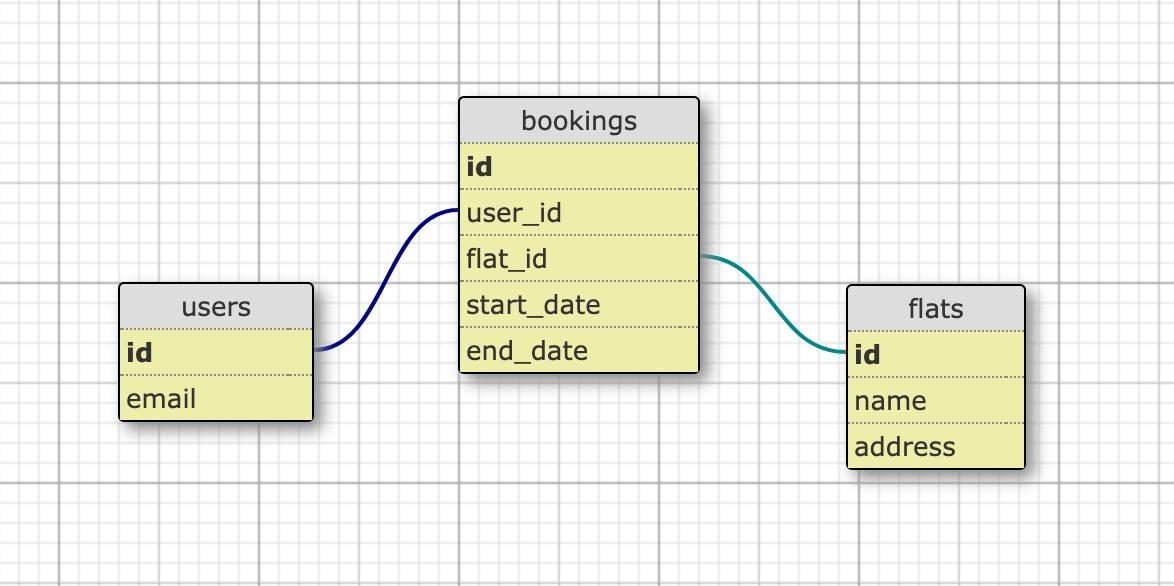
What data does your app need to store, and what relationships does it have?
Write this out before you touch any builder. Example:
- A task management app: Users → Projects → Tasks. A user has many projects. A project has many tasks. A task has an assignee (a user), a due date, and a status.
- A marketplace: Users (buyers + sellers) → Listings → Orders → Reviews. A listing belongs to a seller. An order connects a buyer to a listing.
- A fitness tracker: Users → Workouts → Exercises → Sets. A workout has many exercises. An exercise has many sets with reps and weight.
The reason this matters upfront is that different tools handle data relationships differently. Bubble has a native relational database that handles the above naturally. Glide's data layer is built on top of spreadsheets, which makes simple flat data easy but makes complex relational models awkward. AI-generated tools like Lovable use Supabase as a PostgreSQL backend, which handles relational models well but requires you to have thought through the schema before the AI generates it.
Getting the data model wrong costs you a rebuild. Getting it right upfront costs you an hour of thinking.
Primary User Action
What is the single most important thing a user does in your app? Not the full feature list, but the one action that, if it works well, defines the product.
- Airbnb's primary action: book a stay.
- Instagram's primary action: post a photo.
- Notion's primary action: write and organize a page.
Defining this focuses your tool selection on what matters. If your primary action involves real-time data sync (a live messaging app, a collaborative document), you need a tool with real-time database capabilities, and several popular no-code tools do not have this. If your primary action involves complex multi-step logic (a loan application, a multi-sided marketplace matching algorithm), you need Bubble or a custom Supabase setup, not a prompt-to-app generator.
Step 2: Choose the Right Tool for Your Output Target
With your output target, data model, and primary action defined, you can now make a tool choice that is unlikely to produce a dead end. Here is an honest breakdown of the current landscape, covering what each tool actually does and does not do well.
For Native Mobile Apps: FlutterFlow
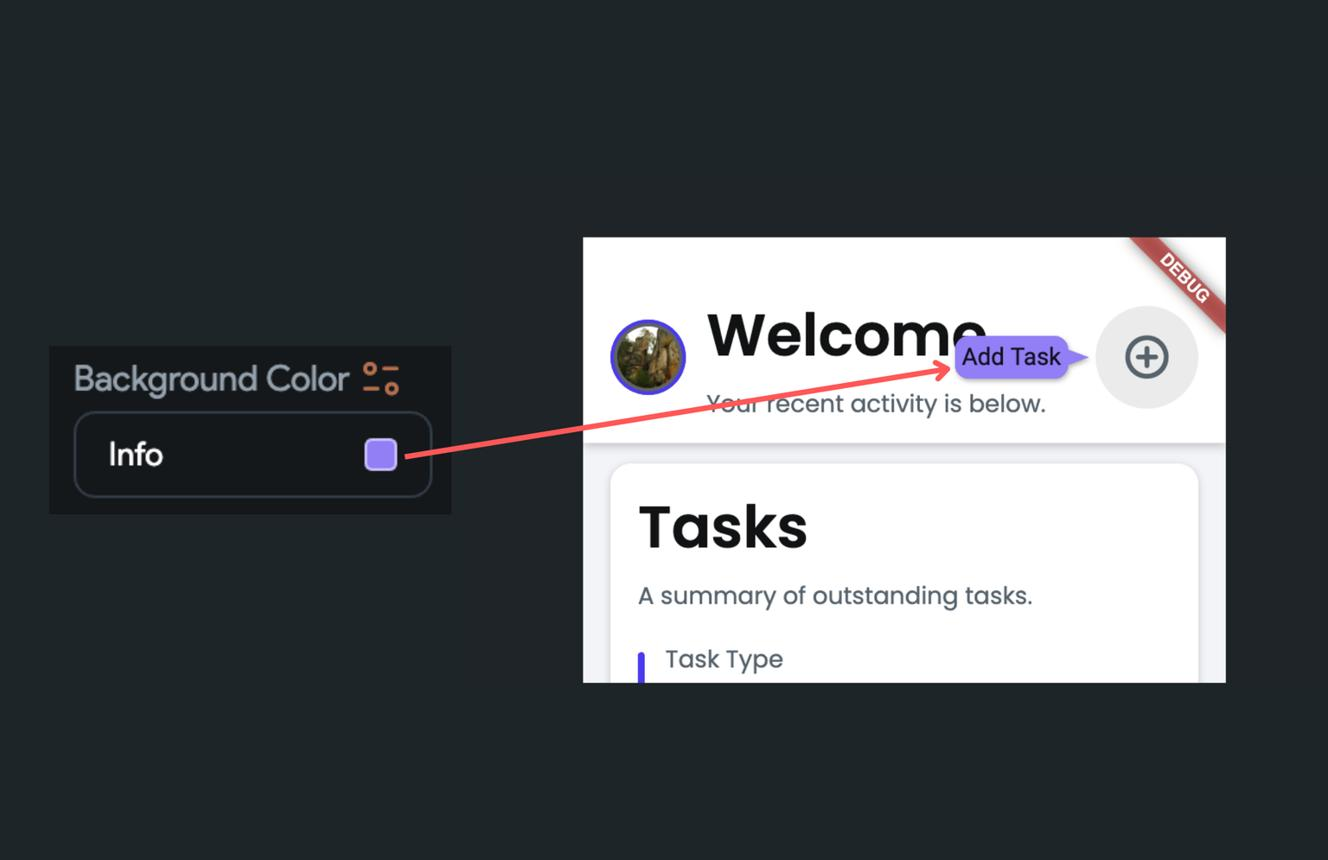
FlutterFlow is the most capable no-code builder for production-grade native mobile apps in 2026. It generates Flutter code (Google's cross-platform framework), which compiles to native iOS and Android. That last point matters: the output is not a web view disguised as a native app; it is actual native code.
What it does well: Drag-and-drop UI builder with a large component library. Native Firebase and Supabase integration. Code export, which means if you outgrow FlutterFlow, you can take the generated Flutter code and continue development with engineers. Push notifications, deep linking, and camera access work natively. The platform has AI features that generate screens and logic from prompts.
What it does not do well: FlutterFlow has a learning curve. You need to understand Flutter's widget tree model to debug unexpected layout behavior. The monthly price ($39/month for the pro tier) is higher than some competitors. Custom logic that falls outside FlutterFlow's widget library requires writing Dart code, which crosses into low-code territory.
Who it is for: Founders and product managers who want App Store–ready native mobile apps and are willing to invest a week or two learning the platform. Teams that want to export clean code if they hire engineers later.
For Full-Stack Web Apps: Bubble
Bubble is the most powerful no-code option for complex web applications. It has been around long enough to have a proven track record, with over 500,000 creators using it. Its visual programming environment lets you build custom logic, complex database relationships, and intricate user experiences without code.
Bubble's workflow builder handles multi-step processes natively: trigger an action when a user submits a form, run conditional checks, update multiple database tables, send notifications, and call external APIs, all without writing code. This is significantly more powerful than what most AI-generated tools can produce out of the box.
What it does well: Complex logic and data modeling. A mature plugin ecosystem. Proven scalability when built carefully. The best option for marketplaces, SaaS tools, community platforms, and multi-sided products.
What it does not do well: Steep learning curve: expect weeks, not days, before you are building confidently. Performance optimization is non-trivial and matters at scale. Mobile experience is functional but not as polished as native. Bubble is rolling out mobile capabilities, but it remains primarily a web-first environment.
Who it is for: Technical product managers and founders building complex web applications. Teams with a 3–6 month runway who want the most capable no-code foundation available.
For Fast AI-Generated Prototypes: Lovable and Bolt.new
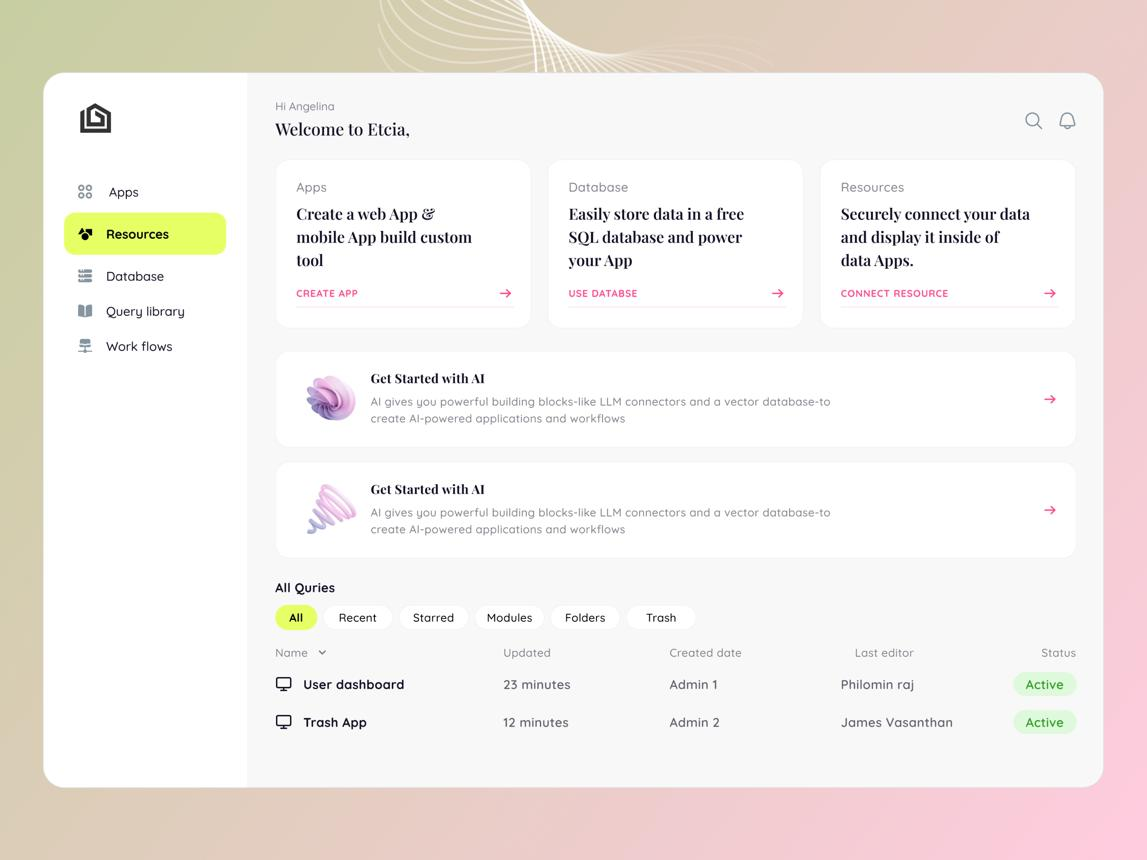
Lovable (formerly GPT Engineer) and Bolt.new are the leading prompt-to-app generators in 2026. Both can produce a working full-stack web application from a natural language description in under an hour. Lovable reached $200 million in annual recurring revenue by late 2025, putting it firmly outside niche tool territory.
Lovable generates React and TypeScript code with Tailwind CSS styling and a Supabase backend. Its Agent Mode works autonomously, exploring code, debugging, and searching the web for solutions. Visual editing lets you click directly on UI elements to modify them without prompts. Free tier: 5 credits per day for public projects.
Bolt.new generates full-stack web apps with impressive speed at scaffolding UIs and connecting to common backend services. Better suited to developers who want control over the generated code. Browser-based with instant previews.
What they do well: Speed. Both tools can get a convincing prototype in front of users in hours. The generated code is real, covering React, TypeScript, and Supabase, not a proprietary format you are locked into.
What they do not do well: Complex, production-grade backends with intricate business logic require careful iterative prompting. Long-lived applications with many contributors can suffer from codebase drift, where the AI adds code without cleaning up what came before. Neither tool produces native mobile apps; both are web only.
Who it is for: Founders validating MVPs before committing development budgets. Product managers who need a working demo for stakeholders or investors. Teams building internal tools quickly.
For Internal Tools on Existing Data: Glide
Glide builds apps directly on top of your Google Sheets or Airtable data. If your data already lives in a spreadsheet and you need a clean, functional app interface over it without needing to migrate to a new database, Glide is the fastest path.
Who it is for: Operations teams, small business owners, and anyone with valuable data in spreadsheets who needs an interface without a full app build.
Decision Matrix
| Output Target | Recommended Tool | Time to First App | Learning Curve |
|---|---|---|---|
| Native iOS + Android (App Store) | FlutterFlow | 1–3 weeks Medium-High | |
| Complex web app (SaaS, marketplace) | Bubble | 2–6 weeks | |
| Fast web prototype or MVP | Lovable or Bolt.new | Hours–Days | Low |
| Internal tool on spreadsheet data | Glide | Hours | Low |
| Mobile-first web app with progressive enhancement | Lovable + PWA config | Days | Low-Medium |
| In-app engagement on existing mobile app | Digia Engage | Under 24 hours | Very Low |
Step 3: Design Your Data Model First, Not Your UI {#step-3-design-your-data-model}
This is where most first-time builders make the mistake that costs them the most time.
The intuitive approach is to start with the visual: open the builder, design a screen, make it look like the app you have in your head. The problem is that without a defined data model, you are designing a façade. When you add the second screen, you realize the data the first screen produces does not connect to what the second screen needs. You start making patches. The patches accumulate. Six weeks in, the data structure is a mess and rebuilding it means rebuilding the entire app.
The engineering approach, and this is the one approach from software development that you absolutely must carry into no-code building, is to model the data first.
How to Design a Data Model Without Being a Database Engineer
You do not need to know SQL or understand database normalization theory. You need to answer five questions:
1. What are the main "things" in my app? These become your tables or collections. Write them down as nouns. For a booking app: User, Listing, Booking, Review. For a learning app: User, Course, Lesson, Progress, Quiz.
2. What does each "thing" have? These become your fields/columns. A User has: name, email, profile_photo, created_at. A Booking has: user_id, listing_id, start_date, end_date, status, total_price.
3. How do these "things" relate to each other? This is the relational layer. A Booking belongs to a User. A Booking belongs to a Listing. A Listing has many Bookings. Write these relationships explicitly.
4. What data do I need to display on each screen? Take your primary screens and list the data fields each one needs. If your home screen shows a list of available listings filtered by date and price, you need listings with availability dates and price fields. If your profile screen shows a user's booking history, you need the ability to query bookings by user_id.
5. What data does each user action create or modify? When a user completes a booking, what record gets created? What fields change? (Listing availability decreases. A new Booking record is created. The user's upcoming_bookings list gets a new entry.) Map each primary action to its data effect.
With these five questions answered, you have a data model. It does not need to be perfect, because it will evolve. But having it written down means that when you open Bubble or Lovable or FlutterFlow, you can configure the data layer in the first hour instead of discovering its shape through painful iteration.
What to Do With This in Lovable
When you use a prompt-to-app generator like Lovable or Bolt, the quality of your output is directly proportional to how well your data model is specified in the prompt. Compare these two prompts:
Weak prompt: "Build me a booking app for a fitness studio."
Strong prompt: "Build me a booking app for a fitness studio. The data model has four tables: User (id, name, email, profile_photo, role [customer/instructor]), Class (id, title, description, instructor_id, start_time, duration_minutes, capacity, location), Booking (id, user_id, class_id, status [confirmed/cancelled], created_at), and WaitlistEntry (id, user_id, class_id, position). A user can book a class if capacity allows; otherwise they join the waitlist. When a booking is cancelled, the first waitlist entry should be promoted to confirmed. Build the frontend with a class calendar view, a booking flow, and a profile page showing upcoming and past bookings."
The second prompt produces an app that is architecturally sound from the first generation. The first prompt produces something that looks right but will need significant rework the moment you add any logic beyond the simplest case.
Step 4: Prompt Engineering for App Builders, and What Actually Works
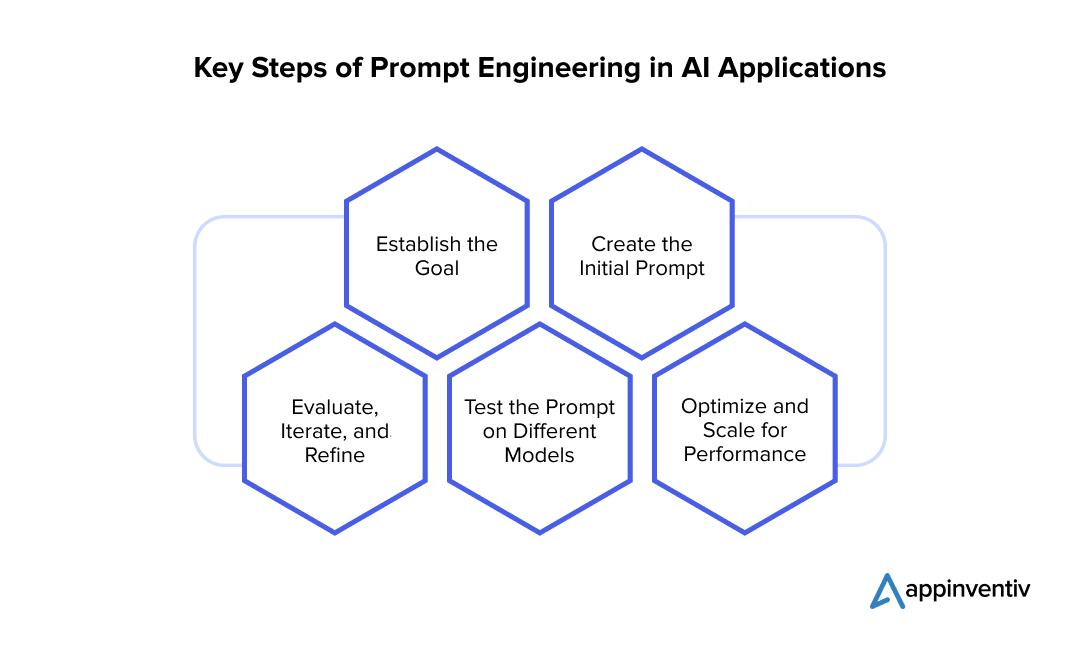
If you are using an AI-powered builder (Lovable, Bolt.new, or the AI features in FlutterFlow or Bubble), the quality of your prompts directly controls the quality of your output. Prompt engineering for app builders follows different rules than prompting a conversational AI.
Principle 1: Describe the system, not just the screen
Most people prompt a UI: "create a login screen with an email field and a password field and a submit button." This produces a screen. What you need to describe is the behavior behind the screen: "Create an authentication flow. The sign-up screen collects email and password and creates a new User record in the database. After sign-up, redirect to the onboarding flow. The login screen authenticates against the existing User table. If login fails, show an inline error message. Support password reset via email."
The UI follows from the behavior description. If you describe only the UI, the AI generates a visual with no functional wiring.
Principle 2: Specify the error states
The happy path is easy. What makes apps feel robust is their handling of edge cases. When you prompt a feature, include the failure states: "If the form submission fails due to a network error, show an error toast with a retry option. Do not reset the form fields."
AI builders that do not receive this instruction will produce UIs that silently fail or show raw error codes to users. Including error handling in the prompt is the difference between a demo and a product.
Principle 3: One feature per prompt session
This is counterintuitive. You might think prompting the entire app in one message is efficient. It produces a mess. The AI is making hundreds of architectural decisions simultaneously, and the result is a codebase with inconsistent patterns, mismatched styling, and logic that works in isolation but breaks in combination.
The correct workflow for Lovable and Bolt is: generate the data model and authentication layer first. Confirm it works. Then add the primary feature. Confirm it works. Then add secondary features one at a time. This creates a codebase that is coherent because each addition is built on top of a confirmed working foundation.
Principle 4: Commit checkpoints before major changes
Both Lovable and Bolt have version history and commit functionality. Before prompting a significant change such as a new database table, a new authentication flow, or a redesign of the primary navigation, commit your current working state. If the new prompt produces something broken, you can revert. Without this habit, you will spend hours debugging a codebase that was working perfectly an hour ago.
Principle 5: Use the visual editor for layout, prompts for logic
For styling adjustments like colors, spacing, font sizes, and component layout, use the visual editor directly. Prompting "make the button slightly more blue" requires the AI to understand your current state, interpret "slightly," and regenerate code. Clicking the button in the visual editor and changing the color value takes four seconds. Save prompt credits for logic and data operations, not for visual tweaks.
Step 5: Wire Up Your Backend Without Writing SQL
Every app that persists data beyond a single session needs a backend. In traditional development, this means configuring a server, writing API endpoints, managing a database, and handling data migrations. In the no-code and AI-powered world, this is handled either automatically (Lovable uses Supabase automatically) or through a visual interface (Bubble has a built-in database).
Understanding what is happening in your backend, even if you are not writing the code, matters for debugging, scaling, and making good product decisions.
Supabase: The Default Backend for AI-Generated Apps
Supabase is an open-source Firebase alternative built on PostgreSQL. It is the backend that Lovable, Bolt.new, and many other AI tools use by default. When these tools generate your app, they are creating tables in a PostgreSQL database hosted on Supabase, generating API endpoints automatically from your schema, and setting up Row Level Security (RLS) to control which users can access which data.
You do not need to write SQL to work with Supabase, but you do need to understand a few concepts:
Tables and columns: These map directly to your data model. If you have a Booking table with a status column, you can see and edit this directly in the Supabase dashboard.
Row Level Security: This is what prevents a user from accessing another user's bookings. Supabase RLS policies are SQL statements, but AI tools generate them automatically. You should verify they exist: check the Authentication section of the Supabase dashboard and confirm your tables have RLS enabled. Without it, any authenticated user can read any row in any table.
Realtime subscriptions: Supabase supports real-time data updates via WebSockets. If you need live updating UI (a chat feature, a live booking availability count), tell the AI to use Supabase Realtime when building that feature.
Firebase: The Alternative for Mobile-First Apps
Firebase is Google's backend-as-a-service and the default backend for FlutterFlow. Where Supabase uses a relational (table-based) model, Firebase's primary database (Firestore) is a NoSQL document store. This is faster for some use cases (high-frequency writes, real-time sync) but requires more upfront thinking about data structure for complex relational models.
FlutterFlow's Firebase integration handles authentication, Firestore database, storage, and push notifications from the visual editor. For a first mobile app with standard CRUD operations, you likely do not need to touch the Firebase console directly, as FlutterFlow manages it.
Bubble's Built-In Database
Bubble has its own proprietary database that is entirely visual. You define data types (equivalent to tables) and fields in a UI. The learning curve here is understanding Bubble's "data things" model, where every piece of content in a Bubble app is a "thing" of a certain type, and relationships are created by adding fields of type "thing."
For most use cases, Bubble's database is sufficient. Where it becomes limiting is at scale, specifically with very large datasets and complex queries that can be slow in Bubble's native database. At that point, teams typically integrate with an external Supabase or PostgreSQL database via API.
Step 6: Handle Authentication, Payments, and APIs
Three capabilities consistently separate demo-quality apps from production-quality apps: authentication, payments, and third-party integrations. Here is how to handle each without writing backend code.
Authentication
Every app with user accounts needs authentication. The options in the no-code world:
Bubble: Built-in authentication with email/password. Third-party OAuth (Google, Facebook, Apple) via plugin. Two-factor authentication via plugin.
FlutterFlow + Firebase: Firebase Authentication is the standard setup. Supports email/password, phone number, Google, Apple, and anonymous sign-in. FlutterFlow's visual editor connects directly to Firebase Auth: you drag an authentication component, configure the provider, and authentication works.
Lovable/Bolt + Supabase: Supabase Auth is automatically configured. Supports email/password, magic link, and OAuth providers. The AI will generate the authentication flow if you specify it in the prompt.
The critical thing to verify in any tool is the session management: what happens when a user's session expires? What happens when a user tries to access a protected page while unauthenticated? Test these states before shipping.
Payments
The standard for no-code payment integration is Stripe. Every major no-code platform has Stripe integration:
Bubble: Stripe plugin handles one-time payments, subscriptions, and Connect (for marketplace payments between sellers and buyers). The integration is visual: configure your Stripe keys and add payment workflows.
FlutterFlow: Stripe integration is available. Alternatively, for App Store apps, you must use Apple's in-app purchase system for in-app purchases, as Stripe is only permitted for payments outside the app experience.
Lovable/Bolt: Prompt the AI to integrate Stripe. The generated code will use Stripe's JavaScript SDK for frontend and Supabase Edge Functions for the backend payment handling. You will need to configure your Stripe account, set up webhooks, and test with Stripe's test mode before going live.
Important for mobile apps: Apple requires that digital goods and subscriptions sold inside iOS apps use Apple's in-app purchase system (15–30% commission). This is a policy requirement, not a technical one. Physical goods and services rendered outside the app can use Stripe. Know this before you build your monetization model.
Third-Party APIs
No-code apps connect to external services via APIs. Common integrations:
- Email: SendGrid, Resend, or Mailgun for transactional emails (confirmation, password reset, notifications)
- Maps: Google Maps or Mapbox for location features
- SMS: Twilio for phone verification or SMS notifications
- Analytics: Mixpanel, Amplitude, or PostHog for user behavior tracking
- Storage: Cloudinary or AWS S3 for user-uploaded images and files
In Bubble, these are mostly handled via plugins. In Lovable and Bolt, tell the AI which services you need and it will generate the integration code. In FlutterFlow, each integration has a dedicated plugin or requires custom Dart code for services not in the plugin library.
A practical note on API keys: never hardcode API keys in frontend code. When using Lovable or Bolt, verify that API keys are stored in environment variables, not embedded in the generated JavaScript. Supabase Edge Functions are the right place for API calls that require secret keys.
Step 7: Test Across Devices Before You Ship Anything
There is a consistent pattern in first-time app builds: the app looks perfect on the MacBook where it was built and breaks on the Android phone that the first user opens it on.
This is not unique to no-code tools; it is a universal property of software development that the build environment and the run environment differ in ways that are easy to forget. But no-code builders introduce some specific failure modes worth knowing.
The Device Variance Problem
Screen sizes: A layout that works beautifully at 1440px desktop width can collapse or overflow at 390px mobile width. In Bubble, mobile responsiveness requires explicit configuration of breakpoints and mobile-specific layouts. In FlutterFlow, Flutter's layout system generally handles responsiveness well, but widget tree nesting issues can cause unexpected behavior at smaller sizes.
Operating system differences: Safari on iOS handles web fonts, CSS scroll behavior, and input handling differently from Chrome on Android. If your app is a web app intended for mobile use, test on Safari iOS explicitly, because it is not the same as Chrome iOS (which uses WebKit under the hood but has different behavior from Safari on many properties).
Network conditions: Your app was built on a fast office Wi-Fi connection. Your users are on 4G with intermittent signal. Network-dependent operations (image loading, API calls, database reads) that feel instantaneous in development feel slow in production. Build in loading states, skeleton screens, and graceful error handling for slow network conditions. Test this deliberately by throttling your network to 3G in Chrome DevTools.
Testing Workflow for No-Code Apps
For Bubble apps, use Bubble's built-in preview mode on desktop and mobile. Create test user accounts with different permission levels and walk through the entire user journey for each role. Create a checklist of the states you are testing: new user (no data), returning user (has data), user attempting an unauthorized action.
For FlutterFlow apps, use the built-in Flutter emulator in FlutterFlow, but also export and test on physical devices via TestFlight (iOS) and the Google Play Internal Testing track. Emulators do not replicate physical device GPU behavior, touch event handling, or thermal throttling on older devices.
For Lovable and Bolt apps, test in a browser at 390px width (iPhone standard), 414px (iPhone Plus), and 768px (iPad/tablet). Pay particular attention to modals and overlays, which consistently break at mobile viewport widths when not built with mobile-first intent.
The Authentication Edge Cases
Test these scenarios explicitly, as they are the most commonly broken in first builds:
- User registers and immediately closes the browser: can they log back in?
- User is logged in on two devices simultaneously: does one logging out affect the other?
- User attempts to access a protected page via direct URL while logged out: do they get redirected to login, and after login, do they land on the page they were trying to reach?
- Password reset email link: does it work, expire correctly, and redirect to the right page?
Step 8: Deploy, Distribute, and Iterate Without a Dev Sprint
Getting your app live is a different challenge depending on your output type.
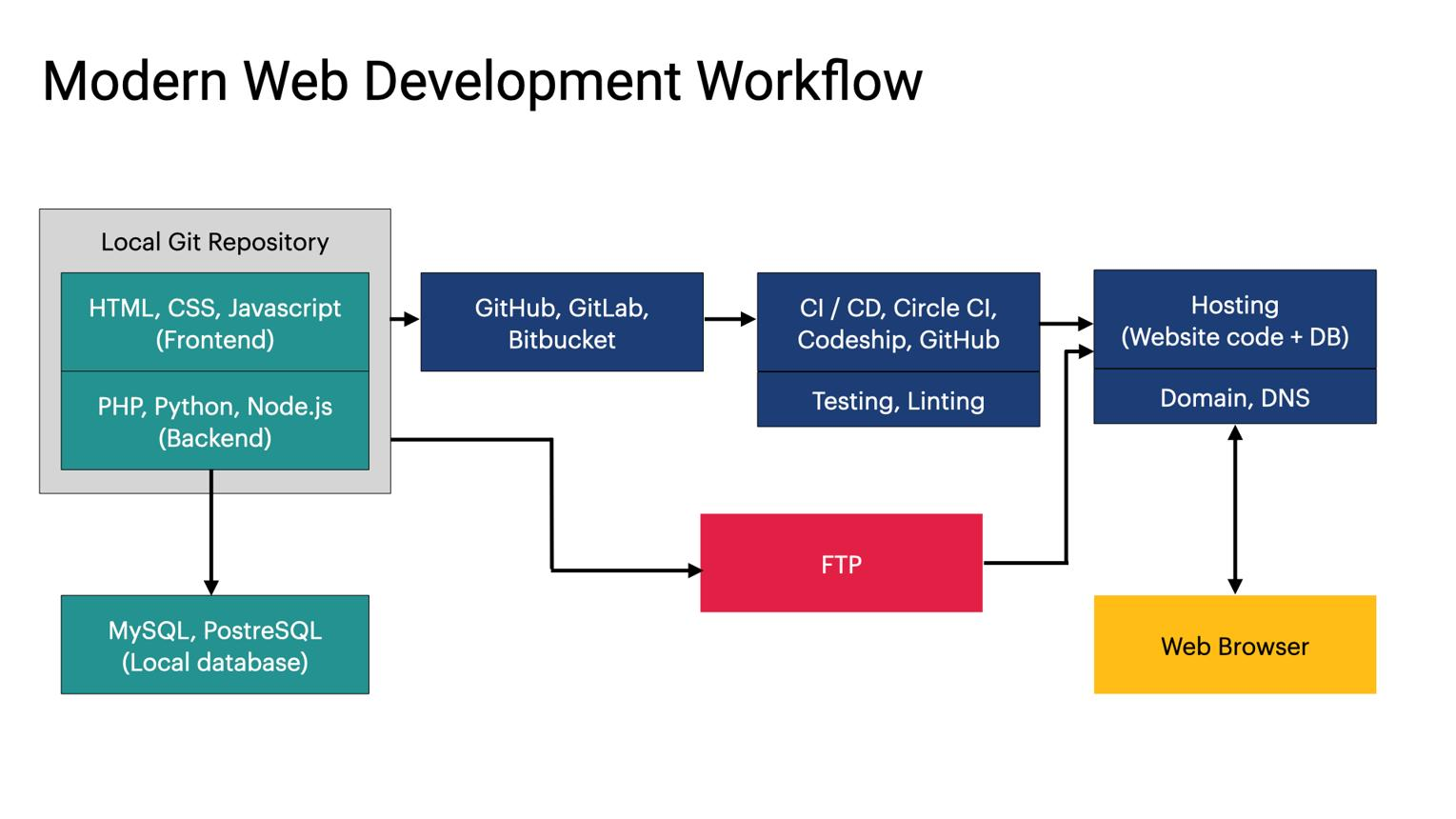
Web Apps: Deployment
For Lovable and Bolt apps, deployment is the easiest step in the entire process. Both platforms offer one-click deployment to their own hosting. Lovable apps can also be connected to a custom domain. The generated Supabase backend is automatically hosted.
For Bubble apps, Bubble handles hosting directly. You configure your custom domain in the Bubble settings, and the app is live. No server setup, no DevOps, no deployment pipeline.
For custom-domain deployment from Lovable/Bolt with more control, you can export the generated code and deploy to Vercel or Netlify, both of which offer free tiers with generous limits for early-stage products.
Native Mobile Apps: App Store Distribution
This is where no-code meets real friction. Getting a native app into the App Store and Google Play requires:
Apple Developer Program: $99/year. Required for any iOS distribution. Registration takes up to 48 hours for account verification.
App review: Apple reviews every app submission, typically within 24 hours (but up to 7 days for first-time submissions or significant updates). Your app must comply with Apple's App Store Review Guidelines. Common rejection reasons: incomplete app functionality, broken links, apps that are "not useful enough," apps that do not disclose in-app purchase requirements.
Google Play: $25 one-time fee. Faster review process than Apple (often under 24 hours for new apps). Less stringent content review than Apple, but still requires compliance with Google Play Policies.
For FlutterFlow apps, you export the Flutter code and use Xcode (for iOS) and Android Studio (for Android) to build the release binaries. FlutterFlow's documentation covers this build process in detail. Base44, which added direct App Store deployment in February 2026, handles more of this automatically.
The Iteration Cadence
This is where no-code tools create a genuine competitive advantage over traditional development.
In a traditional engineering team, shipping a UI change requires: writing code, opening a pull request, code review, merging, staging deployment, QA, production deployment. For a non-critical change, this is 2–5 days minimum. For teams with weekly release cycles, it is up to 7 days.
In Bubble, changing copy, colors, or layout takes minutes and is live immediately with no release process. In Lovable, prompting a UI change and deploying takes under an hour. In FlutterFlow with server-side configuration, some changes can be pushed without a new App Store submission.
For in-app engagement layers specifically, including onboarding tours, tooltips, promotional modals, and gamification mechanics, this is the core problem Digia Engage solves for teams that have already shipped a native app: the ability to ship, test, and iterate in-app experiences without a release cycle, with campaigns going live in under 100ms and full campaigns launching within 24 hours of SDK integration.
The Ceiling Every No-Code Builder Has, and What To Do When You Hit It
No-code tools have real ceilings. Every honest review of this space acknowledges this. Understanding where those ceilings are before you hit them lets you plan around them rather than be surprised by them.
Bubble's Ceilings
Performance at scale: Bubble apps can become slow when handling large datasets, complex queries, or high concurrent user loads. The Bubble community has developed performance optimization techniques (using "Do a search" wisely, limiting recursive workflows, using database triggers carefully), but this requires learning. Apps with tens of thousands of active users have been built on Bubble, but they required deliberate optimization work.
Native mobile experience: Bubble is a web app builder. Its mobile experience is functional but does not replicate the performance, animations, and feel of a native iOS or Android app. If native feel matters for your product, Bubble is not the right foundation.
Complex algorithmic logic: If your app requires machine learning inference, complex graph algorithms, or real-time matching logic, Bubble's workflow engine is not designed for it. These cases typically require a hybrid approach: external API endpoints (e.g., a Python function on a serverless platform) that Bubble calls via API connector.
Lovable and Bolt's Ceilings
Long-lived codebase complexity: The longer you use an AI tool to iterate a codebase, the harder it becomes to maintain architectural consistency. The AI adds code without necessarily cleaning up old patterns. After 50+ prompt sessions, a Lovable codebase can accumulate dead code, inconsistent state management, and conflicting styling approaches. The mitigation: periodic "clean-up" prompts ("audit this codebase for unused components and inconsistent patterns"), and eventually, a developer review if the product is succeeding.
Unique business logic: If your core value proposition is a genuinely novel algorithm such as a proprietary matching engine, a custom risk scoring model, or a real-time optimization system, prompt-based AI builders will not produce it reliably. They produce standard application patterns well. Novel logic requires either custom code or a hybrid approach.
FlutterFlow's Ceilings
Custom UI components: FlutterFlow's component library is extensive but not unlimited. If your design requires a highly custom interaction that does not exist in the library, you will need to write custom Flutter/Dart widgets. This is low-code territory and requires some engineering skill.
Backend complexity: FlutterFlow integrates well with Firebase and Supabase for standard CRUD applications. Complex server-side business logic such as multi-step transaction processing, complex permission systems, and real-time aggregations typically requires Cloud Functions (Firebase) or Edge Functions (Supabase), which require writing code.
The General Pattern
Every no-code tool is optimized for a specific category of application. When your app's requirements fall outside that category, you have three options:
- Accept the constraint: Simplify the feature to what the tool supports natively. This is often the right answer, as constraints tend to produce simpler, more maintainable products.
- Hybrid approach: Keep the core app in the no-code builder and use external services (serverless functions, third-party APIs, external databases) for the parts that exceed the tool's native capability.
- Export and continue with code: Both FlutterFlow and Lovable/Bolt produce real code that you can take to an engineering team. The no-code phase produces a validated, working product; the code phase extends it.
Where Digia Fits Into This Picture
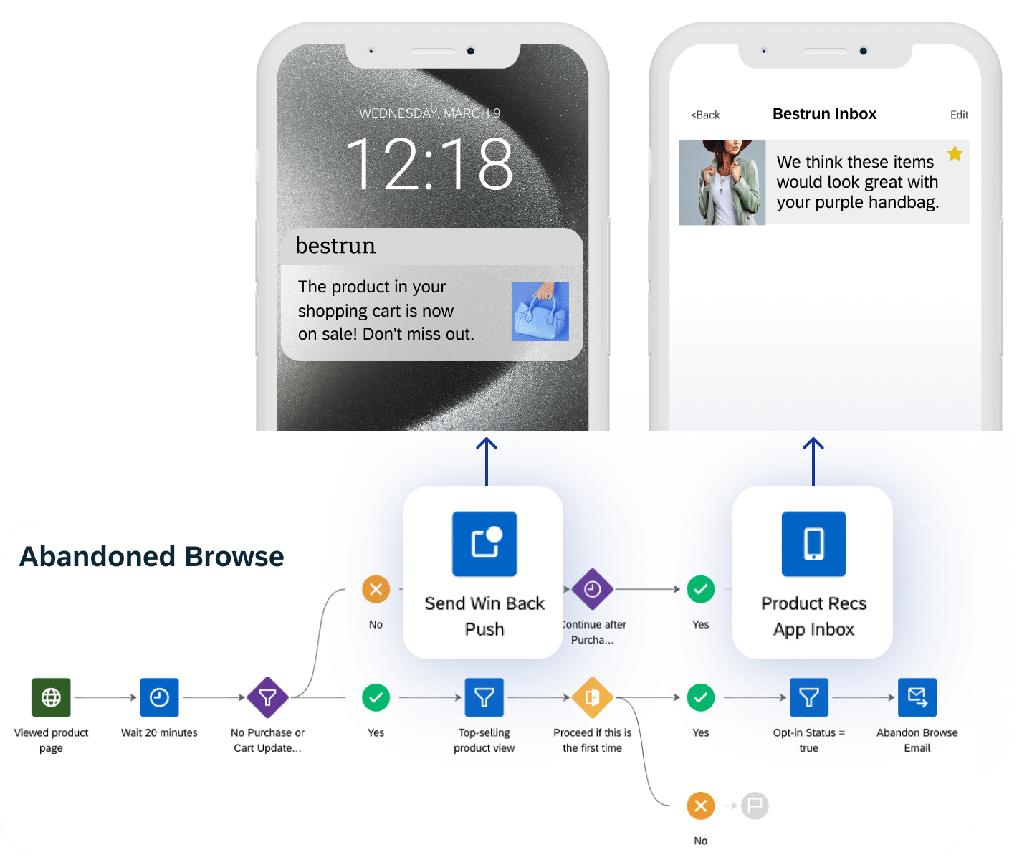
This guide has been about building your first app. But there is a related problem that matters to the majority of teams reading this: you have already built an app, and now you need to iterate on in-app experiences such as onboarding flows, feature announcements, engagement campaigns, and gamification mechanics, without waiting on an engineering sprint.
This is the problem Digia Studio is built for.
The dynamic described earlier in this guide, that no-code tools allow faster iteration than traditional development, applies to the engagement layer of existing apps as directly as it applies to building from scratch. The constraint is identical: every change to an in-app experience that goes through the release cycle takes days to weeks. The same urgency that makes no-code attractive for first builds makes no-code engagement tooling attractive for teams that have already shipped.
Digia Studio integrates via an SDK that takes under 20 minutes to install. After integration, your product and growth teams can ship:
- Nudges (tooltips, bottom sheets, banners, step-by-step onboarding tours) triggered by real user behavior, with no fixed schedule or dev ticket required
- Inline widgets (carousels, grids, stories) that update from the dashboard without an app release
- Gamification mechanics (scratch cards, spin-the-wheel, streak trackers, milestone badges) that drive daily habit formation
- In-app video (PiP, full-screen, story format) for feature launches and conversions
- All implementation for a production ready app
Campaigns fire in under 100ms. The platform integrates directly with CleverTap, MoEngage, and WebEngage, reusing segments and events you already manage rather than requiring a new data layer.
The relevance to this guide is this: for teams building their first app with any of the tools described above, Digia answers the question "what do we do after we ship?" The no-code tool gets you to launch. The engagement layer gets you to retention, activation, and monetization without re-opening the Bubble or FlutterFlow editor every time you want to try a new onboarding approach.
Key Takeaways
- Define your output target before choosing a tool. Native mobile (App Store), web app, internal tool, and engagement layer on an existing app are different output targets that require different tools. Choosing the wrong tool for your target is the most expensive mistake in no-code development.
- Design your data model before you open any builder. An hour of data modeling upfront prevents weeks of architectural rebuild. Define your tables, fields, and relationships as a written document before touching any platform.
- The tool landscape in 2026: FlutterFlow for native mobile apps with code export; Bubble for complex web apps with deep logic; Lovable and Bolt.new for fast AI-generated prototypes and MVPs; Glide for internal tools on spreadsheet data. No tool does all of these equally well.
- Prompt quality controls output quality. For AI-generated tools, describe the system behavior and error states, not just the visual layout. Specify your data model in the prompt. One feature per session, with commit checkpoints before major changes.
- Backend security is not automatic. Verify Row Level Security is enabled in Supabase. Verify API keys are in environment variables, not frontend code. Test authentication edge cases explicitly before launch.
- Test on real devices, not just emulators. Safari iOS, varying screen sizes, and throttled network conditions each surface failure modes that do not appear in desktop development environments.
- No-code tools have documented ceilings. Bubble struggles with performance at scale and native mobile feel. Lovable/Bolt accumulate codebase complexity with long-lived projects. FlutterFlow requires Dart for custom components. Know the ceiling of your chosen tool before you need to hit it.
- According to Gartner, 70% of new enterprise applications will use low-code or no-code by 2026. The tools are mature enough for production use. The constraint is no longer the tools; it is understanding which tool to use, and in what order to make the decisions.
- After you ship, you need an engagement layer. Getting users to their first activation moment, building habits, running in-app campaigns without a release cycle: these are all distinct problems from the initial build, and Digia Engage is built specifically for it.
Further Reading
From Digia
- Breaking Down CRED's Subtle In-App Nudges That Drive User Engagement - How restraint-based nudge design compounds into user trust
- Eliminating Mobile App Release Dependency for Engagement Experiments - The release cycle problem and how server-driven architecture solves it
- What is Server-Driven UI for Engagement (And Why It Matters) - The infrastructure behind no-code in-app engagement
- Bottom Sheets vs Modals: Choosing the Right Interruption Layer - When to use which UI pattern for in-app engagement
External Sources - All Claims Attributed
- Gartner: Low-Code/No-Code Market to Reach $44.5 Billion by 2026 - Integrate.io analysis of Gartner research
- State of Vibe Coding 2026: Market Size, Adoption & Trends - Taskade (Y Combinator W25 stat, vibe coding market projections)
- Vibe Coding Statistics 2026: Adoption, Productivity, and Security Data - Hostinger (63% non-developer vibe coding users, Gartner 2028 projection)
- Best No-Code App Builders in 2026: An Honest Breakdown - MindStudio (tool category analysis, Bolt/Lovable/Bubble comparison)
- Best AI App Builders 2026: No-Code, Low-Code, and More - Tech.co (Base44 mobile deployment, independent tool testing)
- 13 Best AI App Builders (2026) - CatDoes (Lovable $200M ARR, tool pricing comparison, output target matrix)
- 8 Best FlutterFlow Alternatives for Builders in 2026 - Lovable (Lovable/Bolt timeline comparison, Bubble workflow capability)
- FlutterFlow vs Bubble (2025): Which No-Code Platform Is Right for Mobile & Web Apps? - CloseFuture (Bubble workflow builder capability, FlutterFlow native output)
- 9 Best No-Code AI App Builders in 2026: Tested + Compared - Zite (decision framework by use case)
- What Gartner's Magic Quadrant Says About Low-Code vs No-Code (2025–26) - KiSSFLOW (Gartner 70% adoption prediction, market size data)
- Apple App Store Review Guidelines - Apple Developer (App Store submission requirements)
- Google Play Developer Policy Center - Google (Play Store policy requirements)
- Supabase Documentation - Supabase (Row Level Security, Realtime, Edge Functions)
- Firebase Documentation - Google (Firebase Auth, Firestore, Cloud Functions)
Building a mobile app and need to ship in-app experiences without a release cycle after launch? See how Digia Engage works or book a demo.