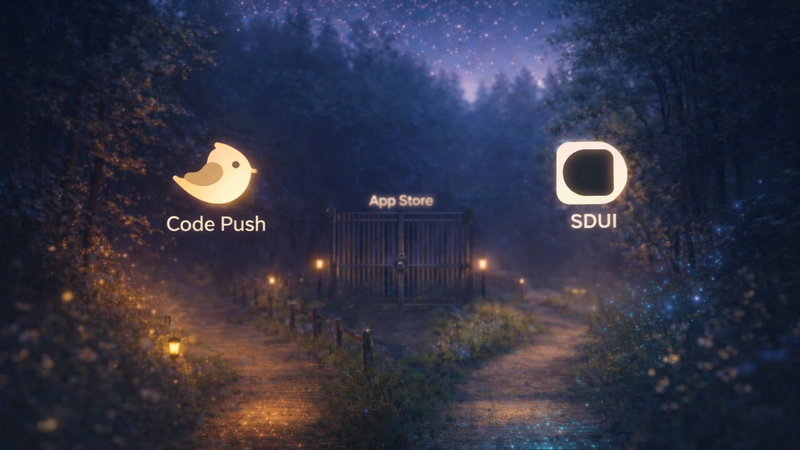
TL;DR: Most engagement tools are great at deciding when to reach a user. They are bad at controlling what the user actually sees. Server-Driven UI closes that gap, and it is the reason growth teams at companies like Airbnb, Netflix, Lyft, and PhonePe have bet their iteration speed on it.
The Engagement Stack Has a Dirty Secret
We have been working with mobile growth teams long enough to recognise a pattern. A team sets up CleverTap, MoEngage, or WebEngage. They invest weeks into journey mapping, segmentation, event tracking, and cohort creation. Everything is configured. The triggers are firing. The team is excited.
And then the campaign launches, and the in-app experience is a generic modal with a hardcoded template. The same one that shipped six sprints ago.
The segmentation was surgical. The UX was a sledgehammer.
This is the last-mile problem of mobile engagement. The infrastructure to target users has completely outrun the infrastructure to deliver experiences to them. Your tools know exactly who to reach, at exactly the right moment. But what they actually show those users is still locked inside a binary, frozen at the time of the last release.
That is the gap Server-Driven UI for engagement is built to close.
What Most People Mean by "Engagement" (And Why It Falls Short)
When growth teams talk about mobile engagement, they are usually talking about three things.
Segmentation is about who to target. Behavioural cohorts, lifecycle stages, RFM models.
Triggers are about when to act. Post-onboarding, post-transaction, at-risk churn windows.
Channels are about how to reach them. Push notifications, in-app messages, email, SMS.
Tools like CleverTap, MoEngage, and WebEngage have become genuinely impressive at the first two. Their behavioural analytics engines, AI-driven cohort builders, and journey orchestration capabilities represent years of product investment. We have real respect for what those platforms do.
But the third element, which is the actual UI that users encounter inside the app, remains largely out of their hands. WebEngage has been criticised by teams for trigger delays of 5 to 10 seconds and weak in-app engagement capabilities, even while its journey automation is solid. MoEngage offers robust push notifications, in-app messaging, and AI-driven segmentation, but what the in-app message looks like is constrained by whatever template the platform supports.
This is not really a criticism of those platforms. They were never built to be UI rendering engines but they were built to be customer data platforms with engagement orchestration bolted on. The gap is architectural, not a feature oversight so no amount of product updates to those tools will solve it, because it is a structural mismatch between what they were designed for and what growth teams actually need at the delivery layer.
So the question becomes: what do you do about it?
Understanding the Last-Mile Problem
Here is the flow of a typical in-app engagement campaign:
User behaviour detected → Segment qualifies → Journey triggers → In-app message fires.In theory, this chain is powerful but in practice, step four breaks down constantly.
The in-app message that fires is rendered by the engagement platform's own SDK. That SDK has a fixed set of UI templates, typically modals, banners, and bottom sheets with limited layout flexibility. The content can be personalised. You can swap copy, change an image, update a CTA. But the structure cannot be changed without either updating the platform's template library, which is outside your control, or shipping a new version of your app, which takes days and pulls in engineering resources.
To give you a sense of the timeline: Apple's App Store review process averages 24 to 48 hours for standard submissions, and policy-sensitive categories or rejections can add several more days on top of that. For a UI experiment that a growth team wants to test and iterate on quickly, that kind of wait is genuinely painful.
The result is that engagement campaigns become generic. Not because the team lacks creativity or good ideas, but because the delivery mechanism does not give them the room to be specific. You end up with the same modal format for every campaign, because it is the only format you can ship without waiting on engineering.
So What Actually Is Server-Driven UI?
Server-Driven UI, or SDUI, is an architectural pattern where the server rather than the app binary defines what the UI looks like. Instead of the app rendering a hardcoded screen, it receives a structured description from the server, typically as JSON or a domain-specific schema, and renders components based on those instructions.
In a Server-Driven UI framework, the UI is sent from the backend along with the content. The server decides what should be shown and how it should be rendered, sending instructions back to the app, much like how HTML tells a browser what to display. The app follows the instructions.
The binary stays stable. The experience evolves continuously.
In pure engineering contexts, SDUI is discussed as an architecture for entire screens, replacing full page layouts with server-controlled component trees. This is how Airbnb's Ghost Platform and Lyft's Canvas system work, and those implementations are worth reading about.
But in the engagement context, SDUI means something more targeted and immediately practical. It means that the UI layer of your in-app touchpoints, covering nudges, bottom sheets, widgets, banners, modals, and onboarding flows, is controlled from a dashboard rather than from your codebase.
The app has a rendering engine embedded via SDK. That engine knows how to render a bottom sheet, a spotlight, a sticky banner, a gamified scratch card, or an in-app video. The configuration of those components, including their content, layout, trigger conditions, and personalisation rules, lives on the server and can be updated without any app release whatsoever.
Why the Engagement Context Is Different from Generic SDUI
It is worth being precise here, because "server-driven UI" gets used loosely across engineering blogs and it can mean very different things depending on the context.
Generic SDUI, the kind Airbnb's Ghost, Lyft's Canvas, and PhonePe's LiquidUI represent, is about replacing entire screens and navigation flows with server-controlled definitions. This is a large upfront investment. It requires rebuilding significant portions of the app and is typically an engineering-led initiative that takes months to get right.
Engagement-layer SDUI, which is what we build at Digia, is about adding a remotely configurable layer on top of your existing app, specifically for engagement and growth touchpoints. Your core app screens stay exactly as they are. What becomes server-controlled is the overlay layer: the nudges, the prompts, the contextual widgets, the gamification mechanics, the in-app videos.
The implementation is a single SDK integration. Once it is in, every engagement touchpoint you build through it is live-updatable without touching app code.
This distinction matters a lot in practice. You do not need to rebuild your app to benefit from server-driven engagement. You need to add a rendering layer that your growth team can control. Those are completely different levels of commitment, and confusing them is one of the reasons some teams dismiss SDUI as too complex before they have actually evaluated it properly.
What This Changes for Growth Teams in Practice
The traditional engagement workflow tends to look something like this. The growth team identifies an experiment, maybe a contextual upsell prompt after a user completes their second transaction. They spec the UI, copy, and trigger logic. Engineering picks it up, builds the in-app component, and QA reviews it. The app ships through store review. Users slowly update to the new version. The experiment runs with limited reach because adoption is gradual. Learnings come back three to four weeks after the original idea was raised.
With server-driven engagement, the flow compresses dramatically. The growth team identifies an experiment. They configure the UI, copy, trigger, and targeting rules directly in a dashboard. The campaign goes live immediately, reaching all users on the current app version. Learnings come back within days, not weeks.
To put some numbers on that: Lyft found that the time it takes to build and roll out a server-driven experiment can be as few as a day or two, whereas client-driven experiments require a minimum of two weeks due to bake time. That is not a marginal improvement. That is a structural change in how fast a product team can learn and iterate.
At Digia, we see this consistently with the apps on our platform. Teams go from running two or three engagement experiments per quarter to running multiple per week. The bottleneck shifts from "can we even ship this?" to "what should we test next?" That is a fundamentally different position to be operating from.
The Relationship with CleverTap, MoEngage, and WebEngage
We want to address this directly because there is often confusion about how server-driven engagement tools relate to existing customer engagement platforms.
They are not replacements. They are complements, and the distinction is important to get right.
CleverTap, MoEngage, and WebEngage are your segmentation and journey orchestration layer. They answer: who should receive this message, when should they receive it, and in what sequence should it arrive?
Server-driven engagement is your UX delivery layer. It answers: what exactly do those users see when the trigger fires, what does it look like, and how does it behave?
CleverTap enables individualised customer journeys across push, email, SMS, in-app, and web with its real-time analytics and robust automation. It is genuinely good at that. What it is not designed to do is give your growth team pixel-level control over an in-app bottom sheet, or let you swap a static banner for an interactive gamified mechanic without writing code and waiting on a release.
Think of the integration this way. Your CEP fires a trigger. Digia renders the experience. The trigger logic lives in CleverTap or MoEngage. The UX execution lives in Digia. Both tools do what they were actually built for, and neither steps on the other's territory.
What Remotely Configurable UI Actually Means in Real Life
Let us make this concrete with an example, because the abstract explanation only goes so far.
Imagine your fintech app wants to run a cross-sell nudge for mutual fund SIPs to users who have completed their KYC but have not yet made an investment. CleverTap identifies that segment perfectly. The trigger is set: fire on the second app open after KYC completion.
Without server-driven UI, you ship a static modal. Same template as every other campaign. A banner image, a headline, and a CTA. It gets ignored because it looks like every other modal the user has ever seen.
With server-driven UI, your growth team decides to test three variants. Variant A is a bottom sheet with a 30-second explainer video walking the user through what an SIP actually is. Variant B is an inline widget embedded in the home screen portfolio section, showing a personalised SIP amount based on the user's spending patterns. Variant C is a multi-step interactive card that walks the user through two questions and ends with a pre-filled SIP setup screen.
None of these require engineering involvement. None require a release. All three are live within hours of the decision to test them.
That is what remotely configurable UI actually means in practice. It is not just changing copy. It is changing the format, the interaction model, and the logic of the experience itself, all from a dashboard.
The Experimentation Benefit Is Larger Than It Looks
Mobile teams consistently underestimate how much their experimentation velocity is gated by the release cycle. When every UI experiment requires a release, most experiments simply do not happen. The opportunity cost is invisible because the experiments that were never run do not appear on any dashboard. You cannot see what you did not try.
Cross-platform frameworks like React Native and Flutter address the duplication of effort in building separate iOS and Android apps. SDUI addresses a completely different dimension: the ability to update the UI at any time from the server, decoupling experience evolution from the release cycle entirely.
When that constraint is removed, teams do not just run more experiments. They run better ones. Hypotheses that would have been deprioritised as "not worth a full sprint to test" become trivial to try. The learning surface expands dramatically, and with it, the quality of your product decisions.
We see this play out with apps on Digia. A daily reward mechanic like spin-the-wheel, the kind that can drive 40% daily active engagement from rewards-eligible users, requires rapid iteration to get right. The timing, the reward structure, the visual treatment, and the trigger moment all need tuning. Getting that right in a release-gated world would take months. Getting it right with server-driven experimentation takes weeks.
Speed Is Not the Only Benefit
We have focused on experimentation velocity because it is the most immediately legible benefit. But server-driven engagement has three other advantages worth naming clearly.
Contextual rendering is the first. Because the server controls what gets rendered, it can make decisions based on real-time state. A user who just completed their third purchase should see a loyalty prompt, not the same discount nudge they already dismissed twice. A user who has been inactive for six days should see a win-back flow with dynamic content based on their last session, not a generic push notification. The experience adapts to the moment, not just to a static segment defined at the start of a campaign.
Reduced release dependency is the second. Engineering teams spend a non-trivial amount of time on low-complexity but high-urgency tasks: updating campaign copy, tweaking a CTA, adjusting a bottom sheet layout. With server-driven engagement, these tasks move entirely to the growth team. Engineering focuses on product work that actually requires engineering. At Dezerv, a wealth management platform on Digia, their team noted: "We're not as blocked by the dev team for small experiments anymore, so we're able to move faster and try things out more often." That is not just a productivity win. It is a cultural shift in how product and growth teams operate.
Rollback safety is the third. When a campaign has a problem, whether it is wrong copy, incorrect targeting, or a broken experience, a server-driven system lets you kill or roll back that experience instantly from a dashboard, without shipping a new release. In a hardcoded world, a bad in-app experience stays live until the next release cycle closes. That is a meaningful risk reduction, especially for campaigns running during high-stakes moments like a product launch or a festive sale.
Where Server-Driven UI Fits in the Mobile Engagement Stack
Here is a simplified view of how the layers fit together.
DATA LAYER
User behaviour, events, session data
        ↓
SEGMENTATION AND JOURNEY LAYER (CleverTap / MoEngage / WebEngage)
Who to reach, when, in what sequence
        ↓
TRIGGER
Fires based on journey logic
        ↓
UI EXECUTION LAYER (Digia)
What gets rendered, how it looks, how it behaves
        ↓
USER
Sees a contextual, remotely configurable in-app experience
Each layer does what it was built for. The data layer handles collection and storage. The CEP handles orchestration. The server-driven UI layer handles experience delivery. None of them overlap. All of them are necessary.
This is not a novel concept at the infrastructure level. Netflix's growth engineering team built server-driven UI specifically to manage the customer lifecycle across all their platforms from a single backend, covering everything from a user's first visit through membership, renewal, and re-engagement. The principle scales from Netflix down to a Series A fintech. The execution just needs to match your stack and team size.
The Tradeoffs Are Real, So Let's Talk About Them
Server-driven UI for engagement is not a solution to every problem. The tradeoffs are worth naming honestly.
The rendering layer must be pre-built. SDUI works because the app has a native component library that the server can invoke. Building and maintaining that library requires engineering investment upfront. At Digia, we handle this through our SDK, which gives you the component library without building it from scratch. But even SDK integration requires a one-time engineering effort of around 20 minutes to get set up, and a bit more thought to do it properly.
Versioning adds complexity. When you update the server-side schema, older app versions might not support new components. Any serious SDUI implementation needs a versioning strategy that includes default fallbacks, graceful degradation, and component registry management. This is solvable and we handle most of it for you, but it is worth understanding upfront.
Design has limits. Highly custom experiences like coordinated animations or completely one-off UI patterns are harder to build under a server-driven model. If you have a unique interaction that requires bespoke native code, it still requires bespoke native code. Server-driven engagement is powerful for the overlay and growth layer. It is not magic for every surface in the app.
Speed is non-negotiable. A server-driven engagement experience that takes two seconds to load is worse than no experience at all. Sub-100ms trigger response is the threshold that matters. Our platform fires campaigns in under 100ms, which is approximately 10x faster than a push-first CEP round-trip. If a server-driven solution cannot meet that bar, the UX tradeoff is not worth making.
Who Should Actually Use This
Server-driven UI for engagement makes the most sense for teams that run, or want to run, frequent in-app engagement experiments. It is a strong fit if you are currently blocked by release cycles whenever you want to make UI changes to campaigns. It works particularly well for teams where product and growth want autonomy over engagement UX without needing to pull in engineering every single time.
If you already use CleverTap, MoEngage, or WebEngage and find yourself wanting richer in-app UX than those platforms' native templates allow, server-driven engagement is the natural next step. And if you run a consumer app where engagement iteration directly impacts revenue, the compounding effect of faster experimentation is genuinely significant over time.
On the other hand, it makes less sense for very early-stage apps that do not have an established user base yet. There is nothing to engage if users are not there. It also makes less sense for apps where in-app UX is not a growth lever, like some B2B utility tools, and for teams that want to replace rather than complement their existing CEP stack.
What We Are Building at Digia
We built Digia Engage specifically for this problem. Growth teams at consumer apps across fintech, e-commerce, media, gaming, and fitness were telling us the same thing: their segmentation and trigger infrastructure was solid, but in-app UX delivery was the bottleneck that slowed everything down.
Our platform gives growth teams nudges, widgets, gamification mechanics, and in-app video. All of it is configurable without code, remotely updatable without releases, and triggerable based on real user behaviour. We integrate with CleverTap, MoEngage, and WebEngage so the journey logic you have already invested in continues to work exactly as it does today. Digia handles what gets rendered when those triggers fire.
The SDK is under 2MB with no measurable performance impact. Integration takes around 20 minutes. Your first campaign can go live in under 24 hours.
More importantly, we designed this for growth teams, not just engineering teams. AI-powered segmentation lets you describe your audience in plain English and get a working segment in seconds. AI-generated creatives and campaign copy mean you are not starting from a blank canvas every time. A pre-launch campaign review catches targeting gaps and design issues before anything reaches users.
The goal is straightforward. Your app is the highest-intent channel you have. Users who are already inside your product are the best audience you will ever have access to. Server-driven engagement is how you make that channel actually perform.
The Shift That Is Already Underway
Companies that rely on SDUI report that it lets them ship changes instantly, personalise deeply, and keep every platform in sync. What began as a clever engineering workaround at a handful of large companies is now a mature pattern that powers the fastest-moving product teams across industries.
The teams that figured this out early, the Airbnbs, the Lyfts, the Netflixes, built their own internal SDUI systems because the tooling did not yet exist. Those systems are referenced in engineering blogs and conference talks as competitive advantages that took months of investment to build and years to mature.
That same capability is now available as a platform, without the build cost or the multi-year timeline.
The engagement teams that are winning right now are not necessarily the ones with the most sophisticated CEP configuration. They are the ones that close the loop between "who to target" and "what to show them," and they are doing it without waiting on engineering sprints or app store approvals every time they want to try something new.
Server-Driven UI for engagement is the architectural shift that makes that possible.
Key Takeaways
- Engagement platforms like CleverTap, MoEngage, and WebEngage are built for segmentation and journey orchestration, not UI delivery. That gap is architectural, not a missing feature.
- The last-mile problem means your targeting can be perfect while your in-app UX is still a generic modal, because the structure of what users see is locked in the app binary.
- Server-Driven UI for engagement means nudges, bottom sheets, widgets, gamification, and in-app video are controlled from a dashboard, not from your codebase, with no release required to change them.
- Engagement-layer SDUI is additive. Your core app stays untouched. One SDK integration puts the rendering layer in place without a rebuild.
- Lyft measured the gap directly: server-driven experiments take one to two days to ship, while client-driven experiments take a minimum of two weeks.
- Digia is not a replacement for your CEP. CleverTap or MoEngage fires the trigger. Digia renders the experience. They operate at different layers of the stack.
- The tradeoffs are real: the rendering library must be pre-built, versioning needs a strategy, and sub-100ms trigger response is the minimum bar that makes it worthwhile.
- The teams winning at in-app engagement are the ones that have closed the loop between targeting and delivery without depending on a release cycle every time they want to test something.
Further Reading and References
- Digia vs Shorebird: Code Push vs Server-Driven UI from Digia Engineering
- Server-Driven UI: What Airbnb, Netflix, and Lyft Learned by Aubrey Haskett on Medium
- Server-Driven UI for Mobile Apps from the Qantas Engineering Blog
- Server-Driven UI: Agile Interfaces Without App Releases on DZone
- Server-Driven UI for Mobile and Beyond by Christopher Luu of Netflix on InfoQ
- How Top Tech Companies Use Server-Driven UI to Move Faster on Stac.dev
- MoEngage vs CleverTap Comparison on Maestra
- Digia Engage Documentation at digia.tech/docs
This article is part of Digia's Engagement and Lifecycle series, a deep dive into how modern growth teams build, test, and ship in-app experiences that actually convert. Next in the series: Eliminating App Release Dependency for Engagement Experiments.
Ready to ship in-app experiences without waiting on releases?