





TL;DR: Growth teams lose weeks to engineering release cycles every time they need to change something inside their mobile app. A genuine no-code in-app campaign tool fixes this by separating the rendering layer from the release binary. The four components that make it work are a visual builder, behavioral triggers, audience targeting, and live deployment without an app store submission. This article covers the real cost of the bottleneck, what distinguishes a true no-code tool from a CMS, how the campaign workflow runs, what teams actually ship, how A/B testing works, and where the evaluation questions are that surface real differences between platforms.
The 3-Week Banner Problem
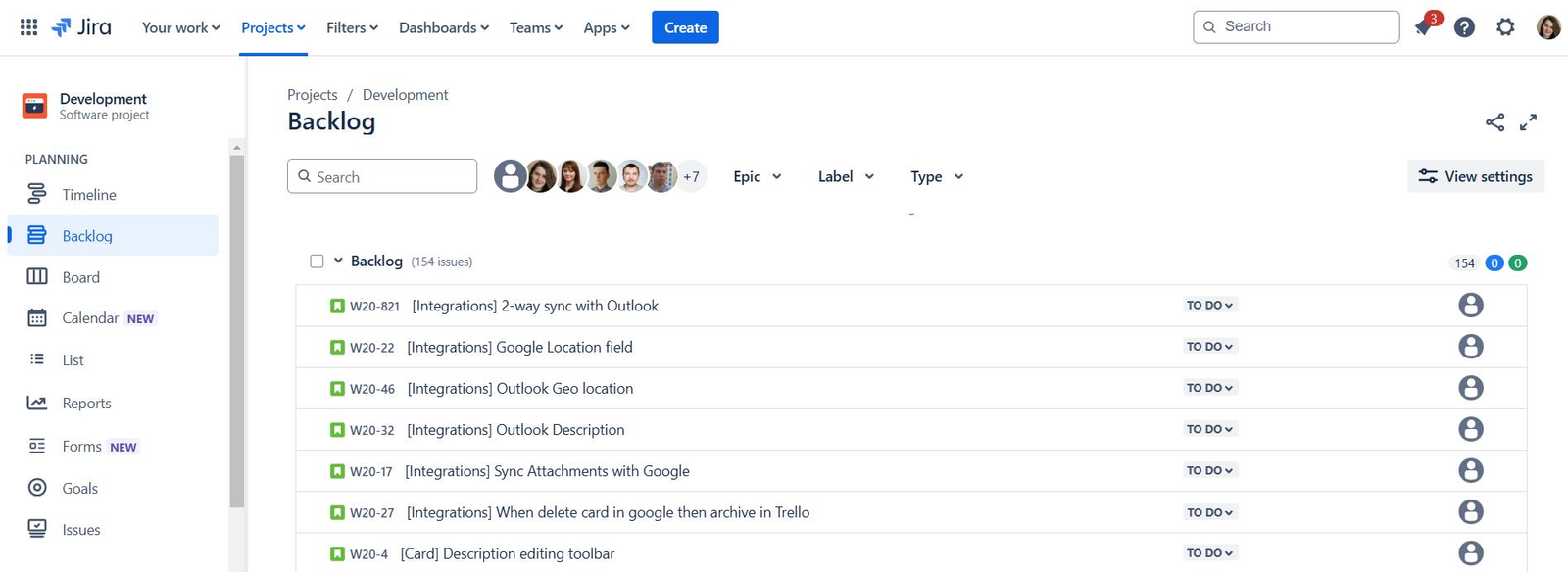
A growth PM at a mid-size fintech app wants to change a promotional banner on the home screen. The offer has a 72-hour window. She opens a Jira ticket. Engineering triages it on Monday. It lands in the next sprint. The sprint starts Wednesday. QA happens the following week. The release goes through App Store review. Three weeks later, the banner is live. The 72-hour window closed 18 days ago.
This is not a hypothetical. It is the default state of growth at most mobile app companies. The engineering release cycle and the growth calendar operate on different clocks. Growth moves on market windows and user behavior signals. Engineering moves on sprint commitments, review queues, and QA sign-offs. When growth has to clear every in-app change through engineering, the faster clock always waits on the slower one.
A no-code in-app campaign tool is built specifically to fix this. The goal is not to remove engineers from the product. It is to remove them from every change that does not require them.
What "No-Code In-App Campaigns" Actually Means
The phrase gets used loosely, so it is worth being exact.
A no-code in-app campaign tool lets a growth or product team build, configure, target, and publish content inside a mobile app from a dashboard, without writing code or waiting for a new app release. The result reaches users in the current version of the app, fired by real user behavior, and updated independently of the engineering release cycle.
This is different from a CMS, which stores and serves content but does not handle audience targeting or behavioral triggers. It is different from a push notification platform, which sends messages to a user's device but does not control what appears inside the app. It is also different from a marketing automation tool, which manages lifecycle messaging across channels but leaves the actual in-app rendering layer to engineering.
A true no-code in-app tool has four components working together: a visual builder for designing the campaign component, audience targeting based on user properties or behavioral events, trigger rules that fire the campaign at a specific moment in the user journey, and a live deployment layer that updates experiences without a new app release.
Digia Engage is built around exactly this architecture. The SDK ships with a library of pre-built native components. Growth teams configure and deploy from a dashboard. Engineering's involvement ends after the initial SDK integration, which takes around 20 minutes.
The Real Cost of the Release Cycle Bottleneck
The Jira ticket story at the top of this article represents a time cost. The deeper cost is harder to see.
Mobile app release cycles typically run two weeks per sprint for teams following standard Agile. Add App Store review (Apple's average is 24 to 48 hours, but rejections reset the clock), staged rollout time, and the reality that growth-adjacent tickets often sit below feature work in sprint priority, and a realistic end-to-end timeline for a banner change can hit three to four weeks for teams without a dedicated in-app tooling layer.
During those three weeks, a promotional offer expires before it reaches users. A user cohort that would have responded to an onboarding nudge exits the activation window. A competitor runs and completes an A/B test on their in-app upsell copy. The growth team files two more tickets for things that also did not ship.
When engagement logic lives inside the app binary, every behavioral response requires a shipping cycle. By the time the change reaches users, it is responding to a moment that has already passed.
The engineering team is not the problem. The architecture is. In-app campaigns and product feature code should not be traveling in the same release train.
What Makes a Tool Genuinely No-Code

Several platforms claim the no-code label for in-app experiences. Most of them are CMS tools with a mobile API bolted on. The difference shows up in three places.
The first is rendering. A CMS delivers content that a WebView inside the app renders as HTML. WebView rendering adds latency, breaks on slow connections, and produces visual treatments that look subtly foreign in a native app environment. A genuine no-code in-app tool ships native components, rendered by the SDK without an HTML bridge. Digia Engage campaigns trigger in under 100ms because the component is rendered natively, not downloaded and parsed.
The second is triggers. A CMS updates what content is available. A no-code in-app campaign tool fires campaigns based on what a user actually does: completing a transaction, dropping off at a specific screen, crossing a usage threshold, returning after seven days of inactivity. The trigger is the difference between a message that interrupts and one that arrives exactly when it is useful.
The third is targeting. A CMS serves the same content to everyone who visits a screen. A no-code in-app tool targets segments by behavioral cohort, user attribute, or event history, meaning the 20% of users who have never completed onboarding see a different in-app experience than the 60% who have already converted.
These three capabilities together define whether a tool actually enables growth team independence or just moves the engineering ticket from "build this" to "configure the CMS endpoint."
The Campaign Workflow: From Idea to Live in Hours

Here is what the workflow looks like on a platform built for genuine growth team independence.
The growth team opens the visual builder and selects a campaign type: persistent nudge, bottom sheet, tooltip, survey, gamification card, inline widget, or in-app video. They configure copy, visual treatment, and CTA directly in the dashboard. No design handoff. No developer implementation per template. The component library is pre-built and natively rendered.
Next, they define the audience. Existing user segments work directly, or a new one can be built from behavioral event data. "Users who completed KYC but have not made their first transaction in the last five days" is a targeting condition a growth PM sets without a data query or engineering request. Digia Engage's AI segmentation layer lets teams describe the audience in plain English and generates the segment logic automatically.
Then they set trigger rules: on a specific screen, after a specific event, after a time delay, on a user's first session after a pause. A "complete your profile" nudge that appears when a user lands on the home screen is annoying. The same nudge that appears three seconds after a user opens settings for the third time without completing their profile is useful. The trigger layer is where that distinction lives.
Before going live, the campaign passes through a pre-launch review. Digia Engage's AI campaign review catches copy problems, targeting gaps, and design inconsistencies before they reach users.
Then it publishes. The campaign goes live to the target audience in the current version of the app. No release. No App Store submission. No engineering ticket. Users on iOS, Android, React Native, and Flutter all receive the experience from the same dashboard configuration.
Total time from idea to live, for an experienced growth team on a configured platform: 30 to 90 minutes.
What Growth Teams Actually Ship
The component types available on a no-code in-app platform determine the experimentation surface open to the growth team. This is where the gap between a CMS and a purpose-built in-app tool becomes concrete.
Onboarding nudges and tooltips walk new users through key actions at the exact moment they encounter a new feature. The trigger is the user action, not a fixed schedule. Inline widgets, including carousels, grids, and content strips, embed naturally in any screen and update from the dashboard without a pull request. A home screen carousel or featured offers grid reconfigures in under five minutes.
Surveys and feedback prompts appear inside the app at the moment a user can give a meaningful response. In-app NPS surveys on Digia Engage see a 30% or higher response rate, compared to a 3% baseline for email-based NPS. The behavioral context is why: a user who just completed a booking is primed to rate the experience. An email arriving three days later is not.
Gamification mechanics, including scratch cards, spin-to-win wheels, daily streak trackers, and milestone reward reveals, require custom interaction patterns that go well beyond what a CMS or push notification template supports. Digia Engage's gamification products make these available as pre-built components that growth teams configure without engineering work per mechanic. Teams at apps like Lokal have used this to drive daily active engagement that push notifications alone did not produce.
In-app video in picture-in-picture, full-screen, and story formats runs inside the app without redirecting users to a browser. Feature walkthroughs and promotional content stay within the session.
Each of these component types is a campaign the growth team can run, iterate on, and retire independently, without a sprint ticket for each variation.
A/B Testing Without Engineering Overhead
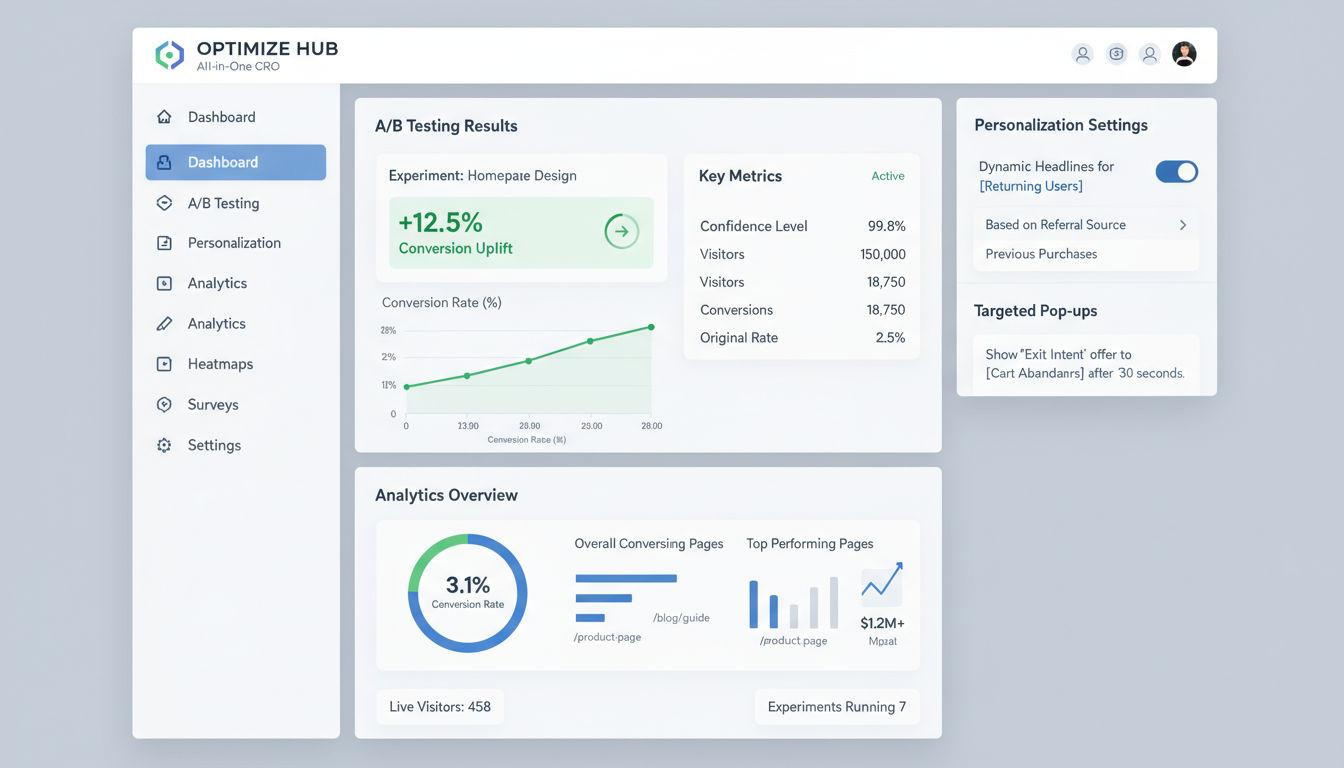
Testing in-app campaign variations is where the compounding value of growth team independence becomes most visible.
On a platform where every in-app change requires engineering, A/B testing is expensive. Each variant needs a separate implementation, a QA pass, and a release. Most teams end up testing far fewer hypotheses per quarter than they intend to, because the cost of each test is high.
On a no-code in-app platform, the cost of each test is the time it takes to configure a second variant in the dashboard. The growth team can test a bottom sheet against a tooltip for the same upsell moment, two versions of onboarding copy for the same user cohort, a persistent nudge against a one-time interstitial for feature adoption, or a gamification mechanic against a standard promotional banner for retention. All of these run without engineering tickets for each variant.
Apps that implement onboarding messages have 24% higher install-to-purchase conversion rates, according to OneSignal's 2024 State of Customer Engagement Report. The difference between teams that hit that number and those that do not is often not intent but infrastructure. A team that can test five onboarding variants in a month runs more experiments than a team testing one.
How This Fits Into an Existing MarTech Stack
A common concern when evaluating a dedicated no-code in-app tool is whether it duplicates what a CEP like CleverTap, MoEngage, or WebEngage already does. It completes what they do, it does not replace it.
CEPs are built for outbound channel orchestration: push notifications, email, SMS, and WhatsApp. Their in-app capabilities are additions to that core, not the primary investment. Template rigidity, WebView rendering overhead, and engineering dependency on custom templates are predictable limitations of a system built primarily for outbound messaging.
Digia Engage integrates directly with CleverTap, MoEngage, and WebEngage. User identity connects automatically. Existing segments and cohorts from the CEP can be used as audience filters in Digia Engage without duplicating the data layer. The CEP continues to handle push, email, and lifecycle journeys. Digia Engage handles what appears inside the app and how it behaves.
For teams not yet on a CEP, Digia Engage runs standalone, with its own behavioral event layer and segmentation engine covering the full campaign stack for in-app without a separate outbound platform.
The Hidden Cost of Staying Dependent on Engineering
Teams that stay dependent on engineering for in-app changes tend to undercount the cost over time.
The visible cost is the three-week banner timeline. The less visible ones accumulate across quarters. Missed behavioral windows: a nudge that would convert a user at the moment of first transaction is irrelevant if it arrives in the next release cycle. The moment passes and the nudge shows up anyway, training users to dismiss in-app messages because they consistently arrive out of context.
The experiment deficit is structural. A growth team running one in-app experiment per month because of engineering bottlenecks is operating well below its potential contribution. Gartner forecasts that 70% of new enterprise applications will use no-code or low-code technologies by 2026, partly because the experiment deficit of engineering-dependent workflows is a recognized competitive disadvantage.
Design system erosion happens slowly. Every in-app message that does not match the product's visual identity slightly weakens the user's trust in the product's polish. Over quarters, the cumulative effect of visually inconsistent overlays degrades the experience in ways that do not show up directly in campaign analytics but do show up in NPS and qualitative feedback.
Growth talent retention is the least discussed cost. Growth PMs and marketers who spend significant time managing engineering backlogs for campaign changes are underusing their skills. Teams that give growth operators direct control over the in-app channel tend to retain them longer and see higher output per person.
Evaluating a No-Code In-App Tool: The Questions That Matter
If you are evaluating options for your team, several questions surface real differences between platforms that marketing pages tend to obscure.
Does it render natively or through a WebView? Native rendering means faster trigger times, better visual fidelity, and no rendering lag on slow connections. WebView rendering means all three of those problems appear at scale.
How long does SDK integration take? Anything beyond a day of engineering time suggests the tool was not designed for the use case it claims. Digia Engage's SDK integration takes around 20 minutes.
Does it support behavioral triggers or only scheduled sends? Scheduled sends are useful. Behavioral triggers are what make in-app campaigns relevant rather than interruptive. The distinction is not cosmetic.
What component types are available without custom engineering? Confirm the pre-built library covers your actual use cases: onboarding flows, gamification, surveys, inline content, and video. If a component requires a developer build before a marketer can use it, the tool has an engineering dependency baked in.
How does it handle A/B testing? Variant configuration should not require a new implementation per test. If it does, experiment velocity will be bottlenecked by engineering capacity regardless of how the platform is marketed.
Does it integrate with your existing CEP? Confirm that user identity syncs automatically and that existing segments can be used without duplicating the data layer.
The Practical Result
Growth team independence from the engineering release cycle is not a soft benefit. It changes how many experiments a team can run per quarter, how quickly they can respond to user behavior, and how much of the in-app channel's engagement potential they can actually reach.
In-app messages reach users who are already active in the product rather than competing for attention on the lock screen. The structural advantage of the channel is real. Realizing it requires a campaign layer that the growth team can operate without clearing every change through a sprint.
The SDK integration is a one-time 20-minute engineering task. After that, the growth team runs the in-app channel. That is what it means to ship without developers.
Key Takeaways
- A no-code in-app campaign tool gives growth teams the ability to build, target, trigger, and publish campaigns inside a mobile app without a new app release or engineering ticket.
- The meaningful distinction between genuine no-code tools and CMS products is native rendering, behavioral triggers, and audience targeting, all three working together.
- The workflow from idea to live runs 30 to 90 minutes on a configured platform, compared to a typical two to four week timeline when campaigns travel through the engineering release cycle.
- No-code in-app tools complement rather than replace CEPs like CleverTap, MoEngage, and WebEngage. The CEP handles outbound channels. The in-app tool handles what appears on screen.
- The compounding benefit is experiment velocity: more tests per quarter, faster response to behavioral signals, and a design layer that matches the product's own visual system.
Further Reading
From Digia Engage:
Extending CleverTap with Custom In-App UI covers how the CEP and in-app rendering layer divide responsibility, and where CleverTap's native template system runs out of road.
SDK Integration Guide for Digia Engage is the technical reference for the 20-minute integration process across iOS, Android, React Native, and Flutter.
AI-Powered Campaigns inside Digia Engage covers how the AI segmentation, creative generation, and campaign review layers reduce setup time and catch errors before launch.
Book a product demo to see the campaign workflow live from visual builder to published experience.
External Sources:
OneSignal 2024 State of Customer Engagement Report covers onboarding message impact on install-to-purchase conversion and the retention lift from multichannel automation.
Gartner no-code and low-code market forecast via Integrate.io covers the adoption trajectory and the competitive disadvantage accumulating for teams that remain on engineering-dependent workflows.
Mobile release cycle strategy, 6B Systems covers how release cadence decisions affect growth team velocity and what sprint-based release patterns cost in experiment throughput.
Why App Engagement Fails When Tied to Release Cycles, Digia Engage makes the architectural case for separating engagement logic from the release binary.
Digia Engage is a no-code in-app campaign platform for mobile growth teams. It integrates with CleverTap, MoEngage, and WebEngage, supports iOS, Android, React Native, and Flutter, and takes under 20 minutes to integrate. See it in action.