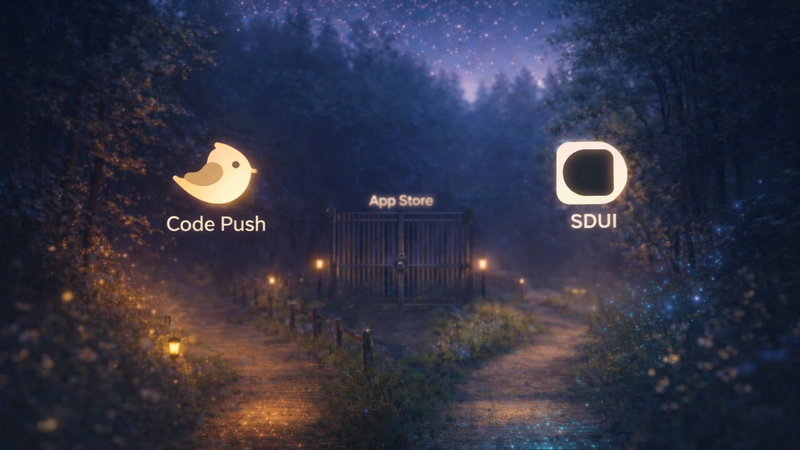
Server-Driven UI (SDUI) changes how mobile apps are built and updated by shifting control of the user interface (UI) from the app itself to the server. This approach solves common issues like slow app updates, bloated app sizes, and performance challenges. Here's what you need to know:
- Instant Updates: SDUI eliminates the need for app store approvals, allowing developers to push changes instantly.
- Improved Performance: Apps become smaller and faster by downloading only the required UI components on demand.
- Simplified Maintenance: Centralizing UI logic on the server reduces complexity in managing multiple app versions.
- Real-Time Personalization: UI can adapt to user needs dynamically without requiring app updates.
This architecture uses JSON-based UI definitions and tools like Flutter or low-code platforms (e.g., Digia Studio) to deliver flexible, server-managed experiences. While it improves performance and scalability, SDUI requires robust server infrastructure and efficient backend logic to handle dynamic UI requests.
Quick Takeaway:
Server-Driven UI is an efficient way to manage app updates, improve performance, and keep users engaged without the delays of traditional client-driven models.
"Scaling with Server Driven UI" by Tomas de Lucca
Server-Driven UI Architecture Principles
To grasp the technical foundation of Server-Driven UI (SDUI), it's essential to understand how it redefines the interaction between client and server components. This shift opens up opportunities for better performance but also introduces unique challenges that development teams must tackle.
Moving From Client-Driven to Server-Driven Architecture
In traditional client-driven setups, the app's UI components are predefined. When a user opens a screen, the app already knows what to display, how it should look, and what actions are available. This tightly couples the UI to the client-side code, limiting flexibility.
Server-driven architecture flips this model. Here, the client acts as a rendering engine that follows instructions sent by the server. The app requests UI definitions - usually in JSON format - from the server, which then dynamically generates the interface.
This separation offers several advantages. The server can tailor the UI based on user context, business logic, or A/B testing scenarios. Meanwhile, the client remains lightweight, as it doesn't need to house code for every possible UI variation.
However, this approach does come with trade-offs. It increases the complexity of server-side logic and makes UI updates dependent on a stable network connection.
Requirements for Adopting SDUI
Successfully implementing SDUI demands more than traditional mobile app development practices. A robust backend infrastructure is essential, particularly for high-traffic apps that need to handle dynamic UI requests at scale. This typically involves cloud services, databases, and API gateways capable of managing the load.
Standardized API endpoints are another cornerstone. These APIs deliver JSON schemas that define layouts, components, and their properties in a consistent manner, ensuring reliable rendering across devices.
Security is also paramount. Since UI elements and potentially sensitive data are sent dynamically from the server, strong authentication and authorization measures are critical to prevent unauthorized access or data leaks.
The server-side logic must also be capable of dynamically generating UI structures based on factors like user preferences, personalization rules, or real-time business needs. This logic needs to be efficient to avoid delays in rendering the UI.
Lastly, teams require streamlined deployment pipelines and server configuration tools to quickly roll out updates to server-side UI logic and optimizations.
SDUI with Flutter and Low-Code Platforms
Modern tools have made SDUI adoption more accessible. Flutter, for example, is particularly well-suited for SDUI. Its widget-based system aligns seamlessly with server-driven component definitions, and its single codebase simplifies the client-side rendering needed to interpret server instructions.
Low-code platforms like Digia Studio take this a step further by simplifying SDUI development. These platforms handle JSON schemas, API endpoints, and rendering automatically, reducing the complexity for developers.
This setup combines the performance of Flutter - compiled to native code - with the flexibility of server-driven updates. Platforms like Digia enable instant UI changes through centralized dashboards, eliminating the need for app store updates.
How Server-Driven UI Improves App Performance
Server-driven UI (SDUI) takes app performance to a new level by shifting UI control from the client to the server. This change doesn't just streamline updates - it also boosts user experience, speeds up development, and optimizes how resources are managed.
Instant UI Updates Without App Store Approvals
One of the standout benefits of SDUI is its ability to bypass the time-consuming app store approval process. For traditional apps, every update often means waiting for store reviews, which can delay critical fixes or feature rollouts.
Digia Studio highlights how SDUI eliminates this bottleneck. Their workflow - "Design → Preview → Release → Live" - lets developers create, test, and deploy updates directly from a centralized dashboard, skipping rebuilds and app store submissions entirely. This means users can access new features, fixes, or design tweaks almost instantly. Whether it's resolving a bug that impacts usability, launching a limited-time promotion, or adapting quickly to market demands, SDUI ensures developers can act without delay.
This instant deployment capability is especially critical during high-stakes moments, giving businesses the agility they need to stay competitive. But the benefits don’t stop at rapid updates - SDUI also transforms how apps perform on users' devices.
Better Client-Side Performance
SDUI doesn’t just make updates faster; it also lightens the load on users' devices. By moving UI logic to the server, apps no longer need to bundle multiple UI versions within the app itself. Instead, they rely on a core rendering engine and a small set of reusable components. This approach trims down app size and reduces memory usage, which translates to faster load times and smoother performance.
For users with older or less powerful devices, this is a game-changer. Instead of straining device resources, the app requests only the necessary UI components for each screen, downloading them on demand. This selective loading not only improves network efficiency but also minimizes RAM consumption. With efficient JSON parsing and frameworks like Flutter ensuring rapid rendering, users enjoy a seamless experience as they navigate through the app.
Performance Monitoring and Best Practices in SDUI Systems
To maintain the benefits of SDUI, such as improved client performance and instant updates, effective monitoring is essential. SDUI systems require a unique monitoring approach because UI logic resides on the server, while rendering takes place on the client. This means visibility into both server-side processes and client-side rendering is crucial. Specifically, it's important to track server response times and how efficiently the client renders the UI.
Key Metrics for Measuring SDUI Performance
Server response time is one of the most critical metrics. It tracks how quickly the server delivers UI configurations in response to client requests. A slow response can make the app feel unresponsive, leading to a poor user experience.
UI rendering latency measures the time it takes from receiving the server's response to fully rendering the UI on the client. This reflects how well the app processes the data payload and transforms it into native UI components. While Flutter-based SDUI systems are generally fast due to optimized widget handling, complex layouts with deeply nested components can still cause delays.
Data payload size plays a significant role in performance. UI responses include layouts, styles, and component configurations. Monitoring payload size helps identify when the data becomes too large or includes unnecessary elements, which can strain network usage and parsing.
Error rates are critical to watch because even a single malformed response can disrupt an entire screen. Tracking both server-side errors (like failed UI generation) and client-side rendering issues helps identify and resolve problems before they impact users.
Cache hit rates reveal how well the app reuses UI components and configurations. A high cache hit rate reduces server requests, speeding up the app and improving the user experience.
Tools and Techniques for Performance Monitoring
To monitor SDUI performance effectively, use a combination of backend, client-side, and network monitoring tools:
- Backend monitoring focuses on the server infrastructure responsible for generating UI responses. This includes tracking database query performance, memory usage during UI generation, and CPU utilization during peak loads. Enterprise-grade infrastructure is recommended for handling high traffic demands.
- Client-side instrumentation captures the user's actual experience. It measures the time from a UI request to the screen render, monitors memory usage during layout processing, and tracks crash rates tied to UI rendering.
- Network monitoring bridges the gap between server and client performance. By tracking bandwidth usage, connection timeouts, and retry rates, you can assess how UI payloads perform in various network conditions.
- Synthetic monitoring uses automated tests to simulate user interactions. These tests can request UI configurations for key screens, measure response times, and identify performance degradation trends. They’re also valuable for validating code optimizations and bundling efforts.
With these tools in place, you can address the challenges tied to synchronization, network dependency, and rendering performance.
Common Challenges and Solutions
Server-client synchronization issues arise when the UI responses don’t align with the client’s expectations. For example, this can happen if server configurations reference components unavailable in the app’s current version or if data types mismatch. A robust backend that validates UI configurations before sending them to the client can prevent such problems.
Network dependency can disrupt functionality, especially in poor network conditions. Efficient caching and fallback mechanisms are essential to keep the app operational, even when the connection is unstable.
Performance bottlenecks often occur during UI parsing, particularly with large, deeply nested JSON payloads. Simplifying server configurations, reducing payload complexity, and breaking down complex screens into smaller, progressively loadable components can help alleviate these issues.
Memory management becomes more challenging when apps dynamically create UI components based on server responses. Monitoring memory usage across different configurations and implementing cleanup routines to dispose of unused components can prevent unexpected memory spikes.
Version compatibility issues emerge when server configurations rely on features unsupported by older app versions. Automated backend setups with versioning strategies, combined with client-side feature detection and graceful degradation, can help address these challenges.
Implementing Server-Driven UI with Digia
Digia Studio simplifies the process of implementing Server-Driven UI (SDUI) by offering a visual development approach. Unlike traditional methods, Digia takes care of backend coordination, creating a seamless connection between development and runtime performance. This makes SDUI faster and more efficient, while still delivering flexible and powerful tools for developers.
Key Features of Digia for SDUI
Instant UI Updates and Releases are at the heart of Digia's SDUI model. The platform allows teams to design, update, and release mobile app experiences directly from a single dashboard. With this setup, updates are pushed instantly, bypassing the usual app store review delays that can take days or even weeks.
Visual Development with Drag-and-Drop Functionality eliminates the need for extensive coding for basic SDUI implementations. Teams can build native mobile screens visually, using an intuitive drag-and-drop interface. For more complex needs, developers can import widgets or create custom components within Digia Studio, combining ease of use with the flexibility to handle advanced requirements.
Enterprise-Grade Scalability and Secure Collaboration ensure that Digia can handle high-traffic applications without slowing down. Its infrastructure is designed to support large-scale SDUI deployments, with features like secure Git integration for version control and role-based access control to manage permissions. The platform also meets ISO 27001 compliance standards, providing the level of security required by enterprise environments.
Full Customization gives developers the freedom to adapt components, tokens, and APIs to match specific workflows. This ensures that teams can work within their unique requirements while still benefiting from the platform's low-code approach.
Benefits of Digia for Enterprise Teams
Enterprise teams often face challenges with collaboration, compliance, and managing scale when implementing SDUI. Digia addresses these issues with a comprehensive, enterprise-focused solution that consolidates design, deployment, and scalability into one platform.
The unified dashboard eliminates the fragmentation that often comes with SDUI setups. Instead of juggling multiple tools for UI design, server configuration, and deployment, teams can manage the entire process in one environment, from initial design to live deployment.
Digia’s performance infrastructure is built to handle large-scale applications without requiring custom backend solutions. This removes the headache of server-client synchronization and lets teams focus on delivering great user experiences. The secure, scalable architecture also improves client-side rendering and load times, making apps faster and more reliable.
Compliance and security features are built into the platform, meeting enterprise requirements without slowing down development. Features like ISO 27001 compliance and role-based access controls provide governance frameworks, while instant deployment keeps development agile.
Team collaboration tools make it easier for multiple team members to work on different parts of the app simultaneously. Git integration ensures proper version control and smooth change management, which are essential in complex enterprise workflows.
Digia vs. Other Platforms
Digia sets itself apart from other mobile development platforms by addressing the core challenges of server-driven architecture in a way that others don’t.
Code Generation vs. True Server-Driven Architecture highlights a key difference. Platforms like FlutterFlow or DreamFlow rely on code generation, requiring new app releases for every change. Digia, on the other hand, operates as a true SDUI platform, allowing instant updates without needing app store approval.
Native Performance with Server Flexibility is another area where Digia stands out. Unlike React Native-based tools like Adalo, Digia uses Flutter to deliver native performance while maintaining the flexibility of server-driven architecture. This approach minimizes UI rendering delays, enhancing the user experience.
Digia is designed for high-traffic, production apps rather than just quick prototypes. For example, Rocket.new focuses on AI-based code generation for prototyping, while Digia is built for real-world, high-stakes applications that require instant updates and reliable performance.
The "Skip the Store, Ship Instantly" feature eliminates the delays caused by app store approvals. This is especially valuable for enterprise teams that need to respond quickly to market shifts, user feedback, or internal business needs.
Digia's pricing is tailored for enterprises, offering a range of options from free tiers for smaller projects to custom solutions for large-scale, high-traffic applications. This flexibility ensures that teams of all sizes can leverage the platform effectively.
The Future of Server-Driven UI in Mobile Development
Key Takeaways on SDUI's Impact
Server-Driven UI (SDUI) is reshaping how mobile apps are updated, managed, and scaled. By bypassing the traditional app store approval process, teams can roll out changes instantly, eliminating delays that often come with manual approvals. This centralized approach allows developers to oversee and control multiple app experiences from a single dashboard.
The benefits don’t stop at faster updates. SDUI also enhances device performance by reducing the workload on client-side hardware. This means smoother app rendering and more efficient use of resources. Plus, real-time personalization can now be achieved without requiring users to download a new app version.
As SDUI continues to evolve, new trends are emerging that promise to further transform mobile development.
Emerging Trends in SDUI and Low-Code Platforms
One of the most exciting advancements is AI-driven full-stack app generation. Modern AI systems can now create production-ready mobile apps from simple text prompts. This includes everything from conducting market research and deciding on features to designing the UI/UX, setting up backend logic, and optimizing the overall user experience - all automatically.
Low-code platforms are also advancing, thanks to AI integration. These platforms are automating key backend tasks like generating database schemas, configuring authentication, creating API endpoints, and provisioning cloud infrastructure. Additionally, deeper integration with design systems ensures consistency across complex enterprise applications while maintaining the agility needed for rapid updates and iterations.
Why Digia is Positioned for the Future of SDUI
Digia Studio is at the forefront of this shift, offering powerful tools that fully embrace the potential of server-driven UI. Its platform supports instant updates through a dashboard-driven model, eliminating the need for app store delays.
Built with ISO 27001 compliance and secure Git integration, Digia Studio’s infrastructure is designed to handle high-traffic applications with ease. Developers also gain extensive customization options, allowing them to control components, tokens, and APIs seamlessly. This flexibility makes it easy to integrate with emerging AI technologies and design systems. By combining the speed of AI-enhanced development with the adaptability of SDUI, Digia Studio is paving the way for the next generation of mobile apps.
Server-Driven UI in Numbers
The performance and business case for SDUI is backed by measurable industry data:
- App store review delays: Apple’s App Review averages 1–3 days, with roughly 10% of submissions initially rejected. Google Play reviews take 1–7 days. SDUI eliminates this bottleneck entirely for UI changes.
- Adoption at scale: Airbnb’s Ghost Platform (2021) enabled their team to ship UI changes across iOS and Android simultaneously from a single server-side definition, removing the need for synchronized platform releases.
- Flutter ecosystem: Flutter powers over 1 million apps on the Google Play Store, making it the most widely adopted cross-platform framework for SDUI implementations today.
- Bundle size reduction: SDUI-powered apps typically reduce their client-side bundle by 20–50%, since only the rendering engine ships with the app — not every possible UI layout.
SDUI vs. Client-Driven UI: Side-by-Side Comparison
Here is how the two architectures compare across the dimensions that matter most to engineering and product teams:
- Update speed: SDUI — instant, no store approval. Client-driven — 1–7 days review plus user adoption lag.
- App bundle size: SDUI — lightweight (rendering engine only). Client-driven — larger (all UI variations bundled into the binary).
- Real-time personalization: SDUI — yes, server controls UI per request. Client-driven — no, limited to pre-built release logic.
- Offline support: SDUI — requires a caching strategy. Client-driven — full offline support by default.
- Infrastructure complexity: SDUI — high (backend, API gateway, versioning needed). Client-driven — low (logic lives in the app).
- A/B testing: SDUI — simple, toggle variants server-side. Client-driven — requires feature flags or separate builds.
How to Implement Server-Driven UI: A Step-by-Step Guide
Here is how to build a robust, scalable SDUI architecture from the ground up:
- Set up your backend infrastructure. Deploy cloud services (AWS, GCP, or Azure) with auto-scaling enabled. Set up an API gateway and a database for storing UI configurations. Your backend must handle peak traffic without degrading response times.
- Design your JSON UI schema. Define a consistent structure for components, layouts, properties, and actions. Include version identifiers so older app clients can still render gracefully when the schema evolves.
- Build your client rendering engine. Use Flutter’s widget system or integrate a low-code platform like Digia Studio. The client parses JSON definitions and renders them as native UI components. Keep the component registry minimal and well-typed.
- Implement caching and fallback strategies. Cache the last-known good UI config locally. Show the cached version when the network is unavailable or the server returns an error. This prevents blank screens in low-connectivity environments.
- Secure your UI endpoints. Use JWT tokens, OAuth 2.0, and role-based access control. Since the server controls what users see, unauthorized access to UI configurations is a real risk that must be addressed from day one.
- Monitor, test, and iterate. Track server response time, rendering latency, and cache hit rate before going live. Run synthetic tests that simulate real user sessions. Once live, push fixes and improvements without waiting for app store approvals.
Sources & Methodology: The performance data, timelines, and industry examples cited in this article are drawn from Apple’s App Review guidelines, Google Play’s policy documentation, Airbnb’s engineering blog (Ghost Platform, 2021), Google’s Flutter press materials, and published mobile engineering case studies from Lyft and Spotify.
Summary
Server-Driven UI is a proven architecture for teams that need speed, flexibility, and scale. It moves UI logic to the server, enabling instant updates without app store bottlenecks. Apps get leaner — bundle size reductions of 20–50% are typical. Users get personalized experiences in real time, without downloading a new app version. The key ingredients: a robust backend, a well-versioned JSON schema, smart caching for offline resilience, and strong monitoring. Platforms like Digia Studio make this accessible without building the entire infrastructure from scratch.