TL;DR: Most in-app engagement experiments test what to show users. The ones that actually move retention test when to show it. Timing has four variables worth isolating: session position, action recency, time-of-day, and user tenure. Each variable produces a different kind of signal, and conflating them is the most common reason timing experiments fail to produce actionable results. This article covers how to design timing experiments correctly, why behavioral timing outperforms clock timing in most cases, how to isolate timing as the single variable under test, and how to run these experiments without gating each variation behind an app release.
The Wrong Assumption Most Teams Start With
A growth team runs an in-app upsell prompt. It converts at 3%. Someone on the team suggests testing whether showing it earlier in the session would help. They build the variant. It ships in the next sprint. They measure. Conversion drops to 2.1%. The conclusion: "earlier in the session does not work for upsell."
That conclusion is almost certainly wrong, because it conflated four different variables that were never isolated.
Did "earlier" mean earlier in the user's session, or earlier in the user's relationship with the app? Was the timing based on a clock delay or on the user's last meaningful action? Was the same timing tested across new users and tenured users simultaneously? Was any control established for time-of-day effects on the specific screen where the prompt appeared?
Timing experiments in mobile apps fail for the same reason most A/B testing programs fail: teams change too many things at once, then try to reason backward from the result. The fix is not more tests. It is better test design.
Why Timing Is the Most Underexplored Engagement Variable
Most in-app experiments focus on creative variables: copy, CTA phrasing, visual treatment, component type (bottom sheet vs tooltip vs interstitial). These are valid things to test. They are also the easiest to isolate because they do not require changes to when an experience fires, only what it looks like.
Timing is harder. It requires a trigger architecture that can deliver the same content to the same audience at different points in the user journey without changing anything else. That architecture requirement is why timing experiments get skipped in favour of copy tests. The copy test is easier to ship.
The cost of skipping timing experiments is significant. Research on in-app behavior has found that it is not only the clock time that matters, but also what the user is doing on the platform at that moment. During highly active or interactive sessions, users are more likely to skip or ignore interruptions. This means a well-written prompt shown at the wrong moment in a session can underperform a weaker prompt shown at a moment of natural pause.
Timing, in other words, can make or break mobile app engagement independent of content quality. Teams that never test it are leaving a major lever untouched.
The Four Timing Variables Worth Experimenting On
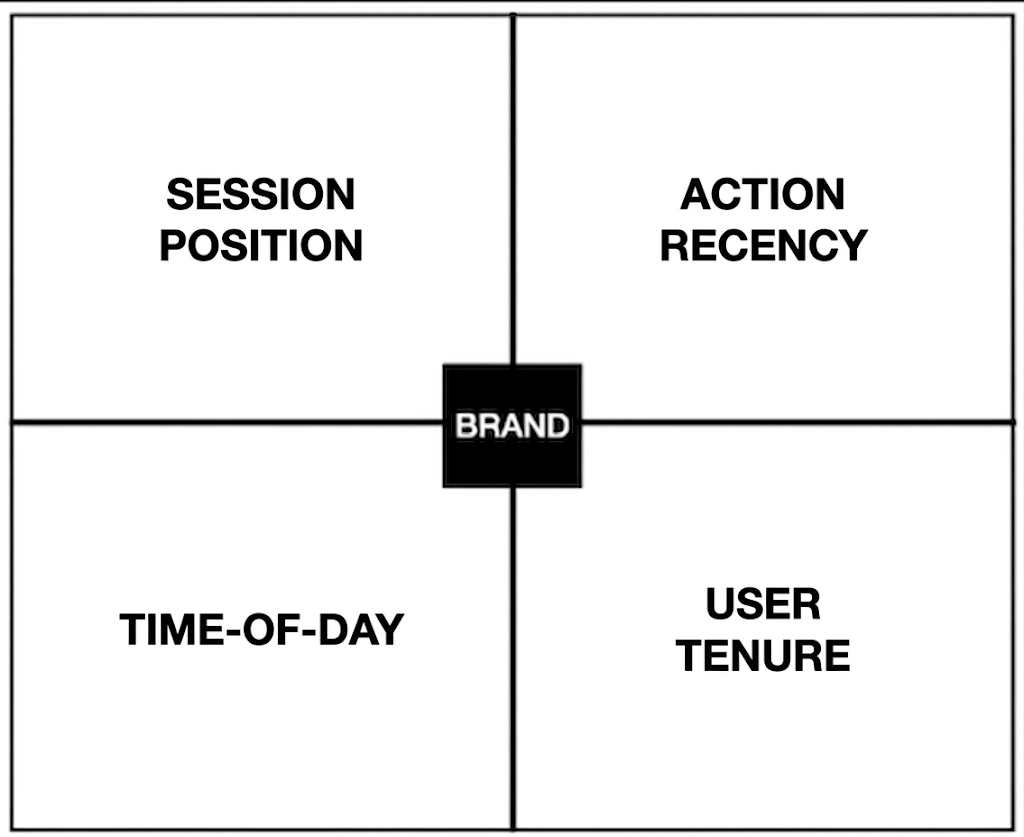
1. Session Position
Session position refers to where in a given session an in-app prompt fires. Early in session, mid-session, and late in session are three meaningfully different moments, even if the total session length is only four minutes.
Early-session triggers catch users while they are still orienting. The user just opened the app. They have intent, but they have not settled into a task. An onboarding nudge or feature discovery tooltip at this point can land well because it guides rather than interrupts. An upsell prompt at this point usually lands poorly because the user has not yet reached a moment of demonstrated value.
Mid-session triggers fire after a user has completed at least one meaningful action. This is often the strongest timing window for prompts that depend on demonstrated intent. A user who has just searched for a product, browsed a feature, or completed a workflow step is signaling interest. A relevant prompt at this point connects to something they have already chosen to do.
Late-session triggers fire as a session winds down, which typically correlates with a natural attention shift. This window works well for lower-friction asks: rating prompts, survey invitations, streak encouragement, or re-engagement nudges for the next session. It works poorly for high-friction conversions because the user is already mentally exiting.
The experiment design: hold content, audience, and all other variables constant. Split the audience into two groups and vary only the session position at which the trigger fires. Measure the primary conversion event and also the dismiss rate, because a high dismiss rate at a particular session position is informative even if conversion does not move.
2. Action Recency
Action recency is different from session position. It asks: how much time has passed since the user last did something relevant to what you are about to show them?
A user who completed KYC verification 30 seconds ago is in a different receptivity state than a user who completed KYC 10 minutes ago and has since spent time on a different screen. Both users are in the same session. Both users qualify for the same audience segment. The difference is only the recency of the action that makes your prompt contextually relevant.
Event-based triggers consistently outperform scheduled broadcasts because they align with what the user is already thinking about. A cart reminder shortly after browsing signals helpfulness. Timing works best when it responds to behavior rather than forcing it.
The experiment design here compares immediate post-action delivery against a delayed post-action delivery. Typical delay windows to test are immediate (0-30 seconds), short delay (1-3 minutes), and medium delay (5-10 minutes after the triggering action). The hypothesis for delayed triggers is that users who have had a moment to settle after completing an action are more open to a follow-up than users who are still mid-flow. The counter-hypothesis is that recency of context is highest immediately after the action, and that is when the prompt is most relevant.
Both hypotheses have support in specific contexts. Immediately post-action works well for value confirmation prompts ("You just completed your first investment. Here's what to do next."). Short delay works well for friction-reducing prompts that benefit from the user taking a breath. Testing which applies to your specific prompt and audience is the only way to know.
3. Time-of-Day
Time-of-day timing is the variable most teams test first because it feels intuitive: show things in the morning when people are fresh, or in the evening when engagement peaks. The data is more complicated than that.
Research on behavior change apps found a peak of both frequency and amount of time spent per session in the evenings, with a daily notification at 11 AM being strongly associated with engagement change in the following hour. This suggests evening sessions tend to be longer and deeper, while mid-morning notifications can create a behavioral pull even when session length is not the goal.
The problem with aggregate time-of-day data is that it represents averages across diverse user populations, each with their own usage rhythms. A fintech app used during lunch breaks has a different time-of-day engagement profile than a gaming app used in the late evening. A fitness app has different peak sessions on weekday mornings versus weekend afternoons.
Testing time-of-day requires cohort-level analysis, not app-level averages. Segment users by their historical session start times before setting up the test. A user who consistently opens the app between 7 and 9 AM is a morning user. Their engagement window is not the same as a user who opens the app between 9 and 11 PM. Showing both groups the same prompt at the same clock time is not a valid time-of-day test. It is a test that will produce noisy data and no clear answer.
The correct approach: identify the session start time distribution for your user base, create time-of-day cohorts based on actual behavior, and test timing within those cohorts. A morning-user cohort tested with prompts at their session start versus 30 minutes into their session will produce cleaner signal than an app-wide time-of-day A/B test run across everyone.
4. User Tenure
User tenure is the most consequential timing variable and the most commonly ignored one.
A user in their first three days of the app is in a fundamentally different relationship with your product than a user who has been active for 30 days. What works as a timing strategy for a day-30 user will often fail for a day-3 user, and vice versa. Running a timing experiment without controlling for tenure conflates signals from these two populations and produces results that apply to neither.
Across consumer apps, retention falls fast after install. Day 1 retention sits around 25%, Day 7 around 11-13%, and Day 30 around 6%. The engagement experiments that matter most are the ones that address the drop-off between these intervals. That means tenure-aware timing is not optional. It is the prerequisite for building experiments that connect to actual retention outcomes.
New users (day 0 to day 7) are in the value-discovery phase. The right timing experiments for this cohort test when to surface guidance, feature discovery, and activation nudges. Too early in a session and the user has not yet had context to understand the nudge. Too late and they have already formed a usage pattern without it.
Mid-tenure users (day 7 to day 30) are in the habit-formation phase. The timing experiments that matter here test when to surface re-engagement prompts, cross-sell nudges, and deeper feature adoption prompts. This cohort responds differently to session-position timing than new users because they already have a mental model of the app.
Tenured users (day 30 and beyond) are in the loyalty phase. Timing experiments for this cohort focus on retention mechanics: streak reinforcement, milestone recognition, and re-engagement when session intervals widen. The wrong timing for a streak nudge (firing it the day after a user has already broken a streak) can create negative associations with the prompt type itself, training users to dismiss similar prompts in the future.
Behavioral Timing vs Clock Timing: Which Produces Stronger Signals
This distinction matters more than most experiment designs acknowledge.
Clock timing means the trigger fires based on a time condition: show this prompt at 8 PM, or 30 minutes after the user opens the app, or on day 5 after install. Clock timing is easy to configure and easy to reason about. It is also often wrong.
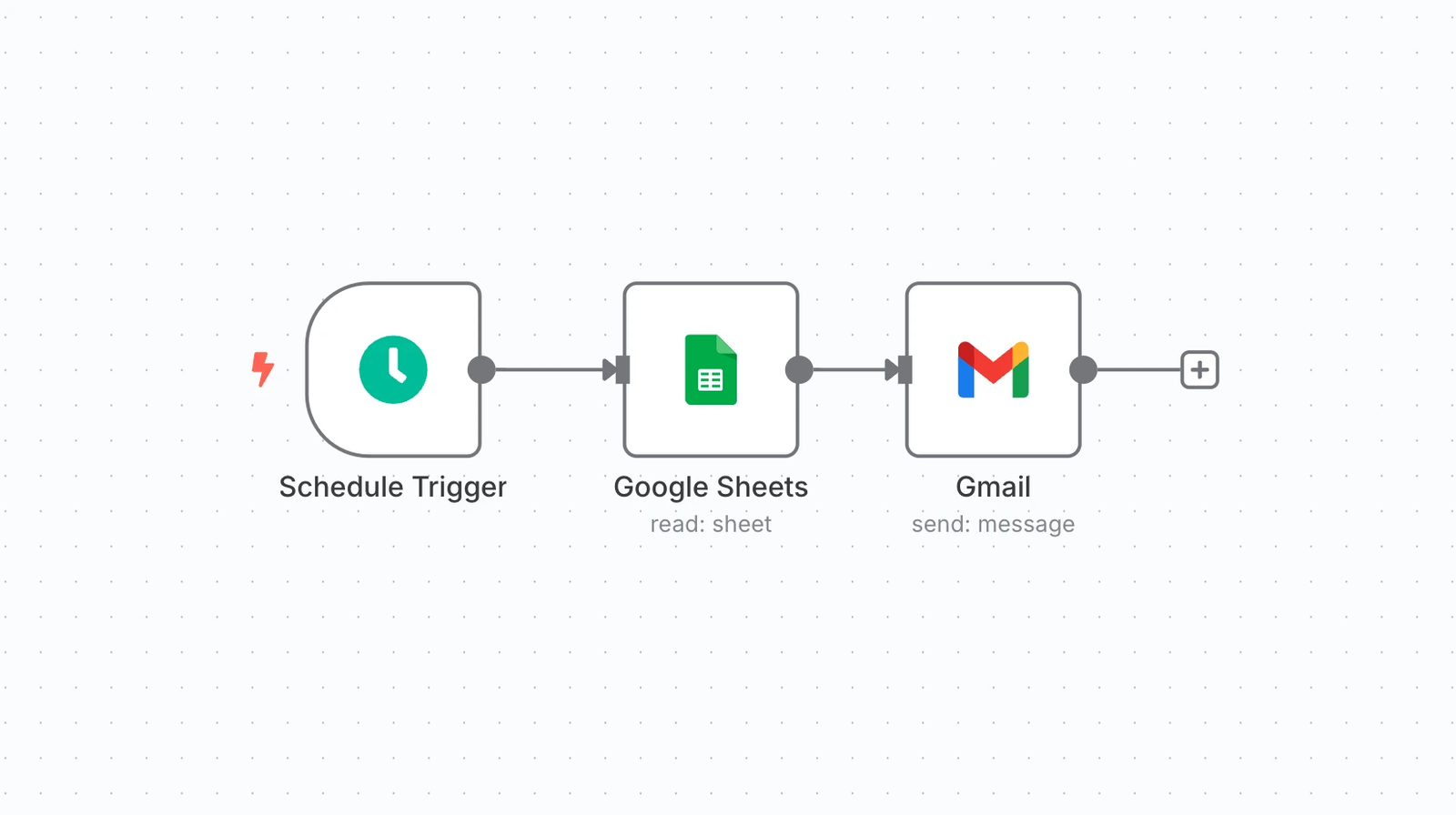
Schedule-based timing sends messages according to a predetermined schedule, independent of user behavior.
Behavioral timing means the trigger fires based on something the user did. A user completes a transaction. A user opens a specific screen for the third time. A user goes 48 hours without logging in. A user crosses a spend threshold. Each of these is a behavioral event that carries contextual relevance a clock cannot replicate.
Trigger-based campaigns beat generic messages every time. They can boost app retention by 88% and raise user engagement by over 50%. Users respond to relevant messages. The relevance comes from context, and behavioral triggers are how context gets encoded into a trigger condition.
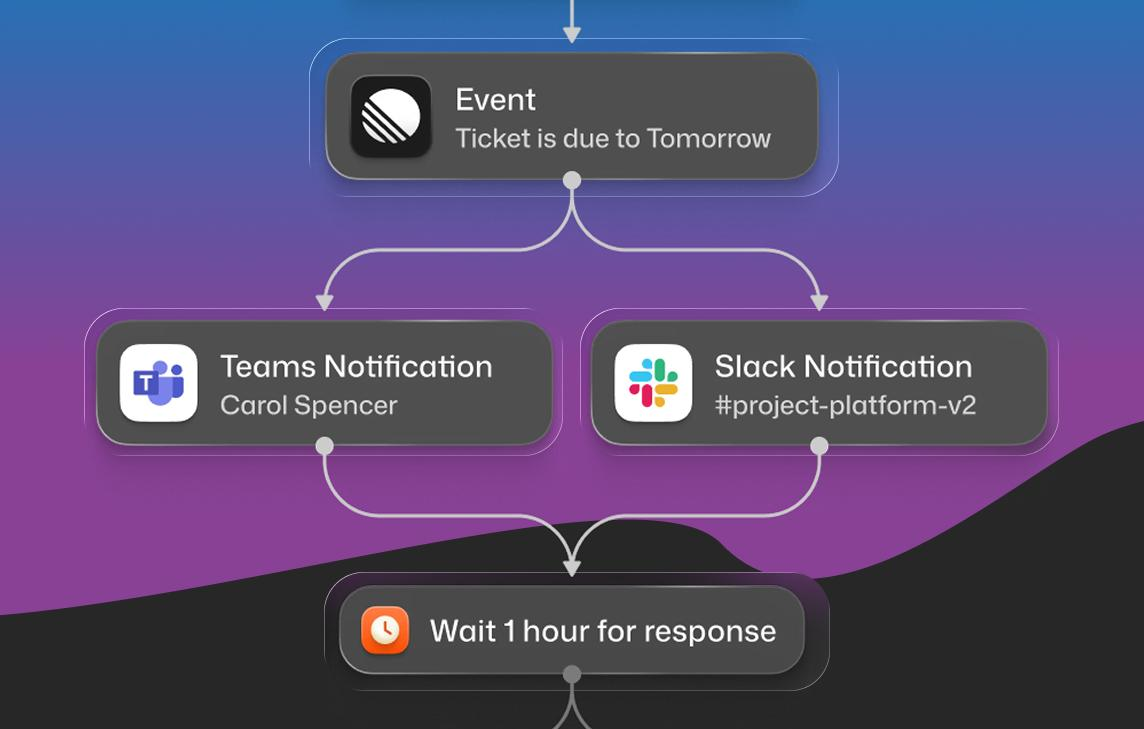
Behavioral timing delivers messages in response to user actions or events, creating contextually relevant engagement moments.
The practical implication for timing experiments: if you run an experiment that tests "show prompt at minute 2 vs minute 5 of the session," you are testing clock timing. You are asking whether a fixed delay produces better results than a shorter fixed delay. If you run an experiment that tests "show prompt immediately after action X vs show prompt after the user's next session start," you are testing behavioral timing. You are asking whether contextual immediacy or post-session return is the better moment for this specific prompt.
Behavioral timing experiments produce stronger signals because the signal itself is tied to a behavioral event that you can understand, repeat, and build on. A clock-timing result tells you that users who saw the prompt at minute 5 converted better than users who saw it at minute 2. A behavioral-timing result tells you that users who saw the prompt immediately after completing onboarding converted better than users who saw it at their next session start. The latter is actionable in a way the former usually is not.
That said, clock timing has legitimate uses. Time-sensitive promotional prompts, notification experiments, and re-engagement campaigns all have time-based components that behavioral triggers cannot fully replace. The point is not to eliminate clock timing from experiments. It is to know which variable you are actually testing when you use it.
How to Isolate Timing as the Single Variable
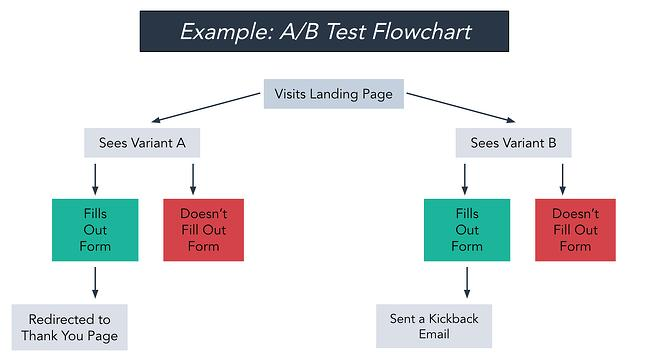
This is where most timing experiments break down.
To isolate timing as the variable under test, everything else must be held constant: the prompt content, the audience segment, the trigger event (if behavioral), the component type, and the frequency cap. The only thing that changes between control and variant is the timing condition.
The most common mistake is changing both timing and content simultaneously, then measuring which variant won. If variant A showed a prompt in the first minute with one headline, and variant B showed the same prompt in the fifth minute with a slightly different headline, you cannot determine whether the timing or the headline drove the result. The experiment is invalidated before the data comes in.
To run a clean A/B testing experiment focused on timing:
Lock the content. Use the exact same copy, visual, and CTA in both variants. Any content difference breaks the isolation.
Lock the audience. Ensure both variants target the same user segment. A timing test that inadvertently over-represents new users in one variant and tenured users in the other will produce meaningless results.
Lock the trigger event. If the experiment tests post-action timing, both variants should fire from the same triggering action. The only difference is the delay between the trigger and the delivery.
Lock the frequency cap. A user who could see the prompt multiple times before converting will produce different data than a user who sees it exactly once. Control the frequency cap across both variants.
Define the primary metric before the experiment runs. Common primary metrics for timing experiments include: conversion rate on the in-app CTA, dismiss rate, next-session return within 24 hours, and the specific action the prompt was designed to drive. Decide which of these is the primary metric before the test starts. Post-hoc metric selection leads to results that confirm pre-existing beliefs rather than producing new ones.
Run long enough to account for novelty effects. New prompt variations often see temporarily inflated engagement in the first few days simply because they are new. A standard approach is to divide user segments into groups receiving different conditions, track key metrics such as retention and session duration over a 30-day period, then analyze results to pinpoint the condition that maximizes engagement without causing fatigue. For timing experiments specifically, a two-week minimum is a reasonable baseline. Longer for low-traffic cohorts.
Early vs Late in Session: What the Data Suggests
The general finding across in-app engagement research is that early-session prompts work well for guidance, and mid-to-late-session prompts work better for conversion.
The reasoning is behavioral: early in a session, users are in exploration or task-completion mode. They will engage with content that helps them navigate. They will dismiss content that asks them to stop and make a decision they did not come to make. A tooltip or feature discovery nudge early in session is additive. An upsell prompt is friction.
By mid-session, the user has demonstrated intent. They have shown what they came to do. A prompt that connects directly to that demonstrated intent (upgrading to get more of what they just tried, providing feedback on what they just completed, cross-selling something adjacent to what they just used) arrives at a moment of relevance.
Late-session is the best timing for low-friction asks: rating prompts, NPS surveys, re-engagement encouragement. Session-based events can be used to create tailored journeys, nudging users back when engagement drops or rewarding frequent activity with personalized offers. A "come back tomorrow" prompt or a streak-count message lands naturally as a session closes. The same prompt mid-session feels premature and oddly placed.
The experimental implication: define what the prompt is trying to accomplish before choosing the timing hypothesis. Prompts that guide benefit from early-session timing. Prompts that convert benefit from mid-session timing. Prompts that retain benefit from late-session timing. Test within the appropriate window first, then broaden.
Immediate vs Delayed Post-Action: The Harder Question
This is a more nuanced experiment than session position because the relationship between action recency and receptivity is not linear.
The intuitive model says: show the prompt immediately after the action while the context is fresh. This model is correct for prompts that extend or confirm the action just taken. A user who just completed a first investment should see the "what to do next" nudge within seconds, not minutes. The action is fresh, the user is engaged, and the next-step prompt fits the moment directly.
The intuitive model breaks down for prompts that ask users to do something cognitively different from what they just completed. A user who just finished a complex onboarding flow may be in a state of mild cognitive fatigue. A prompt that immediately asks them to set up a second product or configure advanced settings arrives at the moment they most need a pause. A short delay (30 to 90 seconds, or even a session-level delay to their next return) may outperform immediate delivery for these categories.
Research from micro-randomized trials has found that a user being in a state of "already engaged" can lower the effect of a new prompt, though not always significantly. The key variable is whether the new prompt is additive to what the user is already doing, or orthogonal to it.
Testing this variable means running one variant that fires the prompt 0-30 seconds post-action, a second variant that fires it after a 2-5 minute delay within the same session, and potentially a third that defers entirely to the start of the user's next session. The metric to watch, beyond conversion rate, is the dismiss rate at each delay window. A high dismiss rate at immediate delivery combined with moderate conversion at the delayed variant tells you something different from high conversion at both variants.
Setting Up a Timing Test Without an App Release for Each Variation
This is the operational challenge that stops most teams from running timing experiments at the frequency needed to produce meaningful data.
The traditional approach requires engineering involvement for every new timing variation: change the trigger delay, rebuild, submit to the App Store, wait for review, release. At a two-week sprint cycle, a team can run six timing experiments per quarter at best. That is not enough to develop reliable intuitions about what timing works for which prompt type and which user cohort.
The alternative is a server-side trigger configuration that separates the timing logic from the app binary. When the timing rule is stored server-side, changing it requires no new code deployment, no App Store submission, and no sprint cycle. The growth team adjusts the timing parameter in a dashboard. The SDK running on users' devices reads the updated rule on the next session start and executes accordingly.
Feature flags are the engineering primitive that makes scalable A/B testing for mobile app engagement experiments possible. A feature flag controls which timing variant a given user receives. The flag evaluation happens server-side. Changing which variant fires at which timing condition is a dashboard operation, not a code change.
The practical implementation for timing experiments without a release cycle looks like this:
The SDK is integrated once with the trigger framework embedded. The trigger framework reads timing rules from a server-side configuration rather than hardcoding them. The dashboard exposes timing parameters (delay in seconds, session position window, post-action delay) as variables that can be updated without touching the app binary. Experiment variants are assigned to user cohorts via the flag evaluation layer. Analytics events log the variant assignment alongside the primary metric, enabling variant-level comparison in whatever analytics tool the team uses.
Digia Engage operates on this architecture. Trigger conditions, including session-position rules, post-action delays, and time-of-day windows, are configured in the dashboard. Changing a timing variable does not require a new release. Growth teams can run sequential timing experiments within a single sprint without touching the engineering backlog.
Key Takeaways
- Timing experiments have four distinct variables worth isolating: session position, action recency, time-of-day, and user tenure. Testing them together produces uninterpretable results.
- Behavioral timing consistently outperforms clock timing because it ties delivery to a user's current context rather than an arbitrary schedule.
- Isolating timing as the single variable requires locking content, audience, trigger event, and frequency cap across all variants before the experiment runs.
- Early-session timing works for guidance and discovery prompts. Mid-session works for conversion. Late-session works for low-friction asks and re-engagement setup.
- Immediate post-action delivery is best for additive next-step prompts. Delayed post-action delivery often outperforms for prompts that ask users to do something cognitively different from the action just completed.
- Running timing experiments without an app release requires a server-side trigger configuration. This is the infrastructure change that enables high experiment velocity.
- Track dismiss rate and next-session return alongside conversion rate. A timing variant that wins on conversion but inflates dismiss rate is eroding long-term prompt effectiveness.
Further Reading
From Digia Engage:
No-Code In-App Campaigns: How Growth Teams Ship Without Developers covers the campaign architecture that makes release-independent timing experiments possible.
Extending CleverTap with Custom In-App UI covers how behavioral event data from CEPs can serve as trigger conditions for in-app experiments.
Digia Engage Nudges explains the trigger framework that enables session-position, post-action, and time-of-day timing control from the dashboard.
Book a product demo to see timing experiment configuration live, from trigger setup to variant assignment to analytics.
External Sources:
ContextSDK: AdverTiming research on in-app behavioral signals and ad receptivity is one of the more rigorous published analyses of how in-session behavioral state affects in-app engagement outcomes.
Micro-Randomized Trial research on notification timing, PMC covers how randomized timing trials work in practice and what findings about "already engaged" users mean for timing experiment design.
Statsig: Using behavioral triggers to drive retention covers the habit loop framework and how to design experiments around behavioral cues rather than schedules.
Feature flag A/B testing, Unleash explains how server-side flag evaluation enables experiment variant assignment without code deployments.
Customer.io: Push notification timing and behavioral triggers covers why context matters more than clock time and how behavioral data creates more relevant trigger moments.
Business of Apps: Mobile app retention benchmarks provides the D1, D7, and D30 retention data that makes user-tenure-aware timing design a necessity rather than an optimization.
Digia Engage is a no-code in-app campaign platform for mobile growth teams. It integrates with CleverTap, MoEngage, and WebEngage, supports iOS, Android, React Native, and Flutter, and takes under 20 minutes to integrate. See how timing experiments work inside the platform.