


TL;DR: Personalization in mobile apps has a naming problem. Teams use one word to describe two completely separate engineering and data challenges. Messaging personalization decides what to send, which push notification, which email, which in-app campaign, and to whom, based on user attributes and segment membership. In-app personalization decides what the product shows when the user arrives, based on real-time session context that no messaging tool holds. Treating them as one problem is why personalization initiatives plateau early: the team sends a perfectly personalized push notification that lands in a generic homepage, and the conversion gap opens right at the tap. This article separates the two problems precisely, explains why they require different data architectures and different tools, covers where CEPs like CleverTap, MoEngage, and WebEngage draw the line, and explains how to connect both layers through a coherent deep link strategy so that a personalized message actually hands off to a personalized experience.
The Distinction: Two Problems Wearing the Same Name
Most product and growth teams treat personalization as a single discipline. They hire for it, budget for it, and measure it under one umbrella. That framing holds until the team hits the ceiling that almost every mobile app hits: the messaging is personalized, but the experience is not.
The precise distinction is this:
Messaging personalization determines what you send to a user through an outbound or in-app campaign channel: the push notification, the email, the SMS, the in-app message that fires from a campaign tool. Its inputs are user attributes collected over time, segment membership, lifecycle stage, and behavioral patterns. It answers the question "who gets which communication and when?" The output is a message that appears outside the product or within a campaign overlay layer inside it.
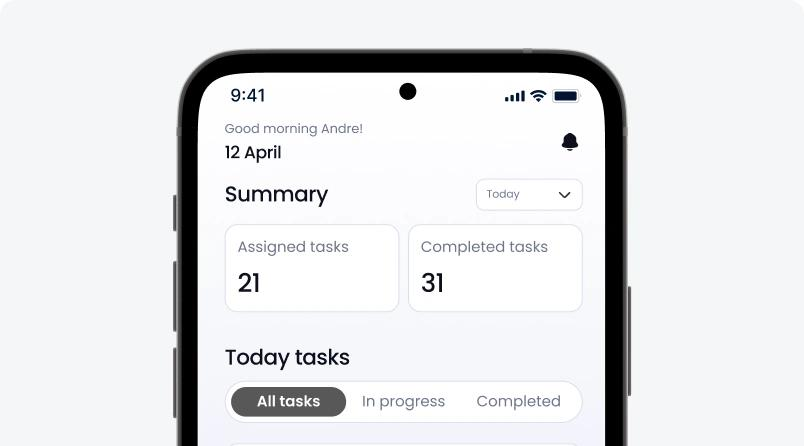
In-app personalization determines what the product itself shows when a user arrives on a screen. Its inputs are the user's current session state: what they did in the last 30 seconds, where they just navigated from, what they have in their cart right now, how long they have been idle on this screen, and what their last three interactions were. It answers the question "what does this specific user's product look like right now, inside this session?" The output is the actual interface, content, and feature configuration the user encounters when they open the app.
These are different problems technically, organizationally, and in terms of what they require to solve. Adobe's 2025 AI and Digital Trends research found that 75% of marketers say fragmented data makes customer engagement harder, and 72% say it leads to conflicting messaging. The fragmentation is not a data collection failure in most cases. It is a failure to recognize that two different personalization problems require two different data types and two different infrastructure layers.
A team can run sophisticated lifecycle campaigns with segment-level targeting through a CEP, see strong open rates and click-through rates, and still watch conversion collapse the moment the user is inside the app, because the in-app experience is not aware of the context that generated the message. The messaging system knows the user is in a "high-intent" segment. The app does not. The user taps the notification, arrives at the homepage, and is shown the same generic layout as every other user.
That gap is where personalization gets stuck.
Why They Need Different Data
The data types are not just different in source. They are different in structure, freshness requirements, and what can realistically be computed from them before the user needs a response.
Messaging personalization data is historical and profile-based. A segment for "users who opened the app 3 times in the last 7 days but have not made a transaction" is constructed from stored behavioral events and evaluated against user profiles. The data pipeline that builds this segment can tolerate latency. A segment evaluated at midnight for a 9am push campaign has 9 hours between data freshness and delivery, and that is fine. The segment is still accurate enough to be actionable.
CEPs are built for exactly this type of data. CleverTap's TesseractDB processes up to 10,000 data points per user per month and retains data for up to 10 years, making long-term behavioral profiles available for segmentation. MoEngage's Sherpa AI evaluates which messaging channel a given user is most likely to engage on based on historical patterns and routes accordingly. Both architectures assume you are reasoning about a user's history, not their current 30-second session state.
In-app personalization data is real-time and session-based. The product needs to know, at the moment the user opens a screen, what they did 10 seconds ago, what their cart currently contains, whether they just completed a tutorial step or skipped it, and how many times they have viewed this screen without converting. This data has no useful batch equivalent. A session-state decision that is 90 seconds stale is wrong. The user has moved on.
Customer.io's research on in-app personalization draws this out precisely: "Segments tell you who someone is. Events tell you what they're doing. Build in-app messages around meaningful actions." The implication is that historical segment data tells you which users should receive what kind of personalized experience, but it cannot tell the product what to actually render in this session, because the product does not yet know what this session looks like.
The practical consequence is that a CEP, built to reason over historical profile data and fire outbound or overlay campaigns, cannot serve as the personalization engine for what the product shows when the user is active. The data the CEP has is too stale. The session data the product generates happens inside the app, and by the time it reaches the CEP's processing pipeline, the user has already moved past the moment where it would have been useful.
This is not a criticism of CEPs. It is a description of what they were built to do. The problem is treating them as the full personalization stack when they were designed to be one layer of it.
The Channel Mismatch Problem
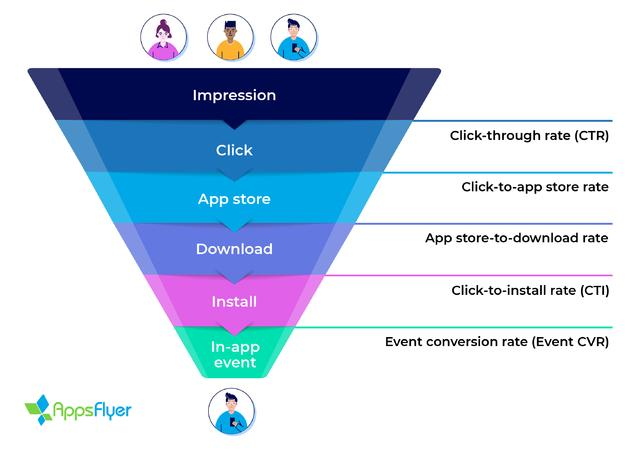
The most concrete illustration of what happens when messaging personalization and in-app personalization are treated as the same problem is the channel mismatch: a personalized message that lands in an unaware product.
Here is the sequence that produces the mismatch:
The CEP identifies a user who added three items to their wishlist last week but has not returned to the app since. It triggers a personalized push notification: "Your saved items are waiting. Tap to see what's still in stock." The notification is accurate, contextually relevant, and correctly timed. The user taps it.
The app opens. The user lands on the homepage. The homepage shows the standard layout, the same banner carousel every user sees, the standard category navigation, and the user's generic feed. The wishlist items are three taps away. The personalization that brought the user back stopped at the notification.
Branch's deep linking research documents this pattern directly: "A perfectly personalized push notification that lands in an app that shows the generic homepage creates a drop-off in the gap." Data from OneSignal shows that generic user journeys have a 5% click-to-install rate, while deep linking-enabled journeys deliver up to six times higher conversion rates. The uplift is not from better notifications. It is from the destination matching the promise.
The drop-off in the channel mismatch is not an edge case. Customer.io's 2026 Customer Messaging Trends report found that contextual push campaigns achieve a 14.4% open rate compared to 4.19% for generic sends, a 3.4x difference. But open rate is where most teams stop measuring. The conversion question is what happens after the open, when the user arrives in the app and the personalization logic that created the message is no longer operational.
SashiDo's push notification metrics analysis identifies the pattern: "If CTR is healthy but conversion rate is weak, the issue is usually deep link destination, landing friction, or offer mismatch." Teams optimize the message and ignore the destination. The mismatch is the conversion killer.
The structural reason the mismatch persists is organizational. Messaging personalization is typically owned by growth or lifecycle marketing teams, who configure segments and campaigns in the CEP. In-app experience is typically owned by the product team, which builds the homepage, the content feeds, and the navigation. Neither team has visibility into the other's personalization logic at the moment of a user session. The push notification knows the user has wishlist items. The homepage does not. No one is responsible for the handoff.
Content Personalization vs UX Personalization
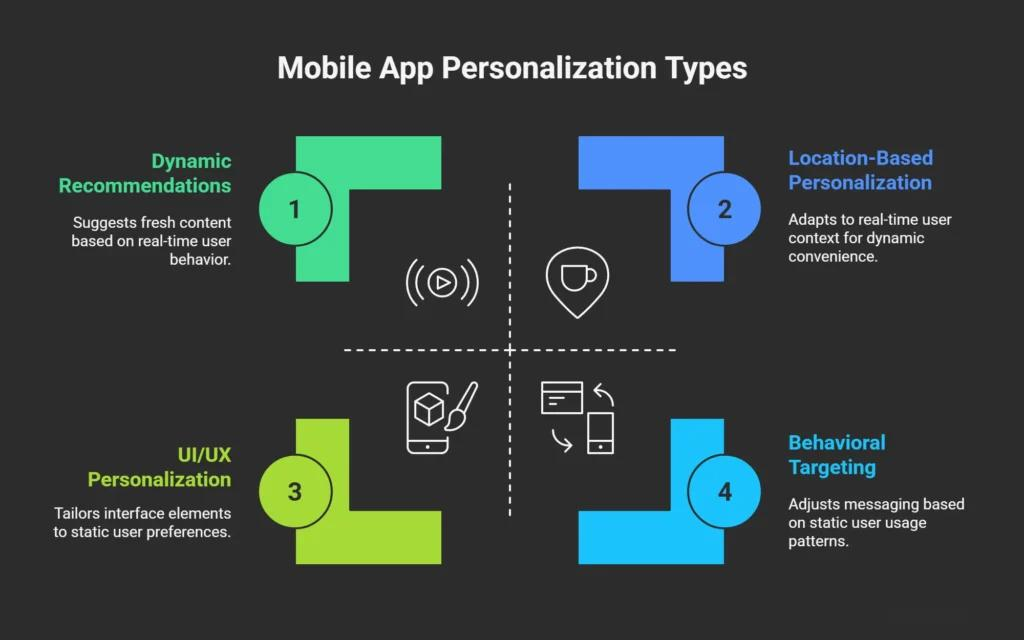
Once a team recognizes that in-app personalization is a separate problem from messaging personalization, a second distinction becomes necessary: within in-app personalization itself, there are two fundamentally different types of work, and they require different infrastructure to execute.
Content personalization changes what information is shown to a user without changing how the interface behaves. The recommendations carousel on the home screen shows different products to different users. The news feed reorders articles based on reading history. The promotional banner displays a different offer based on purchase segment. The layout remains the same. The navigation structure is unchanged. Only the content populating those structures varies by user.
Content personalization is the more accessible form of in-app personalization. The product's structural components are built once. A data layer populates them dynamically based on user attributes or recommendation models. The team responsible for the product structure and the team responsible for content logic can operate relatively independently.
UX personalization changes how the interface itself behaves for a specific user. A new user sees an onboarding checklist in the app's sidebar. A power user sees a quick-action toolbar in the same space. A user who has never used a specific feature sees a spotlight nudge pointing to it. A user who has used it 20 times does not. The product renders differently for different users, not just with different content in the same structure, but with different structural components altogether.
UX personalization is substantially harder to build. It requires a product that can render conditionally at the component level, based on user state that is evaluated at session time rather than at build time. Server-driven UI is the architecture that makes this practical. The server defines which components render for this user in this session, and the client renders whatever the server specifies. No code change required to alter the experience for a segment. No app release required to show a different layout to a different user cohort.
The distinction matters for prioritization. A team that needs content personalization can build it on top of most existing product architectures with a recommendation API and a data pipeline. A team that needs UX personalization needs to either invest in server-driven UI from the ground up, or use an in-app engagement platform that adds a configurable UX layer on top of the existing app without requiring a rebuild.
Most personalization roadmaps fail to separate these two types of work explicitly. They budget for content personalization but encounter UX personalization problems, then try to solve them with the same tools and encounter the infrastructure ceiling.
What CEP Tools Handle Well and Where They Stop
CleverTap, MoEngage, and WebEngage are customer engagement platforms. They are exceptionally good at what they were designed to do: orchestrating outbound messaging across channels, segmenting audiences from behavioral data, triggering campaign journeys based on lifecycle events, and measuring messaging performance. Understanding precisely where their personalization capability ends is necessary before teams can decide what additional infrastructure the in-app layer needs.
What CEPs handle well:
Lifecycle-based segmentation. A CEP can identify "users who completed onboarding but have not transacted in 14 days" from stored event data and build a campaign targeting them. CleverTap's architecture evaluates segment membership in real time against the full event history, which means triggers fire at the correct lifecycle moment without a batch delay. This is the core strength of CEP infrastructure.
Multichannel campaign orchestration. A campaign that sends a push notification, waits 24 hours for a response, then routes non-responders to an email, and routes responders to an in-app follow-up is a CEP workflow. MoEngage's Sherpa AI adds channel optimization, routing each user to the messaging channel they are statistically most likely to engage on. WebEngage's journey builder makes this kind of branching logic visually configurable without engineering support.
Message personalization through attributes. Dynamic placeholders in notification copy, such as the user's name, their city, the specific product they last viewed, or the exact savings figure relevant to their segment, are well within CEP capability. The CEP holds the profile attributes and populates them at send time.
Where CEPs draw the line:
In-app rendering at the UX level. CEPs render in-app campaigns as overlay formats: modals, banners, tooltips, and bottom sheets that appear over the product, delivered as campaign messages. They do not modify the underlying product's layout or component behavior. The homepage, the navigation, the content feed, the feature configuration that the user experiences when they arrive, these are the product's own rendering decisions, and the CEP has no mechanism to change them.
Plotline's analysis of WebEngage identifies this directly: "Only modals, banners, and surveys, no stories, videos, gamification, or contextual spotlights." The CEP's in-app capability is limited to overlay formats. The product experience below the overlay remains generic.
Real-time session context. CEPs can trigger campaigns from real-time events, CleverTap's architecture triggers a journey based on an event within seconds, but the personalization logic they apply to those triggers is still based on stored profile attributes. The campaign knows the user is "in segment X." It does not know what the user's screen looks like right now, how far they scrolled before triggering the event, or what content they previously rejected in this session.
mParticle's analysis of CEP limitations captures the ceiling: "True personalization requires a comprehensive single-customer profile that captures behaviors, preferences, and interactions over time. CEPs struggle without clean, well-governed data across all sources." The struggle at the in-app layer is more fundamental than data quality. The session-state data CEPs need to power in-app UX personalization is not in their data model.
What In-App Personalization Requires Beyond the CEP
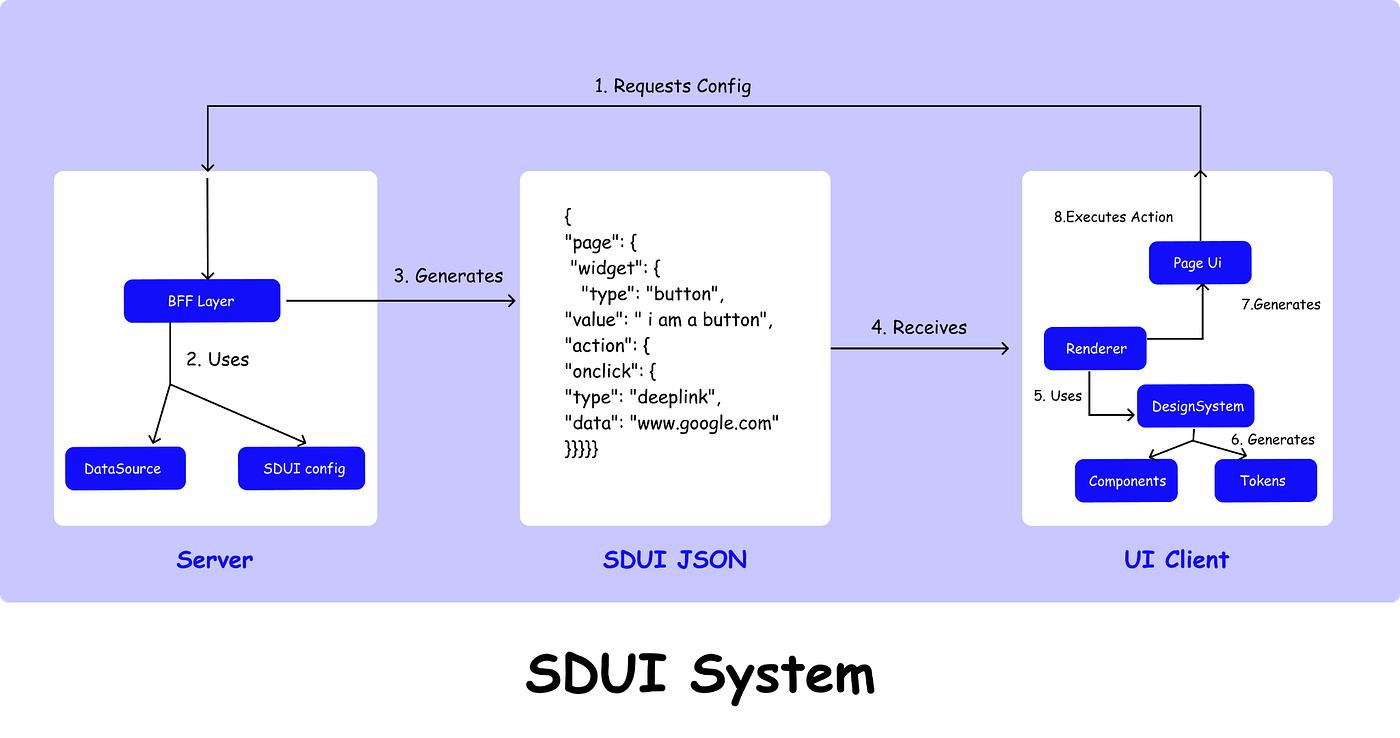
In-app personalization at the UX level requires three capabilities that CEPs do not provide by design.
A server-driven rendering layer. The product's UI components must be configurable from a server at session time, not hardcoded in the app binary. Server-driven UI architecture means the server tells the client what to render, and the client renders it, so that a team can change what a user sees without shipping an app update. For in-app personalization, this means the layout of the home screen, the presence or absence of a feature nudge, the order of content in a feed, and the configuration of an onboarding checklist can all be adjusted per user per session without a release cycle.
As Digia's own analysis explains: "CleverTap or MoEngage fires the trigger. Digia renders the experience. They operate at different layers of the stack." This division of labor reflects the architectural reality: the CEP is the targeting layer and the in-app platform is the rendering layer. Removing either layer collapses the capability.
Real-time session-state awareness. The rendering decision for a specific screen must be informed by what the user did in the current session, not only by their historical profile. A user who has already dismissed a feature nudge three times in this session should not see it again on the next screen. A user who just completed an action that unlocks a feature should see the relevant entry point on the very next screen they visit. This requires the product's rendering logic to access session state that is being written in real time, which is a fundamentally different data problem from the historical profiles that CEPs manage.
Campaign control without engineering involvement. The team responsible for in-app personalization needs to configure, test, and iterate on what users see inside the product without opening an engineering ticket for each change. If adjusting the home screen layout for a new cohort requires a sprint, the iteration rate drops to a level where in-app personalization becomes static by default. The team ships one version, measures, and moves on to the next feature rather than running the experiments that would improve the experience.
Digia Engage's inline widget system is built for this layer. Growth teams configure content blocks, carousels, story formats, and embedded cards from the dashboard. The rendering happens in under 100ms from the trigger event. No release cycle, no engineering ticket.
The relationship between the CEP and the in-app layer is additive, not competitive. The CEP manages outbound channels and campaign orchestration. The in-app platform manages what the product looks like when users arrive. Each layer handles the personalization problem it was built for.
Connecting the Two: The Deep Link Hand-Off
A personalized message without a personalized destination is a broken promise. The infrastructure that connects messaging personalization to in-app personalization is the deep link, and the quality of that connection determines whether the personalization investment in the CEP actually converts.
A basic deep link takes the user to a specific screen in the app rather than the homepage. A push notification about wishlist items opens the wishlist screen. A promotional message about a specific product opens that product's detail page. This solves the most obvious version of the channel mismatch: the user lands somewhere relevant instead of somewhere generic.
But basic deep linking does not complete the personalization hand-off. The wishlist screen is still generic. It shows the same layout, the same CTAs, and the same content hierarchy to every user who arrives on it. The message was personalized. The screen is not.
A complete hand-off has three components:
Destination specificity. The deep link must carry enough context to take the user to the most specific relevant screen. A user who received a push about a specific product they viewed goes to that product's page. A user who received a push about a time-limited offer goes to the offer detail screen with the countdown timer visible, not to a promotions landing page. The specificity of the destination must match the specificity of the message.
Session context transfer. The click on the message should seed the session with context that the app can use to configure its rendering decisions for that visit. If the CEP knows the user is in a "high purchase intent" segment and fires a specific campaign, the deep link can carry that campaign context into the app session so the in-app rendering layer knows to surface an accelerated conversion flow rather than the standard discovery layout. Branch's implementation approach enables this through parameter passing in the deep link URL, which the app reads on session start and uses to configure the initial rendering state.
In-session continuation. After the user lands at the deep link destination, the personalization should continue as they navigate. A user who arrived from a wishlist-recovery campaign and views an item from their wishlist should see a nudge about completing the purchase on the product page, not a generic "related items" banner. The session that was initiated by the personalized message should remain context-aware for as long as the user is active. This is where the CEP's session-level personalization ceiling becomes visible: it delivered the user via a personalized message, but it cannot maintain a personalized product environment throughout the session. The in-app personalization layer takes over at the point the user arrives.
Research from Braze defines the principle directly: "With a deep link, that same tap takes them straight to the product page showing the discounted shoes. No searching, no delays, just one click from message to moment." The conversion improvement comes from eliminating the gap between the promise in the message and the experience in the product.
Which to Prioritize First
Teams trying to do both types of personalization simultaneously typically do neither well. Prioritizing depends on a single diagnostic: where in the current funnel is the biggest conversion gap?
Prioritize messaging personalization first when the primary drop-off is before the user opens the app. If acquisition is working but re-engagement is failing, if users are not returning after Day 7, if lifecycle emails have low open rates, if there is no segmented push strategy and campaigns go to full install base, the problem is in the outbound layer. The CEP is where to invest. Segment the audience with behavioral triggers, implement channel optimization, build lifecycle journey logic, and measure conversion per campaign rather than per channel.
MoEngage's benchmark data shows that personalized engagement drives up to 75.2x conversion lift on push notifications compared to generic sends for media brands, and a 16.5x conversion lift for financial services when shifting from generic to behavioral triggers. If the team is still sending broadcast campaigns, fixing that is the highest-leverage move before anything else.
Prioritize in-app personalization first when users are arriving but not converting. If open rates are healthy, if the app has reasonable Day 1 retention, if click-through on campaigns is working but in-app conversion is flat, the problem is in the product experience itself. Users are arriving. Something about what they encounter is not completing the job.
The diagnostic is specific: run a cohort comparison between users who clicked a personalized campaign and users who arrived organically. If the campaign-click cohort converts at roughly the same rate as the organic cohort, the campaign is not adding value at the in-app stage. The message got them there; the app did not capitalize on the context the message created.
In that case, the investment priority is the in-app rendering layer: session-aware content, dynamic layouts that respond to the trigger context, and nudge sequences that continue the personalization the message started.
The sequencing decision for most consumer mobile apps at the 1 to 5 million MAU range is typically: messaging personalization first, then in-app personalization for the highest-traffic screens, then full session-aware UX personalization as the product matures. The reason for this sequence is practical. CEP implementation is faster, has more existing tooling, and produces measurable lift within a quarter. In-app personalization at the UX layer requires infrastructure investment (server-driven rendering, session state management, dashboard-controlled component configuration) that takes longer to set up but compounds more significantly once operational.
Teams that skip messaging personalization and build in-app personalization first tend to over-engineer the product experience for users who are not being effectively brought back to it. Teams that build messaging personalization without in-app personalization see campaign diminishing returns as the mismatch between message quality and product experience becomes the limiting factor.
The ceiling that signals it is time to invest in the in-app layer is when campaign-level metrics look strong but in-app conversion has plateaued. At that point, the messaging system is doing its job. The product is the bottleneck.
Key Takeaways
- Messaging personalization and in-app personalization are two different engineering and data problems. Treating them as one is the primary reason personalization initiatives plateau: the message is personalized, the product is not.
- Messaging personalization works from historical profile data and segment membership. It is the correct layer for deciding who receives what communication and when. CEPs like CleverTap, MoEngage, and WebEngage are built for this problem and handle it well.
- In-app personalization works from real-time session context. It determines what the product shows when a user is actively in a session, and it requires data that no CEP holds: what the user did 10 seconds ago, what their screen state is right now, and how many times they have seen a specific element in this session.
- The channel mismatch, where a personalized push notification opens a generic homepage, is the most measurable symptom of treating both as one problem. Deep linking-enabled journeys deliver up to six times higher conversion rates than generic landing destinations precisely because they close this gap.
- Content personalization changes what information populates existing product structures. UX personalization changes which product structures render at all, based on user state. These two require different infrastructure. Content personalization is accessible with a recommendation API. UX personalization requires a server-driven rendering layer.
- CEPs draw a clear line at in-app rendering. They deliver campaign overlays, modals, banners, and tooltips as messaging formats. They do not modify the underlying product's layout or component behavior. That is the in-app personalization layer's job.
- A complete hand-off between messaging and in-app personalization has three requirements: a destination specific enough to match the message's promise, session context transfer through the deep link so the app knows the user arrived from a personalized campaign, and continued personalization through the in-app layer as the user navigates beyond the landing screen.
- Sequencing the investment: fix messaging personalization first if the primary drop-off is before app open. Fix in-app personalization first if users are arriving but not converting. The signal to shift investment from the first to the second is when campaign metrics look strong but in-app conversion has plateaued.
Further Reading
From Digia Engage
In-App Nudges covers the behavioral event trigger system that fires contextual in-app experiences based on real-time session events, the rendering layer that sits beyond what CEP overlay formats can reach.
Inline Widgets explains how content blocks, carousels, and story formats can be embedded at any screen position inside the product and updated from a dashboard, enabling content-level and some UX-level personalization without an app release.
CleverTap Integration and MoEngage Integration show how Digia Engage operates as the rendering layer alongside an existing CEP: the CEP fires the trigger and manages segments, Digia renders the experience.
Server-Driven UI for Engagement covers the architecture that makes real-time, session-aware in-app personalization possible without app releases, including the tradeoffs in versioning and trigger response time.
Inline Banners vs Overlays: Conversion Impact and UX Friction covers the format decision that follows from any personalization strategy: once the right user is identified and the right context is available, which format surfaces the personalized experience without triggering friction?
Book a product demo to see session-triggered personalization, in-app widget configuration, and CEP integration with CleverTap, MoEngage, or WebEngage set up live.
External Sources
Customer.io: In-App Personalization provides the clearest breakdown of the data distinction between segment-based messaging personalization and session-based in-app personalization, including specific examples of what real-time context enables that profile data cannot.
Customer.io: How to Personalize Push Notifications covers the engagement data for contextual vs generic push sends, the 14.4% vs 4.19% open rate gap, and the reasons why personalized notification programs still fail at the in-app conversion stage.
OneSignal: Deep Linking Best Practices covers the 5% vs 30%+ conversion rate gap between generic landing destinations and deep-linked destinations, with specific implementation guidance for the hand-off between messaging and in-app experience.
Branch: The Role of Deep Linking in Mobile Marketing Campaigns documents Branch's data on how personalization through deep links drives higher conversion rates compared to generic landing pages, with scenario-specific examples across fintech, food delivery, and e-commerce apps.
MoEngage: Customer Engagement Benchmarks 2026 contains the industry-specific conversion lift data for personalized vs generic messaging across push, email, and in-app channels, broken out by vertical.
mParticle: What Is a CEP and Why It Needs a CDP explains the data architecture limitations of CEPs for personalization, including why true session-state personalization requires an additional data layer beyond what CEPs manage.
Medium: Server-Driven UI for Mobile App Personalization covers the technical mechanism behind real-time UX personalization: how SDUI allows the server to decide what renders rather than requiring the decision to be pre-built into the app binary.
Digia Engage is a no-code in-app experience platform built for mobile product and growth teams. It operates as the rendering layer alongside your existing CEP: CleverTap, MoEngage, or WebEngage fires the trigger and manages segments; Digia renders the in-app experience. Behavioral event triggers fire in under 100ms. SDK integration takes under 20 minutes. See how the CEP integration works inside the platform.