Mobile onboarding is often imagined as a straightforward sequence of screens designed to introduce users to an app’s functionality. Product teams create walkthrough slides, highlight key features, and guide users toward completing their first meaningful action. In theory, once users understand the product’s value, engagement should naturally follow.
In practice, however, the earliest moments inside an app are far more fragile than most teams expect.
A large number of mobile users abandon apps not because the product lacks value, but because of subtle friction that emerges during onboarding. A permission request that appears too early, a confusing loading state, or even a momentary delay can quietly undermine user confidence. These seemingly small interactions often determine whether users continue exploring the product or abandon it altogether.
Mobile onboarding is therefore more than a functional introduction to an app. It is a critical trust-building process, where every screen, animation, and prompt communicates whether the app is reliable, secure, and respectful of the user's time.
For mobile products competing in crowded marketplaces, those first impressions can determine whether a user becomes a long-term customer or simply another uninstall.
Why Mobile Onboarding Fails Faster Than Web or SaaS
Mobile onboarding operates under conditions that are fundamentally different from web or SaaS products. Desktop users typically approach software with intention. They expect to configure settings, fill forms, and spend time learning how a tool works.
Mobile users behave differently.
Smartphones are used in short bursts of attention throughout the day. Users open apps while commuting, multitasking, or quickly checking information. This means their tolerance for confusion, delays, or interruptions is extremely low. If friction appears during the first interaction, abandonment happens quickly.
Several structural limitations make mobile onboarding particularly vulnerable:
- Limited screen real estate, which restricts how much information can be presented at once
- System-level permission prompts that interrupt the user flow
- Performance differences across devices, particularly in emerging markets
- Network dependency that can delay content loading or authentication
These constraints amplify even minor usability issues. A delay of two seconds may feel insignificant on a desktop interface, but on mobile it can create the impression that the app is unstable or poorly optimized.
As a result, mobile onboarding must prioritize clarity, speed, and reassurance from the very first interaction.
The First Trust Test: How Permission Requests Break User Confidence
Among the many challenges in mobile onboarding, permission requests remain one of the most disruptive.
Unlike web applications, mobile apps must request explicit access to device capabilities such as location, camera, contacts, or notifications. These prompts appear as system dialogs that interrupt the app's interface and force users to make immediate decisions about their privacy.
When these prompts appear too early, they can create suspicion.
Imagine opening a travel app for the first time and immediately being asked to allow location access before understanding what the app actually does. From the user’s perspective, the request feels premature and potentially invasive.
The question that quickly arises is simple: Why does this app need my data already?
If users cannot answer that question, they often deny the request or close the app entirely. This reaction is not merely about privacy concerns; it reflects a broader lack of trust in the product's intentions.
Poorly timed permission prompts therefore represent one of the earliest moments where onboarding can fail.
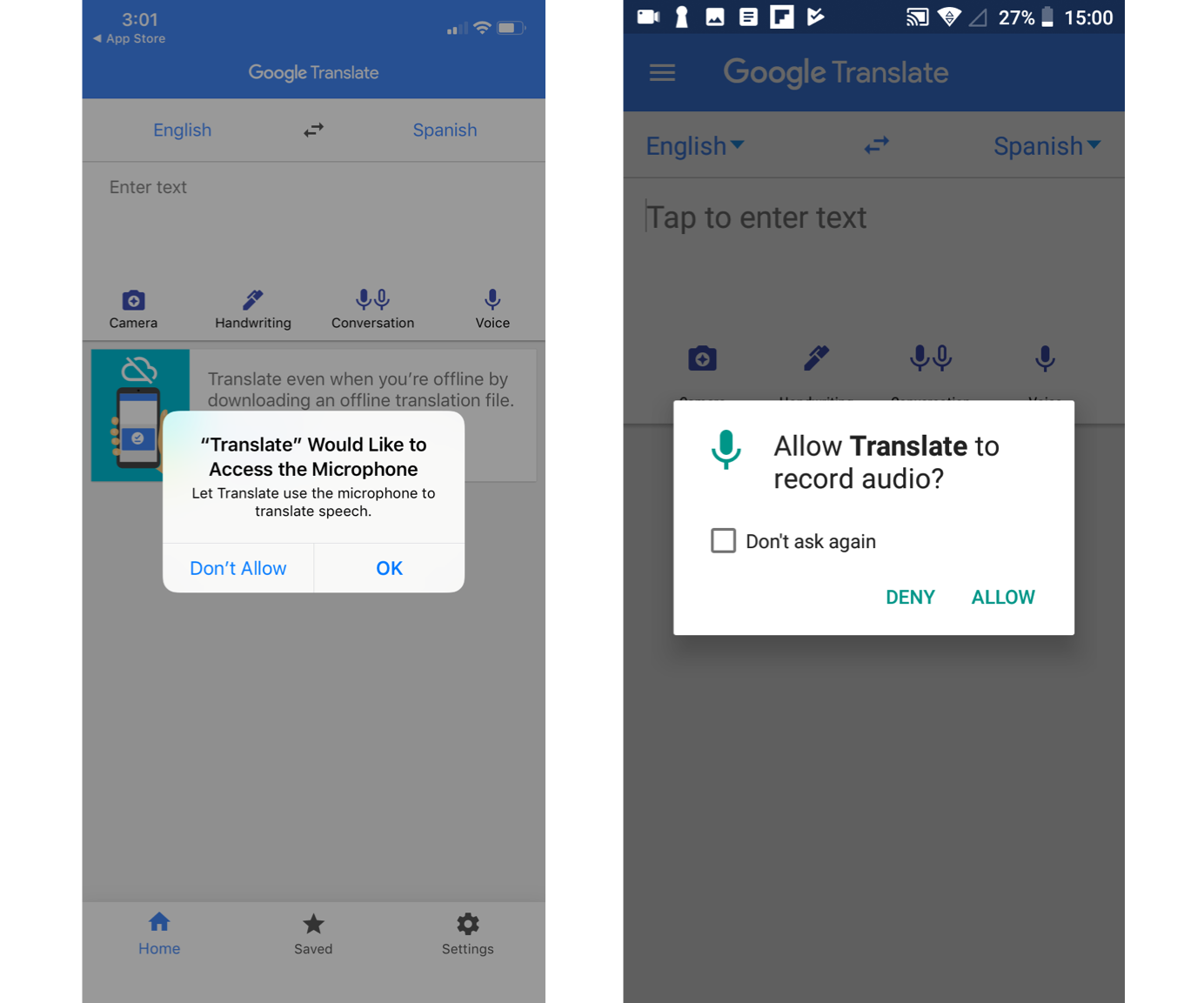
Timing Matters: When to Ask for Permissions in the Onboarding Flow
Successful mobile products approach permissions differently. Rather than requesting access immediately after installation, they treat permissions as contextual moments that occur only when users attempt an action requiring them.
This strategy aligns the permission request with a clear value proposition.
For example, a navigation app might ask for location access only when the user taps a button to find nearby routes. A social media app may request camera access when the user attempts to upload a photo. In each case, the permission request appears at a moment when its purpose is obvious.
This approach is commonly known as progressive permission prompting.
Many apps also use a pre-permission screen that explains why access is required before triggering the system dialog. This small design step helps frame the request in terms of user benefit rather than technical necessity.
| Permission Type | Recommended Timing |
|---|---|
| Location | When the user searches for nearby results |
| Camera | When capturing or uploading images |
| Notifications | After users experience product value |
| Contacts | When inviting friends or connecting accounts |
When permissions are tied to user intent rather than onboarding requirements, they feel less intrusive and far more logical.
Loading States: The UX Detail That Users Notice Instantly
While permission prompts interrupt onboarding directly, loading states introduce a different challenge: uncertainty.
Every mobile app depends on background processes such as server communication, authentication, or data retrieval. During these moments, the interface must communicate that something meaningful is happening.
If the interface fails to provide feedback, users often assume the app has stopped working.
Psychologically, waiting becomes frustrating when users cannot understand what the system is doing. Research on perceived performance shows that users are far more tolerant of delays when they receive feedback about progress.
In onboarding flows, this principle becomes even more important. Since users are still evaluating the product, even small delays can trigger doubt about reliability.
A blank screen lasting only a few seconds can make users question whether the app is functioning properly.
The Problem With Blank Screens, Spinners, and Delays
Many mobile apps rely on generic loading indicators such as spinning icons. While these technically signal activity, they rarely communicate meaningful information to users.
Spinners show that something is happening, but they do not indicate how long the process will take or whether progress is being made. When loading takes longer than expected, users often assume the app is frozen.
Blank screens are even more problematic. Without visual feedback, users may interpret the delay as a crash or error. In onboarding flows, where trust has not yet been established, this uncertainty can quickly lead to abandonment.
Another issue arises when loading delays disrupt the emotional momentum of onboarding. If users complete several steps smoothly but suddenly encounter an unexplained pause, the sense of progress disappears.
Designing effective loading states therefore requires more than simply displaying an animation.
Designing Meaningful Loading States That Reassure Users
Effective loading states transform waiting into a guided experience. Instead of leaving users uncertain, the interface communicates progress and purpose.
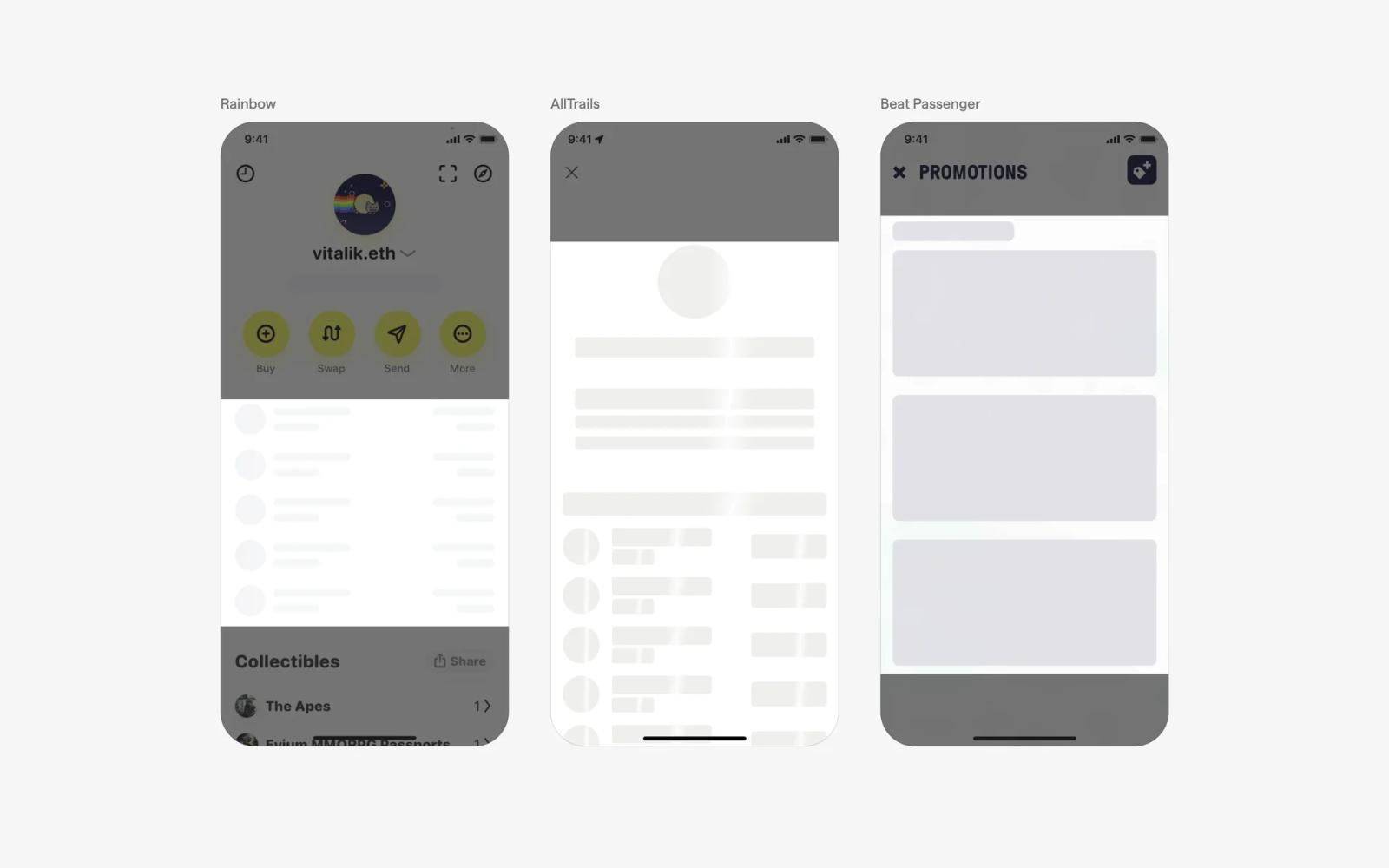
One widely used technique is the skeleton screen, which displays placeholder elements resembling the final layout of the interface. Skeleton screens replace blank loading pages with placeholder layouts that resemble the final interface structure. Instead of waiting without context, users immediately see blocks representing images, text lines, or cards where content will eventually appear. As the app retrieves data from the server, these placeholders gradually transform into the real content.
This technique significantly improves perceived performance because users feel that the interface is already loading meaningful information. In onboarding flows or dashboards, skeleton screens maintain visual continuity and reassure users that the app is actively preparing their experience.
Another approach involves progress indicators that visually represent completion status. When users see that an action is halfway finished, they are far more likely to remain engaged.
Progress bars provide a clear visual indication of how far a process has advanced. Unlike indefinite loading spinners, progress indicators show users that a task is moving toward completion. This sense of measurable progress reduces uncertainty and makes waiting feel shorter.
In mobile apps, progress bars are often used during onboarding steps, profile setup, data synchronization, or file uploads. When users can see progress unfolding step by step, they are far more likely to remain patient and continue the process.
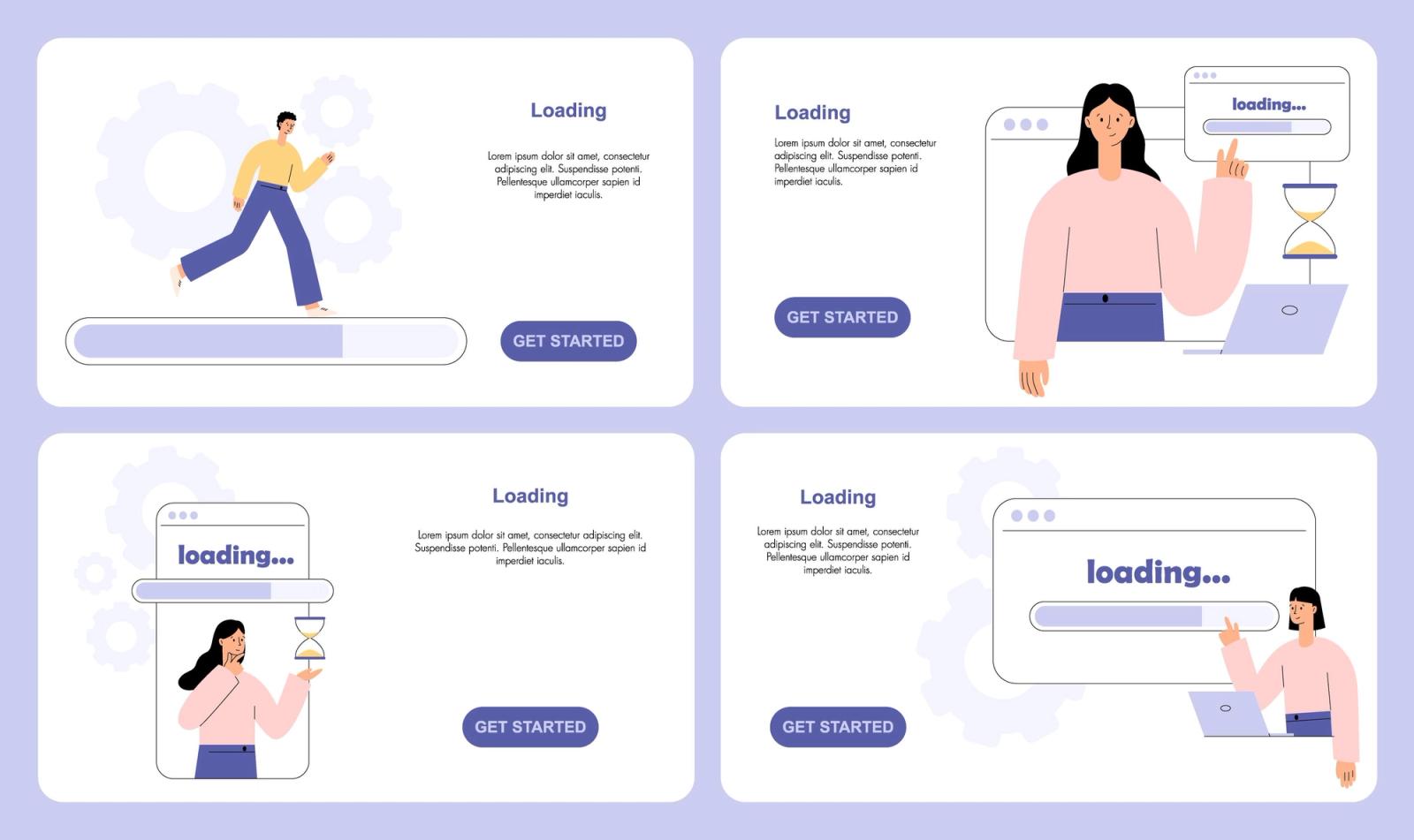
Informational microcopy adds a layer of communication during loading states by explaining what the system is currently doing. Instead of leaving users guessing, the interface displays short messages such as “Preparing your dashboard,” “Syncing your data,” or “Finding nearby results.”
These small messages reduce confusion and build transparency. When users understand why a delay is happening, they are less likely to interpret it as poor performance or a technical issue. In onboarding experiences, microcopy helps maintain trust during moments when the system needs time to process information.

Subtle animations such as pulsing dots, shimmer effects, or small transitions indicate that the system is actively working. These animated elements create a sense of motion that reassures users the app is processing information in the background.

| Loading Design Technique | Benefit |
|---|---|
| Skeleton screens | Reduce perceived waiting time |
| Progress bars | Provide visible progress feedback |
| Informational microcopy | Explain system activity |
| Subtle animations | Maintain visual engagement |
When combined thoughtfully, these elements turn loading moments into opportunities to reinforce reliability.
Micro-Moments of Trust During Mobile Onboarding
Trust rarely emerges from a single interaction. Instead, it develops through a sequence of small experiences that reassure users about the product.
These micro-moments occur throughout the onboarding journey. Clear explanations about data usage, instant confirmation after actions, and responsive interface feedback all contribute to the perception that the app is well designed.
Even subtle interface choices can influence user confidence. For example, a confirmation message after account creation reassures users that their data has been saved successfully. Progress indicators help users understand how far they have progressed through onboarding.
Over time, these signals accumulate to form a consistent perception of reliability.
How Small UX Frictions Compound Into Massive Drop-Off
Onboarding failures rarely occur because of a single issue. More often, abandonment results from multiple small frustrations that accumulate during the first session.
A user may first encounter a confusing introduction screen. Next, they might see a permission prompt without context. Shortly afterward, the app might pause while loading content. Individually, these issues may appear minor, but together they create a sense that the product is unreliable.
This compounding effect explains why many apps experience steep drop-offs during the first session.
In analytics dashboards, the problem appears as a sudden decline in user engagement. Yet identifying the root cause can be difficult because each friction point appears insignificant when analyzed separately.
Understanding onboarding therefore requires examining the entire user journey rather than isolated screens.
Mobile Onboarding Systems: Moving Beyond Static Flows
Traditional onboarding experiences are often static. Every user sees the same sequence of tutorial screens, permission prompts, and introductory messages.
Modern mobile products are increasingly shifting toward adaptive onboarding systems.
These systems respond dynamically to user behavior. Returning users may skip tutorials entirely, while new users receive additional guidance. Similarly, permission prompts can appear only when users perform actions that require them.
Adaptive onboarding also enables personalization. Users may receive different onboarding experiences depending on their location, device type, or usage patterns.
By transforming onboarding into a flexible system rather than a fixed flow, product teams can create more relevant and less intrusive experiences.
Tools and Technologies That Help Optimize Mobile Onboarding
Designing effective onboarding requires more than intuition. Product teams increasingly rely on data-driven tools to understand how users behave during the first session.
Analytics platforms reveal where users drop off in the onboarding journey. Session replay tools allow teams to observe real user interactions, helping identify confusion or hesitation.
Experimentation platforms enable teams to test alternative onboarding flows and measure their impact on activation rates.
| Tool Category | Purpose |
|---|---|
| Product analytics platforms | Identify drop-off points |
| Session replay tools | Reveal behavioral friction |
| A/B testing platforms | Compare onboarding variations |
| In-app messaging tools | Provide contextual guidance |
Together, these technologies allow organizations to continuously refine onboarding experiences based on real user behavior.
How Digia Designs Trust-First Mobile Onboarding Experiences
At Digia, onboarding is approached as a product system rather than a one-time design exercise.
The process begins with a detailed analysis of early user interactions. Product teams examine activation metrics, identify friction points, and study behavioral patterns during the first session.
From there, Digia applies three core principles. The first is value-first onboarding, where users experience the core benefit of the product before encountering requests for permissions or data. The second is performance optimization, ensuring that transitions, loading states, and animations maintain a sense of speed.
The third principle is behavior-driven design, where onboarding adapts to different user contexts.
By combining design thinking with behavioral analytics, Digia helps companies build onboarding systems that improve activation while strengthening user trust.
Best Practices for Building Trust-Driven Mobile Onboarding
Organizations seeking to improve their onboarding experience should focus on designing interactions that reduce uncertainty.
Permission prompts should appear only when they are contextually relevant. Loading states should communicate progress rather than leaving users guessing. Early interactions should emphasize product value before asking for commitment.
It is equally important to monitor user behavior continuously. Analytics and experimentation allow teams to identify friction points and refine onboarding flows over time.
When these principles are applied consistently, onboarding evolves from a simple introduction into a powerful engine for user activation and retention.
Final Thoughts: Trust Is Built in Seconds and Lost Even Faster
The success of a mobile product is often determined within the first few minutes of user interaction.
During this short window, users evaluate whether the app feels reliable, intuitive, and respectful of their attention. Permission requests, loading states, and other seemingly minor details play an outsized role in shaping that perception.
When these interactions are thoughtfully designed, onboarding becomes a seamless introduction to the product’s value. When they are neglected, even the most innovative apps can lose users before they ever experience what the product offers.
In mobile onboarding, success rarely depends on the number of features an app offers. Instead, it depends on the moments of trust created during the first interaction.
Those moments often determine whether users stay or disappear forever.