





In the modern mobile ecosystem, onboarding tools are often positioned as a quick fix for growth problems. Product teams invest in onboarding software solutions expecting smoother activation, higher engagement, and reduced churn. The promise is simple. Add guided flows, tooltips, and walkthroughs, and users will instantly understand the product.
However, the reality is far more complex. Despite widespread adoption of these tools, many apps continue to lose users within the first few sessions. The average mobile onboarding completion rate is often below 10 percent, based on benchmarks from AppsFlyer. High early drop-off is a consistent trend, based on industry benchmarks.
The drop-offs remain high, engagement remains shallow, and the expected improvements rarely materialize at scale. Industry data shows that up to 77 percent of users abandon apps within the first 3 days, according to Mixpanel.
The core issue lies in a fundamental misunderstanding. Onboarding is no
The core issue lies in a fundamental misunderstanding. Onboarding is not just about showing users what to do. It is about helping them experience value as quickly and naturally as possible.
TLDR
- Most onboarding tools fail because they focus on features, not user value
- Mobile onboarding is constrained by attention, screen size, and context
- Generic onboarding flows reduce relevance and increase drop-offs
- Poor onboarding increases churn and produces misleading metrics
- Effective onboarding is contextual, continuous, and behavior-driven
- Server-driven approaches enable real-time, adaptive onboarding
What Are Onboarding Software Solutions and Why Everyone Uses Them
Onboarding software solutions are designed to simplify how apps introduce users to their interface and functionality. These platforms allow teams to build onboarding flows using tooltips, modals, checklists, and in-app messages without heavy engineering effort.
Their adoption has grown rapidly because they reduce development time and enable faster experimentation. Teams can launch onboarding experiences quickly, test variations, and iterate based on data. This flexibility is especially attractive in competitive markets where speed is critical.
At the same time, this ease of use often leads to superficial execution. When onboarding becomes easy to deploy, it also becomes easy to misuse. Teams focus on building flows instead of solving user problems, which ultimately weakens the effectiveness of these onboarding tools.
Why Mobile Onboarding Is Fundamentally Different from Web and SaaS
Mobile onboarding operates under a completely different set of constraints compared to web and desktop environments. These constraints shape user behavior in ways that most onboarding tools fail to fully account for. These constraints are widely documented in mobile UX research from Google.
The first challenge is limited screen space. Every element introduced during onboarding competes directly with the core interface. Even small overlays can feel intrusive, especially when they interrupt the user's primary intent.
The second challenge is user attention. Mobile sessions are often short and fragmented. Users open apps in between tasks, during commutes, or while multitasking. This makes long onboarding flows ineffective and often frustrating. Research shows that most mobile sessions last less than 2 minutes, according to Localytics.
The third challenge comes from system-level interruptions. Permission requests, network delays, and performance issues can disrupt the experience instantly. Unlike web environments, mobile onboarding must work within these constraints without breaking trust.
The Illusion of Plug and Play Onboarding
One of the most common misconceptions is that onboarding tools offer a plug and play solution. Many teams believe that implementing a tool and following standard patterns will automatically improve user experience.
In reality, onboarding is deeply contextual. What works for one app category may completely fail in another. A fintech product requires trust and clarity, while a social app may prioritize speed and exploration.
Templates and predefined flows often ignore these differences. They create onboarding experiences that look polished but lack relevance. This leads to a disconnect between what the app communicates and what the user actually needs.
Where Most Onboarding Tools Fail in Mobile Apps
Failure Patterns Across Mobile Onboarding
Most onboarding tools fail not because of technical limitations, but because of how they are applied. The same mistakes appear repeatedly across different apps and industries, creating a pattern of ineffective onboarding.
| Failure Area | What Happens | Impact on Users |
|---|---|---|
| Lack of context | Same flow for all users | Low relevance and engagement |
| Information overload | Too many steps and messages | Cognitive fatigue |
| Feature focus | Explains UI instead of value | Weak motivation |
| Poor integration | Non-native elements | Friction and frustration |
| One-time onboarding | No continued guidance | Drop in long-term engagement |
They Ignore Real User Context
Users do not enter an app with the same mindset. Some are exploring, others are solving a problem, and some are simply testing the experience. Treating all users the same results in generic onboarding that fails to resonate.
Effective onboarding requires understanding intent. Without this, even well-designed flows feel irrelevant and are often skipped or ignored.
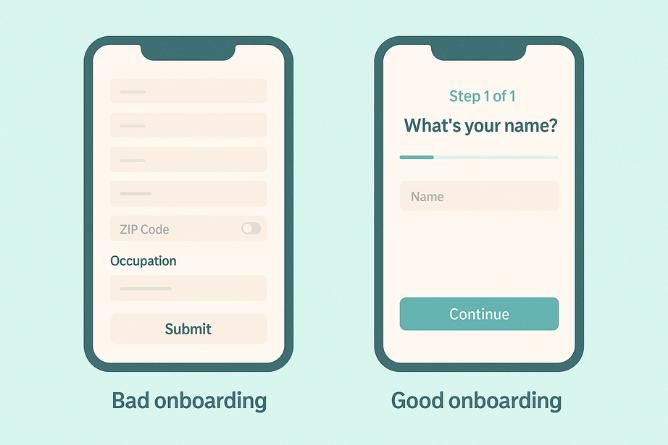
They Overload Users with Information
A common mistake is trying to explain everything upfront. Multiple screens, dense instructions, and continuous prompts overwhelm users instead of guiding them.
Cognitive overload in onboarding is a well-studied issue in usability research by Nielsen Norman Group.
Cognitive overload reduces comprehension. When users are given too much information at once, they retain very little and often abandon the process entirely.
They Focus on Features Instead of Value
Many onboarding experiences are built around features. They explain what buttons do and how the interface works, but fail to communicate why the product matters. This problem is commonly highlighted in onboarding frameworks by Samuel Hulick.
Users are not interested in learning features. They want to achieve outcomes. If onboarding does not connect actions to value, users lose interest quickly.
They Break the Native App Experience
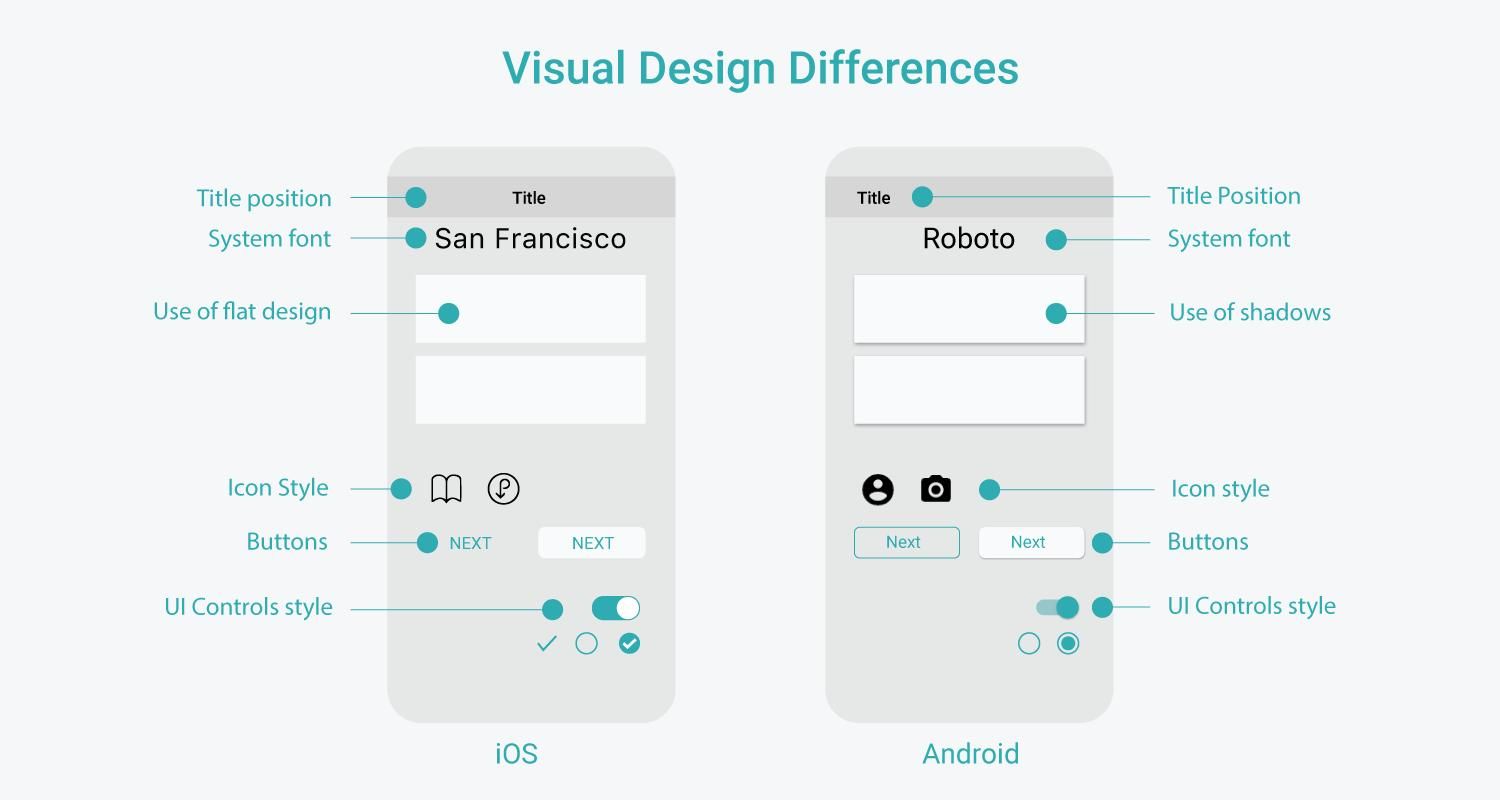
Onboarding elements that feel disconnected from the app’s design create friction. Laggy animations, intrusive pop-ups, and non-native components disrupt the experience.
Mobile users are highly sensitive to performance and flow. Even minor disruptions can lead to frustration and early exits.
They Treat Onboarding as a One Time Event
Many tools treat onboarding as something that happens only at the beginning. Once the initial flow is complete, guidance disappears.
In reality, onboarding should be continuous. Users need support as they explore new features, encounter friction, and deepen their engagement with the app.
The Hidden Cost of Bad Onboarding Tools
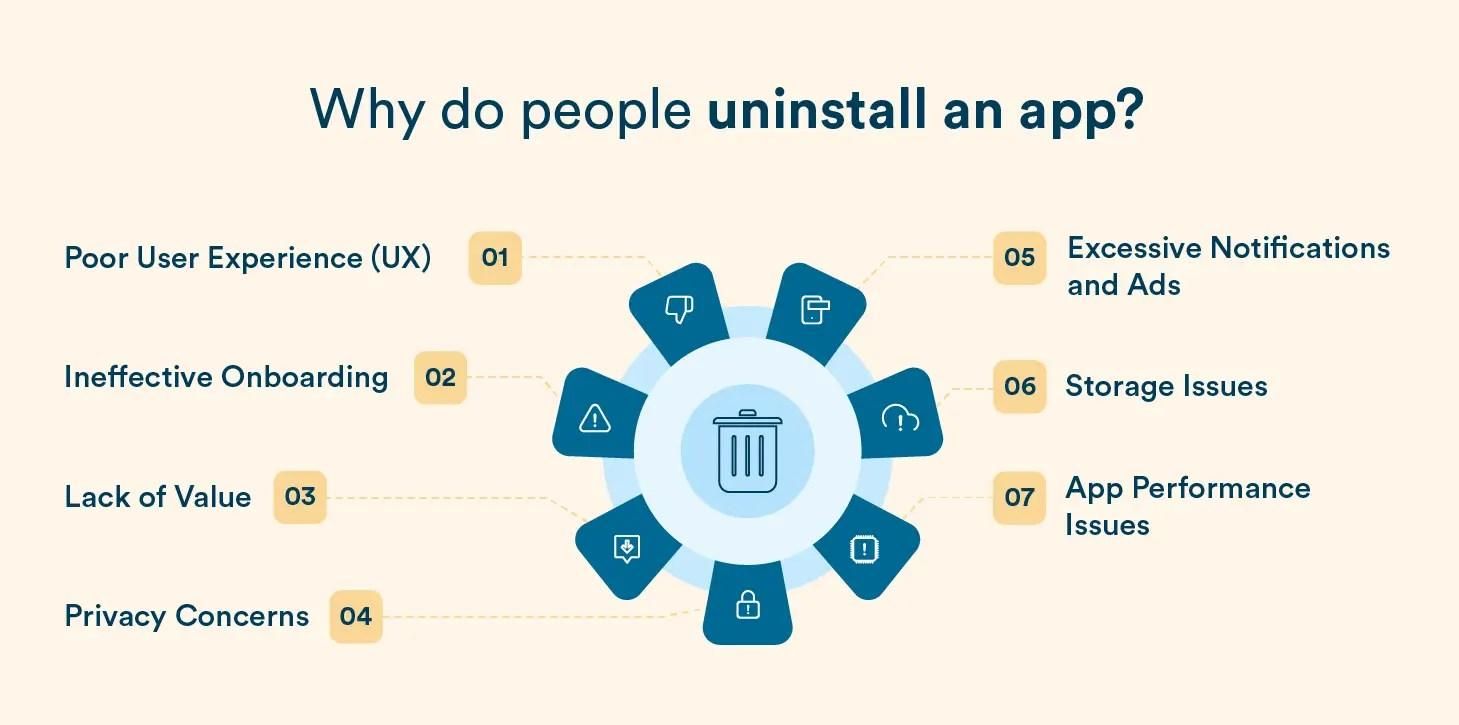
The impact of poor onboarding extends beyond initial user experience. One of the most immediate consequences is increased churn. Users who fail to understand value quickly are unlikely to return. Even a small improvement in retention can increase revenue by 25 to 95 percent, according to Bain & Company.
Another major cost is misleading data. High completion rates may suggest success, but they often hide deeper issues such as low retention and weak engagement. This disconnect between metrics and real value is often observed in product analytics platforms like Mixpanel.
There is also a resource cost. Teams spend significant time designing, implementing, and optimizing onboarding flows that fail to deliver meaningful results.
Why Most Teams Misuse Onboarding Software Solutions
The failure of onboarding tools is often rooted in how teams approach them. Many teams rely on assumptions instead of research. They design onboarding flows based on internal perspectives rather than real user behavior.
There is also a tendency to copy competitors. While this may seem like a safe approach, it often leads to generic experiences that lack differentiation and relevance.
Metrics can also be misleading. Teams focus on surface-level indicators such as clicks and completion rates, rather than deeper signals like activation and retention.
Finally, experimentation is often limited. Without continuous testing and iteration, onboarding experiences quickly become outdated.
What Good Mobile Onboarding Actually Looks Like
Effective mobile onboarding is subtle and context-driven. It does not attempt to explain everything at once. Instead, it introduces information progressively, based on user behavior.
Good onboarding prioritizes outcomes over instructions. It helps users achieve their first meaningful success quickly, creating a sense of progress and motivation.
It also feels natural within the app. Instead of interrupting the experience, it blends seamlessly into the interface.
- It appears when needed, not before
- It adapts to user actions
- It minimizes friction instead of adding steps
This approach creates onboarding that feels intuitive rather than forced.
How to Choose the Right Onboarding Software Solution for Mobile
Choosing the right onboarding software solution requires a deeper evaluation than feature comparison. The focus should be on how well the tool supports real user behavior and mobile constraints.
| Criteria | What to Look For | Why It Matters |
|---|---|---|
| Mobile performance | Lightweight and fast | Prevents lag and drop-offs |
| Personalization | Behavior-based targeting | Improves relevance |
| Analytics | Deep user insights | Enables better decisions |
| Integration | Works with existing stack | Reduces friction |
| Flexibility | Customizable flows | Supports unique use cases |
A tool that meets these criteria is more likely to enhance onboarding rather than complicate it.
Build vs Buy: Should You Even Use an Onboarding Tool
The decision to build or buy depends on the product’s needs and resources. Building in-house provides complete control and allows for deeply integrated experiences.