


TL;DR
- Digia Engage is not a customer engagement platform, and understanding that single distinction is the fastest way to understand everything else about it.
- It is an in-app rendering and engagement layer, built to plug directly into CleverTap, MoEngage, or WebEngage rather than replace any of them.
- The CEP keeps doing what it already does well: event tracking, segmentation, journey orchestration, and delivery across push, email, and SMS.
- Digia Engage takes over a narrower, specific job that CEPs were never built to do well, rendering native in-app experiences, nudges, widgets, surveys, gamification, and video, using the segments and events the CEP already computes, without duplicating that data layer or rebuilding targeting logic from scratch.
- This article covers what that architectural split actually means in practice, and the exact four-step workflow a campaign follows from CEP trigger to on-device render.
- It covers the five product lines that make up the format library, and why native rendering rather than a WebView bridge is the specific technical decision the whole architecture depends on.
- It covers how the AI layer fits in, and how interaction data flows back into the CEP so analytics stay accurate.
- It covers who this architecture is and is not the right fit for.
- Sourcing note: Every claim in this article is drawn directly from Digia's own published pages, cited at each point.
What Digia Engage Is
Digia Engage is a no-code platform for building personalised in-app experiences. Product and growth teams use it to create tooltips, stories, gamification, surveys, and in-app videos, all triggered by real user behaviour, without writing code. Most tools treat in-app as an afterthought. Digia Engage is built specifically for it, covering onboarding, nudges, surveys, gamification, and rich media, shipped into the product without a dev sprint.
The positioning is deliberately narrow, and that narrowness is the point. Digia Engage is a dedicated in-app engagement layer that integrates with CleverTap, MoEngage, and WebEngage. It does not replace a CEP. It adds native in-app rendering, format flexibility, and no-code campaign creation on top of the CEP's segmentation and channel coordination capabilities.
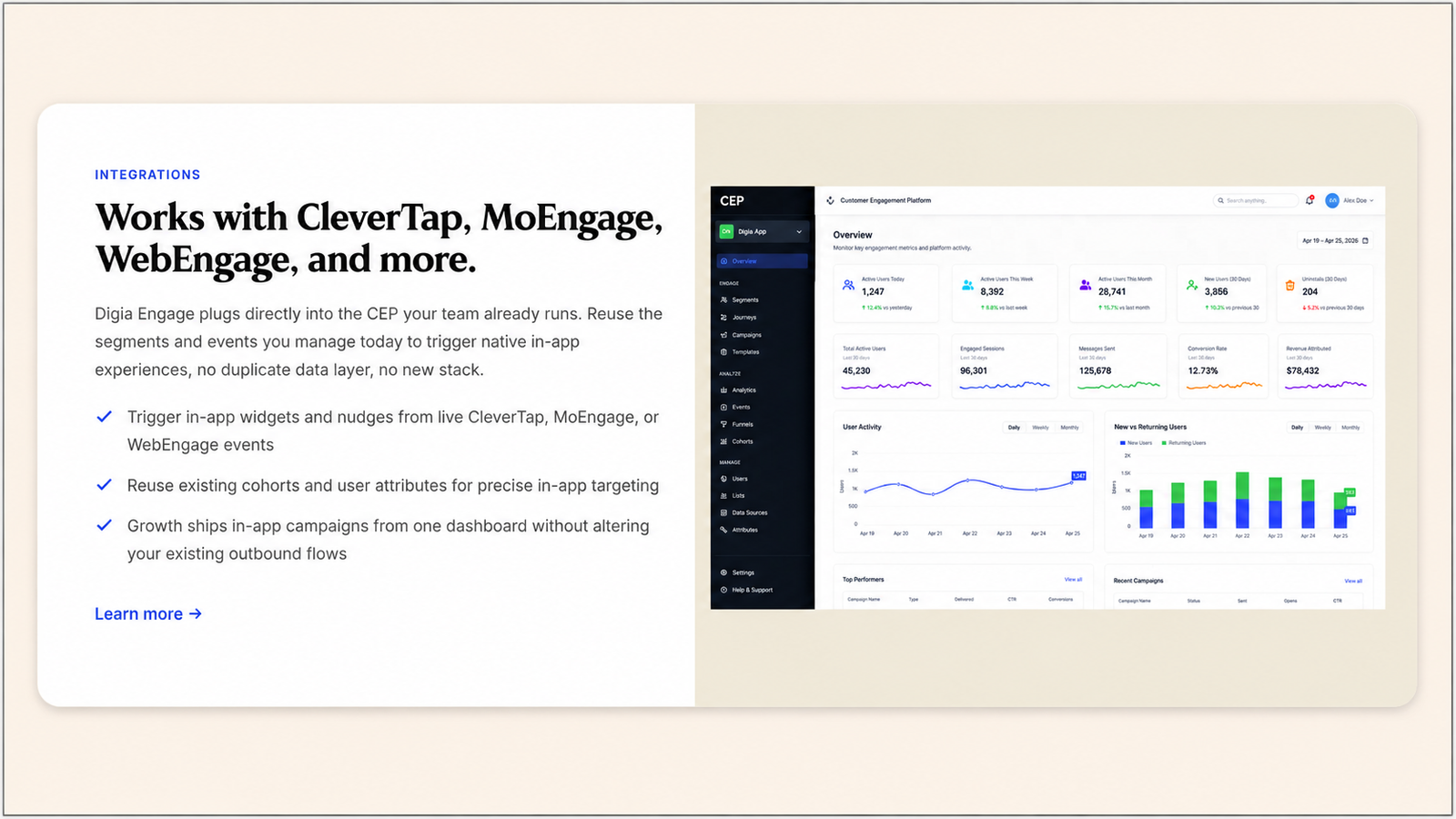
A customer engagement platform is built to answer one question well: who should receive a message, and when. Digia Engage is built to answer a different question that sits immediately downstream of the first one: once that decision has been made, what should the user actually see, and how well does it render.
The Core Architectural Bet: Layer, Not Replace
Every other decision in Digia's product follows from this one architectural choice, so it is worth stating plainly before anything else.
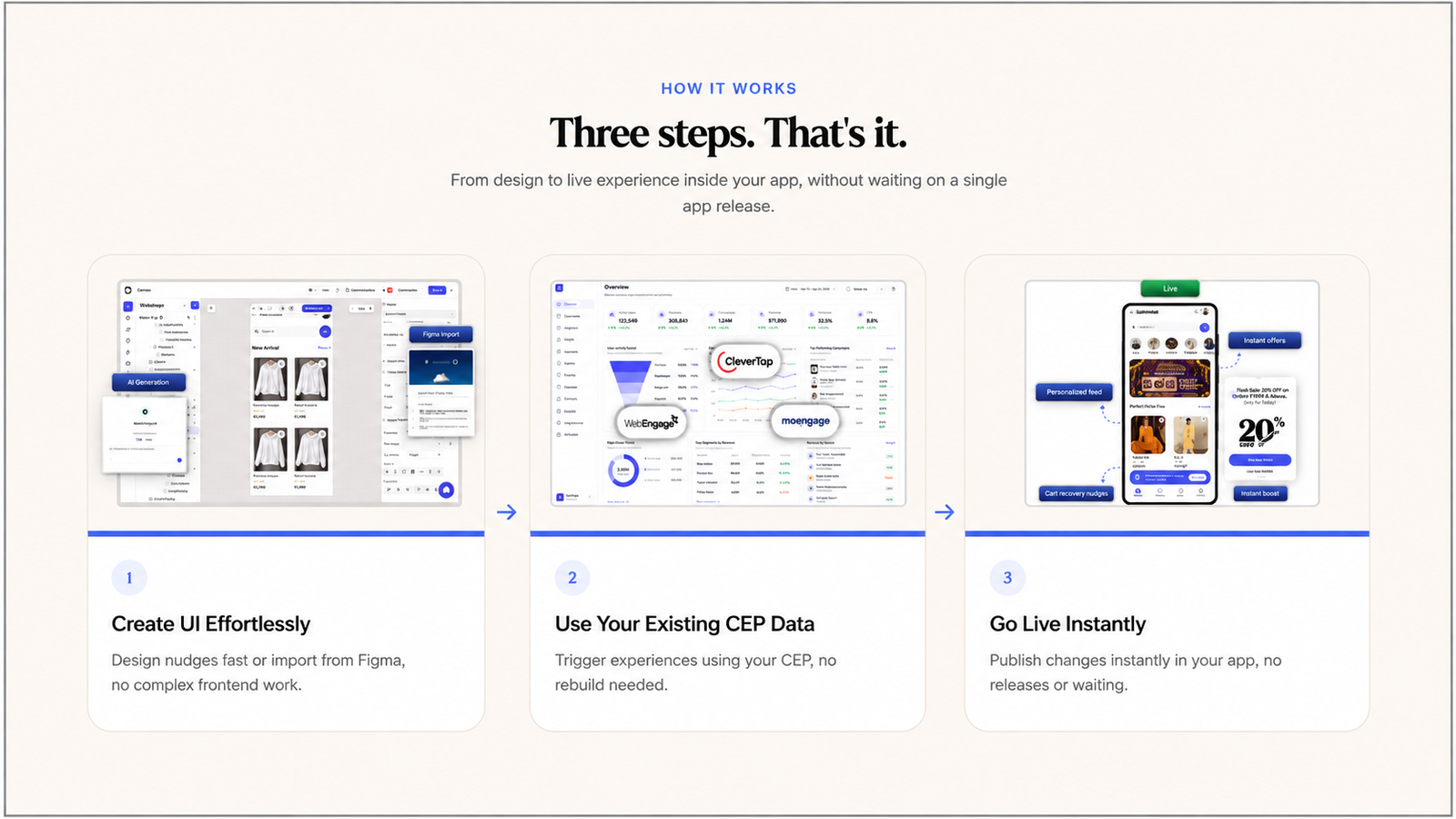
Digia Engage is an in-app engagement layer built to plug directly into the customer engagement platform you already run, reusing existing segments and events instead of adding a new data layer. It sits alongside CleverTap, MoEngage, or WebEngage. The CEP continues to own outbound channels like push, email, and SMS, plus event tracking, segmentation, and journey orchestration. Digia Engage handles native in-app surfaces specifically: widgets, nudges, stories, gamification, and video. This is explicitly framed as a non-competitive relationship. Digia Engage runs as a direct integration on top of a CEP, taking over what actually renders on screen and how quickly that rendering reflects a change. These two are not substitutes, and framing them as competitors gets the architecture wrong.
The practical consequence of this choice is that adopting Digia Engage does not require a team to rebuild anything that already works. Identity and existing segments sync across automatically, so the segmentation work already done in the CEP carries over rather than being rebuilt. A cohort a team has spent months tuning inside CleverTap, MoEngage, or WebEngage does not need a second, parallel definition inside Digia Engage. It is read directly, which is the specific design decision that avoids the duplicate-data-pipeline problem that undermines a great many attempts to layer a second engagement tool onto an existing stack.
The Four-Step Workflow: From CEP Trigger to On-Device Render
The implementation is additive. It does not replace the CEP's data infrastructure, segmentation, or journey logic. The workflow that connects a CEP's decision to what a user actually sees runs through four concrete steps.
Step 1: Connect identity and events. Send identifiers, events, and properties from the CEP into Digia Engage using the SDK path or a server-side handoff, whichever an engineering team prefers. This is the one-time setup step that lets Digia Engage resolve the same users the CEP already tracks, rather than building a separate identity system.
Step 2: Map segments. Growth teams reuse existing cohorts directly as audience filters in Digia Engage, or mirror the same behavioural rules inside Digia Engage for in-app delivery. A cohort defined in the CEP as "users who completed KYC but haven't made their first transaction in 7 days" carries that same logic directly into the in-app targeting layer. No segment has to be redefined from scratch in a second system.
Step 3: Configure the trigger. The CEP fires an event-based trigger when user behaviour matches a campaign's conditions. That trigger is received by the Digia Engage SDK on-device. The SDK checks the active campaign configuration and selects the correct component. This is the handoff moment: the CEP has already decided who qualifies and why. Digia Engage's job starts exactly where that decision ends.
Step 4: Render natively. Digia Engage renders the configured component, a bottom sheet upsell, a personalised banner, an onboarding checklist step, a gamification reward, or a contextual survey, without a network round-trip for the UI itself. The rendering happens on-device, using the app's own native components, which is the specific technical decision covered in more depth below.
The Product Line
Digia Engage organises its format library into five product lines: nudges, widgets, surveys, gamification, and in-app video, each covering a distinct category of in-app moment.
Widgets. Grids, carousels, and stories dropped anywhere in the app, with content updated from the dashboard and no app release required. Content blocks blend naturally into any screen, Stories highlight offers and product value, and recommendations get personalised without adding engineering work. Swipe strips, carousel banners, video banners, grid widgets, and content cards all render natively on iOS, Android, Flutter, and React Native.
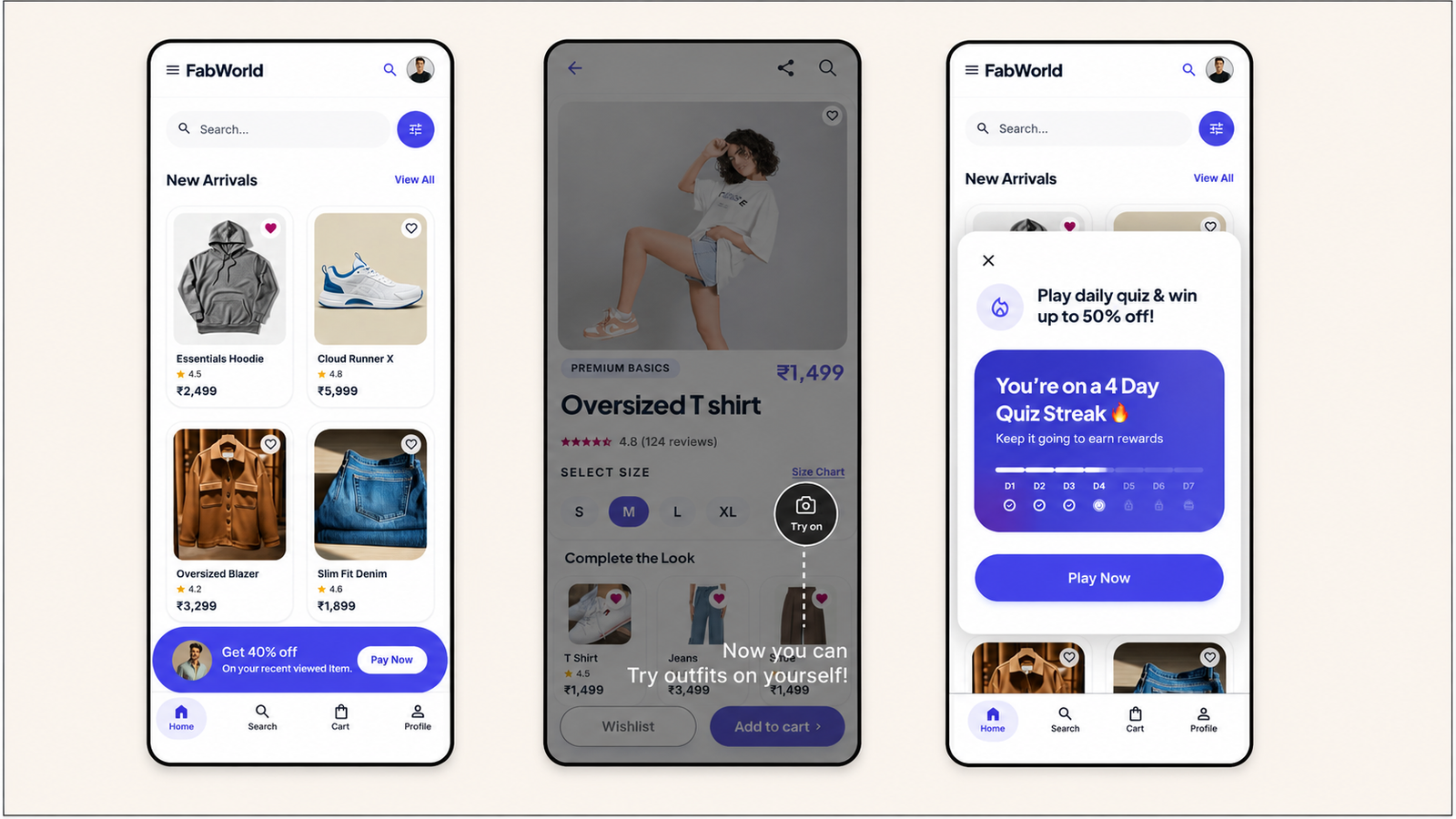
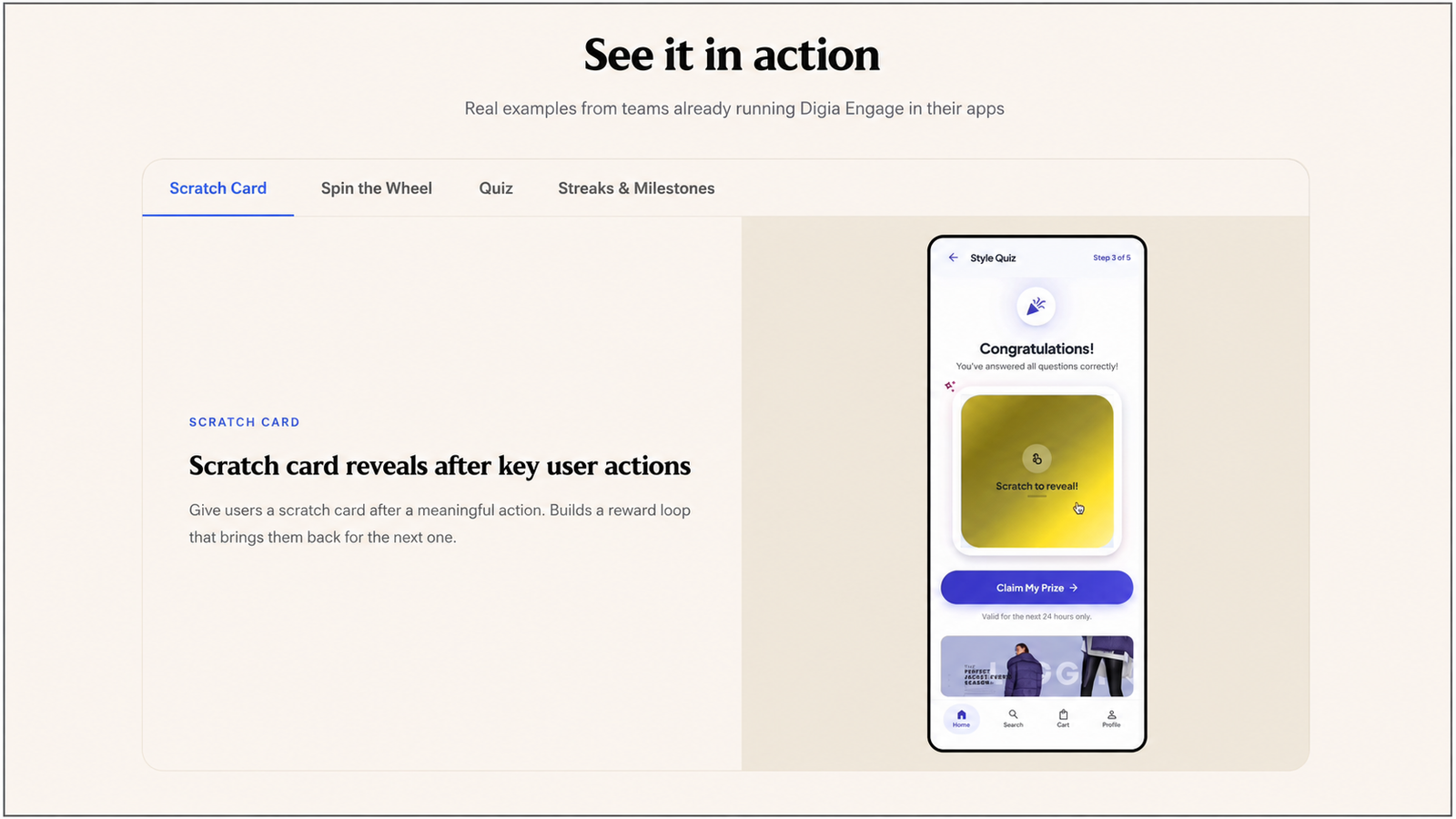
Gamification. Scratch cards, spin the wheel, slot machines, treasure chests, mystery boxes, quizzes, streaks, and milestone rewards, with new formats added every quarter. Spin-the-wheel mechanics give users prizes after key actions to bring them back for the next one, milestone rewards motivate new users through onboarding steps, and streak mechanics reward consecutive visits to build a daily habit over time.
Why Native Rendering Is the Decision Everything Else Depends On
The single technical choice that makes the rest of this architecture coherent is that Digia Engage renders natively, using the app's own rendering pipeline, rather than through a WebView bridge.
Digia Engage's SDK renders nudges, widgets, surveys, gamification components, and in-app video as native components using the app's own rendering pipeline, which eliminates the visual inconsistency and latency that CEP web-view rendering produces. This is a direct answer to a specific, documented limitation in how most CEPs render their own native templates: native templates render as native UI, which is a genuine advantage over WebView-based rendering, but the template set itself is limited to overlay shapes, cover, interstitial, banner, with inline placement requiring separate engineering work in a typical CEP's own in-app module.
Digia Engage's rendering path is built to close exactly this gap. Native components render on device without a WebView path, with a stated sub-100ms trigger-to-render speed, and widgets render inline inside an app's existing layout rather than as an overlay, with component and delivery rules editable without stopping and rebuilding a live campaign. Gamification mechanics including scratch cards, streak trackers, and spin-to-win are configured as dashboard fields rather than edited as raw HTML and JavaScript, which is a direct, specific answer to the code-adjacent configuration friction documented in several CEPs' own gamification template systems.
Speed is a direct consequence of this architecture: in-app triggers fire in under 100ms, roughly 10x faster than push-first platforms like CleverTap, MoEngage, and WebEngage, because the rendering does not require a network round-trip for the UI itself, only the trigger signal that tells the SDK which already-cached component to display.
What This Architecture Enables That a CEP's Native Templates Do Not
This is not a claim that CEPs are poorly built. It reflects the same division of labour covered throughout this article: a CEP's in-app module exists as one delivery channel among several within a platform whose primary investment is segmentation, journey logic, and cross-channel orchestration. CleverTap's real-time streaming architecture ensures customer segmentation, evaluation, and event-triggered messaging are instantaneous, which is precisely why it remains the preferred platform for fintech and gaming apps where real-time trigger accuracy matters, a strength Digia Engage does not attempt to replicate or replace. Digia Engage's own investment concentrates entirely on the rendering and format layer that sits downstream of that decision, which is why its format library goes deeper in exactly the areas, gamification depth, inline placement, video, that a CEP's own in-app module was not built to prioritise.
The AI Layer
Digia Engage AI runs across the platform, not as an add-on, handling audience logic, creative, and pre-launch checks, so teams spend less time on setup and more time on results. The scope is three specific jobs, not a general-purpose assistant layered onto the whole product.
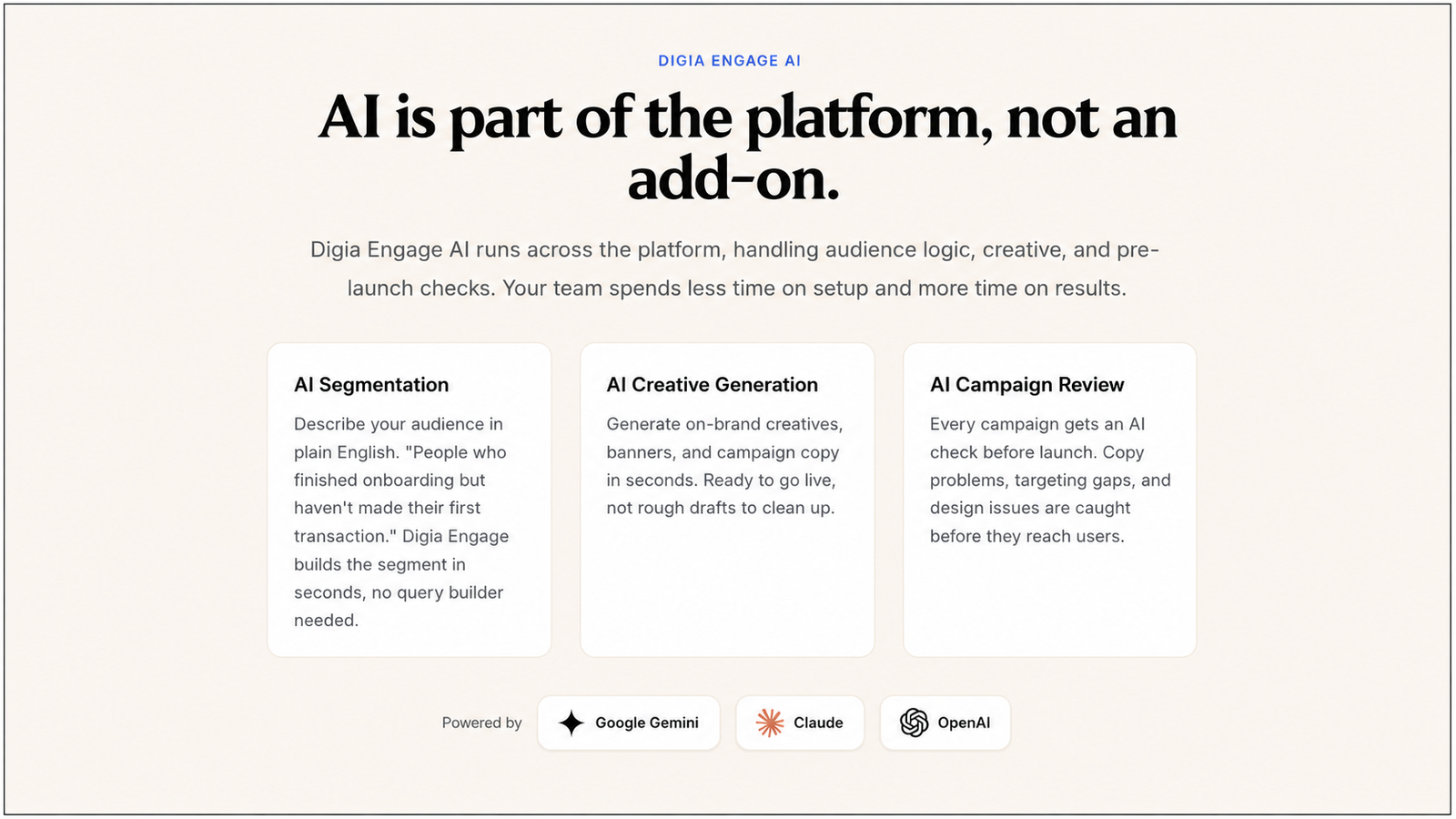
AI Creative Generation. Generate on-brand creatives, banners, and campaign copy in seconds, ready to go live rather than rough drafts requiring further cleanup.
AI Campaign Review. Every campaign gets an AI check before launch, catching copy problems, targeting gaps, and design issues before they reach users.
This layer is built on Google Gemini, Claude, and OpenAI, and Digia's own comparison against Plotline describes this as a narrower but more targeted AI scope than a general-purpose no-code builder assistant, consistent with the platform's overall design philosophy: depth in a specific, bounded set of jobs rather than breadth across every possible AI-assisted workflow.
Closing the Loop: How Interaction Data Flows Back
A layered architecture only works cleanly if data flows in both directions. If Digia Engage rendered content but interaction data disappeared into a separate silo, a CEP's own analytics and segment computation would drift out of sync with reality over time.
Digia Engage captures in-app interaction events, including taps, dismissals, CTA clicks, and survey completions, and routes them back into the CEP's analytics infrastructure, so user profiles receive the feedback and funnel analytics and segment state changes stay accurate. Track in-app outcomes next to channel metrics so product managers and growth teams can read one story across touchpoints, rather than reconciling two disconnected reporting systems.
This closes the loop the four-step workflow opens: the CEP decides who qualifies, Digia Engage renders the experience, and the outcome of that experience feeds directly back into the same CEP the decision originated from. Nothing about a user's segment membership or lifecycle stage inside the CEP becomes stale or disconnected from what actually happened in the in-app moment Digia Engage rendered.
Integration Model Across CEPs
The architecture is consistent across all three CEPs Digia Engage integrates with, with platform-specific implementation detail underneath the shared pattern.
CleverTap. Install the Digia Engage CleverTap plugin alongside the core SDK. It connects CleverTap user identity so cohorts and live events can trigger native in-app widgets, nudges, and stories without additional engineering per campaign. CleverTap cohorts and user attributes map directly to Digia Engage audience filters, and the analytics team keeps managing cohorts in CleverTap while growth targets in-app experiences with the same data.
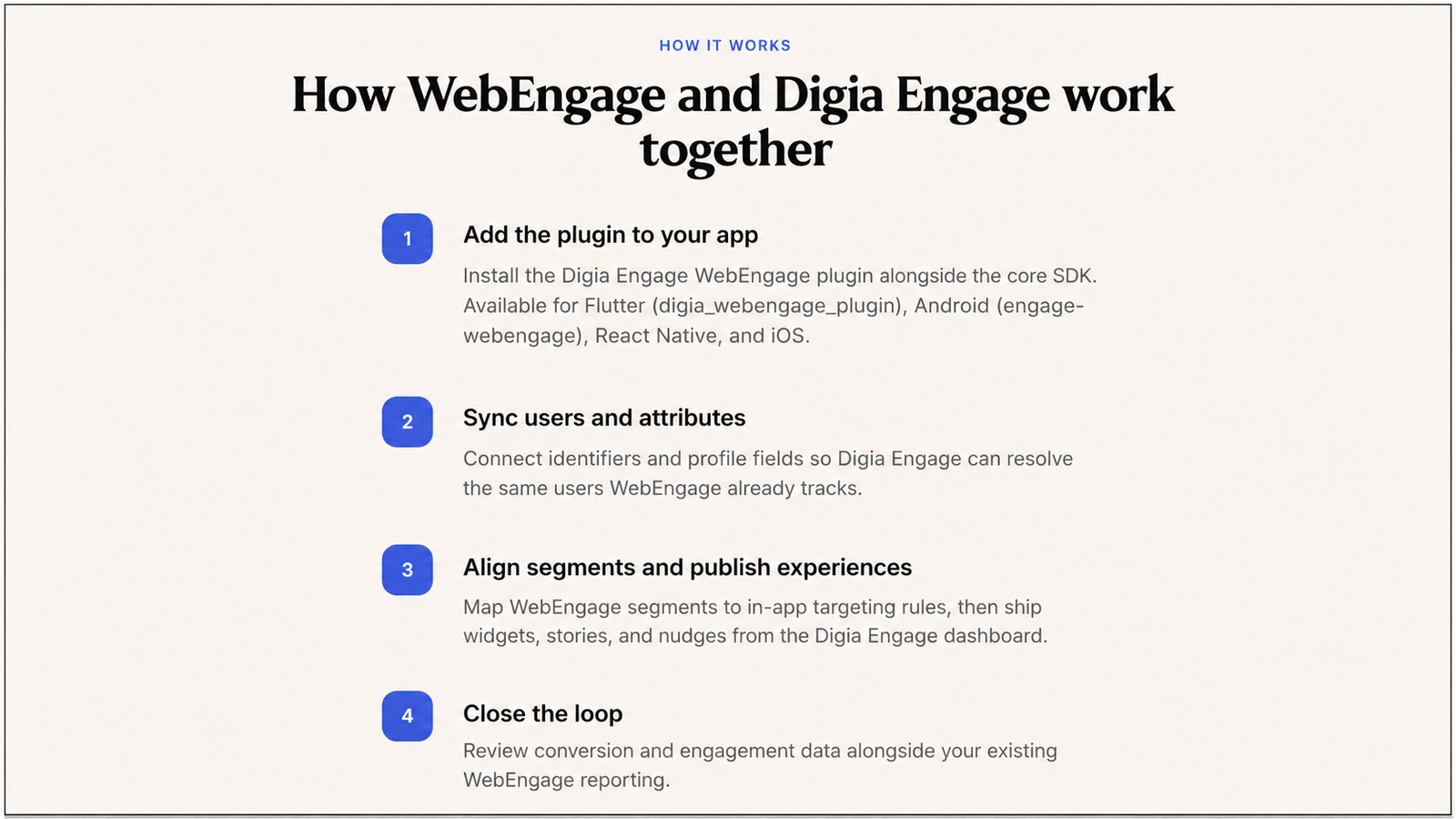
WebEngage. Install the Digia Engage WebEngage plugin alongside the core SDK, available for Flutter, Android, React Native, and iOS. Connect identifiers and profile fields so Digia Engage resolves the same users WebEngage already tracks. When WebEngage marks a user as eligible for a journey step, Digia Engage shows a matching in-app confirmation, upsell, or survey in the same session.
MoEngage. The same layered pattern applies: MoEngage continues to own outbound channels and segmentation, and Digia Engage adds the native in-app rendering layer, reading MoEngage's computed segments directly rather than duplicating the underlying event pipeline.
Across all three integrations, the plugin adds roughly 20 minutes of engineering time on top of the core SDK integration, after which growth and product teams ship campaigns from the dashboard without opening further engineering tickets per campaign.
Who This Architecture Fits, and Who It Does Not
For teams whose priority is standing up a full standalone in-app program fast, with no dependency on an existing CEP integration, a standalone platform's model is a genuinely reasonable fit instead of a layered one. The layered architecture Digia Engage is built around specifically assumes a team already has meaningful investment in a CEP's segmentation and journey logic, and wants to extend that investment's rendering capability rather than duplicate or replace it.
This means the fit question is not "is Digia Engage better than a standalone tool" in the abstract. It is a narrower, more specific question: does your team already have segmentation and event data inside CleverTap, MoEngage, or WebEngage that is genuinely working, and is the actual complaint specifically about what renders on screen once a campaign fires, rather than about the underlying targeting logic itself. Teams for whom that description is accurate are the architecture's clearest fit. Teams building an engagement stack from zero, with no existing CEP relationship to layer onto, are evaluating a different category of decision entirely.
The Numbers That Matter
Launch a first campaign in under 24 hours. SDK integration takes about 20 minutes, a few lines of code. In-app triggers fire in under 100ms, roughly 10x faster than push-first platforms like CleverTap, MoEngage, and WebEngage. The SDK weighs under 2MB and has a zero-crash record across all production deployments. SOC 2 Type II, ISO 27001, and GDPR certified, used across 3+ countries worldwide. Native iOS, native Android, React Native, and Flutter are all supported from a single dashboard. Over 100 million in-app impressions are served every month across fintech, e-commerce, gaming, and media apps, powering 10+ consumer apps.
Key Takeaways
- Digia Engage is not a customer engagement platform and is not built to replace one. It is a rendering and engagement layer that plugs into CleverTap, MoEngage, or WebEngage, reusing the segmentation and event data those platforms already compute.
- The four-step workflow, connect identity and events, map segments, configure the trigger, render natively, describes exactly where the CEP's job ends and Digia Engage's job begins: the CEP decides who qualifies, Digia Engage decides what gets shown.
- The five product lines, nudges, widgets, surveys, gamification, and in-app video, cover a format range deliberately deeper than what a typical CEP's own in-app module ships, particularly in inline placement, gamification configuration depth, and video.
- Native rendering without a WebView bridge is the specific technical decision the rest of the architecture depends on, enabling sub-100ms trigger-to-render speed and inline placement that overlay-based CEP templates cannot achieve.
- The AI layer is scoped to three specific jobs, plain-English segmentation, creative generation, and pre-launch campaign review, built on Gemini, Claude, and OpenAI, rather than a general-purpose assistant layered across the whole product.
- Interaction data flows back into the CEP automatically, so segment state and funnel analytics stay accurate and a team reads one consistent story across in-app and outbound channels rather than reconciling two disconnected systems.
- The architecture's clearest fit is a team with genuine, already-working segmentation inside an existing CEP, whose actual complaint is about in-app rendering specifically. A team with no existing CEP relationship is evaluating a different category of decision.
Further Reading
From Digia
- Digia Engage Nudges — the full nudge format library referenced in this article's product line section
- Digia Engage Widgets — inline widget formats and native rendering detail across all four supported platforms
- Digia Engage Gamification — the full gamification mechanic library and quarterly format cadence
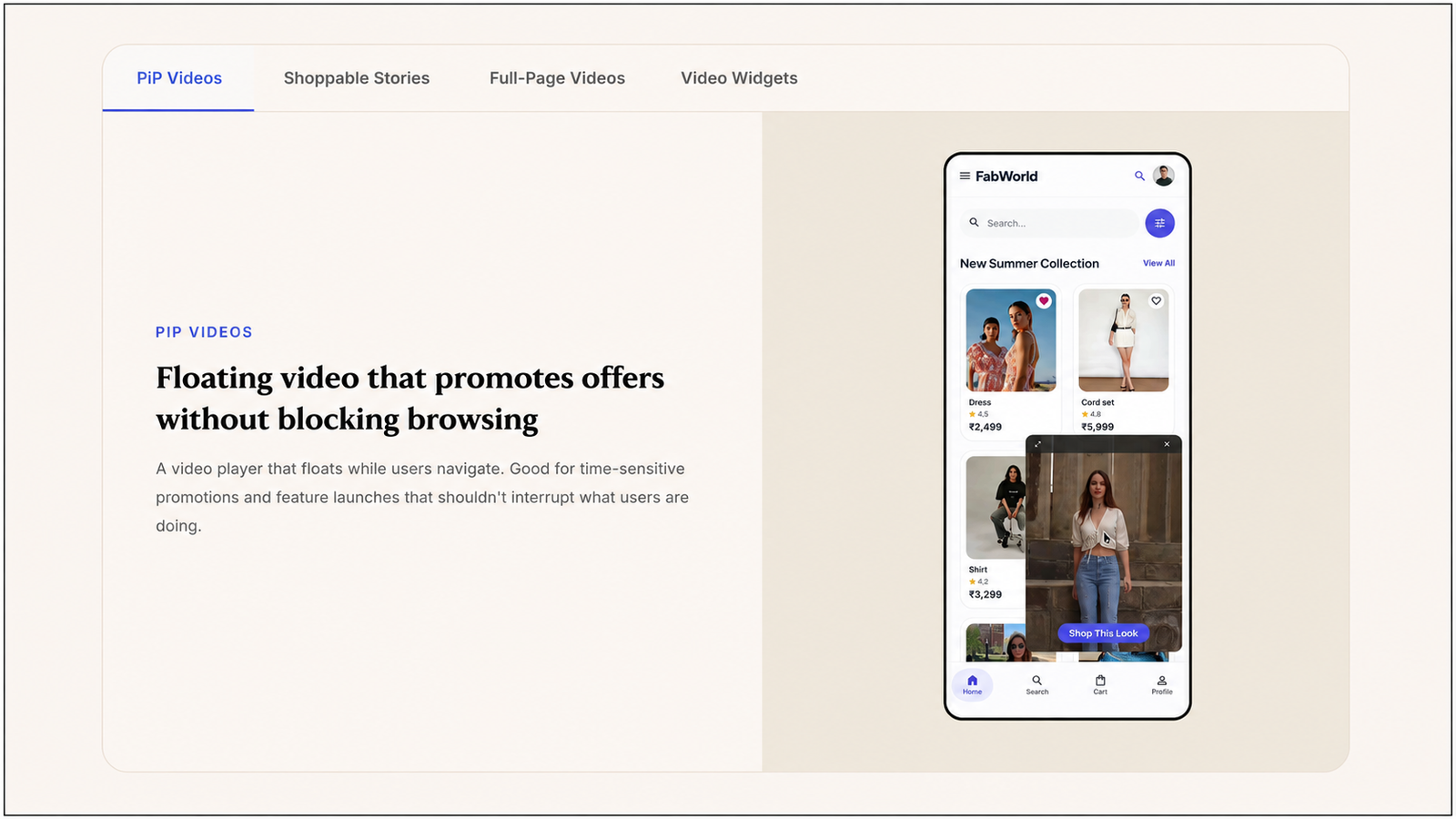
- Digia Engage In-App Videos — picture-in-picture, full-screen, and story video formats
- Digia Engage CleverTap Integration — the CleverTap-specific implementation of the layered architecture described in this article
- Digia Engage WebEngage Integration — the WebEngage-specific implementation, including journey-triggered in-app content
- Extending CleverTap with Custom In-App UI — the primary source for this article's four-step workflow and data-flow-back detail
- CleverTap In-App Messaging Review: What Works, What Breaks — the hands-on evidence base for the native rendering and inline placement comparison in this article
- Best Mobile App Engagement Platforms 2026: Honest Review — the broader comparative framework this article's CEP-strength discussion draws on
- Digia vs Plotline: In-App Engagement Comparison — the layered-versus-standalone architecture question addressed directly in this article's fit section
Ready to see how the layered architecture described in this article works against your own CleverTap, MoEngage, or WebEngage setup? Book a demo or view pricing.